Chargie for iPhone & iPad
The ultimate battery protection app. Extend your battery lifespan by up to 4x.

Supported Platforms
iPhone
iOS 13 or later
Live Activities on iOS 16.1+
Dynamic Island on iPhone 14 Pro+
iPad
iPadOS 13 or later
Optimized tablet interface
Split View & Slide Over support
Explore the Chargie App
Optimal Charging at 80%
What's New in Version 2.6
Device Colors
Unique colored markers for each Chargie device.
Multi-Device
Smart handling for devices with identical names.
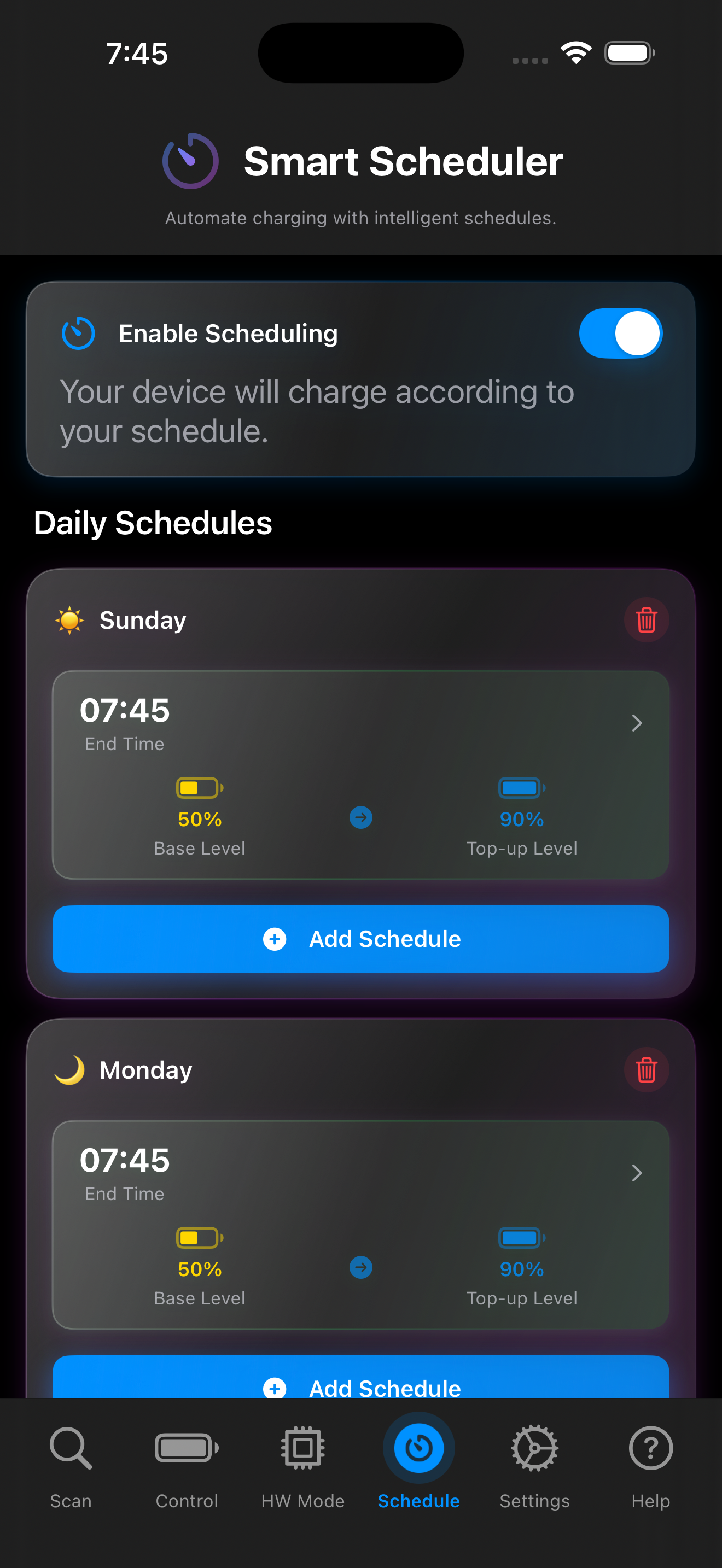
Smart Scheduler
Precision charging with learned profiles.
Live Activities
Dynamic Island and Lock Screen integration.
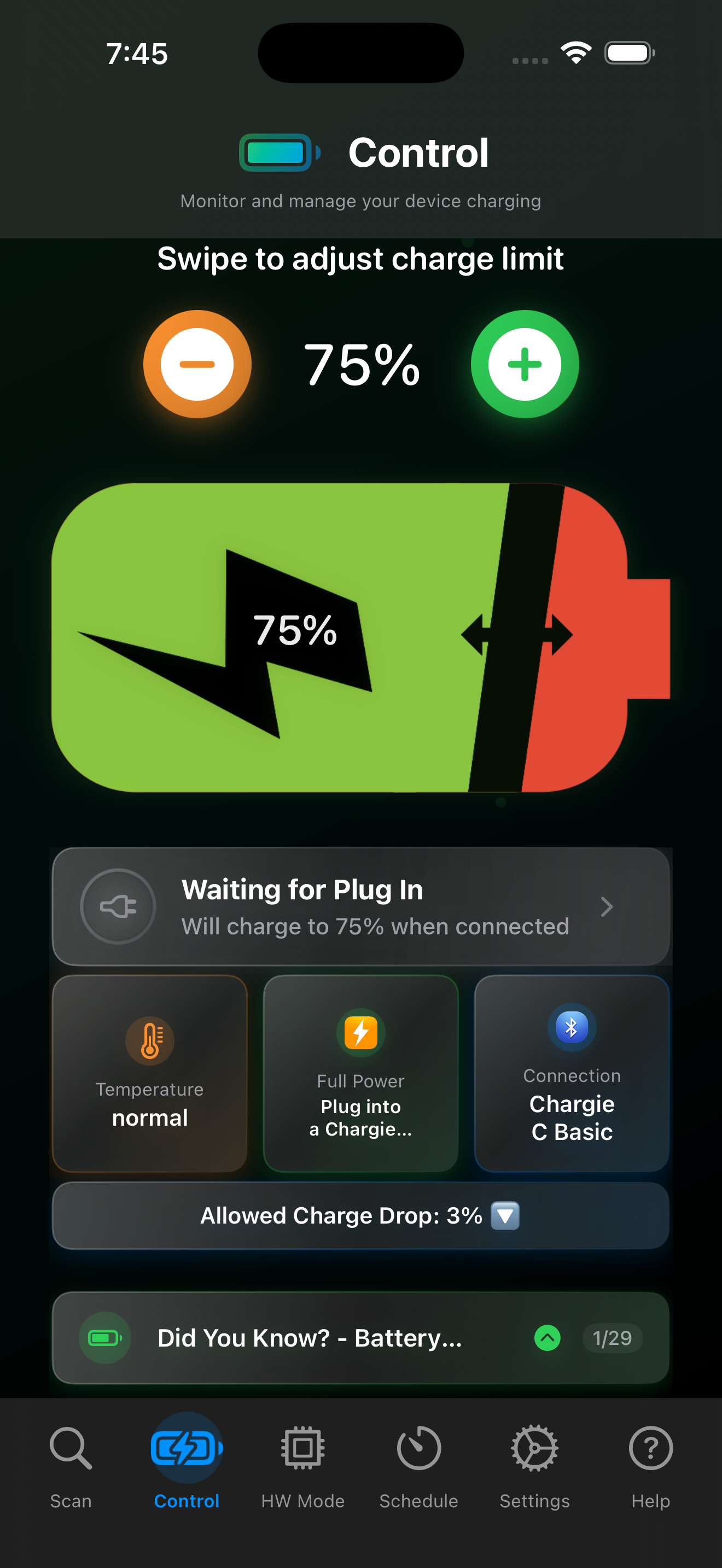
🔋 Your Main Control Screen
Open the Control tab to choose your charge limit and see the current charging status.
- Swipe across the battery or use the minus and plus buttons to adjust your target.
- Check the status card to see whether the app is waiting for a connection or controlling charging.
- See the connected Chargie in the Connection card.
- Use Allowed Charge Drop to set how far the battery can fall before charging restarts.
This example shows a 75% limit and a 3% allowed charge drop. Choose values that suit your routine.
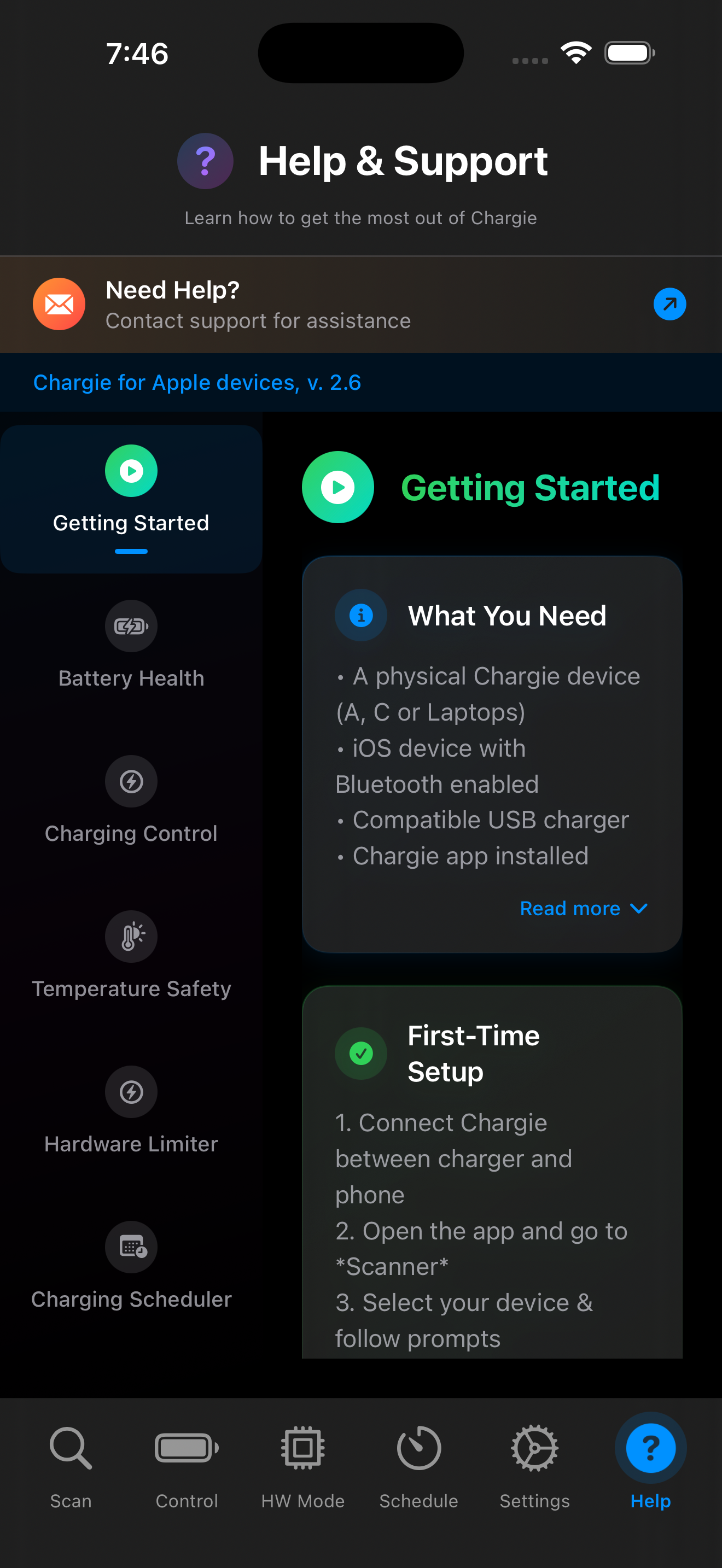
🎯 Getting Started Made Easy
The built-in Help & Support center guides you through every step of setting up Chargie.
- Step-by-step first-time setup wizard
- In-app documentation for every feature
- Quick access to Battery Health & Charging Control
- Direct support contact if you need help
Getting Started
Quick setup guide with everything you need
What You Need
Complete checklist of requirements
Enable Scheduling
Toggle smart charging automation
Daily Schedule
Set different schedules for each day
⏰ Intelligent Smart Scheduler
Set your wake-up time and Chargie calculates exactly when to start charging. Perfect for overnight charging.
- Per-day scheduling (weekdays vs weekends)
- Base level keeps battery healthy overnight
- Top-up level for when you need full charge
- Learned charging profiles for accurate timing
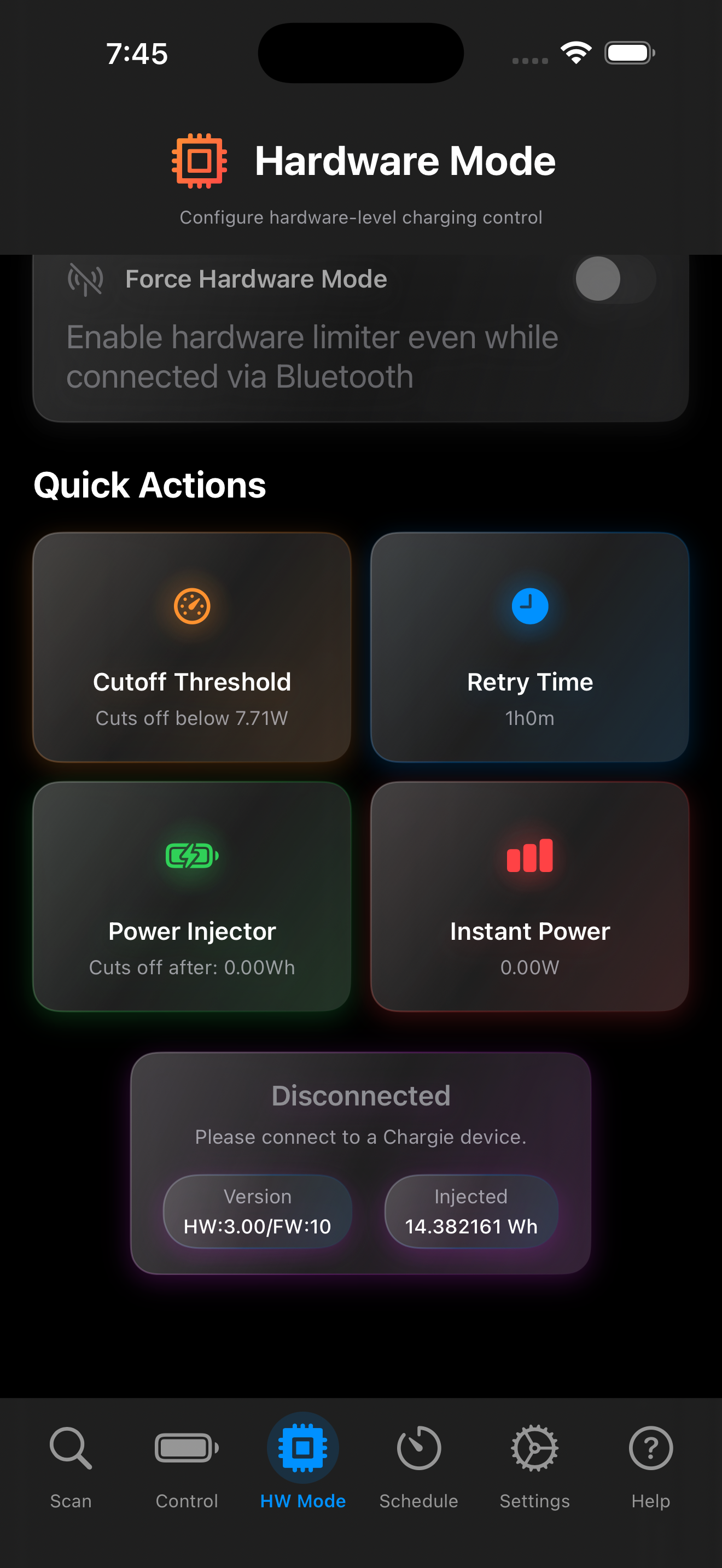
⚡ Hardware-Level Control
Take full control with hardware-based charging limits. Works even when your phone is off.
- Cutoff Threshold - Stop at specific power level
- Retry Time - Auto-resume after set duration
- Power Injector - Precise energy metering
- Works independently of app connection
Quick Actions
Instant access to hardware controls
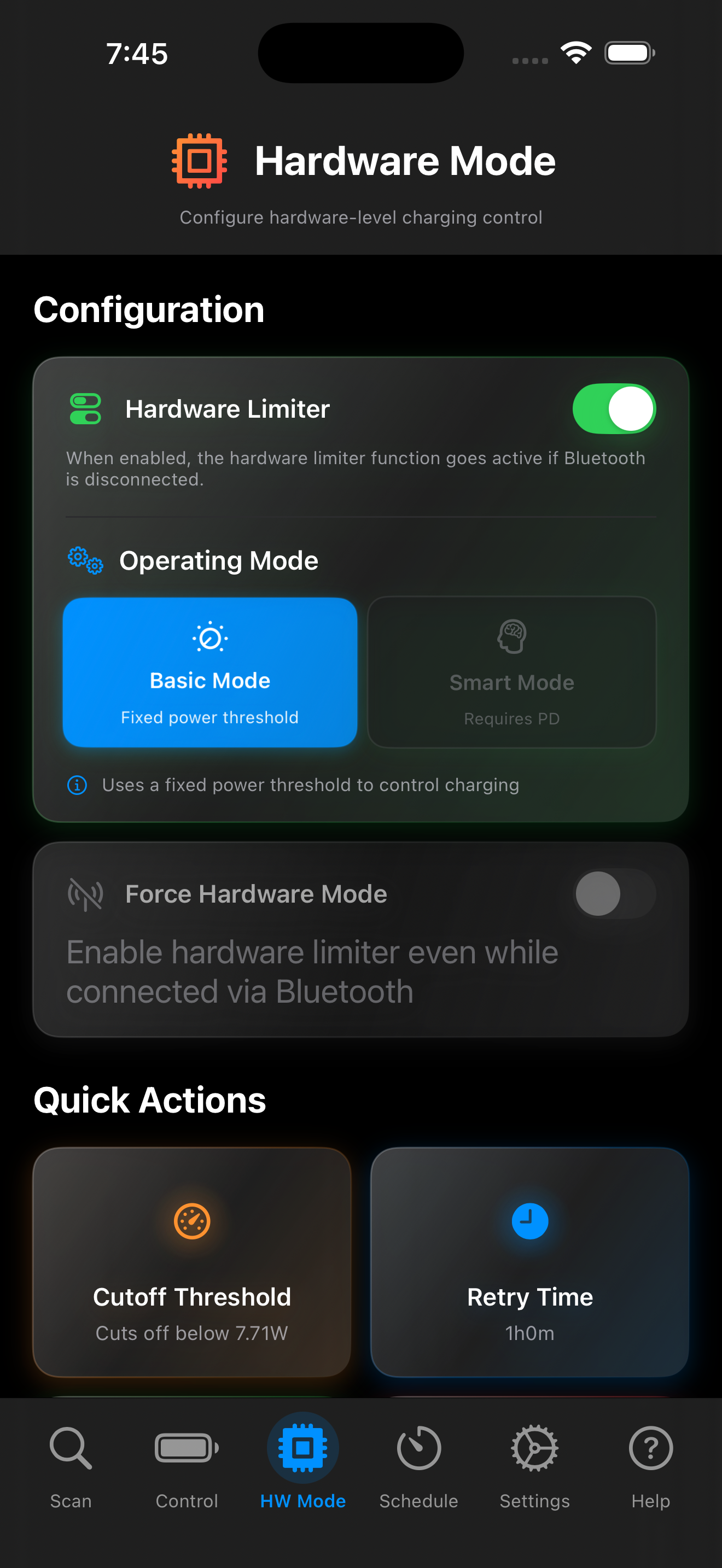
Hardware Limiter
Activates when Bluetooth disconnects
Operating Mode
Choose Basic or Smart mode
🔧 Advanced Configuration
Fine-tune how Chargie protects your battery with detailed hardware configuration options.
- Basic Mode - Fixed power threshold control
- Smart Mode - Requires PD for advanced features
- Force Hardware Mode override option
- Persistent settings saved to Chargie device
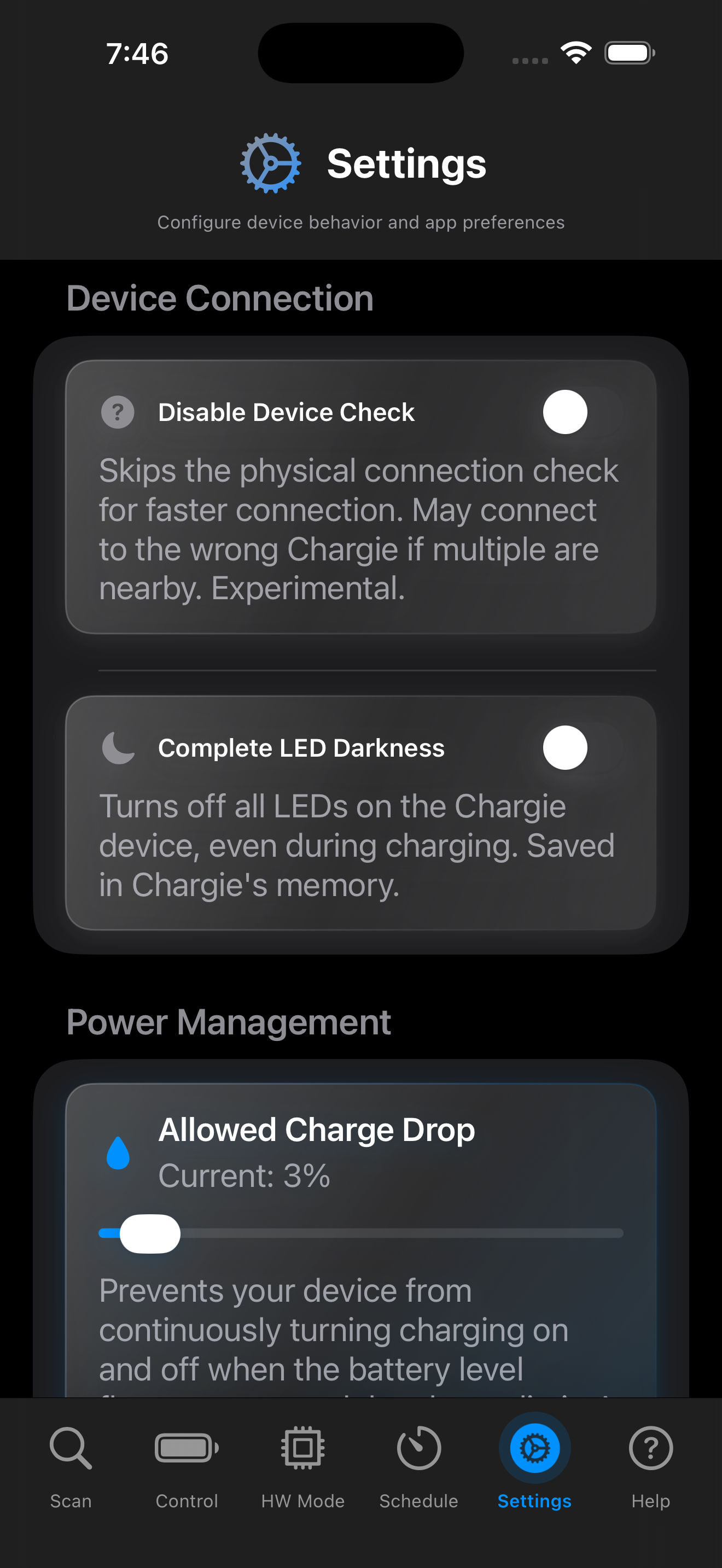
⚙️ Customizable Settings
Tailor Chargie to your exact needs with comprehensive device and power management settings.
- Device Check - Skip for faster connection
- Complete LED Darkness - Stealth charging mode
- Allowed Charge Drop - Prevent charging oscillation
- All preferences synced to device memory
LED Darkness
Turn off all LEDs for bedside charging
App Features
Quick Setup
Hardware Connection
Install App
Works on iPhone & iPad
Connect via Bluetooth
App auto-discovers nearby Chargie devices. Each device gets a unique color marker.
Set Charge Limit
Slide to your desired limit. 80% recommended for maximum battery longevity.
Hardware Setup
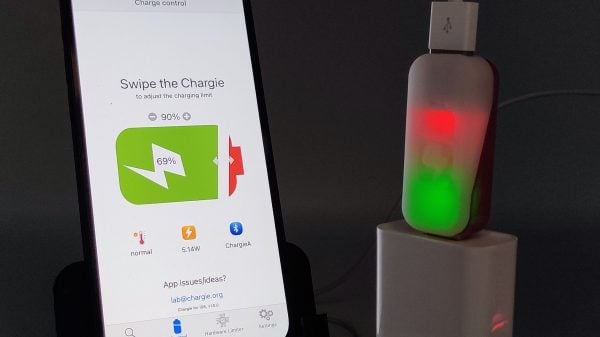
Chargie A (USB-A)
Insert between wall adapter and your charging cable
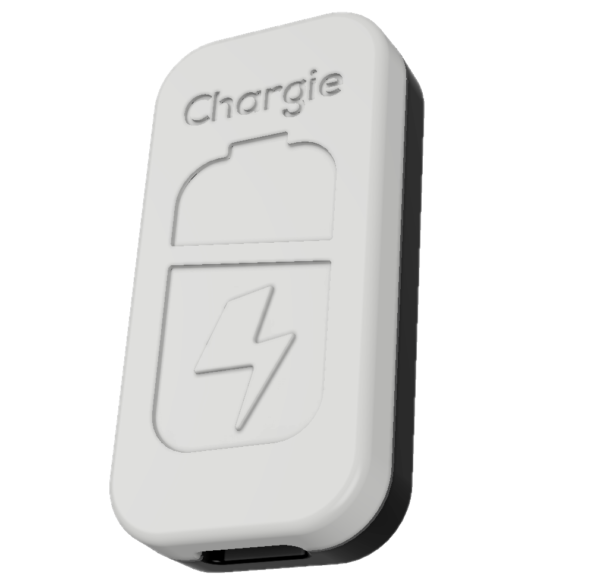
Chargie C (USB-C)
INPUT → Power Adapter | OUTPUT → Device
Privacy & Security
- No data collection - Your data stays on device
- Local Bluetooth only - No cloud, no internet required
- No tracking - Zero analytics or telemetry
- No account needed - Just install and use
Troubleshooting
1. Ensure Bluetooth is enabled
2. Check Chargie is plugged into power
3. Try unplugging and re-plugging Chargie
4. Force close and reopen the app
5. Restart Bluetooth on your device
1. Ensure app is running (not force-quit)
2. Check Bluetooth connection is active
3. Enable Hardware Limiter for app-independent protection
4. Verify Chargie firmware is current
1. Requires iOS 16.1 or later
2. Settings > Face ID & Passcode > Enable Live Activities
3. Dynamic Island requires iPhone 14 Pro or newer
4. Must be actively charging with Chargie connected
1. Don't force-quit the app
2. Disable Low Power Mode
3. Let app learn your charging profile first
4. Verify schedule settings are correct
1. iOS reports battery level in 5% increments on iOS 17+
2. This is an iOS limitation, not a Chargie issue
3. The app compensates for this automatically
4. Actual charge control is still precise
1. Hardware Limiter activates when Bluetooth disconnects
2. Check that Hardware Limiter is enabled in HW Mode tab
3. Set the Cutoff Threshold appropriately
4. Ensure Chargie firmware supports this feature
Need Help?
Last Updated: February 1, 2026