Description
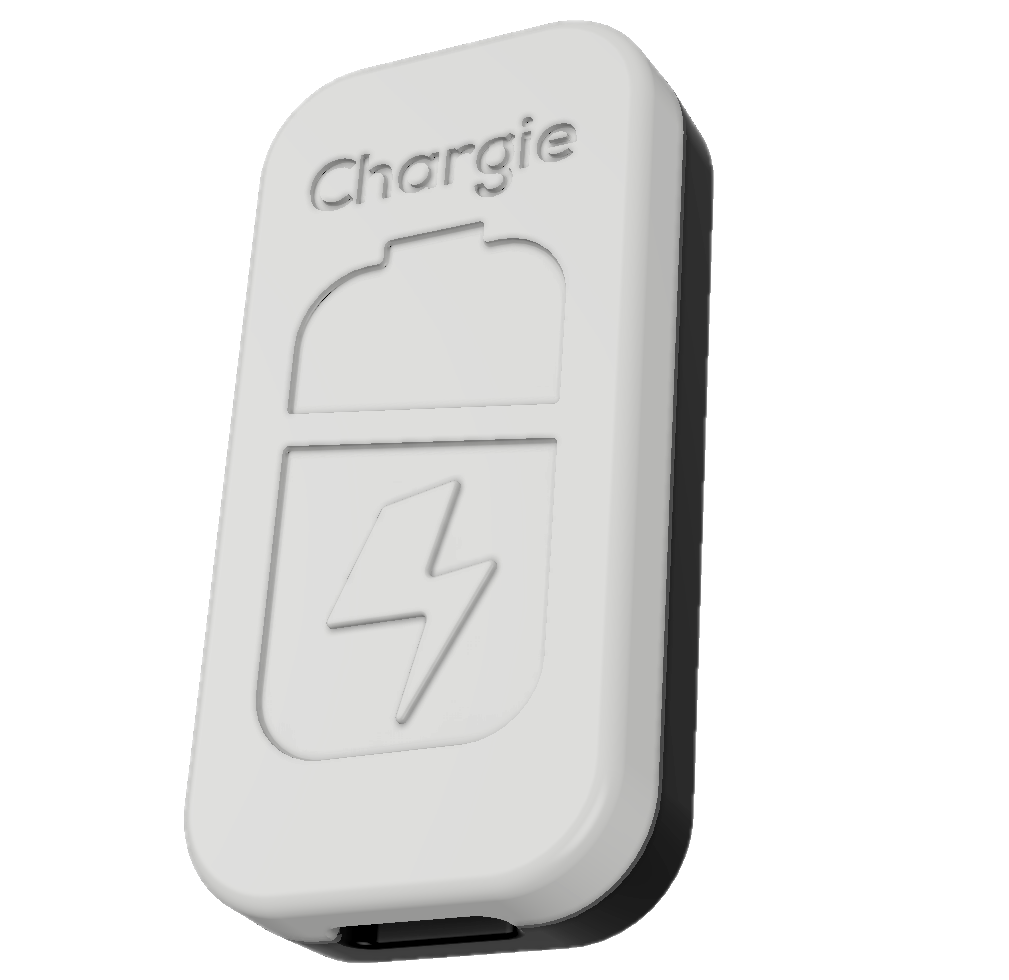
Your laptop sits plugged in at 100% all day, every day. According to Battery University, a lithium-ion battery stored at 100% charge loses up to 20% capacity per year at room temperature — and up to 35% at elevated temperatures. That constant high-voltage state is the #1 cause of battery degradation. Chargie for Laptops is the world’s first universal USB-C Power Delivery charge limiter—and it stops the damage at the source.

Why Your Laptop Battery Degrades So Fast
Modern laptops spend most of their lives plugged in at 100% charge. Research from the National Renewable Energy Laboratory confirms this constant high-voltage state causes accelerated lithium-ion degradation — the #1 cause of capacity loss. After just 12–18 months, many users notice their “all-day battery” barely lasts 3 hours.
Some laptops have built-in charge limiters, but most don’t. And even those that do often lack precise control or require proprietary software that doesn’t work across all your devices.
Chargie for Laptops solves this at the hardware level—no drivers, no software conflicts, no OS limitations.
Key Features
Smart Charge Limiting
Set your preferred charge limit (60%, 70%, 80%—you choose) via the Chargie app. Your laptop charges to that level and stops, keeping the battery in its optimal voltage range.
Overnight Protection
Schedule charging to complete just before you wake up. No more 8+ hours at 100% while you sleep—your battery charges smart, not long.
USB-C Power Delivery
Full 100W USB-C PD support means fast charging when you need it. Chargie negotiates the optimal power level with your charger automatically.
Cross-Platform App
Control Chargie from iOS, Android, macOS, or Windows. Real-time power monitoring shows exactly what’s flowing to your laptop.
Battery Health Monitoring
Track voltage, current, and power in real-time. See the actual charging curve and verify your battery is being treated right.
Safety First
Over-temperature protection, over-voltage protection, and smart reconnection if power fluctuates. Your laptop is always safe.
Universal Laptop Compatibility
Works with any USB-C charged laptop. For barrel-connector laptops (HP, Dell, Lenovo), pair with our adapter kits:
- Apple MacBook
- Dell XPS / Latitude
- HP EliteBook / Spectre
- Lenovo ThinkPad
- ASUS ZenBook
- Microsoft Surface
- Razer Blade
- Framework
- + Any USB-C Laptop
How Chargie for Laptops Works
- Connect — Plug Chargie between your USB-C charger and laptop
- Configure — Set your charge limit in the Chargie app (we recommend 80% for daily use)
- Forget — Chargie automatically stops charging at your limit, every time
When your battery drops below the threshold, Chargie resumes charging automatically. It’s intelligent battery management that works silently in the background.
What’s Included
- Chargie for Laptops — USB-C PD charge limiter (up to 100W)
- USB-C cable — High-quality braided cable for laptop connection
- Quick start guide — Get running in under 2 minutes
Note: USB-C power adapter not included. For barrel-connector laptops (older HP, Dell, Lenovo models), see our adapter kits.
Read the full research behind Chargie →
Frequently Asked Questions
Which laptops does Chargie for Laptops work with?
Any laptop that charges via USB-C, including Apple MacBook, Dell XPS/Latitude, HP EliteBook/Spectre, Lenovo ThinkPad, ASUS ZenBook, Microsoft Surface, Razer Blade, and Framework. For older laptops with barrel connectors (HP, Dell, Lenovo), use our adapter kits.
Does it support full 100W charging?
Yes. Chargie for Laptops supports USB-C Power Delivery up to 100W. It automatically negotiates the optimal power level with your charger, so your laptop charges at full speed until the limit is reached.
Can I use it with a MacBook?
Yes. Chargie works with all MacBook models that charge via USB-C (MacBook Air and MacBook Pro from 2016 onward). It’s a better alternative to macOS’s built-in Optimized Battery Charging because you get precise control over the exact charge percentage.
Does it work while the laptop is in use?
Yes. Chargie manages charging while you work normally. When your battery reaches the set limit, Chargie cuts charging power — your laptop continues running on battery until it drops below the resume threshold, then charging restarts automatically.
Is Chargie better than the built-in battery limit in my laptop?
Most built-in solutions (like Lenovo Vantage, MyASUS, or Dell Power Manager) only offer fixed options (e.g., 60% or 80%) and are software-dependent — they don’t work across operating systems and may be removed in updates. Chargie works at the hardware level with any OS, offers any limit from 20-100%, and includes features like overnight scheduling and temperature protection that built-in solutions lack.
What cable do I need?
A USB-C to USB-C cable is included in the box. Use your existing USB-C power adapter (the one that came with your laptop). For barrel-connector laptops, you’ll also need one of our adapter kits.
Does it void my laptop’s warranty?
No. Chargie is an external USB accessory — it doesn’t modify your laptop in any way. It simply controls the power flowing through the USB-C cable, similar to how a USB hub or dock works.
Stop the degradation cycle. Extend your laptop battery’s lifespan by 2–3x with intelligent charge management — backed by peer-reviewed battery science.
Reviews
There are no reviews yet.