
The Habits You Don’t Know Are Habits
Ask someone how they charge their phone and they’ll say “I plug it in at night.” That’s the habit they know about. The ones that actually kill batteries are invisible — they’re side effects of how we work, travel, and set up our desks. They happen automatically, every day, for years. And by the time you notice the damage (“my phone dies by 2pm now”), thousands of hours of unnecessary high-voltage stress have already done their work.
Here are the five most common battery killers hiding in plain sight — and exactly what to do about each one.
Scenario 1: The USB-C Monitor Hub Trap
The setup: You plug your laptop into a USB-C monitor that also charges it. Clean desk, one cable, perfect. Your phone charges from the monitor’s pass-through USB port during the workday.
What’s actually happening: Your phone hits 100% by 10am and sits there for the next 6–7 hours. That’s 30–35 hours per week at maximum voltage. At 4.2V per cell, every additional hour at 100% accelerates the chemical degradation inside the battery. You’re not “topping up” — you’re slow-cooking the electrolyte.
A study from the Journal of Power Sources found that lithium-ion cells stored at 100% charge at room temperature lose approximately 20% of their capacity per year. At the elevated temperatures inside a charging phone (30–35°C), that number climbs higher.
The fix without changing your desk setup: A Chargie C Basic between the monitor’s USB port and your phone stops charging at 80%. You arrive at your desk, plug in, and your phone charges to 80% in about an hour — then stops. For the remaining 5–6 hours, it’s not charging at all. The cable’s still plugged in. Your desk looks identical. But your battery isn’t sitting at 4.2V all day.
Scenario 2: The 65W Laptop Charger on an Older Phone
The setup: You grab the nearest USB-C charger — which happens to be your laptop’s 65W brick — and plug in your two-year-old phone. It charges fast. Great, right?
What’s actually happening: USB-C Power Delivery negotiates the highest power both devices support. Your older phone might accept 18W or 25W maximum, and the charger will deliver exactly that. So far, fine. The problem isn’t the wattage negotiation — it’s the heat generated at the battery during any fast charge.
According to research published in the Journal of Power Sources, every 10°C increase in operating temperature roughly doubles the rate of lithium-ion capacity fade. Fast charging generates more heat than slow charging — more current flowing through the battery’s internal resistance means more thermal energy. Your two-year-old battery, already showing some internal resistance increase from age, heats up more than a new battery under the same charging current.
So you’re fast-charging an already-aged battery, generating higher temperatures than the phone did when new, and doing it in 20-minute bursts that spike the temperature curve rather than letting the battery warm gradually.
The fix: Chargie C Basic limits charging to 10W maximum — intentionally slow. The same battery that heats up at 25W stays cool at 10W. Yes, it takes longer to charge. But you’re not in a rush at your desk, and the thermal stress you avoid compounds over hundreds of cycles.
Scenario 3: GPS + Charging on Road Trips
The setup: Long drive, phone mounted on the dashboard, running Google Maps with the screen at full brightness, plugged into the car’s USB port or a 12V adapter.
What’s actually happening: This is the worst-case thermal scenario for a phone battery. You have three heat sources converging at once: (1) the GPS chip running continuously, (2) the screen at high brightness (often in direct sunlight through the windshield), and (3) the battery charging. The phone’s internal temperature can easily exceed 40°C — the threshold where accelerated degradation begins.
Even worse: many car USB ports deliver only 5W, so the phone is simultaneously charging slowly (generating heat for hours) while discharging rapidly (GPS + screen draw more power than the port supplies). Net battery level drops despite being “plugged in,” which triggers the phone to draw maximum available current continuously — the worst of both worlds.
The fix: Charge to 80% before leaving, then use Chargie to hold the phone at that level. If you’re using Chargie C Basic with the companion app, enable temperature protection — it pauses charging if the phone exceeds a set threshold, preventing the heat-stacking effect that kills batteries on road trips.
Scenario 4: The Permanently Plugged-In Kids’ Tablet
The setup: The family iPad or Android tablet lives on the kitchen counter or in the kids’ room, permanently connected to a charger. It gets used for an hour or two a day. The rest of the time, it’s at 100% — 22+ hours every single day.
What’s actually happening: This is the single most damaging charging pattern possible. The tablet spends 90%+ of its life at maximum cell voltage. After 18–24 months, parents notice the battery “doesn’t hold a charge like it used to” — and the tablet that used to last through a long car ride now dies halfway through.
The Battery University data is stark: a lithium-ion battery stored at 100% charge at 25°C loses approximately 20% capacity per year. The same battery stored at 40% charge loses about 4%. That’s a 5x difference in degradation rate — purely from charge level, with zero additional cycles.
The fix: A Chargie C Basic permanently installed between the charger and the tablet, set to 60% or 70%. The tablet stays charged enough for daily use but never touches the voltage range where degradation accelerates. After two years, that tablet’s battery will be within 10% of its original capacity instead of 60%.
Scenario 5: The Fast Charger + Wireless Pad Combo
The setup: You bought a 20W USB-C power brick and a Qi wireless charging pad. Set your phone on the pad at night. Wake up to 100%. Convenient.
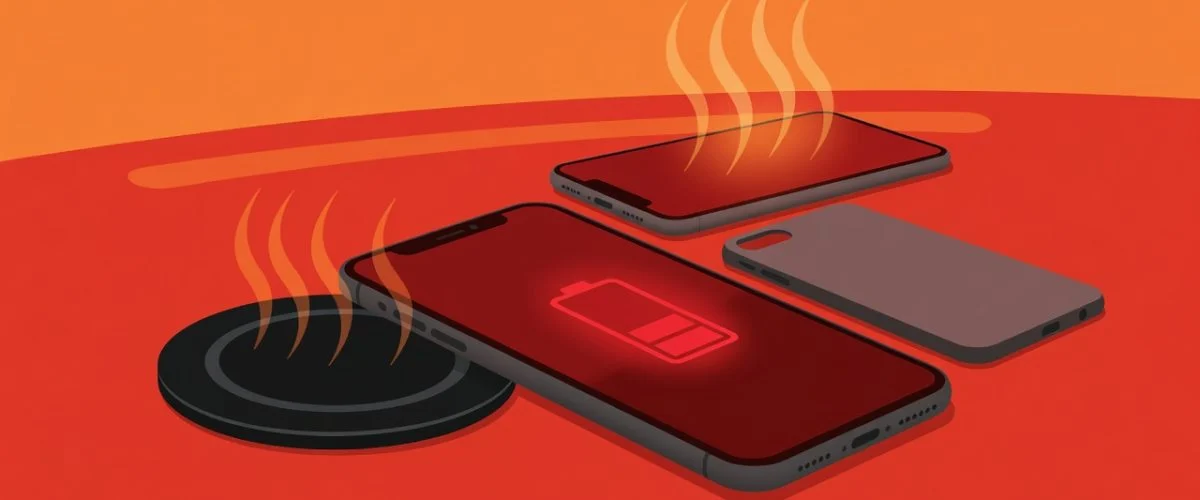
What’s actually happening: Wireless charging is inherently less efficient than wired — typically 70–80% versus 95%+. That missing 20–30% of energy is converted to heat inside both the charging pad and the phone. Add a fast charger delivering 15W+ wirelessly, and the phone’s internal temperature rises significantly during charging.
Now add the overnight problem: your phone hits 100% by 2am. The wireless charger doesn’t know the phone is full. The phone continues to draw a trickle current to maintain 100% for the remaining 4–5 hours, generating continuous low-level heat the entire time. It’s not just the voltage stress of 100% — it’s 100% voltage plus elevated temperature plus the inefficiency heat from wireless transfer. Triple threat.
The fix: Chargie C Basic between the 20W brick and the wireless pad. Set the limit to 80%. The pad stops receiving power when the phone hits the limit, which means no trickle charging, no overnight heat generation, and no 100% voltage stress. You keep the convenience of dropping your phone on the pad — Chargie handles the cutoff invisibly.
Why Behavior Change Fails — and Hardware Doesn’t
Every scenario above has a behavioral fix. Unplug the monitor cable. Find a slower charger. Don’t charge during GPS use. Unplug the kids’ tablet. Switch to wired charging.
Behavioral fixes fail because they require constant attention. You’ll forget. You’ll be in a hurry. The monitor cable is too convenient to give up. The kids’ tablet needs to be charged when they grab it.
A hardware charge limiter like Chargie C Basic or Chargie for Laptops doesn’t require behavior change. Plug it in once, set the limit, and every charging scenario — at your desk, in the car, on the nightstand — automatically protects your battery. You keep your habits. Your battery gets the protection.
The cost of Chargie C Basic ($29.99) versus the cost of a battery replacement (typically $70–$100 for an iPhone, $50–$90 for Android flagships) makes the math straightforward. And that’s just one device — move it between your phone, tablet, and accessories, and it protects everything you charge.
FAQ
Is it really that bad to leave my phone plugged in all day?
Yes. The chemistry is clear: every hour at 100% charge accelerates degradation. It’s not about the number of plug-in events — it’s about cumulative time spent at maximum voltage. A phone that sits at 100% for 8 hours a day accumulates nearly 3,000 hours of high-voltage stress per year.
Does using a slower charger help?
For heat, yes. For voltage stress, no. A slow charger produces less heat during the charge cycle, which is good. But once the phone reaches 100%, the voltage damage continues regardless of how fast it got there. You need to stop the charge, not just slow it down.
Can I use Chargie with a wireless charger?
Yes — place Chargie between the power brick and the wireless pad’s USB input. When the phone reaches your set limit, Chargie cuts power to the pad, and the phone stops charging. This works with any Qi or MagSafe charger that uses a USB power source.
What about Android Auto / CarPlay? Doesn’t Chargie interfere with data?
No. Chargie C Basic supports full USB data passthrough. Android Auto and CarPlay work normally while Chargie manages the charging side. Your maps, music, and calls continue uninterrupted.

USB-C charge limiter that stops at your set battery level, so your battery never sits at 100% overnight. Extends battery lifespan by years. Works with any USB-C charger.
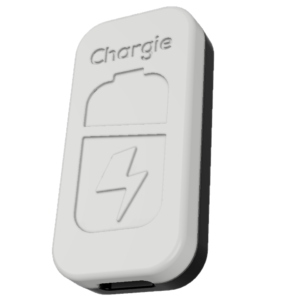
Limit your laptop charge to 80% via USB-C. Works with MacBooks, Dell, HP, Lenovo and most USB-C laptops up to 100W.
Protect Your Battery with Chargie
The world's first hardware charge limiter. Set a charge limit on any phone, tablet, or laptop — extend battery life by up to 4x.