
You've probably been told that flipping your phone to dark mode is a magic bullet for better battery life. Is it true? The honest answer is… it depends. The real secret isn't just about color; it's about the screen technology in your pocket.
So, Does Dark Mode Actually Save Your Battery?
The answer hinges entirely on whether your phone has an OLED/AMOLED screen or an older LCD screen.
Think of an OLED screen as a sky full of stars. To show a dark night sky, it just… turns the stars off. Each tiny dot on the screen (called a pixel) is its own light source. To display true black, the pixels in that area simply power down completely, using zero energy.
Screen drain is one thing - charging wear is another. Chargie limits your charge to prevent the chemical degradation that kills batteries permanently.
Protect your battery →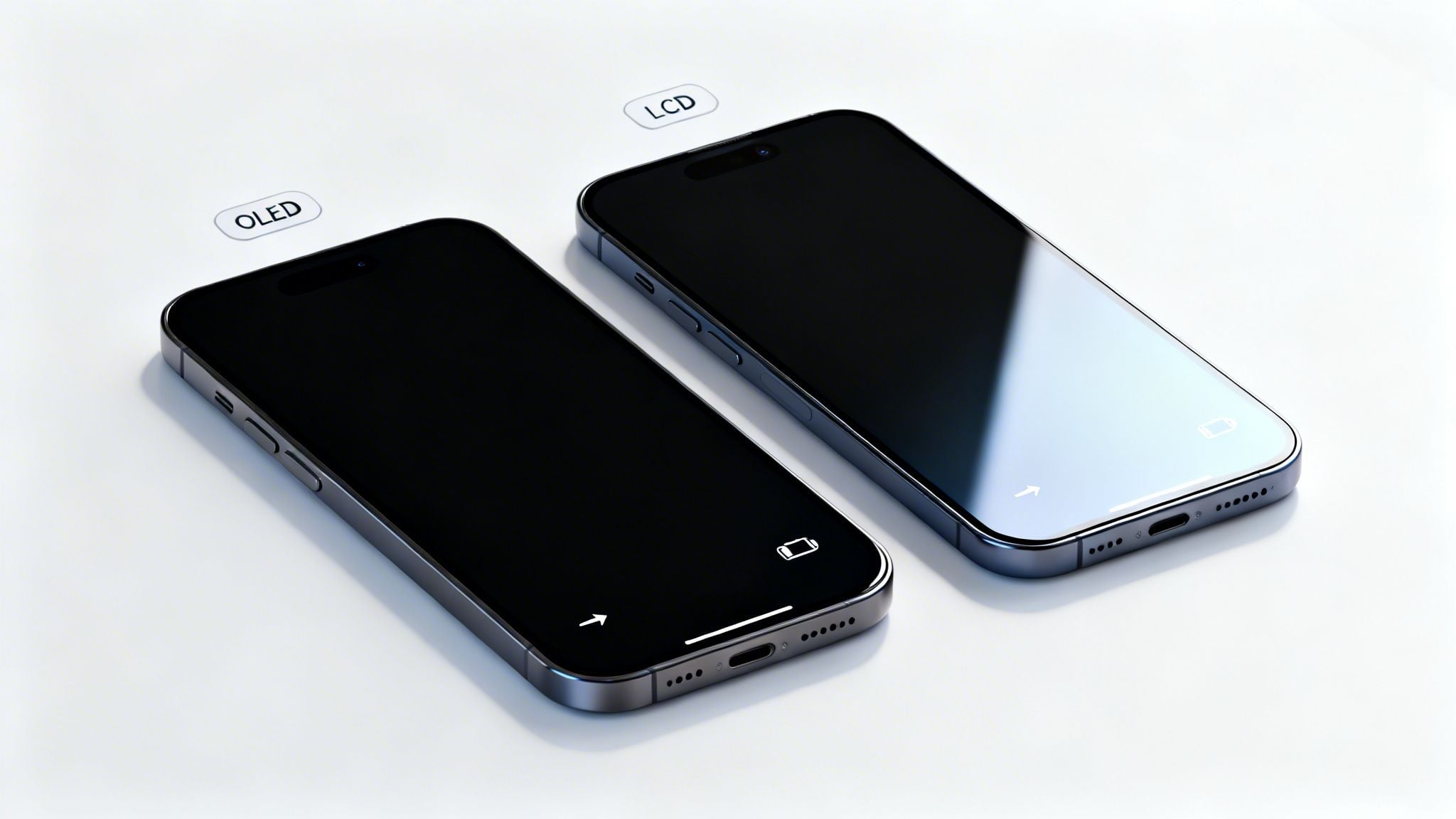
An LCD screen, on the other hand, is more like a single, giant light panel that's always on. To show "black," it uses a layer of shutters to block the light, but the power-hungry backlight behind them never actually turns off. Because of this, dark mode on an LCD phone offers almost no battery benefit.
How Much Juice Can You Really Save?
For those with an OLED screen, the savings are real, but they're not always dramatic. The biggest factor is your screen brightness.
The brighter your screen, the more power dark mode saves. At the typical 30-50% auto-brightness most of us use, the savings are pretty modest.
A recent study dug into the numbers. It found that on an OLED device with the brightness cranked to 100%, dark mode could improve battery life by anywhere from 5.6% to a whopping 44.7%. That's a huge range, depending on what you're doing.
Here's a quick look at how brightness affects those savings.
Dark Mode Battery Savings on OLED Screens by Brightness
This table gives you a rough idea of the power you can save with dark mode on an OLED screen at different brightness settings.
| Screen Brightness Level | Estimated Battery Savings |
|---|---|
| 100% (Max Brightness) | ~30% on average |
| 50% (Typical Indoor) | ~9% on average |
| 30% (Typical Auto) | <5% on average |
As you can see, the savings drop off quickly once you're not running your screen at full blast. At a more common 38% brightness, the study found the gains were between a much smaller 1.8% to 23.5%. If you want to dive deeper, you can read the full research on dark mode's impact here.
While dark mode is a nice trick for squeezing out a little extra juice during the day, it does nothing to combat the real killer of your battery's lifespan: the stress from being held at 100% charge for hours on end.
For truly preserving your battery's health year after year, a smart charging limiter like Chargie is what you need. It lets you set an upper charge limit, keeping your battery in its happy, low-stress zone. That simple step has a far greater impact on its long-term health than any screen color ever will.
Why OLED Screens Are The Key to Savings
To really get to the bottom of the "does dark mode save battery?" question, we need to pop the hood and look at how your phone's screen actually lights up. It turns out, not all screens are built the same. Modern phones primarily use one of two technologies: OLED (Organic Light Emitting Diode) or LCD (Liquid Crystal Display).
How they handle the color black is worlds apart. This single difference is the entire reason dark mode can be a battery-saving hero for some people and a total non-factor for others.
Think of an OLED screen as a massive, high-tech mosaic made of millions of tiny, individual light bulbs. Each one of these bulbs, or pixels, can create its own light and color. So, when your screen needs to show a bright, vibrant red, just the red pixels light up.
But here’s the magic trick for displaying black: it does something brilliantly simple. It just turns those specific pixels completely off.
An off pixel consumes zero power. This is the secret sauce behind OLED's incredible efficiency. When a big chunk of your screen is black, a big chunk of your screen is literally powered down.
This pixel-by-pixel control is what gives OLED screens their famous "true black." It’s not a dim gray pretending to be black; it’s the genuine absence of light. This creates stunning, infinite contrast and, more importantly for us, a serious opportunity for power savings.
The LCD Backlight Dilemma
Now, let's look at an LCD screen. The best way to picture an LCD is as a single, large backlight—like a fluorescent lamp—that’s always on whenever your screen is active. In front of this constant light source sits a layer of liquid crystals that act like millions of tiny window blinds.
To create different colors, these crystals twist and turn to block the backlight or let it pass through a set of color filters. But what happens when an LCD needs to show the color black?
- The backlight remains fully powered on.
- The liquid crystals twist to try and block as much of that light as they can.
The problem is, they're not perfect. Some light always bleeds through, which is why blacks on an LCD can look washed out or grayish, especially in a dark room. More critically for your battery, the screen is burning through nearly the same amount of power to display a pitch-black image as it is to display a completely white one. That power-hungry backlight never gets a break.
Which Screen Type Do You Have?
Figuring out which screen you have is the first step. It's the difference between dark mode being a useful tool or just a cosmetic choice. Luckily, most premium smartphones made in the last few years have made the jump to OLED.
Common Phone Models with OLED/AMOLED Screens:
- Apple: iPhone X, XS, 11 Pro, and every iPhone 12, 13, 14, 15, and 16 model.
- Samsung: Most of their Galaxy S and Galaxy Ultra series phones.
- Google: All Pixel phones (with the exception of budget "a" models before the Pixel 6a).
Common Phone Models with LCD Screens:
- Apple: iPhone 11, XR, SE (all generations), 8, and anything older.
- Many budget and mid-range Android phones from a variety of brands.
The takeaway here is pretty straightforward. If your phone has an LCD screen, go ahead and use dark mode if you like the look, but don't expect any miracles for your battery life. That backlight is always running. For all you OLED users, though, every black pixel is a tiny, power-saving victory that adds up.
This screen-level difference is crucial, but it's only half the story. As we'll see next, your screen brightness can either amplify these savings or reduce them to almost nothing. However, for real, lasting improvements to your battery's lifespan, focusing on charging habits is far more impactful than just changing screen colors. That's where tools like Chargie become essential, preventing the battery degradation caused by prolonged high-charge states that dark mode can't address.
How Screen Brightness Changes the Battery-Saving Game
So, we’ve established that your screen type is the make-or-break factor. But there’s another piece to the "does dark mode save battery" puzzle: your screen's brightness. It’s a common myth that just flipping on dark mode guarantees a huge battery boost, no matter what. The truth is a lot more interesting.
The power you save is tied directly to how bright your screen is. Think of it this way: the more electricity your OLED screen was about to use to blast a bright, white background, the more it saves by simply turning those pixels off.
The Myth of Universal Savings
A lot of people believe that enabling dark mode will instantly add hours to their day. While it definitely helps on an OLED screen, the real-world impact swings wildly based on where you are and what your settings are.
It all comes down to the relationship between brightness and power draw. When you crank your brightness up to 100%—like when you’re outside on a sunny day squinting at your screen—the power difference between a bright white and a true black display is massive. This is where dark mode is a true hero.
But let’s be honest, most of us don’t have our screens set to full blast all day. We usually rely on auto-brightness, which keeps things comfortable indoors, somewhere between 30-50% brightness. At these much lower levels, the power gap between light and dark mode shrinks dramatically.
To see why this matters, you first have to understand the core difference in how these screen technologies work.
OLED vs LCD Power Consumption in Light and Dark Modes
This simple table breaks down how OLED and LCD screens handle light and dark colors, which is the key to understanding dark mode's real impact.
| Screen Technology | Displaying White | Displaying Black | Dark Mode Benefit |
|---|---|---|---|
| OLED | All pixels are lit up, consuming significant power. | Pixels are completely turned off, consuming no power. | High. Turning pixels off saves a lot of energy. |
| LCD | The backlight is on, and crystals let it pass through. | The backlight is still on, but crystals block the light. | Minimal to none. The backlight is always on. |
As you can see, the magic of dark mode is exclusive to OLED screens because they can achieve true black by switching pixels off entirely. LCDs, on the other hand, are always shining a backlight, making dark mode more of an aesthetic choice than a power-saving one.
This chart drives the point home, showing just how much more efficient OLEDs are, especially with dark content.
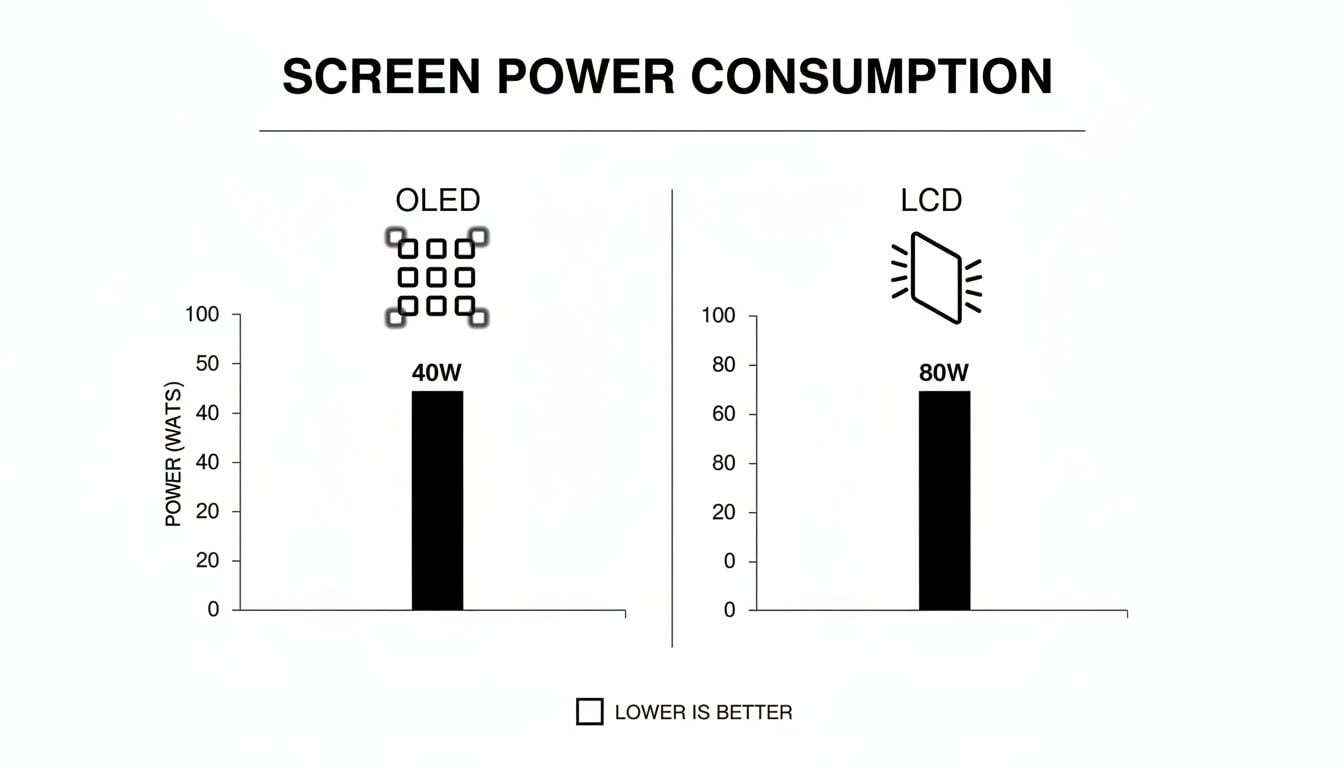
The data doesn't lie: OLED's ability to control each pixel individually is what makes it the clear winner for efficiency.
The Real-World Impact of Brightness
So, what do the actual numbers look like? The difference is pretty stark.
At 100% max brightness, running dark mode on an OLED screen can slash that display's power use by a whopping 39-47%. That’s a huge chunk of your battery you get back, especially when you’re outdoors and need it most.
But here’s the reality check: at the more typical 30-50% auto-brightness level for indoor use, those savings drop to a much smaller 3-9% of your total battery consumption.
This tells us something important: for the average person, dark mode isn't going to radically extend your daily battery life. It’s a tool that packs its biggest punch only in very specific, high-brightness situations.
Let's look at a couple of real-life examples:
The Tourist: Picture someone navigating a new city on a bright, sunny day with Google Maps. Their screen is at max brightness just so they can see it. Here, dark mode would provide significant battery savings, possibly giving them hours of extra use.
The Bedtime Reader: Now think of someone reading articles in bed with the lights off. Their phone’s auto-brightness has dimmed the screen way down. In this scenario, the battery savings from dark mode would be negligible—maybe just a percentage point or two.
Your habits and environment are what really dictate the results. Dark mode is a useful trick to have up your sleeve, but it's not the ultimate fix for battery health.
Fiddling with screen settings might squeeze a little extra juice out of your day, but it does nothing to stop the long-term, irreversible aging of your battery. To really protect your phone, you have to get to the root cause of battery degradation.
For a deeper look into strategies that actually work long-term, check out our guide on how to extend phone battery life. A smarter approach means managing how and when your device charges. For that, a dedicated tool like Chargie is essential, as it prevents the chemical stress that ages your battery in the first place.
Measuring Dark Mode's Effect on Daily Use
Lab tests are one thing, but what really happens when your phone leaves the sterile environment of a test bench and hits the real world? How does dark mode stack up during your actual daily grind—the commute, the work pings, the late-night scrolling? This is where the tidy charts meet the messy reality of your life.
Real-world testing shows that dark mode does offer some real, measurable gains in screen-on time if you have an OLED screen. But it’s important to keep those gains in perspective. The few percentage points you might claw back from a dark interface can be completely wiped out by dozens of other things your phone is doing.
Your phone’s daily battery drain is a complicated beast. The screen is a big part of it, for sure, but it’s just one piece of a much larger puzzle.
More Than Just Screen Color
Think of your phone’s battery like a community water tank. Every single thing you do takes a sip from it, and some actions are a whole lot thirstier than others. While dark mode might make the sips from your display a little smaller, other parts of your phone are taking huge gulps.
Here are some of the biggest power hogs that almost always have a bigger impact than your screen’s color scheme:
- Processor-Heavy Tasks: Think gaming, editing a video, or firing up an AR app. These push your phone’s chips to their absolute limit, and the battery drain is immediate and intense.
- Poor Cellular Signal: Ever been in a place with spotty service? Your phone is working overtime, constantly screaming into the void to find a signal. This "cell standby" drain is a notorious silent battery killer.
- Background App Activity: Apps that are always syncing, checking your location, or pushing notifications are constantly sipping power in the background, even when you think your phone is idle.
- Screen Brightness: Like we've talked about, a screen cranked up to 100% brightness will always guzzle more power than one at 30%, no matter if it's in light or dark mode.
This is why your friend’s battery might last ages while yours is dead by dinner, even if you both religiously use dark mode. Your own unique habits are what really call the shots.
A Tale of Two Users
Let's look at a real-world example. Imagine two people, Alex and Ben, who both have identical new iPhones with OLED screens. Alex is a huge mobile gamer and has dark mode on all the time. Ben is a busy professional who just leaves his phone in the default light mode. You’d probably bet on Alex getting better battery life, right?
The truth is, what you do on your phone almost always matters more than the color of your screen. Your daily activities can easily erase any theoretical battery savings from dark mode.
Let’s see how their days play out:
User 1: Alex the Gamer (Dark Mode On)
- Morning: Spends an hour playing a graphics-heavy online game on the train, where the cell signal is jumping all over the place.
- Afternoon: Streams HD videos during his lunch break and uses GPS navigation for an hour to get to a meeting.
- Evening: Catches up with friends over a long video call.
User 2: Ben the Professional (Light Mode On)
- Morning: Catches up on emails and reads the news while connected to stable office Wi-Fi.
- Afternoon: Uses his phone for quick calls, sending messages, and checking his calendar.
- Evening: Listens to downloaded music and reads an e-book before calling it a night.
By the end of the day, Alex’s phone is practically dead, dark mode and all. The intense gaming, constant data streaming, and weak signal forced his phone's processor and modem to work themselves into a frenzy, burning through a massive amount of power.
Ben, on the other hand, still has over 40% battery left. His day was filled with low-intensity tasks that didn't put any real strain on the hardware. The tiny bit of extra power his light-mode screen used was just a drop in the bucket compared to the energy bonfire Alex created with his gaming marathon.
This scenario shows that while dark mode can save a little battery, it’s not a magic bullet for heavy use. It's a small tweak, not a get-out-of-jail-free card.
Ultimately, if you want to make a real, lasting difference in your device's longevity, you have to look past these minor daily tricks. The best strategy is protecting the battery from long-term chemical wear and tear. If you’re serious about your phone's power source, you should learn how to check battery health and build habits that prevent it from aging prematurely.
A Smarter Way to Protect Your Battery's Lifespan
We've talked a lot about the question, does dark mode save battery? And sure, the answer is a qualified "yes"—sometimes, a little, if you have an OLED screen cranked up to high brightness. It's a decent trick for stretching out that last bit of juice on a long day.
But it’s time to talk about something far more important. We need to shift our thinking from just saving a little battery power today to actually protecting your battery's lifespan for the long haul.
While dark mode can trim your daily power use, it does absolutely nothing to stop the slow, irreversible aging of the battery itself. It’s a temporary tactic, not a long-term health strategy.
The Real Enemy of Your Battery
The biggest threat to your battery's health isn't the color of your screen—it's high-voltage stress. Leaving your lithium-ion battery pinned at a 100% charge for hours on end, especially overnight, puts incredible strain on its internal chemistry.
Think of it like holding a rubber band stretched to its absolute limit for hours. When you finally let go, it's just not as tight or springy as it was. Over time, that constant tension causes permanent damage. It’s the same with your battery. Every night it spends sitting at 100% slowly chips away at its ability to hold a charge.
The most significant damage to your battery doesn't happen while you're using it during the day. It happens while you're sleeping and your phone is plugged in.
This is the exact problem dark mode can’t fix, and it's the very reason a tool like Chargie was created. It gets to the root cause of battery degradation, not just the symptom of daily power drain.
How Smart Charging Makes All the Difference
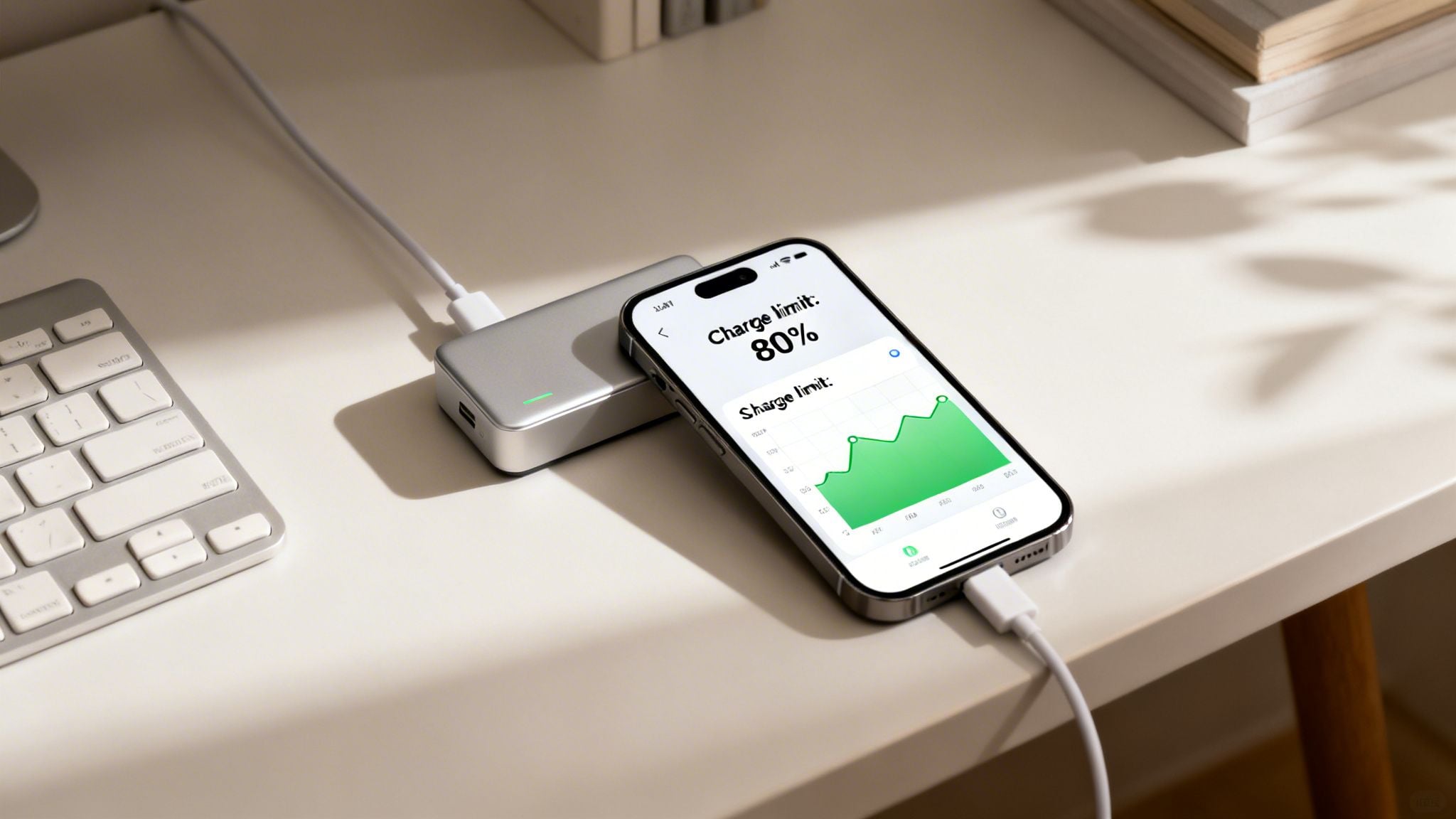
Chargie is a simple little piece of hardware and an app that completely changes the charging game. Instead of letting your phone race to 100% and sit there all night, Chargie acts as an intelligent gatekeeper for your battery.
The idea is simple, but its effect is massive. You just pop the small Chargie device between your charger and your cable, then use the app to tell it when to stop.
Here’s how it works:
- You set a custom charging cap—let's say 80% or 85%.
- You plug your phone in for the night with Chargie connected.
- Your phone charges up to that limit, and then Chargie cuts the power completely.
- Your phone's battery then gets to rest comfortably in a low-stress state for the rest of the night.
This one simple step—avoiding a full 100% charge—prevents the high-voltage stress that makes batteries age so quickly. Your battery spends its downtime in a happy, healthy state instead of being "stretched out" at full capacity for hours.
Dark Mode and Chargie: Better Together
This isn't about choosing one or the other. Dark mode and a smart charging solution solve two totally different problems. One is for managing daily use, the other is for preserving long-term health.
I like to think of it like car maintenance:
- Dark Mode is like driving smoothly to improve your gas mileage on a single trip. It helps you get a little further on one tank of gas.
- Chargie is like getting your regular oil changes. It doesn't impact that one trip's mileage, but it's what ensures your engine runs for years without breaking down.
Go ahead and use dark mode to get through a busy afternoon. But using Chargie every night is what ensures you won't be shelling out for a costly battery replacement in a year or two. By managing your charging with a hard limit, you can dramatically extend the real-world lifespan of your device.
Many phones have their own built-in features for this, but they often lack the fine-tuned control you really need. To understand why having manual control is so much better, it's worth learning about what optimized battery charging is and where it falls short.
So while the question "does dark mode save battery" is a fun one, the far more important question is, "how do I protect my battery's health?" And the answer to that is all in how you charge.
Answering Your Top Dark Mode Questions
We’ve covered the ground on OLED vs. LCD and how screen brightness flips the script. You’ve seen how real-world use can often throw a wrench in the numbers. Now, let's get straight to the questions I hear all the time about dark mode.
Think of this as a quick-fire round to clear up any lingering confusion. My goal here is simple: to show you the difference between a short-term battery trick and a real, long-term strategy for keeping your battery healthy for years.
Does Dark Mode Help on an LCD Screen Like an Older iPhone?
The short answer is a simple no. If you're using a phone with an LCD screen—think the iPhone 11, iPhone XR, or any of the iPhone SE models—dark mode does practically nothing for your battery.
Here's why: an LCD screen has a single backlight that shines constantly, no matter what’s on the screen. To show black, it doesn't turn off pixels; it just uses a layer of liquid crystals to block the light. The key thing to remember is that the power-hungry backlight is still running at full tilt, working just as hard as it does for a bright white screen.
The battery-saving magic of dark mode is a feature exclusive to OLED or AMOLED screens. On these displays, each pixel is its own light source. To make black, the pixels just turn off completely, sipping zero power.
Is It Worth Using Dark Mode if I Keep My Brightness Low?
From a purely battery-saving angle, the benefit is tiny when your screen is dim. Like we've talked about, the energy savings from dark mode are most impressive when your screen is cranked up to full brightness.
When you're indoors and your phone's auto-brightness is humming along at around 30-50%, you might squeeze out an extra 3-9% of battery life over a whole day on an OLED screen. It’s a real saving, but let's be honest, you probably wouldn't even notice it.
But that doesn’t make dark mode pointless. Far from it. Many people find it’s a lifesaver for eye strain in low light, making that late-night reading much more comfortable. And some folks just love the sleek look.
So, go for it if you like it. Just don’t expect it to radically change your daily battery life. For a real impact on your battery's long-term health, smart charging habits are what truly matter.
Which Is Better for My Battery Health: Dark Mode or Chargie?
This isn't even a fair fight. For your battery's long-term health and lifespan, Chargie is monumentally better. We're talking about two completely different things, solving two completely different problems.
Dark mode is a surface-level trick. It can shave a little off your daily power use if you have the right screen and keep it bright. It’s about making your current charge last a little longer today.
But it does absolutely nothing to stop the real villain of battery degradation: the chemical stress from being held at a high state of charge, especially being left at 100% all night long.
This is the exact problem Chargie was built to solve. It lets you cap your charge at a healthy level (like 80%) and then it cuts the power. Your battery gets to relax in a low-stress state for most of the night. This is the single most effective thing you can do to slow down its aging process.
Let me put it another way:
- Dark Mode is like turning down the lights to save a few pennies on tonight's electricity bill.
- Chargie is like rewiring your home for energy efficiency, saving you money for years to come.
Will Dark Mode Save Battery While Gaming or Watching Videos?
You'll see almost no difference. When you fire up a modern game or stream a high-res video, your phone's processor (CPU) and graphics chip (GPU) are working overtime. They become the main power hogs, and the screen's consumption becomes a drop in the bucket.
The sheer power needed to render complex graphics or decode a 4K video stream completely dwarfs any tiny saving you might get from a dark user interface. On an OLED screen, you might see a minuscule improvement, but it's nothing compared to the drain from the processor. In these situations, the screen is just a passenger; the CPU is driving the bus.
Ultimately, while the "dark mode vs. battery" debate is interesting, it's a distraction from the bigger picture. If you want to truly protect the investment you made in your phone and keep it running well for years, you need to get smarter about charging.
With Chargie, you can stop the overnight damage and dramatically extend your battery's lifespan. Take control, give your battery the care it deserves, and see for yourself by visiting https://chargie.org to learn more.

USB-C charge limiter that stops at your set battery level, so your battery never sits at 100% overnight. Extends battery lifespan by years. Works with any USB-C charger.
Protect Your Battery with Chargie
The world's first hardware charge limiter. Set a charge limit on any phone, tablet, or laptop — extend battery life by up to 4x.