
Ever feel like your laptop battery is on a fast track to retirement? You buy a new machine, and it feels like it can run forever. A year later, you’re scrambling for the charger after just an hour. There’s a silent problem at work, and its name is 100% charge.
This is where laptop battery management software comes in. Think of it as a personal trainer for your battery, protecting it from the constant strain of being plugged in all day. It’s the secret to stopping that premature battery death and saving you money on replacements down the line.
Why You Absolutely Need to Manage Your Laptop’s Battery
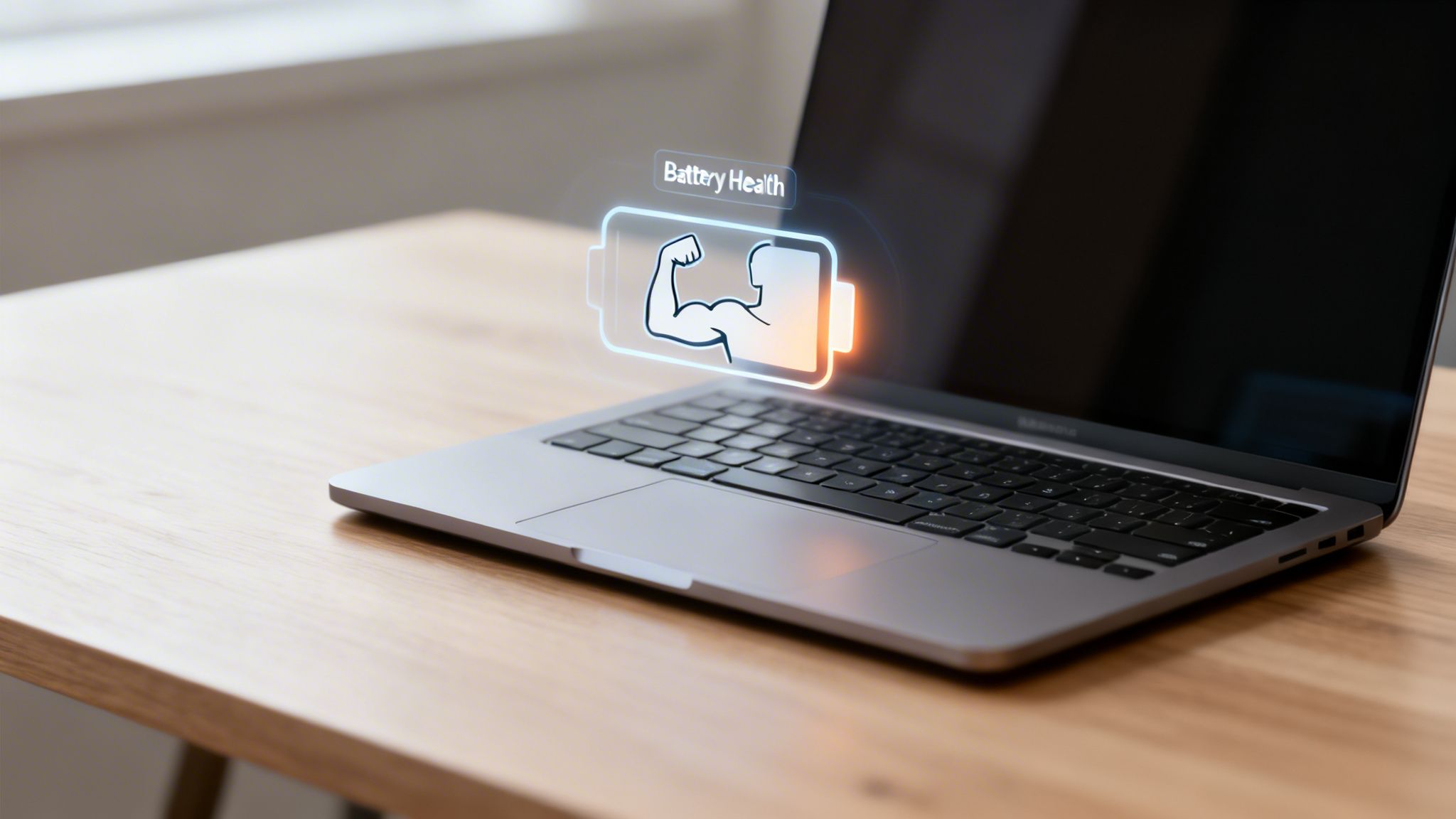
Here’s a simple way to think about it: keeping your laptop's battery at a full 100% is like forcing a muscle into a constant, tense flex. At first, it feels powerful, but holding that tension for hours on end leads to fatigue and weakness.
It’s the same story for the battery inside your laptop. Holding it at a full charge creates extra heat and stress, which causes it to wear out much faster.
This isn't a minor issue. It's the main reason a new laptop with a six-hour battery life can barely last 30 minutes off the plug after a year or two. While your operating system has some basic power-saving modes, they don't fix the root cause of the damage: being over-stressed at 100% charge.
The Real Cost of Plug-and-Forget
Most of us are guilty of it. We treat our laptops like desktop computers, leaving them plugged in for the entire workday. This habit is, without a doubt, a battery killer.
The market for battery management systems (BMS) tells the whole story. It hit a staggering USD 8.49 billion in 2024 and is on track to soar past USD 31 billion by 2030, according to industry research from Grand View Research. Why the boom? Because the batteries in over 90% of modern laptops can lose a huge 20% of their total capacity after just 500 charge cycles if you constantly let them sit at 100%.
To see just how big of a difference smart charging makes, take a look at the table below. It breaks down how different habits can either preserve or destroy your battery's health over time.
The Impact of Smart Charging on Laptop Battery Lifespan
| Charging Habit | Typical Lifespan (Charge Cycles) | Long-Term Consequence |
|---|---|---|
| Always at 100% | ~300-500 cycles | Rapid capacity loss. The battery struggles to hold a charge after just 1-2 years. |
| Typical Daily Use (Charge to 100%, Unplug) | ~500-800 cycles | Moderate aging. Better than leaving it plugged in, but still stressful for the battery. |
| Smart Charging (Cap at 80%) | ~1,200-1,500+ cycles | Significantly extended lifespan. The battery remains healthy and holds a strong charge for 3-5+ years. |
| Optimized Storage (Cap at 50% for plugged-in use) | ~2,000+ cycles | Maximum longevity. Ideal for laptops used as stationary desktops, virtually eliminating battery aging from charging. |
The numbers don't lie. Avoiding a constant full charge is the single most effective thing you can do.
The core idea is simple: avoiding a constant 100% charge is the single most effective way to protect your laptop's battery. A lower charge level means less stress and significantly slower aging.
This is where smart tools come into play. By automatically capping the charge at a healthier level, like 80%, you can easily double or even triple your battery's useful lifespan. A hardware-based solution like Chargie is the best way to achieve this.
For instance, you could use a tool with a scheduling feature, like Chargie’s 'Top Up Scheduler', to keep the battery at a stable 50-70% overnight and then have it finish charging just before your workday starts. This simple routine prevents the stress that can shorten a battery’s life. It’s this kind of proactive care that makes all the difference.
Key Features of Modern Battery Management Tools
So, what’s the secret behind modern laptop battery management software? It's not just one thing, but a handful of smart features working together to stop the slow, silent death of your laptop's battery. Once you understand what they do, you'll see exactly how they prevent damage over time.
The single most important feature is the charge limit. Think of it as a smart gatekeeper for your charger. Instead of pushing your battery all the way to a stressful 100%, these tools stop the flow at a much healthier level, usually around 80%. This simple move avoids the high-charge stress that makes batteries age prematurely, keeping your battery in its happy place even when it’s plugged in all day.
Smart Scheduling and Temperature Protection
But it gets better. The best tools don't just stop the charge; they bring smarts like scheduling and temperature control into the mix. This is where a hardware tool like Chargie really shines, blending software brains with physical control.
Smart Scheduling is all about making charging fit your life, not the other way around. An IT manager, for example, could set an entire fleet of kiosk laptops to charge only after business hours, saving energy and battery wear. On a personal level, you could have your laptop hit a full charge just before you walk out the door for work.
Temperature Protection acts like a personal bodyguard against overheating—a battery's worst enemy. Using the device's own sensors, these systems can pause charging if things get too hot, preventing damage that can never be undone. This is a lifesaver when you're pushing your laptop hard or just happen to be in a warm room. The whole idea of smart charging is catching on fast. Check out our guide to learn more about how optimized battery charging works in detail.
You don't have to take our word for it—the money is following the technology. The global market for battery management systems (BMS), the tech that powers this, is expected to explode from USD 10 billion in 2025 to USD 78 billion by 2035. This isn't just growth; it's a massive shift, with over 65% of platforms now using smart analytics to keep devices healthier for longer.
Data Passthrough for Uninterrupted Work
For many of us, a laptop is more than a computer; it's a hub that connects our other gear. This is where data passthrough becomes an essential feature. It lets you keep using your laptop's USB-C port for things like phone tethering without unplugging your charging limiter.
Imagine a developer testing an app or a QA lab running diagnostics. With a hardware solution like Chargie, they can keep their device safely capped at 80% charge while a steady stream of data flows back and forth. It’s a game-changing feature that software-only solutions just can't offer. It’s this combination of smart limiting, scheduling, and real-world utility that makes for truly great battery management.
Choosing Your Ideal Battery Management Solution
So, you want to protect your laptop's battery, but the options feel a bit overwhelming. Let's walk through the choices, from the most basic to the most effective, and figure out what's right for you.
At the most basic level, you have the built-in OS tools from Microsoft and Apple. They're already on your laptop, which is convenient, but their features are often limited. More importantly, they only work when your computer is awake and running.
Then you have third-party software apps. These usually give you more control than the built-in options, but they suffer from the same fundamental flaw—they're completely dependent on your operating system. If your laptop is off, asleep, or hibernating, these apps can't do anything to stop your battery from sitting at a stressful 100% charge.
The Hardware vs. Software Showdown
This is where we need to talk about a completely different approach: hardware-based solutions. A dedicated device like Chargie falls into this category, and it brings advantages that software alone just can't touch.
Because Chargie is a physical device that sits between your charger and your laptop, it’s completely independent of your OS. This means it’s on guard 24/7, protecting your battery even when the computer is completely shut down. It’s a simple but powerful difference.
This universal approach also means it works with anything—Windows, macOS, ChromeOS, you name it. No software conflicts, no OS updates breaking things. It just works.
To make this even clearer, we’ve put together a comparison table to break down the key differences between these two approaches.
Software vs Hardware Laptop Battery Management
| Feature | Built-in OS Software | Dedicated Hardware (e.g., Chargie) |
|---|---|---|
| Operation When Off | No, requires the OS to be running. | Yes, operates independently of the OS. |
| Charge Limiting | Basic, often limited to a single setting. | Yes, customizable limits (e.g., 50% for storage, 80% for use). |
| Scheduling | Sometimes available, but basic. | Yes, advanced scheduling and top-up logic. |
| Platform Support | OS-specific (Windows-only or macOS-only). | Universal (Windows, macOS, ChromeOS, Linux). |
| Data Passthrough | Not applicable. | Yes, allows for USB data transfer while managing power. |
| Temperature Protection | Typically relies on the laptop's internal sensors. | Yes, has its own temperature sensor to halt charging if the charger or port overheats. |
Ultimately, while software offers a basic level of control, a hardware solution like Chargie provides a more robust, reliable, and "always-on" layer of protection for your investment.
To help you visualize your own needs, this decision tree can guide you to the right solution.
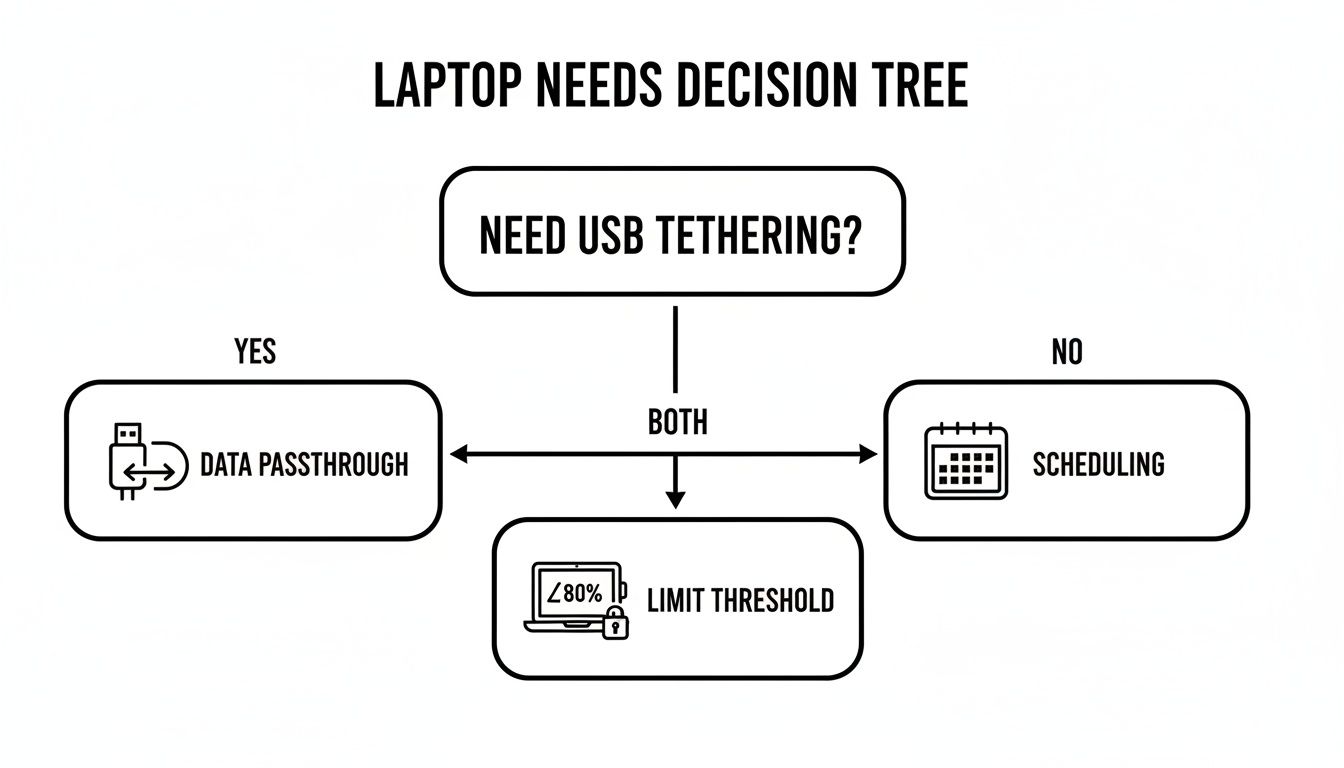
As you can see, whether you need data passthrough for tethering your phone or smart scheduling for overnight charging, it all comes back to having a reliable way to limit the charge level.
Why This Is a Smart Financial Choice
Taking care of your battery isn't just a tech-savvy move; it's a financial one. The global laptop battery market is huge, expected to grow from USD 10.01 billion in 2026 to USD 16.61 billion by 2035.
And if you've tried to buy a replacement battery recently, you've probably noticed it's gotten harder. Recent supply chain issues have caused 10-15% manufacturing delays and higher prices, a real headache for both individual users and IT fleet managers. You can read more about these trends in this laptop battery market report from Business Research Insights.
The science is simple: capping your charge at a healthy 70-80% prevents the high-voltage stress that can reduce a battery's useful life by up to 4x.
By investing in a smart hardware limiter like Chargie, a business can extend battery lifespans significantly, potentially saving up to 80-85% on future replacement costs while also cutting down on electronic waste.
At the end of the day, the right choice boils down to your priorities. If you just want some casual protection, the built-in tools might be enough. But for anyone who wants serious, around-the-clock protection and cross-platform flexibility, a hardware-based solution like Chargie is the only way to get true peace of mind.
How Chargie Goes Beyond What Software Alone Can Do
Plenty of software apps claim to manage your laptop’s battery. While they offer some basic protection, they all share a fundamental flaw: they only work when your computer's operating system is running.
We built Chargie to solve this problem by combining smart software with a physical piece of hardware. It’s a completely different and more dependable way to protect your battery.
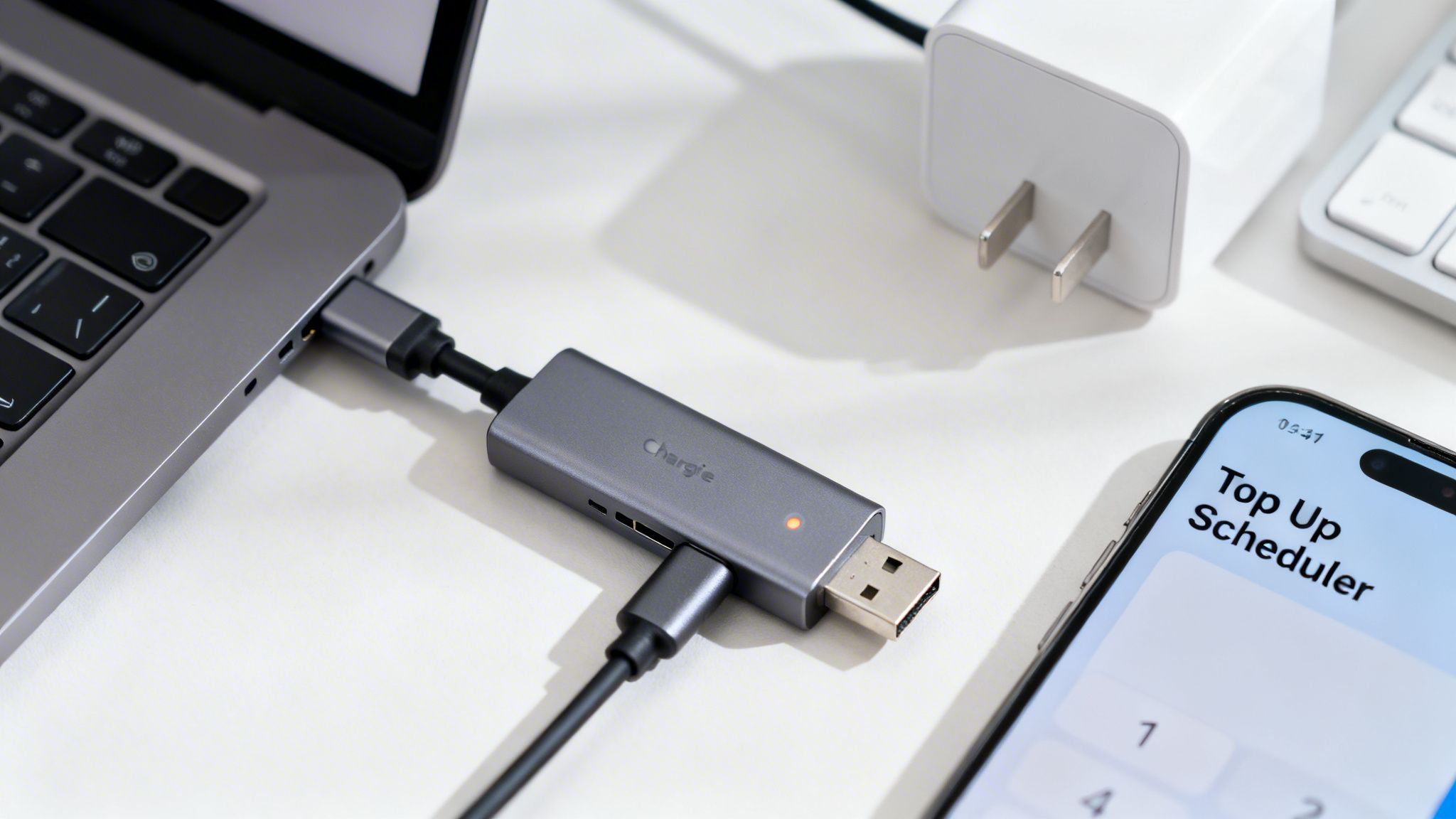
The secret is our physical hardware limiter. This little USB-C device acts as a gatekeeper, sitting right between your charger and your laptop. It gives you direct, physical control over the power flow.
What does this really mean? Even if your laptop is completely shut down, sleeping, or hibernating, Chargie is on duty. It makes sure the charge stops exactly where you set it. Software-only tools just can't do that. The moment your OS goes offline, so does their protection.
A More Intelligent Way to Charge
Chargie also uses a much smarter charging method. Many simple software limiters use a crude "on-off" method to hold a certain percentage. This constant switching puts unnecessary stress on your battery and charging parts over time. Think of it like constantly flicking a light switch on and off.
Chargie takes a gentler approach. Our smart method maintains a healthy charge level without all that stressful cycling. It lets the battery discharge just a little bit before topping it up again, which is much closer to a natural, healthy pattern.
This thoughtful process results in a more stable and gentle charging experience for your battery. You can dig into the specifics of how this works in our guide to the Chargie battery charge limiter.
By putting a physical, OS-independent power cutoff and a smart charging method together, Chargie offers a layer of protection that's both more reliable and kinder to your battery than any software-only app.
And for total convenience, the Top Up Scheduler times your charge perfectly, so your laptop is ready to go right when you need it. With universal USB-C compatibility supporting up to 100W, Chargie provides a complete battery health strategy that software by itself simply can't deliver.
Practical Deployment for Home and Business Use
Alright, enough with the theory. Let's talk about putting laptop battery management software and hardware to work in the real world. Getting a proper battery protection strategy in place is much easier than it sounds, whether you're protecting your personal laptop or a whole fleet of them.
For home users, a hardware solution like Chargie is a true "set it and forget it" device. You establish a simple routine in minutes, and it provides years of protection. It completely takes the guesswork out of battery care.
A Simple Setup for Home Users
Getting started at home is a breeze. It really just comes down to three steps:
- Plug It In: Connect the Chargie device between your laptop’s USB-C charger and the laptop itself.
- Install the App: Grab the companion app for your phone, which you'll use to talk to your Chargie.
- Set Your Limit: Tell Chargie where to stop charging. We find that 80% is the sweet spot, giving you plenty of runtime while seriously preserving your battery's long-term health.
And that's it. Your laptop is now safe from the damaging effects of sitting at a 100% charge for hours on end—even when it's completely off. For anyone on Windows, Chargie works beautifully; you can dig into the details in our guide on improving Windows battery health.
Scalable Solutions for Business and IT
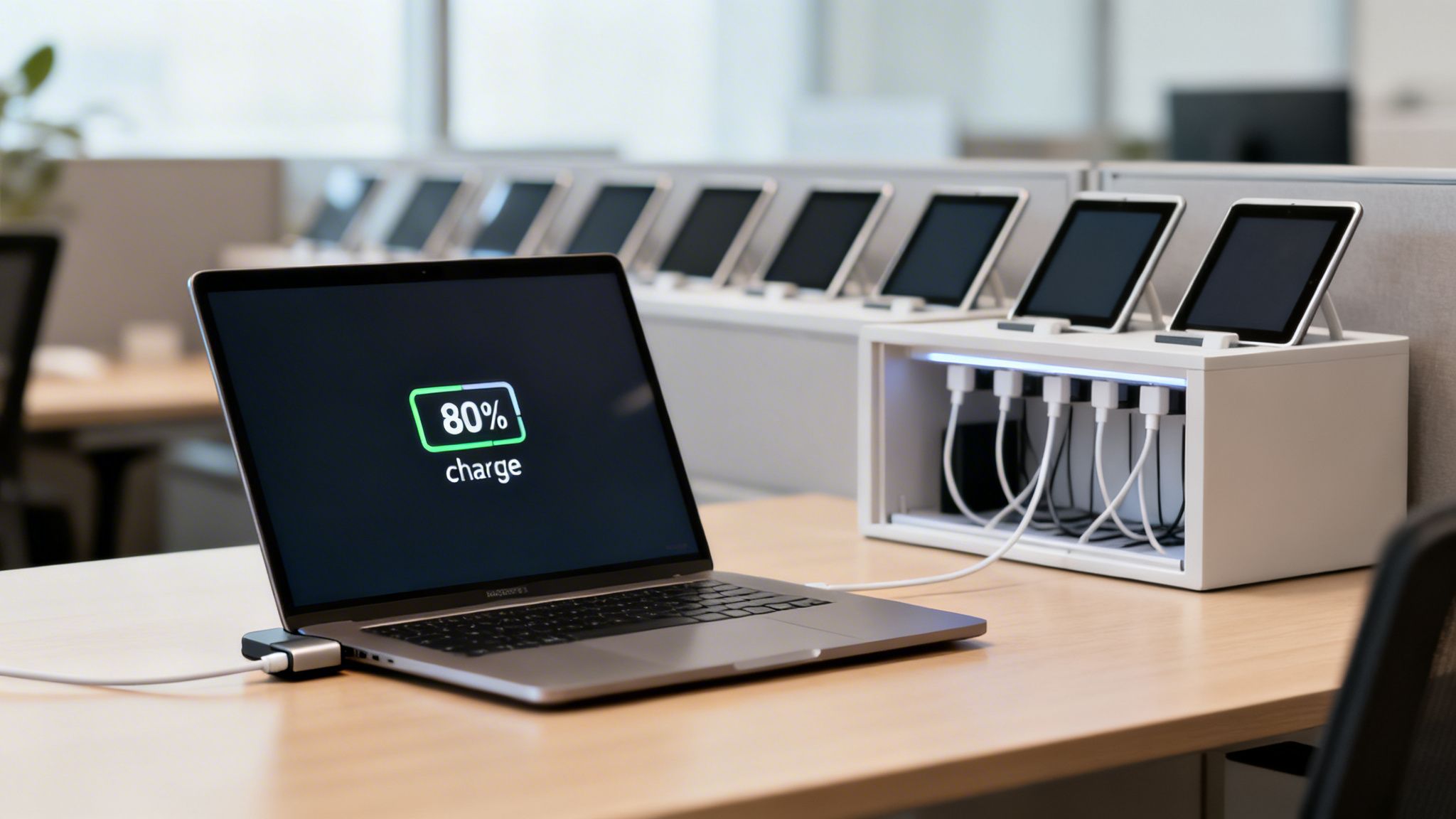
For IT fleet managers and businesses, the game changes. It's all about scalability and getting a solid return on your investment. Deploying a solution like Chargie across hundreds of devices—from office laptops to tablets used in public-facing kiosks—standardizes battery health across the board and can dramatically cut down your maintenance budget.
By stopping premature battery failure across an entire fleet, a business can slash the total cost of ownership (TCO) for its devices and drastically reduce its electronic waste.
Of course, deploying at scale also means thinking about power infrastructure. The last thing you want is a mess of tangled cords and overloaded power strips causing chaos. That's why smart businesses often pair their device deployments with organized cubicle power pole solutions to keep fleets of laptops and other electronics neatly and safely powered.
This combination of smart hardware and thoughtful power management shows that expert-level battery protection can be rolled out in minutes, not days. It's a practical and valuable strategy for everyone, from a single user at home to a massive enterprise.
Clearing Up Some Common Questions
When you start digging into the world of laptop battery management, a few questions always pop up. Let's tackle them head-on, so you can understand what's really happening with your battery and how to best protect it.
"Is It Really That Bad to Leave My Laptop Plugged In?"
In a word, yes. Keeping your laptop plugged in and parked at 100% charge is one of the quickest ways to wear out its battery. Think of it like holding a muscle in a constant, tensed position—it creates a lot of stress. That high-charge state, combined with the heat from the charger constantly "topping off" the battery, puts serious strain on the internal battery cells. This is the main culprit behind premature battery aging.
The best defense is to use either battery management software or a hardware limiter like Chargie to cap the charge at a much healthier 80%. This simple trick lets you stay plugged in for those long work sessions without slowly killing your battery in the process.
"My Laptop Already Has Battery Protection. Do I Need Anything Else?"
It's great that manufacturers like Apple and Microsoft are building in basic battery protection, but these tools have their limits. They often lack fine-grained control and, more importantly, they only work when your laptop is actually on and running its operating system. The moment you shut it down or put it to sleep, that protection goes away.
This is where a dedicated hardware solution makes all the difference. A device like Chargie acts as a physical gatekeeper for the power. It lets you set precise charging limits, but its biggest advantage is that it works completely independently of your laptop. It cuts the power when it's supposed to, protecting your battery 24/7, even when your computer is completely off.
"Will Using One of These Tools Void My Warranty?"
Not at all. Using an external tool, whether it’s a software app or a hardware device like Chargie, won't void your laptop’s warranty. These tools don't mess with your laptop's internal hardware or software. All they do is manage the electricity coming from your standard, everyday charger.
In fact, you're doing the opposite of what would void a warranty. By implementing a smart charging strategy, you're actively taking care of the health of your battery. You're helping your device operate exactly as intended for much longer—making it far less likely you'd ever need a warranty claim for a failing battery in the first place. You're simply maintaining your hardware, not modifying it.
Ready to stop worrying about your laptop's battery health? Chargie offers a complete hardware and software solution that works when software-only tools can't. Take control of your battery's longevity and get peace of mind by visiting https://chargie.org.

USB-C charge limiter that stops at your set battery level, so your battery never sits at 100% overnight. Extends battery lifespan by years. Works with any USB-C charger.
Limit your laptop charge to 80% via USB-C. Works with MacBooks, Dell, HP, Lenovo and most USB-C laptops up to 100W.
Protect Your Battery with Chargie
The world's first hardware charge limiter. Set a charge limit on any phone, tablet, or laptop — extend battery life by up to 4x.