

So, you’re wondering what it’ll cost to replace your iPad's battery? If you're out of warranty, you're generally looking at $99 to $149 when you go through Apple or one of their authorized partners. You might find a better deal at a local repair shop, and a do-it-yourself kit could be as cheap as $50—but that route comes with some serious risks.
Your Quick Guide to iPad Battery Replacement Costs

Is your once-mighty iPad now permanently chained to a power outlet? A worn-out battery can quickly turn a fantastic portable device into a glorified desktop. But before you even think about dropping hundreds on a brand-new tablet, there's a much smarter, more affordable path: just replace the battery. Think of this as your cheat sheet for figuring out the costs.
A Chargie C Basic costs far less than a battery replacement and keeps your iPad battery healthy for years.
Save on future repairs →We'll break down what you can expect to pay in 2026 for a new battery, whether you stick with Apple's official service, trust a local third-party shop, or feel brave enough to try a DIY kit. The final price tag isn't a one-size-fits-all deal; it really depends on which iPad you have, from a standard model to a top-of-the-line Pro.
Comparing Your Main Options
When your iPad battery starts giving up, you've really got three main paths to choose from. Each comes with its own price and a different set of pros and cons.
- Apple Authorized Service: This is your safest bet. You get genuine Apple parts and technicians who know what they’re doing. It’s also the priciest option, but that extra cost buys you peace of mind.
- Third-Party Repair Shops: Your local shop can often get the job done faster and for less money. The catch? The quality of both the parts and the service can be a bit of a gamble, so finding a shop with a good reputation is a must.
- DIY Kits: If you’re tech-savvy and a little daring, a DIY kit is by far the cheapest way to go. Just know this path is filled with risk—one slip-up could turn your iPad into a very expensive paperweight.
To give you a clearer picture, here’s a quick look at how the costs might stack up for some popular models.
Estimated 2026 iPad Battery Replacement Costs (Out-of-Warranty)
| iPad Model | Apple Authorized Service (e.g., Best Buy) | Third-Party Repair Shop (Estimate) | DIY Kit (Estimate) |
|---|---|---|---|
| iPad (9th/10th gen) | $99 | $70 – $110 | $45 – $60 |
| iPad mini (6th gen) | $99 | $80 – $120 | $50 – $65 |
| iPad Air (5th gen) | $119 | $90 – $140 | $55 – $70 |
| iPad Pro 11-inch | $149 | $120 – $180 | $60 – $80 |
| iPad Pro 12.9-inch | $149 | $150 – $220 | $70 – $90 |
This table shows that while going the official route has a predictable cost, you can definitely save some cash with third-party or DIY options if you're willing to accept the trade-offs.
But here’s the thing: the cheapest option isn’t a repair at all—it’s prevention. If you adopt some smart charging habits now, you can dramatically slow down battery aging and dodge these replacement costs entirely.
Ultimately, you need to pick the option that works for your budget and how comfortable you are with risk. But as we see all the time, the real financial win is taking care of your battery from the start. A tool like Chargie is built for this exact purpose, helping you manage your charging to avoid the damage that leads to these repairs. By doing so, you not only save money but also cut down on e-waste. It's a win-win.
Understanding Why iPad Battery Costs Vary So Much
If you’ve ever looked up the cost of an iPad battery replacement, you probably noticed there isn't one simple price tag. A battery for an old iPad mini won't cost the same as one for a brand-new 12.9-inch iPad Pro, and the reasons go way beyond the size of the battery itself. The final bill is a mix of parts, labor, risk, and even where you live.
It's a lot like getting your car fixed. Swapping out a tire is quick and cheap. But if the mechanic has to tear down the engine, you’re looking at a huge bill for their expertise, time, and specialized equipment. Believe it or not, an iPad battery swap is surprisingly similar.
The Hidden Labor in Modern iPads
The single biggest cost isn't the battery—it's the surgery required to get to it. On most modern iPads, especially the Pro and Air models, the screen is laminated. This means the glass, the touch sensor, and the display panel are all fused together into one super-thin unit.
To get that battery out, a technician has to carefully heat and pry this fragile screen assembly off without cracking it. It’s a nerve-wracking operation where one slip-up means you’re suddenly on the hook for a much pricier screen repair. That intense labor, and the risk that comes with it, gets baked right into the service price.
Model Complexity and Pricing Tiers
This is exactly why you see tiered pricing. Take a look at the costs from Apple Authorized Service Providers like Best Buy. You’ll see a clear structure: a fix for an entry-level iPad might run you $99, while the more complicated iPad Pro models can jump to $149.
Why the difference? Because of those complex, fused displays that require special tools and a lot more time on the technician's bench. It’s the difference between a simple tire change and a full engine teardown.
You aren't just paying for a new battery. You're paying for a technician's expertise, the use of expensive, specialized tools, and the guarantee that your device will be reassembled correctly without further damage.
The price also has to cover all the little things, like new adhesive, water-resistant seals, and the diagnostic tests to make sure everything is working perfectly once it’s all put back together.
Other Factors That Influence the Final Bill
On top of the model itself, a few other things can move the needle on your final bill.
- Geographic Location: A repair shop in a big city with high rent is naturally going to charge more than one in a small town. Labor rates and local taxes make a real difference.
- Service Provider Choice: As we’ve seen, Apple sets its prices. Independent shops have more freedom to set their own, but the quality can be a mixed bag.
- Warranty Status: If you have AppleCare+, you’re in luck. The replacement is free as long as the battery's health has dipped below 80%. Without it, you’re paying the full out-of-warranty price.
- Battery Cycle Count: Every battery is good for a certain number of charge cycles before it starts to wear out. The higher your cycle count, the closer you are to needing that replacement. You can learn more about what a battery cycle count really means in our detailed guide.
All these pieces come together to create a price that's specific to your iPad, your location, and the shop you choose. That’s why a quick search for "iPad battery replacement cost" gives you a range of numbers instead of a straight answer.
Knowing When You Actually Need a New Battery
Before you even start thinking about the iPad battery replacement cost, let’s make sure you actually need one. A battery that drains in the blink of an eye is a dead giveaway, but sometimes the signs are a lot more subtle. Your iPad might be trying to tell you something is wrong, and it’s not always obvious.
Think of your iPad's battery like a car tire that’s seen a few too many road trips. When new, it holds a full "charge" and gives you a smooth ride for hours. But as it gets older and worn down, it can't hold as much power, goes flat faster, and might even quit on you unexpectedly. An old iPad battery behaves in a very similar way.
Telltale Signs of a Dying Battery
You don’t have to be a tech guru to spot a battery on its last legs. Your iPad will usually give you some pretty clear clues that it's time for a change. If you ignore them, you're just setting yourself up for frustratingly slow performance and sudden shutdowns right when you need your device the most.
Here are the most common red flags I see:
- Sudden Shutdowns: Your iPad just dies, even when the battery icon shows 20% or 30% left. This is a classic symptom, especially when you're using a power-hungry app or it's a bit cold.
- Sluggish Performance: Does opening an app feel like it takes forever? Do animations stutter? It might not be your imagination. The operating system often slows down the iPad on purpose to prevent a weak battery from causing a sudden shutdown.
- Only Works When Plugged In: This is the most extreme sign. If your iPad dies the second you pull the charging cable, it’s basically become a tiny desktop computer. It’s lost all its portability.
- Physical Swelling: If you see the screen lifting away from the frame or a noticeable bulge on the back, stop using the device immediately. A swollen battery is a serious safety risk and needs to be handled by a professional right away.
Before you jump to conclusions, it's worth making sure something else isn't the culprit. You can diagnose common iPad power issues to rule out other problems first.
How to Check Your Battery Health
The best way to know for sure is to check the battery health right in your iPad’s settings. This isn't guesswork; it's hard data. It's gotten much easier to find this info in recent versions of iPadOS. If you want a step-by-step guide, you can learn more about how to check your iPad's battery health on our blog.
This flowchart breaks down the simple decision-making process.
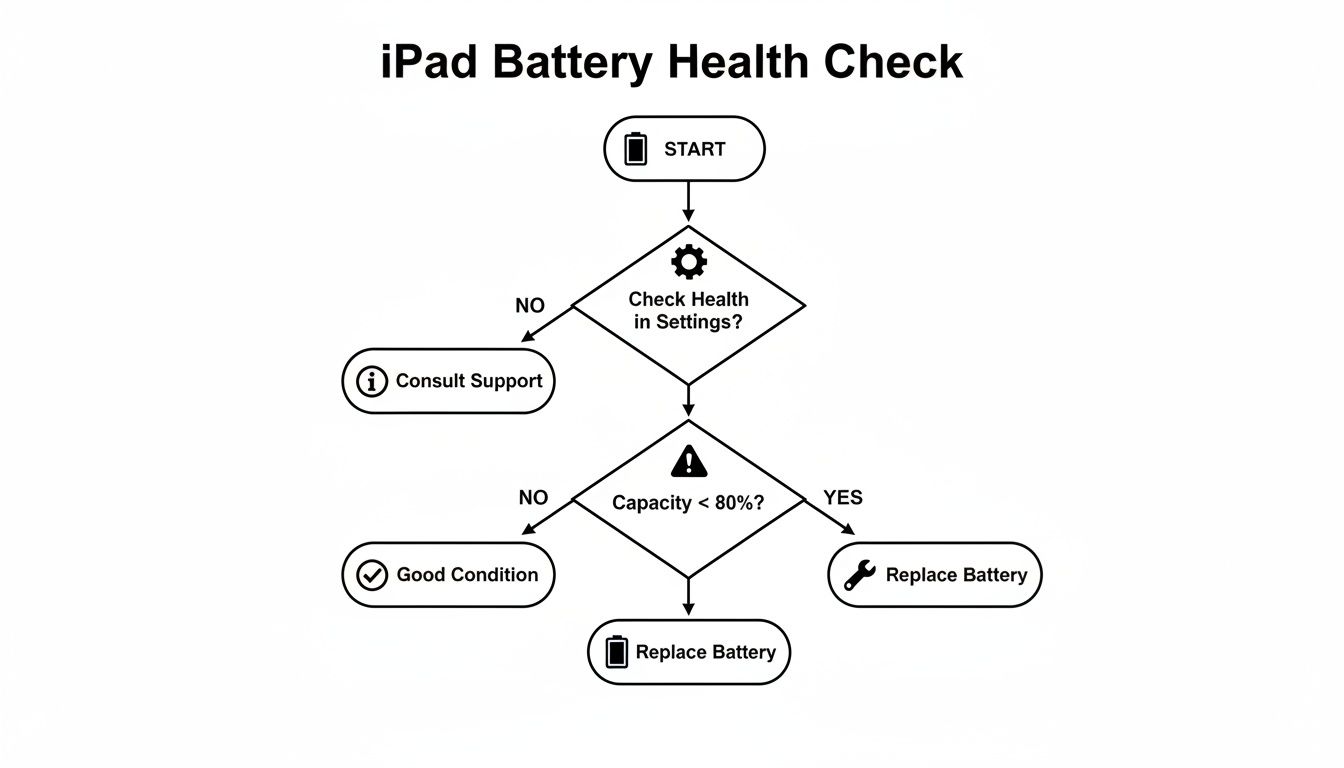
It’s a clear path: go to your settings, check the "Maximum Capacity" percentage, and see if it’s time for a replacement.
Apple considers a battery "consumed" once its maximum capacity drops below 80%. At this point, a replacement is recommended because the battery can no longer deliver the peak power needed for optimal performance, leading to the issues described above.
If your battery health is still well above 80% but your iPad is acting up, the problem might lie elsewhere. But if it's hovering around that 80% mark and you’re experiencing those telltale signs, a new battery will almost certainly bring it back to life. This check is the single most important step before you spend a dime. It ensures you're only paying the iPad battery replacement cost when you truly need to.
Comparing Your Options Apple vs Third-Party vs DIY
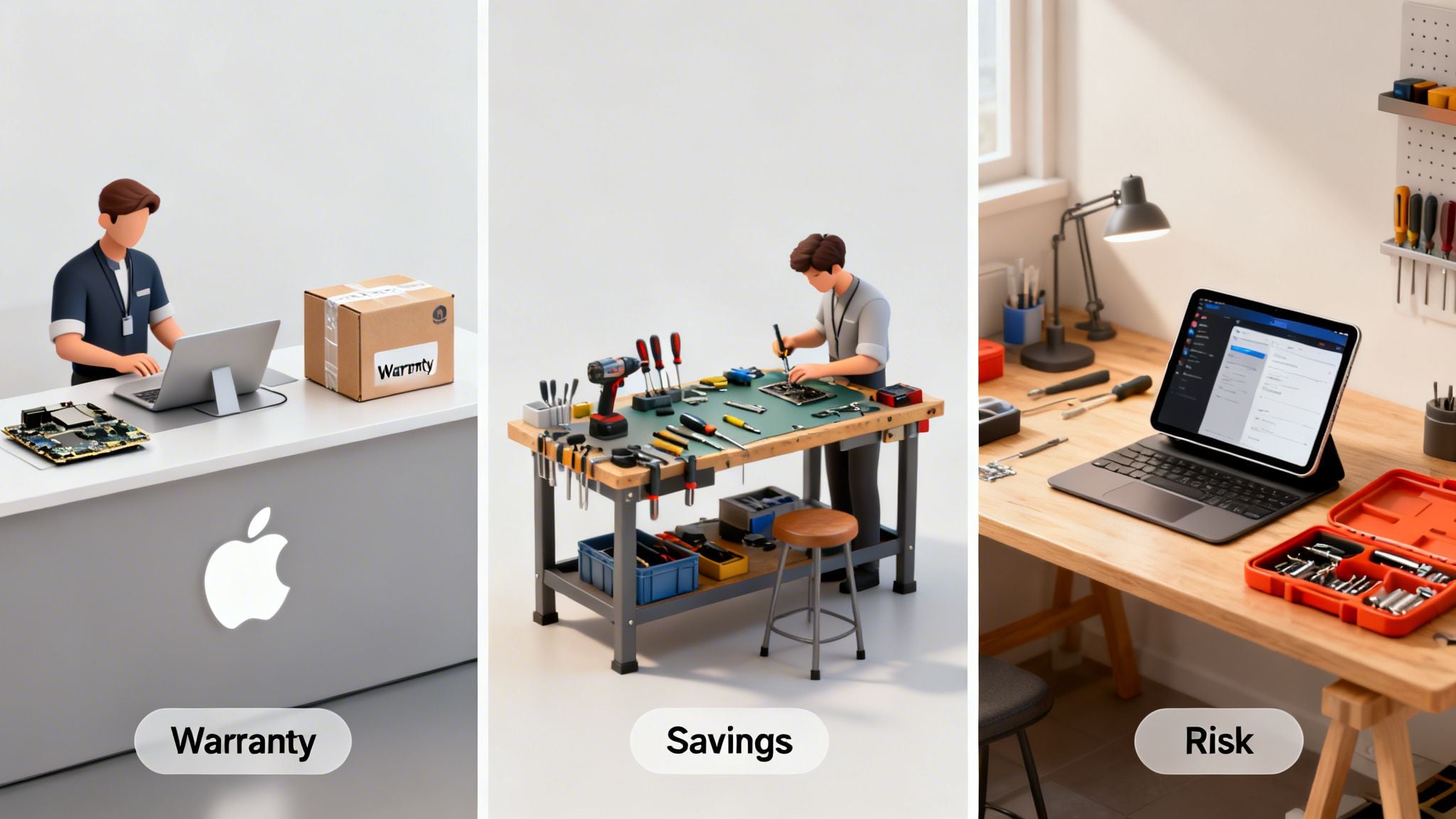
So, your iPad battery has seen better days and it’s time for a replacement. You’ve hit a fork in the road. There are three main paths you can take to bring your tablet back to life: go straight to the source with Apple, find a local independent shop, or roll up your sleeves and do it yourself.
Each option comes with its own set of trade-offs for your wallet, your time, and your peace of mind.
Let's break it down with an analogy. Apple is the official dealership service—you get genuine parts and expert service, but it’ll cost you a premium. A third-party shop is like your trusted local mechanic; they’re often quicker and cheaper, but the quality can be a mixed bag. And the DIY route? That’s like fixing the car in your own garage. It's the cheapest way, but one slip of the wrench could create a much bigger, more expensive problem.
Which path is right for you? It really boils down to your budget, how confident you are with tiny electronics, and your personal tolerance for risk.
Path 1 The Official Apple Service
Going with Apple or an Apple Authorized Service Provider (AASP) like Best Buy is the "sleep easy at night" choice. It’s the only way to be certain you're getting a 100% genuine Apple battery installed by a technician following the company's own strict guidelines. This route also keeps any existing warranty you have perfectly intact.
The catch, of course, is the cost. Apple’s official service is almost always the priciest option. This became crystal clear in 2023 when Apple bumped its out-of-warranty battery service fees by 20%. That pushed the standard cost to $99 for most iPad models.
As an authorized partner, Best Buy now matches those prices, charging $99 for standard iPads and Airs, and a steeper $149 for the Pro models. You might also have to mail your device in, leaving you without your iPad for a few days.
- Best For: Anyone who wants zero risk, professionals who depend on their iPad, and those with AppleCare+ coverage.
Path 2 The Third-Party Repair Shop
Independent repair shops are the popular middle-ground. They offer a great mix of savings and speed, with many shops able to do the swap the same day for somewhere in the $75 to $105 range. For a lot of people, this is the sweet spot.
But this path comes with a big "buyer beware" sign. The quality of aftermarket batteries is all over the place. You might get a high-quality cell that performs just like the original, or you could end up with a cheap knock-off that dies in a few months—or worse, poses a safety risk. A technician's skill level is another major variable. It's worth understanding why Apple is often against third-party repair shops, as their policies can influence the parts and tools available.
Always do your homework. Check online reviews and make sure to ask about their warranty on both parts and labor.
- Best For: Students on a budget, owners of older iPads where a premium repair isn't worth it, and anyone who needs their device back ASAP.
Path 3 The DIY Replacement
For the brave and technically inclined, the Do-It-Yourself approach offers the biggest savings. You can find DIY battery kits from places like iFixit for as little as $45 to $70. These kits typically come with the new battery and all the specialized prying tools you'll need for what is a very delicate operation.
But make no mistake: the risk is huge. iPads are notoriously difficult to open up. The screen is glued down tight and is incredibly fragile. One wrong move with a pry tool can lead to a spiderweb crack, turning your cheap battery swap into a multi-hundred-dollar screen replacement.
Unless you have real experience with electronic repairs, I honestly can't recommend this route. You'll void your warranty, and a single mistake can easily brick your iPad for good. The savings look tempting, but the potential cost of failure is just too high for most.
- Best For: Tech hobbyists, people with previous device repair experience, and anyone who fully accepts the high risk of breaking their iPad.
The Best Way to Avoid Replacement Costs Altogether
So far, we’ve been talking about what to do once your iPad's battery is already on its last legs. But what if you could sidestep that whole expensive mess from day one? It’s time to shift from pricey, reactive repairs to a smarter strategy that keeps your battery healthy for years.
Your iPad battery’s biggest enemy is a habit most of us have: leaving it plugged in at 100% charge for hours on end, especially overnight. This puts a ton of stress on the battery, causing it to wear out way faster than it should. Think of it like holding a muscle in a tense flex for hours—it’s going to get tired and weak.
This is exactly where Chargie enters the picture, acting like a personal bodyguard for your iPad's battery. It's a small, incredibly smart device that completely changes the charging game, putting you in control of your device's long-term health.
How Chargie Protects Your Investment
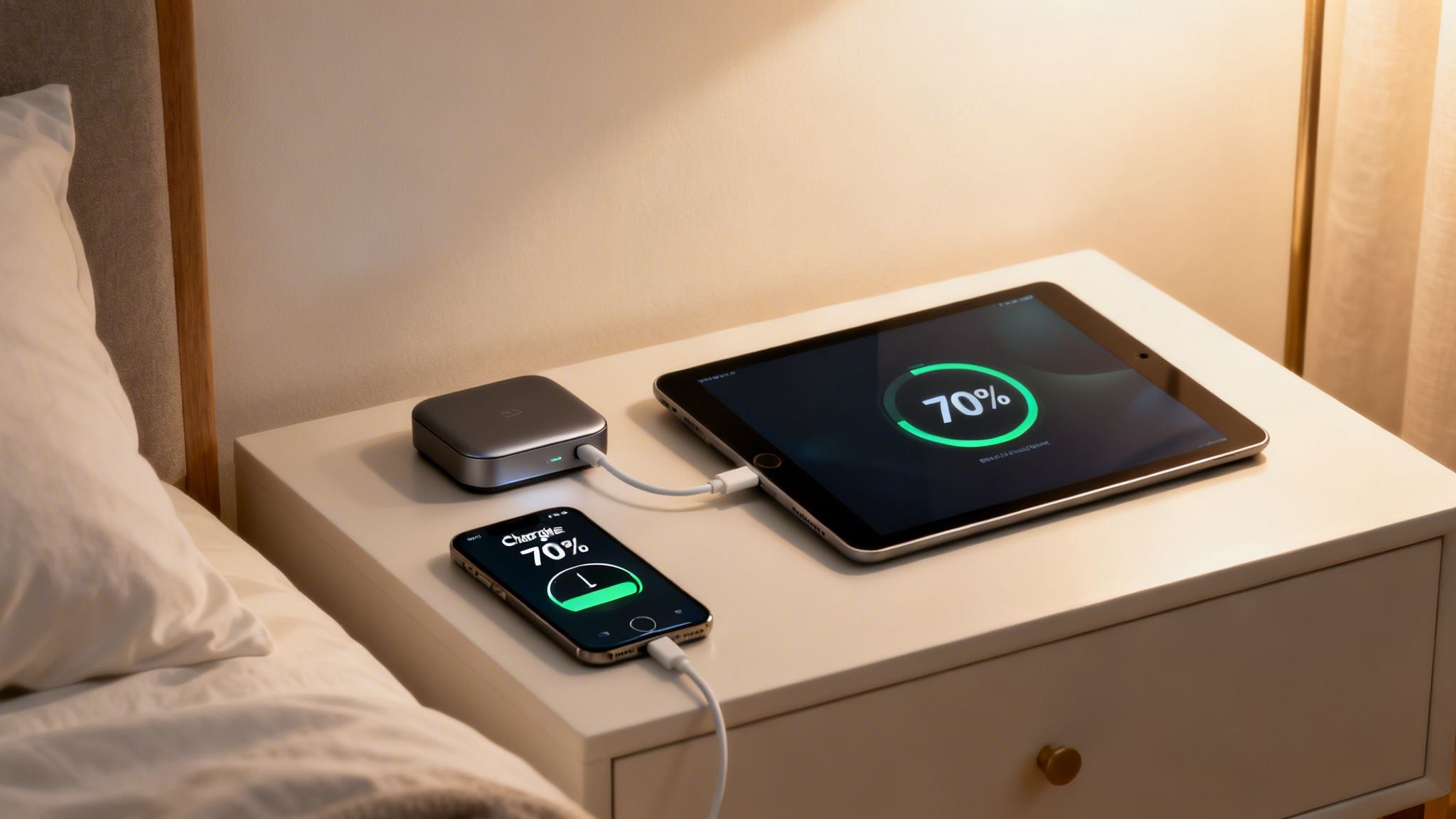
Put simply, Chargie is a smart dongle that you plug in between your charger and your iPad. Through its app, you get total command over the charging cycle. Instead of letting your iPad bake at a stressful 100% all night, Chargie intelligently cuts the power at a healthier level you decide on.
Let's say you only really need about 80% charge to get through your day. You can just tell the Chargie app to stop charging once it hits that number. That one simple move prevents the constant trickle charging and high-voltage stress that kill batteries prematurely.
But it gets even smarter. Chargie has a feature called the "Top Up Scheduler." You can tell the app what time you need your iPad ready to go, and it handles the rest. It will hold the battery at a stable, low-stress level (say, 70%) all night, then neatly top it off to 100% just before you wake up.
This means your battery spends mere minutes at the damaging 100% level, not hours. It’s a tiny change that can massively improve your battery's lifespan, potentially dodging future replacement costs.
This isn't just about convenience; it's a savvy financial move. A small one-time purchase of a tool like Chargie can literally save you hundreds of dollars in repair fees down the road. It’s the difference between driving your car gently and redlining the engine at every single stoplight. One path leads to a long, happy life; the other leads straight to the repair shop.
With over 50,000 users worldwide, Chargie’s smarts are helping people avoid unnecessary repair bills and reduce e-waste. By adopting this method, you don't just dodge the iPad battery replacement cost—you also help create a more sustainable future. If you want to dive deeper into proactive battery care, check out our guide on how to extend battery life. Honestly, it’s the smartest choice you can make for your tech, your wallet, and the planet.
Is an iPad Battery Replacement Really Worth It?
So, you’ve run the diagnostics, considered the options, and now you’re at the big question: is it really worth shelling out for a new iPad battery? For most iPads under five years old, the answer I give people is a resounding "yes." It's one of the smartest, most effective ways to get a device you already love feeling like new again.
Think about it. Dropping $99 to $149 on a new battery can easily get you another two or three years of solid, dependable use. That’s a tiny fraction of the $300 to $1,000+ you’d spend on a brand-new iPad. It’s not just about the money you save upfront; it’s about getting more life out of the tech you already own.
The Financial Side of Things
A battery swap is easily one of the best bang-for-your-buck repairs you can do. For an iPad that's less than five years old, you're looking at a repair that costs 80-90% less than buying new, and you get to skip the headache of setting up a new device from scratch.
What do you get for that? A quality battery can give you another 1000 charge cycles, which for many people means their tablet is back to lasting the entire workday. Considering that sudden shutdowns plague a large number of iPads with aging batteries, spending a little to save hundreds on a replacement device is a no-brainer. If you're curious about the real-world value of these repairs, the folks over at Milaaj.ae have some great insights on the topic.
This simple fix doesn't just restore how long your iPad lasts; it can actually make it feel faster. With a healthy battery, the processor can run at full tilt again, making everything feel snappier.
A new battery is a second life for your iPad. It bridges the gap between a frustrating, laggy device and a powerful, reliable tool, all for a minimal cost.
When an Upgrade Makes More Sense
But hold on—a replacement isn't always the right call. If your iPad is getting really long in the tooth (think 6+ years), it might not be getting crucial software updates anymore. In that situation, putting money into a new battery doesn't make much sense when the software is outdated and less secure. That's the point where upgrading to a newer model is the smarter long-term play.
Protecting Your Investment with Chargie
Whether you just splurged on a new iPad or you’ve revived your old one with a fresh battery, your next thought should be about making it last. You don't want to be back in this same spot in a couple of years. This is exactly where a little guardian like Chargie comes in.
Chargie intelligently manages your iPad's charging routine so it doesn't sit at that stressful 100% charge for hours on end overnight. This simple, automated habit dramatically slows down battery aging. It ensures your new battery—or the one in your shiny new iPad—stays healthy for so much longer. It's the best way to protect your investment and make sure the "is it worth it?" question always has an easy answer.
Got Questions About Your iPad Battery? We’ve Got Answers.
When your iPad battery starts to give up the ghost, a lot of questions pop up. It can feel like a confusing process, so let's cut through the noise. Here are the straight-up, simple answers to the questions we hear all the time.
How Long Will I Be Without My iPad?
The turnaround time for a battery swap really hinges on who you trust with your device.
- Apple Service: Plan on being iPad-less for about 3-5 business days. Apple usually ships your device off to a central repair facility, so it’s not an in-and-out job.
- Third-Party Shops: This is your best bet for speed. A good local repair shop can often get it done the same day you bring it in, sometimes in just a couple of hours.
- Doing It Yourself: If you're going the DIY route, block out at least 2-4 hours. Honestly, this depends entirely on your confidence and how steady your hands are. It's a delicate operation.
Will My Photos and Files Be Wiped?
There's always a chance, and anyone who guarantees your data is 100% safe isn't being completely honest. Technicians are pros and do everything they can, but accidents happen. Sometimes a device just needs a full reset to cooperate.
Don't Skip This: Back up your iPad. Seriously. Use iCloud or plug it into your computer and run a backup before you hand it over to anyone. It’s the only way to be absolutely sure your photos, apps, and memories are safe.
Does a New Battery Actually Make an Old iPad Faster?
Yes, and it’s not just a placebo effect. In many cases, a fresh battery gives a tired old iPad a surprising jolt of speed. There's a real technical reason for this.
Apple has a feature built into its software that slows down your iPad's processor when the battery gets old and weak. It does this to stop the device from demanding more power than the worn-out battery can supply, which would otherwise cause frustrating random shutdowns.
Once you pop in a new, healthy battery, that performance cap is lifted. Your iPad's processor is free to run at full speed again. The difference can be night and day—apps open quicker, browsing feels snappier, and the whole device just feels more responsive.
Of course, the best way to dodge these costs and questions entirely is to take care of your battery from day one. Chargie is a clever little device that stops the damage caused by overnight charging, which can dramatically improve your battery’s lifespan. If you want to protect your new or newly-repaired iPad, see how the Chargie charging limiter works, or follow our guide to limiting battery charge to 80%.

USB-C charge limiter that stops at your set battery level, so your battery never sits at 100% overnight. Extends battery lifespan by years. Works with any USB-C charger.
Protect Your Battery with Chargie
The world's first hardware charge limiter. Set a charge limit on any phone, tablet, or laptop — extend battery life by up to 4x.