
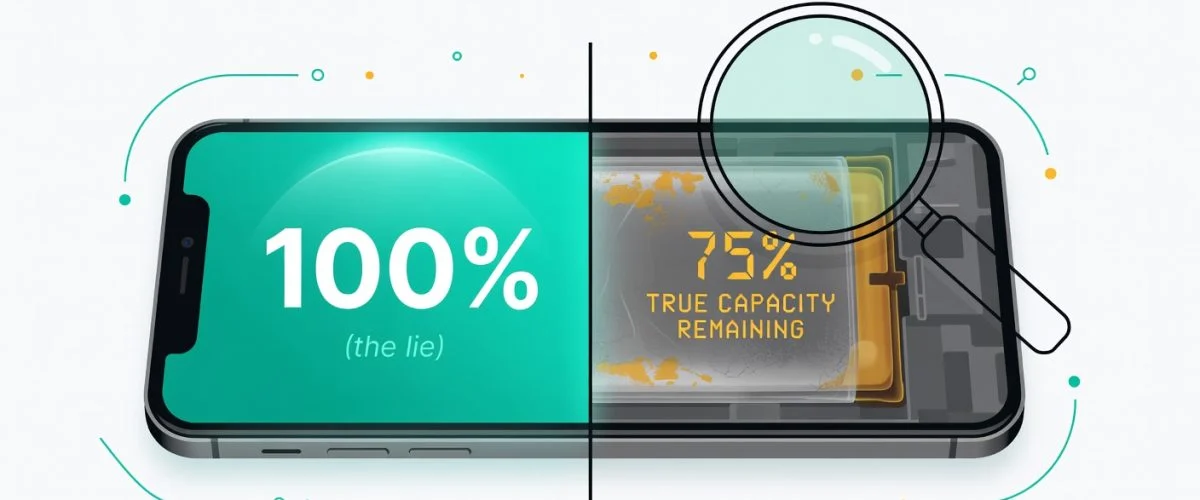

That 100% you see glowing in the corner of your screen? It doesn't tell the whole story. It shows today's charge level, not a real measure of your battery's long-term health.
The true battery health percentage is the hidden number that really matters. It reveals how much total energy your battery can hold compared to when it was brand new. Understanding this difference is the secret to making your device last for years.
Your Phone's Battery Percentage Isn't the Full Picture
When you glance at that battery icon, you're only seeing half the picture. That number, from 0% to 100%, is just a snapshot of how much juice is available for you to use right now. Think of it like the fuel gauge in your car—it tells you how much is in the tank today, but nothing about the tank's actual size or condition.
The far more important number is the true battery health percentage, often called Maximum Capacity. This number tells the real story of your battery's aging process, and it’s the one your phone’s manufacturer doesn’t put front and center.
The Water Bottle Analogy
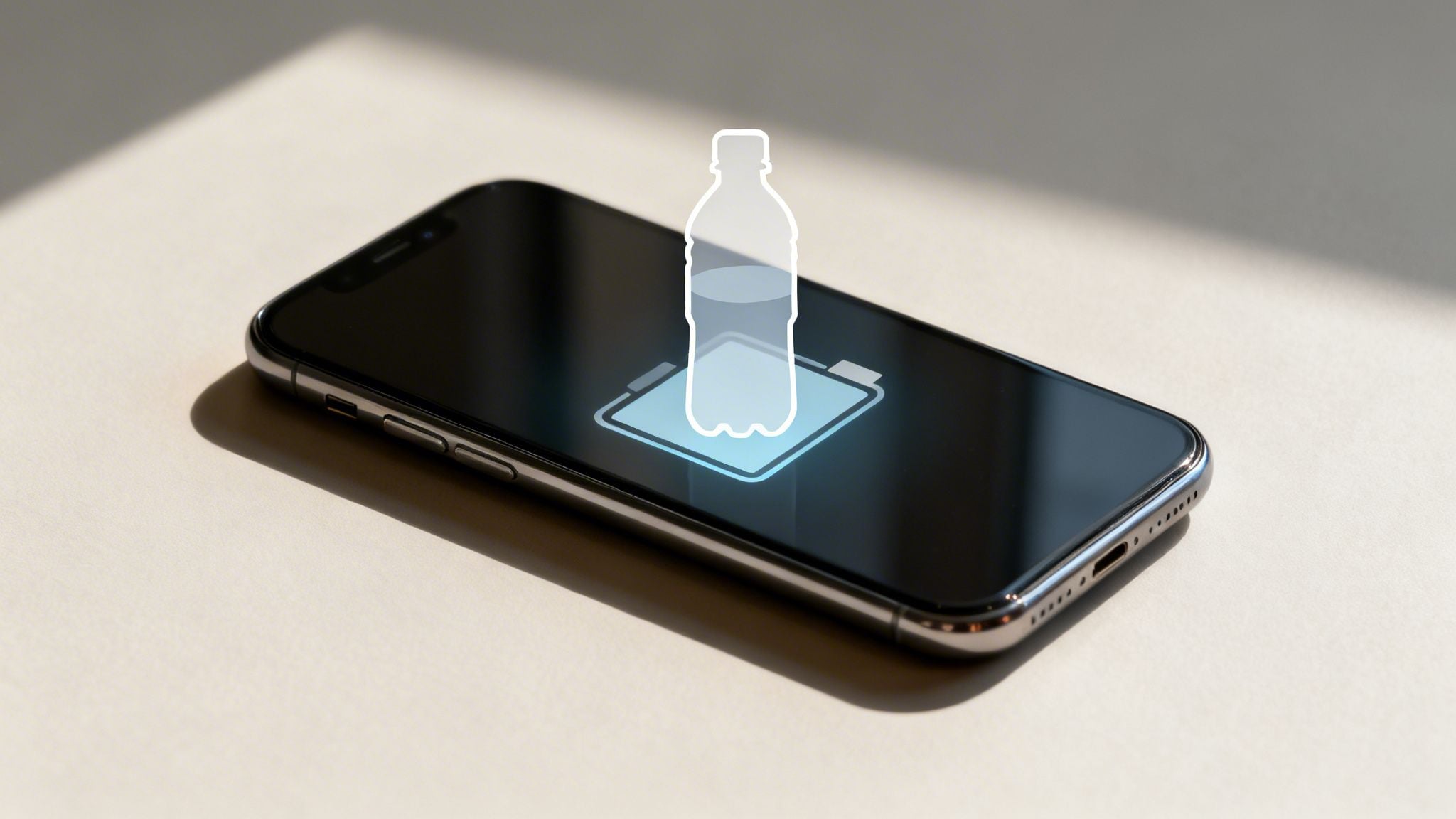
Imagine your phone's battery is a new water bottle. When you first get it, it holds a full 32 ounces. Filling it to the top gives you 100% of its capacity.
But over time, with every use, tiny mineral deposits—or in a battery's case, chemical changes—start to build up inside. This slowly shrinks the space available for water. After a year, even when you fill that bottle to the absolute brim (a 100% charge), it might only hold 28 ounces. The bottle itself has permanently lost some of its original capacity.
This is exactly what happens inside your phone’s battery. The percentage you see on screen is just the "fill level," but the true battery health is the actual size of the "bottle." A year-old phone charged to 100% simply holds less energy than a new phone at 100%. This is why older devices seem to die so much faster, even after a full overnight charge.
Here's a side-by-side look at these two very different numbers.
Charge Level vs. True Battery Health
This table breaks down the number you see daily versus the hidden one that dictates your device's real lifespan.
| Metric | What It Represents | Analogy | How It Changes |
|---|---|---|---|
| Charge Level (%) | The current amount of energy stored for immediate use. | The water level in the bottle. | Goes up and down daily as you use and charge. |
| True Battery Health | The battery's maximum ability to hold a charge. | The total size of the bottle. | Only goes down over time; it's a one-way street. |
Understanding this difference is the first step toward taking control of your device’s longevity.
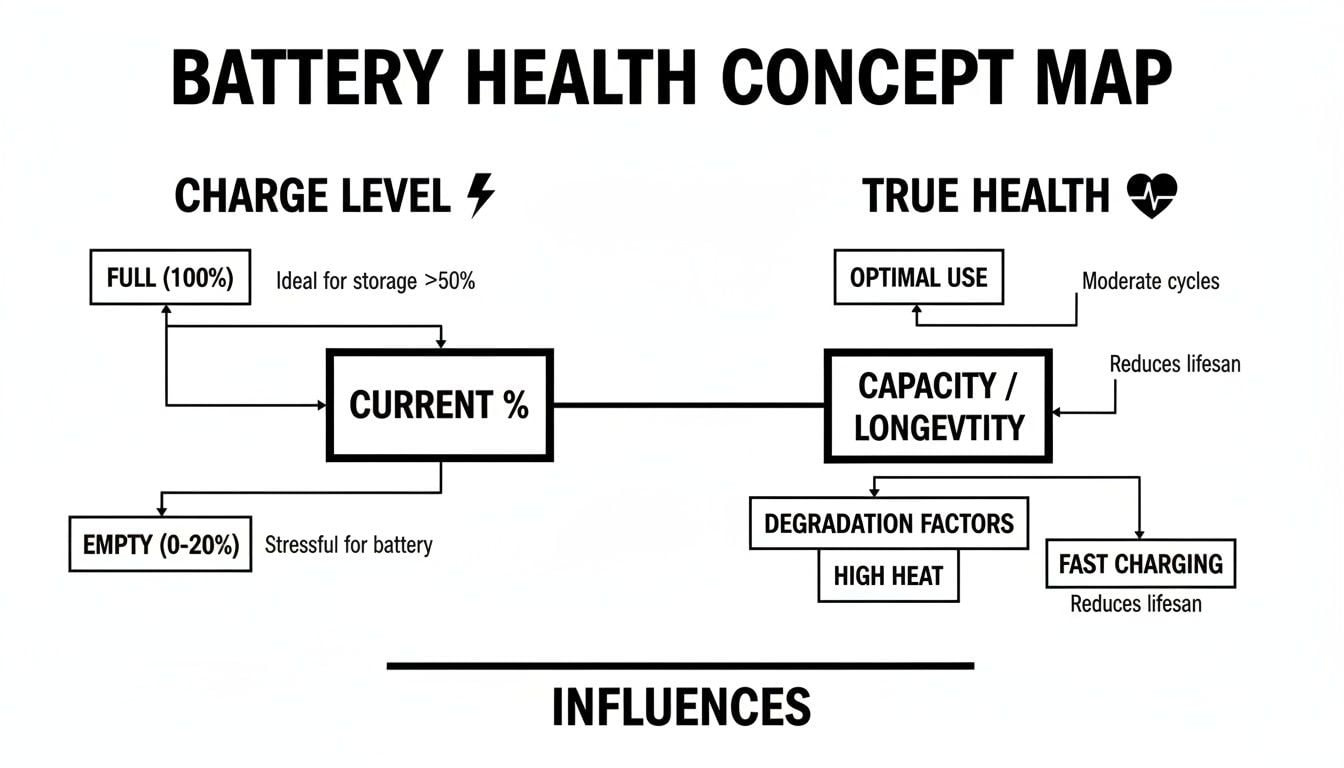
As you can see, your charge level is a daily variable, but your battery's true health is on a long, slow decline from the moment you start using it.
Why Does This Hidden Number Matter?
Ignoring your true battery health is like ignoring a slow leak in your car's tire. For a while, you can keep topping it up, but sooner or later, it’s going to leave you stranded.
Once a battery's health drops below 80%, it's generally considered "consumed." At this point, you’ll start running into some seriously frustrating issues:
- Shorter daily use: Your phone just can't make it through the day like it used to.
- Performance slowdowns: The device might struggle to draw enough power for demanding apps, leading to frustrating lag.
- Unexpected shutdowns: An aging battery can cause your phone to just die, even when it says there's 20% or 30% charge left.
This gradual decline is a natural part of a battery's life, but some habits can speed it up. Many of us unknowingly harm our batteries by leaving them plugged in overnight, where they sit at a stressful 100% charge for hours. A hardware solution like Chargie takes protection a step further, physically cutting off the power at a healthier level to preserve that all-important true battery health percentage for the long haul.
The Invisible Forces Harming Your Battery
So, you now have a better handle on what that true battery health percentage actually means. Let’s look at the silent culprits that are chipping away at it every day. You might be surprised to learn that the slow decline of your phone's battery has less to do with how much you use it and more to do with how you charge it.
Two main things work against your device’s longevity: extreme heat and high charge levels. This troublesome duo puts a ton of chemical stress on the battery cells inside, permanently reducing their ability to hold a full charge.
The funny thing is, many of our most common habits are the very things that cause this damage. Recognizing these patterns is the first real step toward breaking the cycle and giving your phone the long life it deserves.
The Problem With High Temperatures
Heat is public enemy number one for a healthy battery. When a battery gets too toasty, the chemical reactions inside go into overdrive, causing it to degrade much faster and permanently lose capacity. Think of it like leaving an ice cube on a hot sidewalk—it’s going to melt a lot quicker than it would in a cool room.
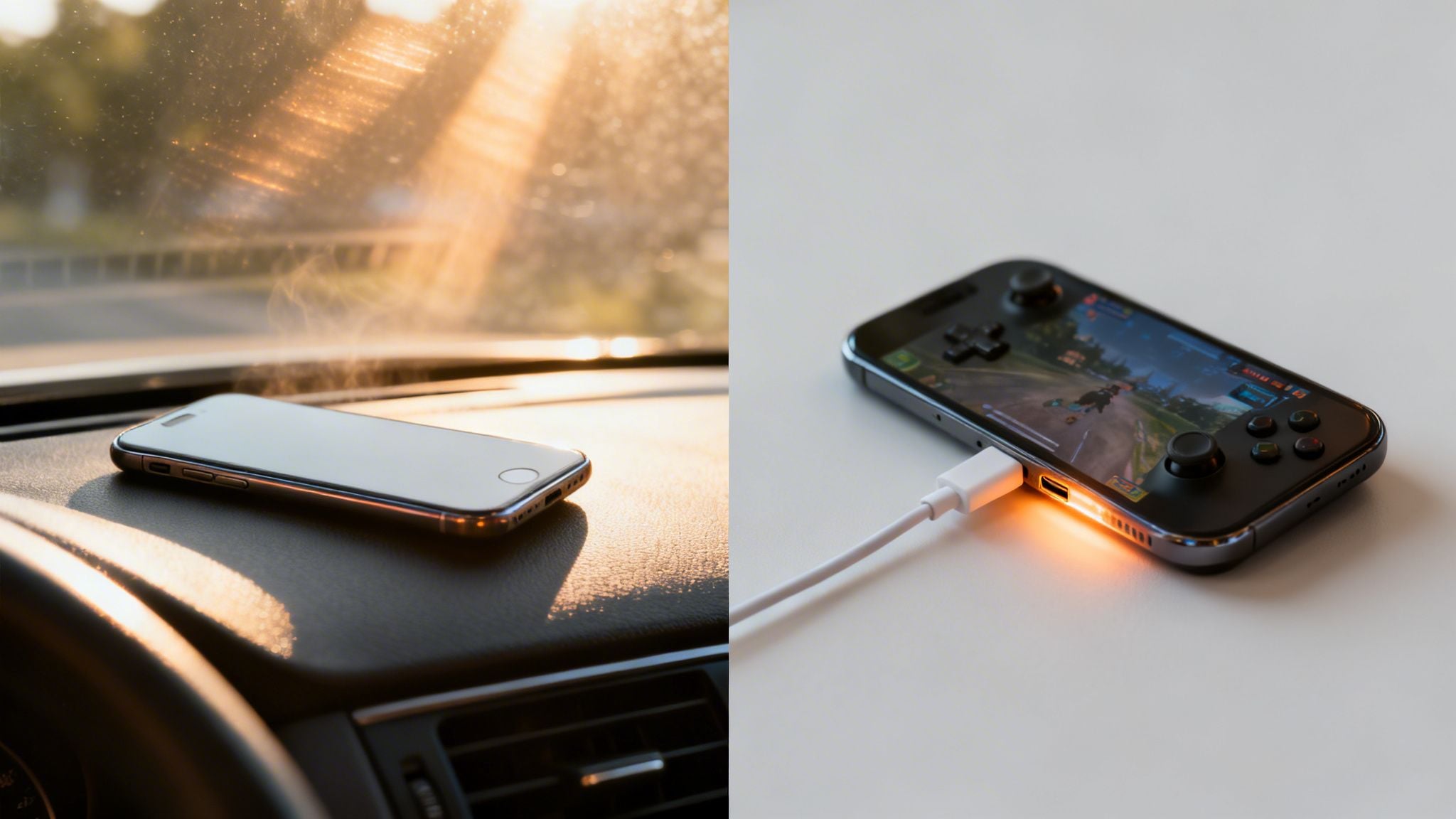
And this damaging heat doesn't just come from obvious places. Sure, leaving your phone baking on a car's dashboard is a clear no-no, but plenty of our everyday activities generate a surprising amount of internal heat.
You've probably felt it yourself during:
- Intense gaming sessions: Those gorgeous graphics push your phone's processor to its limits, and that work generates serious heat.
- Using GPS navigation: Running Waze or Google Maps for a long trip, especially with the screen bright, is a surefire way to warm up your device.
- Charging while using the phone: This is a double whammy. The charging process itself creates heat, and using the phone at the same time just piles on more, compounding the stress.
Even a slight increase in temperature, if it happens consistently, can have a major long-term impact on your phone's true battery health percentage. Running your device above 95°F (35°C) on a regular basis is a recipe for irreversible damage.
The Stress of a Full Charge
The second invisible force is the one most people never even think about: keeping your battery at a high charge. While seeing that 100% icon feels satisfying, holding a battery at that maximum voltage is incredibly stressful for its internal chemistry.
It’s like stretching a rubber band to its absolute limit and just leaving it there for hours. Eventually, it loses its snap. A battery is under the most strain when it is fully charged.
Keeping it at 100% for hours on end—like we all do overnight—is one of the single most damaging habits.
This prolonged high-voltage state kicks the degrading chemical processes into high gear. Studies show that batteries held at 100% degrade far more quickly than those kept at a more relaxed level, like 50% or 60%. For long-term health, the sweet spot is widely considered to be between 20% and 80%.
This is exactly why plugging your phone in all night is so bad for it. For hours, the charger continuously trickles power to keep it pinned at that stressful 100% mark, maximizing the wear and tear every single day.
How Smart Charging Makes a Difference
Once you connect these habits to the real-world decay of your battery, you can start making a change. The goal isn’t to stop using your phone, but to be a lot smarter about how you power it. This is where a dedicated hardware solution like Chargie really shines.
Instead of relying on software-only tricks that can be hit-or-miss, a physical device like Chargie puts you in complete control. It works by simply cutting off the electricity once your phone reaches a healthier, preset level—let's say 80%. This one move completely eliminates all those hours of high-voltage stress from overnight charging, tackling one of the biggest causes of battery degradation head-on.
By automating the whole process, you can protect your device’s true battery health percentage without even thinking about it. You just set it and forget it.
Measuring Battery Degradation in the Real World
We all know our phone batteries don't last forever, but that slow fade can feel a bit vague. It's a problem that creeps up on you… until one day you can't make it to lunch without hitting the red zone. To really get a grip on what’s happening inside your phone, we can look at a technology you might not expect: electric cars. Your phone and an EV run on the exact same battery chemistry, which means they wear out in surprisingly similar ways.
This parallel isn't just a fun fact; it gives us hard, real-world data showing how our charging habits directly impact a battery's lifespan. It proves that the decline of your phone's true battery health percentage isn't just bad luck—it's a direct consequence of how we treat it.
A Lesson from Electric Vehicles
Let’s look at what the numbers say. A massive study by Geotab, covering thousands of electric vehicles, found that the average battery loses 2.3% of its capacity every single year. Like clockwork, the battery's maximum range just shrinks.
But here’s the most telling part. The study dug into how those cars were charged, and the results are a massive wake-up call for phone users.
High-power charging made batteries degrade much faster. In contrast, gentler, low-power charging resulted in nearly half the damage.
This is exactly what’s happening every time you plug your phone into a fast charger. That convenient blast of power generates a ton of heat and puts the battery's internals under serious stress, accelerating its decline.
The Problem with Fast Charging Everything
The EV data confirms a simple truth: how you charge matters more than almost anything else. A fast charger is fantastic when you're in a bind, but using it every day is like flooring the gas pedal at every single stoplight. It’s just needless wear and tear.
Just like in an EV, consistently fast charging your phone leads to two big problems:
- More Internal Heat: Shoving that much current into the battery generates a lot of heat, which is public enemy number one for battery longevity.
- Faster Chemical Decay: The intense electrical pressure speeds up the chemical reactions that permanently kill off your battery's capacity.
Over months and years, this seemingly small habit adds up. A person who sticks to slower, steadier charging will have a much healthier battery after two years than someone who blasts their phone with a high-wattage charger every night. You can learn more by checking out our guide on how to check battery health on your own device.
Taking Control with Smart Hardware
This is where a little device like Chargie becomes a game-changer. It's built from the ground up to fight the two biggest factors in battery degradation we see in the real-world data: sitting at a high state of charge and the stress from overnight charging.
By physically cutting the power once your phone hits a healthier, preset level (like 80%), Chargie stops your battery from sitting at a stressful 100% all night long. This directly tackles that high-voltage state that we know accelerates wear.
With Chargie, you get the convenience of plugging in your phone overnight without paying the price in battery health. You can even use its scheduler to hold the battery at a stable, lower level for most of the night, then top it up just before you wake up. It’s an automated way to ensure you’re always using the gentlest charging method possible, directly preserving your phone's true battery health percentage for years to come.
The Booming Business of True Battery Health Analytics
The growing obsession with figuring out a phone's true battery health percentage isn't just for tech geeks anymore. It’s fueling a massive, fast-growing industry built around battery analytics. The market is blowing up for one simple reason: we're all starting to realize the built-in battery meter on our phones tells a very optimistic, and often misleading, story.
This gap between the reported health and what you actually experience day-to-day creates a frustrating cycle. Your phone swears its battery is at 95% health, but it can barely limp through the afternoon. This isn't just a minor annoyance; it's what pushes people toward expensive and premature upgrades, feeding a mountain of e-waste.
The Multi-Billion Dollar Problem
The demand for honest battery data has absolutely exploded. The market for battery State of Health (SOH) analytics, which was valued at $1.59 billion in 2026, is on track to rocket past $3.2 billion by 2030. That's a staggering 19.1% compound annual growth rate, driven by everything from electric cars to the millions of smartphones and laptops we all rely on. You can dig into the numbers yourself in this detailed industry report on the battery state of health analytics market from Research and Markets.
What does that tell you? It tells us there's a huge, industry-wide hunger for clarity. The simple percentage your phone shows just doesn't cut it anymore, especially when real money and business operations are on the line.
For a business managing hundreds or thousands of devices—think delivery driver tablets or warehouse scanners—inaccurate battery readings are a logistical nightmare. A device dying mid-shift costs time, money, and customer trust.
For these large-scale operations, knowing the true battery health percentage isn't a nice-to-have metric. It's essential for budgeting, planning maintenance, and keeping the whole show on the road.
Why Built-In Meters Fall Short
So, why is your phone’s built-in battery meter so unreliable? It's simple, really. Manufacturers often tweak these readings to look overly optimistic, especially during the first year of a device's life. They know that a rapidly declining health percentage would trigger a flood of customer complaints and warranty claims.
This is exactly why a phone might proudly display 100% or 99% health for months, even as natural, unavoidable degradation has already started. The software is basically designed to mask this slow, steady decline to maintain the perception of quality. It's a marketing decision, not a purely technical one.
The real-world consequences of this little white lie are pretty annoying:
- Unexpected Shutdowns: The phone dies even when the meter shows 20% or more, because the reported charge doesn't match the battery's actual capacity to deliver power.
- Performance Throttling: The operating system slows the phone down to prevent a weak battery from causing a shutdown, leaving you wondering why your "healthy" device is suddenly so sluggish.
- False Sense of Security: You keep up damaging charging habits, like leaving the phone plugged in all night, because the battery health meter isn't showing any immediate negative impact.
The Chargie Solution Two-Fold Value
This is where a solution like Chargie comes in with a unique, two-part benefit. First and foremost, its main job is to actively preserve your battery's lifespan by stopping it from sitting at a stressful 100% charge for hours on end. By automatically cutting the power at a healthier level, it directly tackles the number one cause of degradation.
But its secondary value is just as important. By using the Chargie app, you get a much clearer, data-driven window into your battery's actual condition over time. It gives you a more realistic look at your true battery health percentage, cutting through the manufacturer's sanitized numbers. This gives you an honest assessment of your device's longevity, putting you in the driver's seat to make informed decisions about its care and eventual replacement.
Why a "Cheaper" Battery Isn't the Answer
Here’s a common question: "Batteries are getting cheaper, so why bother making them last? Can't I just buy a new one?" It's a tempting thought, but it overlooks what actually makes a phone feel valuable and useful day-to-day.
Sure, the cost to make a battery is going down. But a cheaper battery isn't a magic fix. The real problem isn't the price of the part; it's the frustration, the hidden costs, and the environmental waste that comes with a battery dying an early death. A brand-new battery that loses 20-30% of its capacity in just a couple of years is still a recipe for a bad time.
The Hidden Costs of a "Cheap" Battery
That low price on a replacement battery is deceptive. It's only a tiny piece of the puzzle. Real value comes from having a phone that performs well for years, not from a cheap fix for a problem that shouldn't have happened so soon. When your battery starts to fade, you pay the price in other ways.
- That constant "battery anxiety": Is there anything worse than your phone dying halfway through the day? You end up glued to a wall outlet or lugging a power bank everywhere. It completely ruins the freedom of having a mobile device.
- Your "fast" phone suddenly feels slow: As the true battery health percentage drops, your phone's software intentionally slows things down to stop it from shutting off unexpectedly. That snappy new phone now feels sluggish and old.
- The replacement hassle: Even if the battery itself is cheap, you still have to pay for a professional to install it or risk breaking your phone trying to do it yourself. It's a time-consuming and often expensive headache.
This is exactly why just looking at falling prices is a trap. The goal shouldn't be to find a cheaper replacement; it should be to keep the phone you already have running like new for as long as you can.
Falling Prices Can't Outrun Degradation
It's fascinating to see what's happening in the battery market. Prices for battery packs dropped by 8% to just $108/kWh in 2025, and they're expected to hit $105/kWh in 2026. You can read more about these global battery price trends to see the data for yourself. But here's the catch: that downward price trend gets completely wiped out by the rapid aging that happens without proper care.
Even if a battery costs half as much, what good is it if it can’t hold a decent charge after 18 months? A lower price tag doesn’t change the fact that you’re left with a phone that can't keep up with your life.
Ironically, our own demand for faster charging is one of the biggest reasons our batteries are degrading so quickly. We love the convenience of a quick top-up, but we're paying for it with the long-term health of our devices.
The Case for Proactive Preservation
This is where a small, one-time investment to protect your battery pays for itself over and over again. Instead of just accepting that your battery will die, you can take control. That’s exactly what a smart hardware tool like Chargie was built for.
By automatically stopping the charge at a healthier level you set (like 80%), Chargie prevents the high-voltage stress that chews through your battery’s capacity while you sleep. It’s a simple, set-it-and-forget-it fix that can dramatically extend your phone's useful life. Not only do you get to put off those costly and annoying replacements, but you also cut down on e-waste. True value is keeping the device you love running like new for years—not just buying a cheaper battery to replace the one that gave up too soon.
Your Practical Guide to Taking Control of Battery Health
Knowing what's harming your battery is one thing. Actually stopping it is another. It's time to go from theory to real, hands-on action and take back control over your phone’s longevity. This guide gives you a clear plan to preserve your true battery health percentage, and the best way to do that is by automating your charging habits with a physical tool.
Sure, software-only options like the "optimized charging" feature built into your phone are a nice idea. But let's be honest, they can be unreliable. They try to learn your schedule, but life isn't always predictable. When they fail, your battery is left cooking at 100% all night. A hardware-based approach, on the other hand, provides a physical backstop that you can actually rely on.
The Power of Hardware-Based Control
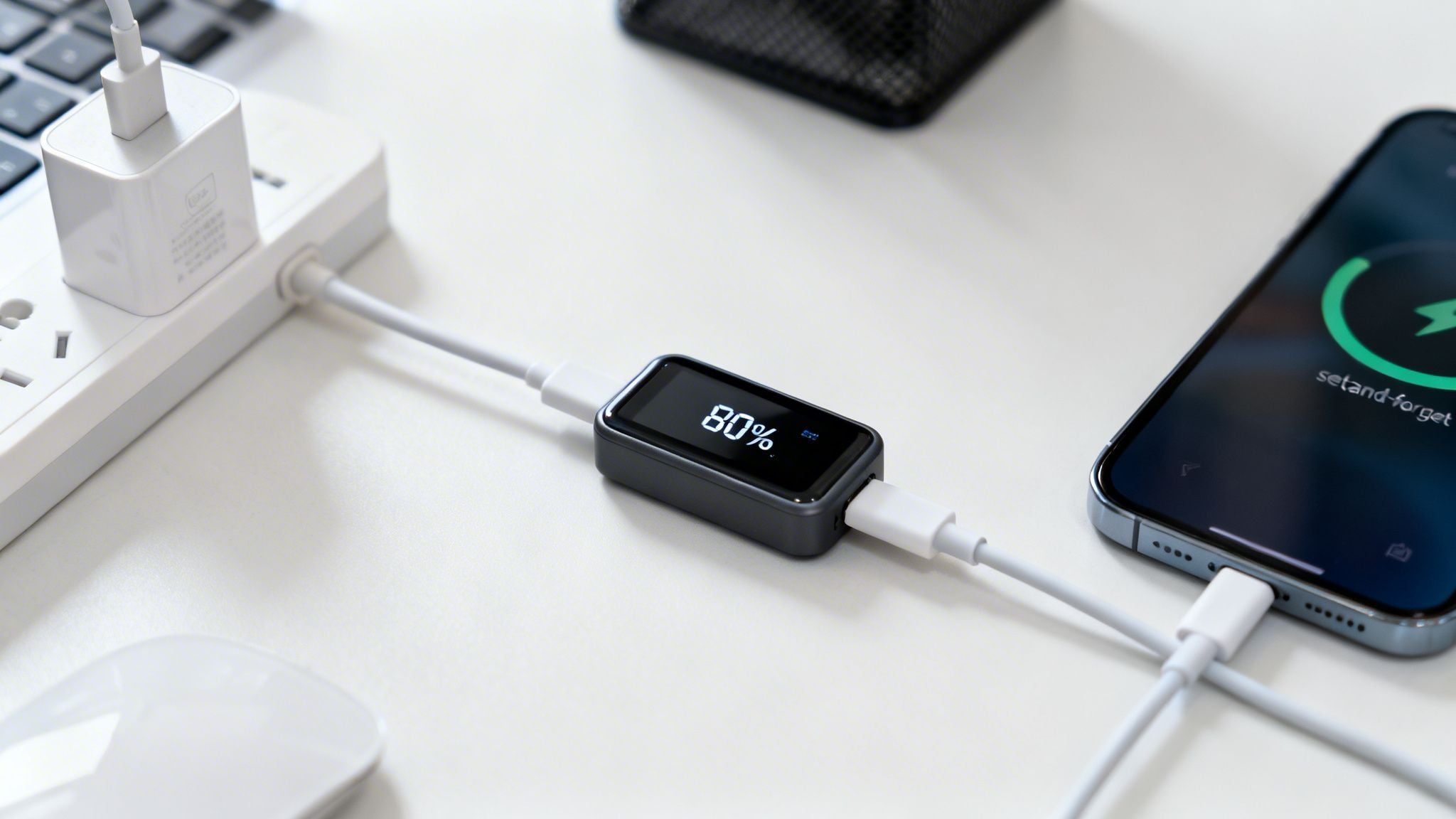
The most effective way to protect your battery is to physically stop the flow of electricity once it's charged enough. This is where a little device like Chargie completely changes the game. It’s a small dongle that fits between your charger and your phone, acting like a smart gatekeeper for the power current.
Here’s how simple it is:
- Plug Chargie into your wall charger, then plug your regular charging cable into Chargie.
- Open the app and tell it where to stop—say, 80%.
- When your phone hits that 80% mark, Chargie physically cuts the power from the charger.
That’s it. It’s a beautifully simple concept. It doesn't care if your phone is on, off, or doing an update in the middle of the night. The electrical circuit is broken. This creates a foolproof, "set-and-forget" system that shields your battery from the damaging stress of sitting at 100% for hours on end.
By physically cutting the power, a hardware limiter removes all the guesswork. It guarantees your battery is protected every single time, no matter what your phone's software is doing or how your daily routine changes.
This method directly attacks the high-voltage stress we know is a primary cause of battery aging, making it an incredibly powerful tool for keeping your true battery health percentage high for years to come.
Practical Applications for Everyday Use
A hardware limiter isn't just a one-trick pony; it's a flexible tool that adapts to different lifestyles and even professional needs. It’s all about making smart charging both automatic and effortless.
For example, the 'Top Up Scheduler' is perfect for anyone who charges their phone overnight. You can tell Chargie to keep the battery hovering at a safe level (like 50-70%) for most of the night, then have it finish charging just before your alarm goes off. You wake up to a full battery without the eight hours of high-voltage damage.
Other real-world uses are just as practical:
- Fleet Device Management: If you're an IT manager for a business with dozens of tablets or scanners, you can set a hard limit of 75% on every single device. This stops them from ever overcharging, which dramatically extends their useful life and slashes replacement costs.
- In-Car Navigation: For drivers who keep their phones plugged in for GPS on long trips, you can limit the charge to 80%. This is a double-win: it prevents the battery from sitting at max charge while also fighting the extra heat generated from being plugged in, a notorious battery killer.
- Kiosk and Display Units: Got a device that's plugged in 24/7? You can set it to maintain a low, stable charge of 50%, essentially maximizing its lifespan indefinitely.
Hardware vs. Software: A Clear Winner
When you put a dedicated hardware device up against a software-only feature, the difference in reliability is stark. Software is at the mercy of the phone's operating system, which can be buggy or inconsistent. Hardware just follows the rules you give it, period.
| Feature | Software-Only Solutions (e.g., built-in optimized charging) | Hardware Limiter (Chargie) |
|---|---|---|
| Reliability | Unpredictable. It tries to learn your patterns and often fails to activate when you need it. | 100% reliable. Physically cuts power every time, no matter what the phone is doing. |
| Control Level | Very limited. It's usually just an on/off switch with no way to set a specific percentage. | Precise control. You set the exact limit you want, whether it's 80%, 85%, or whatever you choose. |
| Functionality | Basic "wait until morning" logic that might not even work. | Advanced features like scheduled top-ups, protection from overheating, and hard limiting. |
| Device Status | Only works if the phone is on and the operating system is cooperating. | Works even if the phone is turned off. The protection is totally independent of the phone's software. |
At the end of the day, taking real control of your battery's health means using a tool that provides a guarantee. While built-in software features are a nice thought, a dedicated battery charge limiter like Chargie delivers the concrete, reliable solution you need to truly master your device's longevity.
Frequently Asked Questions About True Battery Health
We've dug deep into what goes on inside your device's battery. To bring it all home, let's tackle some of the most common questions people have about their phone's true battery health percentage and how to keep it from fading away.
Is It Bad to Charge My Phone to 100%?
The short answer is yes, but it’s a little more complex than that. Hitting 100% isn’t the real problem; it’s staying there for hours on end—like when you plug it in overnight.
That prolonged high-voltage state is like holding a muscle in a tense position for too long. It puts a ton of stress on the battery’s chemistry and speeds up its decline.
A much healthier approach is to live in the 20% to 80% range. A tool like Chargie makes this effortless by automatically cutting the power at whatever level you set, so you never have to worry about that overnight stress.
Why Does My Phone's Battery Health Reading Seem Inaccurate?
Ever notice how your phone's battery health stays at 100% or 99% for what feels like forever, then suddenly takes a nosedive? That’s not a coincidence.
Manufacturers often calibrate these numbers to look good and prevent a flood of warranty claims or user complaints. They’re designed to be optimistic.
The "true battery health percentage" is almost always lower than what the manufacturer shows you. This hidden number reveals the real rate of degradation, which is why a third-party tool can offer a more honest assessment.
This is exactly why an older phone might die suddenly at 20% or feel sluggish, even when its "official" battery health looks perfectly fine. The number you see isn't the whole story.
Can I Just Use My Phone's Built-In Optimized Charging?
Features like Apple's "Optimized Battery Charging" are a decent first step, but they come with some serious limitations. They are software-only solutions that try to learn your habits.
The problem is, they're easily thrown off. If your daily routine changes, you travel, or you just have an unpredictable schedule, that "optimization" can fail completely. You have no real control, you just have to trust that it's working.
A hardware solution like Chargie, on the other hand, gives you guaranteed protection you can actually count on. It physically cuts the power every single time, whether your phone is on, off, or if the software glitches. This reliable, hardware-based method is simply the most effective way to preserve your battery for the long haul.
Ready to stop guessing and start protecting your battery the right way? Chargie gives you the hardware-based control you need to automate smart charging, extend your device’s lifespan, and keep its true battery health high for years. Join over 50,000 users who are saving money and reducing e-waste with one simple device. Get your Chargie today at https://chargie.org.

USB-C charge limiter that stops at your set battery level, so your battery never sits at 100% overnight. Extends battery lifespan by years. Works with any USB-C charger.
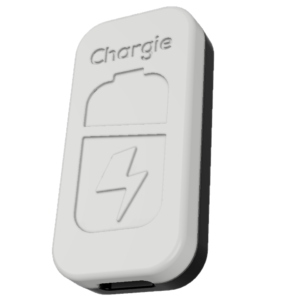
Limit your laptop charge to 80% via USB-C. Works with MacBooks, Dell, HP, Lenovo and most USB-C laptops up to 100W.
Protect Your Battery with Chargie
The world's first hardware charge limiter. Set a charge limit on any phone, tablet, or laptop — extend battery life by up to 4x.