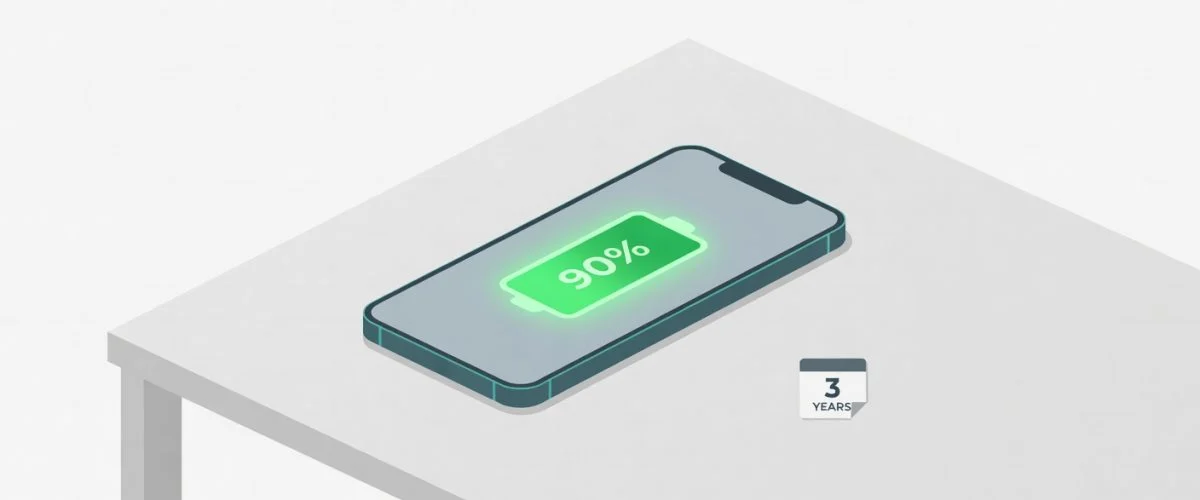

Three years after unboxing your phone, you open Settings > Battery and see 90% health. Most people would call that impossible. Apple, Samsung, and Google quietly expect a different number — something closer to 80% by month 18. But the gap between those two outcomes is not luck. It is a set of small habits that anyone can adopt.
This article covers what actually works, what is just internet folklore, and where a hardware charge limiter fits into the picture without turning this into a sales pitch.
The Three Battery Killers You Can Control
Smartphone batteries are lithium-ion cells. They degrade through three main mechanisms, and all three are under your control:
- Heat — every degree above room temperature accelerates chemical breakdown.
- High voltage dwell time — sitting at 100% charge for hours is the single most damaging routine.
- Deep discharge cycles — running to 0% and back to 100% wears the cathode structure.
Your phone already has a thermal management system. What it does not have is a user-accessible way to stop charging before the voltage gets destructive. That is why the habits below matter so much.
Habit 1: Partial Charge Like You Would a Gas Tank
Engineers at Battery University have published the same finding for over a decade: a lithium-ion battery charged from 20% to 80% experiences roughly half the wear of one cycled from 0% to 100%. The reason is structural. The cathode material — usually lithium cobalt oxide in phones — expands and contracts with each cycle. Narrower swings mean less mechanical fatigue.
What this looks like in practice:
- Charge when you hit 20–30%, not when the phone dies.
- Unplug when you reach 70–80%, not when it hits 100%.
- If you must top off before leaving the house, a 15-minute charge from 50% to 75% is far gentler than a full cycle.
Habit 2: Keep It Cool, Especially While Charging
A lithium-ion battery dwelling above 30°C (86°F) degrades measurably faster. During fast charging, internal temperatures routinely reach 40–50°C. If your phone feels hot to the touch while charging, the battery is already in the damage zone.
Practical steps:
- Do not charge under pillows, on beds, or inside closed cases.
- Remove thick cases before long charging sessions.
- Never charge in direct sunlight or inside a hot car.
- Use the slowest charger that still meets your timing needs. Ten watts overnight is better than 60W.
CarPlay and wireless charging are convenient, but they generate more heat than a simple USB-A cable at 5W. Use them when you need them; do not make them your default.
Habit 3: Avoid Overnight 100% Lock-In
The most common charging pattern is also the worst: plug in at bedtime, let the phone sit at 100% for six to eight hours, then unplug in the morning. In that window, the battery is held at its maximum voltage — around 4.35V for modern phone cells — which accelerates electrolyte breakdown and SEI layer growth.
Manufacturers have tried to mitigate this with “optimized battery charging” software, which learns your wake time and delays the final 20%. It helps, but it is not a hardware limit. The voltage still rises. The battery still stresses.
A better overnight routine:
- If you must charge overnight, aim for 60–70% by morning. That is enough for a full day of moderate use.
- Place the charger across the room so you have to walk to unplug it. Simple, but effective.
- Use a smart plug with a timer to cut power after two hours.
Habit 4: Store It Right If You Are Not Using It
If you retire a phone to backup duty, the storage charge level matters. A battery stored at 100% loses capacity faster than one stored at 40–50%. Apple and Samsung both recommend roughly 50% for long-term storage, in a cool, dry place. Check it every few months and top up if it drops below 20%.
Habit 5: Use Fast Charging as an Exception, Not a Default
Fast charging is one of the best convenience features added to phones in the last decade. It is also one of the fastest ways to shorten battery life if you use it every night. The high current generates resistive heat, which triggers every degradation mechanism at once.
Reserve fast charging for emergencies — a quick top-off before a meeting, a travel day, a dead battery after a long hike. For the 90% of charges that happen at home, a 5–10W charger is the gentler choice.
Where a Charge Limiter Fits In
All five habits above require discipline. Discipline fails — vacations, late nights, busy mornings. A hardware USB charge limiter removes the need for willpower by physically cutting power when the battery reaches the percentage you set.
This is not a replacement for the habits above; it is a safety net that makes them automatic. If you set a limiter to 80%, you can plug in overnight without worrying. The battery stops charging. The voltage drops. The stress ends. And you do not have to remember to walk across the room.
Options like Chargie work across any USB-charged device — phone, laptop, tablet — and do not depend on manufacturer software updates or permission. They are worth considering if you have already tried the habits and found that life gets in the way.
Is Keeping Battery Health Above 90% for 3 Years Realistic?
For most users, yes — but it requires treating charging as a deliberate habit, not a background process. The people who hit 80% at month 18 are not doing anything wrong; they are following the default behavior that manufacturers and wall chargers encourage. The people who hit 90% at year three are making small, consistent departures from that default.
The battery in your phone is a consumable part, like brake pads. You cannot make it last forever. But you can double its useful life with habits that cost nothing and a small hardware addition that removes the need for constant attention.
Meta Description: Keep your phone battery health above 90% for 3 years with five evidence-based habits: partial charging, heat avoidance, and smart overnight routines. Learn what actually works.

USB-C charge limiter that stops at your set battery level, so your battery never sits at 100% overnight. Extends battery lifespan by years. Works with any USB-C charger.
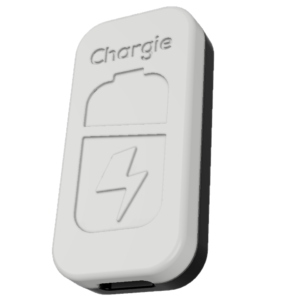
Limit your laptop charge to 80% via USB-C. Works with MacBooks, Dell, HP, Lenovo and most USB-C laptops up to 100W.
Protect Your Battery with Chargie
The world's first hardware charge limiter. Set a charge limit on any phone, tablet, or laptop — extend battery life by up to 4x.