
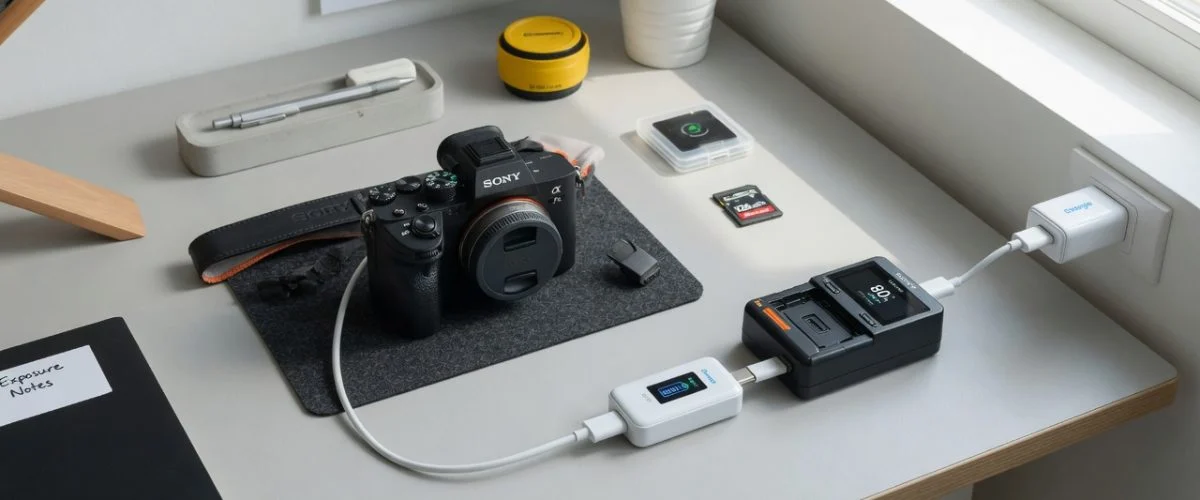

Why Camera Batteries Die Faster Than Phone Batteries
Your smartphone gets charged daily — it cycles regularly, which is good for Li-ion health. Your camera battery? It might sit on a charger for three days before a wedding shoot, get used for six hours, then sit at 100% in a drawer for two weeks until the next job. That intermittent, high-stress pattern is far worse for Li-ion cells than daily cycling.
Modern mirrorless cameras like the Canon EOS R5 (announced July 2020, 44.8 MP full-frame CMOS sensor, 8K video) and Sony Alpha 7 III use high-capacity Li-ion packs — the LP-E6NH (2,130 mAh) and NP-FZ100 (2,280 mAh) respectively. These batteries cost $60–80 each. A professional photographer might own four to six of them, representing a $300–480 investment that can be cut in half by poor charging habits.
The Fujifilm X-T5 (announced November 2022, 40.2 MP APS-C X-Trans sensor) uses the NP-W235 battery, while Nikon’s Z 8 uses the EN-EL15c. Every major camera brand has moved to USB-C charging in their latest bodies — meaning Chargie can directly limit their charge to 80%.
The Science: Why 100% Charge Is the Enemy of Camera Batteries
Lithium-ion batteries, as used in all modern camera packs, experience two distinct aging mechanisms: cycle aging (wear from charging and discharging) and calendar aging (chemical degradation over time, regardless of use). For camera batteries, calendar aging at high state of charge is the dominant killer.
According to Battery University (BU-808), a Li-ion battery stored at 100% charge at 25°C loses 20% of its capacity per year. Stored at 40°C (a camera bag in a car trunk on a summer day), that same battery loses 35% per year. But stored at 80% charge at 25°C, the loss drops to just 4% per year — a 5x improvement.
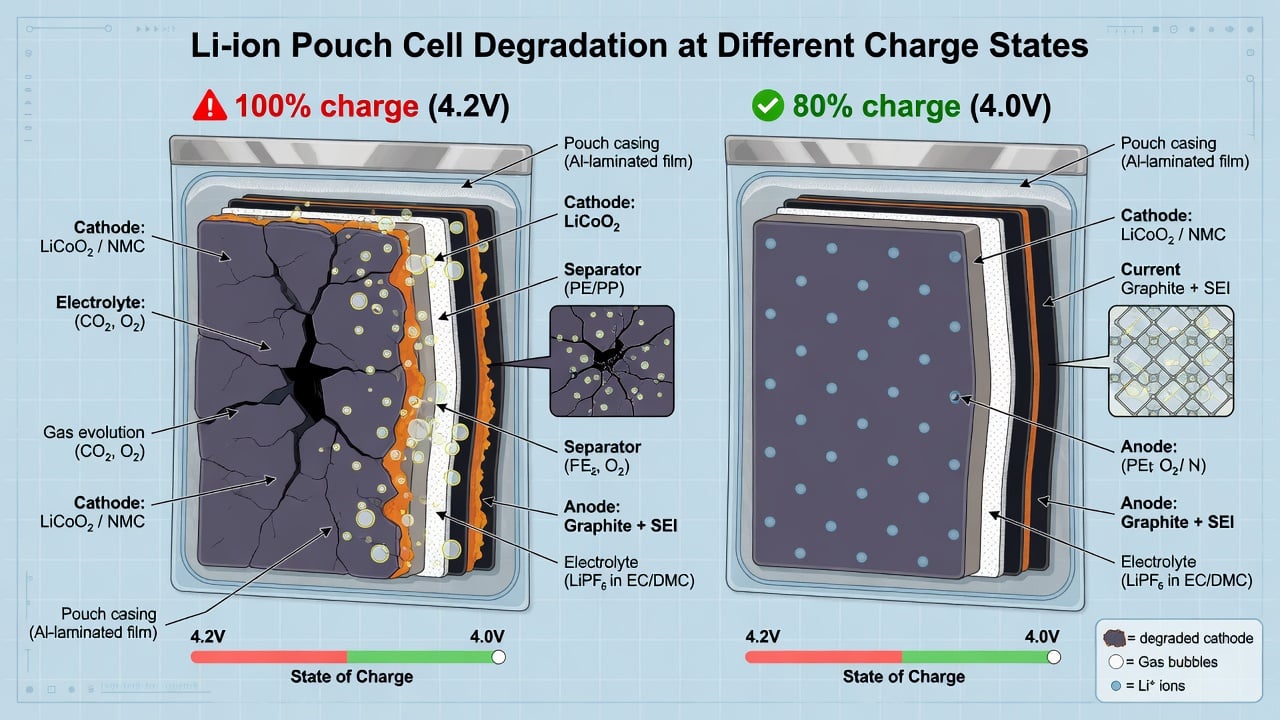
The chemistry is straightforward: at high voltage (4.2V per cell, corresponding to 100% charge), the lithium cobalt oxide cathode becomes unstable and reacts with the electrolyte, forming a resistive layer that permanently reduces capacity. At 80% charge (roughly 4.0V per cell), this reaction slows dramatically. The same principle applies whether you’re using a Sony NP-FZ100, Canon LP-E6NH, or Fujifilm NP-W235.
The Camera Charger Trap: Why “Smart” Chargers Aren’t Smart Enough
Most camera battery chargers — including Sony’s BC-QZ1, Canon’s LC-E6E, and third-party dual chargers — have a single job: charge to 100% and stop. They don’t offer a “storage charge” mode. Some high-end chargers (like the Watson dual USB chargers) claim overcharge protection, but “protection” just means they stop at 100% — they don’t stop at 80%.
This is where a USB charge limiter like Chargie changes the game. Since most modern camera batteries charge via USB-C (Sony NP-FZ100, Canon LP-E6NH with USB-C couplers, Fujifilm NP-W235), you can plug Chargie between the charger and the wall adapter. Set it to 80%, and your battery will never see the damaging 4.2V top-off voltage again.
For photographers who use third-party USB-C chargers (like the Nitecore UCN2 or ProMaster dual chargers), Chargie works with any standard USB-A or USB-C output. The limiter simply cuts power when the battery reaches your target percentage, just as it does for phones and laptops.
Real-World Savings: What Four Camera Batteries Cost You Over Five Years
| Scenario | Batteries owned | Replacement cycle | 5-year cost | With Chargie | Savings |
|---|---|---|---|---|---|
| Hobbyist (weekend shooter) | 2 × $60 | Every 3 years | $240 | $120 | $120 |
| Semi-pro (weekly gigs) | 4 × $70 | Every 2 years | $700 | $350 | $350 |
| Professional (daily use) | 6 × $80 | Every 18 months | $1,600 | $800 | $800 |
| Studio (always plugged in) | 4 × $70 | Every 1 year | $1,400 | $350 | $1,050 |
The studio scenario is the most dramatic: cameras that sit on AC power with a battery inserted (common in tethered shooting setups) keep the battery at 100% 24/7. That’s the absolute worst condition for calendar aging. A charge limiter in this setup can extend battery life by 4–5x.
Heat: The Hidden Battery Killer in Your Camera Bag
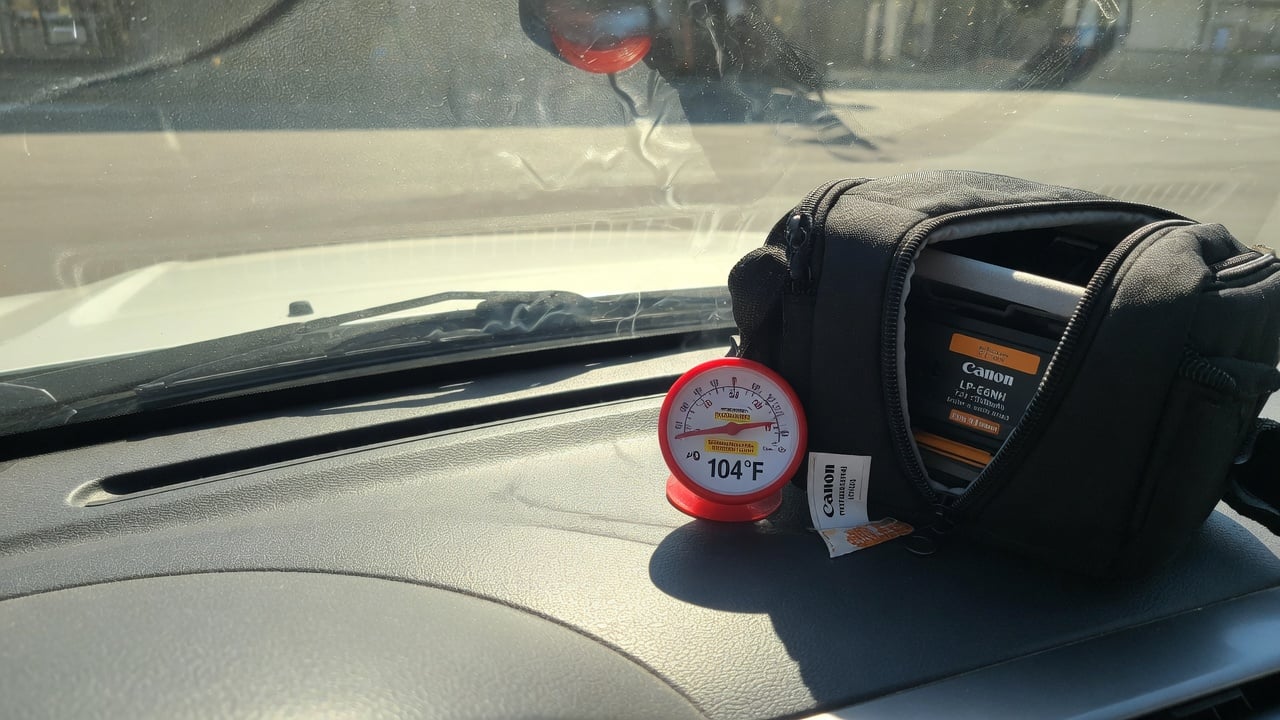
Camera bags spend a lot of time in hot environments — car trunks in summer, direct sunlight at outdoor shoots, near studio lights. The combination of high state of charge AND heat is catastrophic for Li-ion cells.
Battery University’s data shows that a Li-ion battery stored at 100% charge at 40°C loses 35% capacity per year. At 60°C (a black camera bag on a car dashboard in July), that loss accelerates to over 60% per year — the battery is ruined within 18 months regardless of how many times it was used.
Our summer heat battery protection guide covers the general principles, but for camera gear the stakes are higher: a dead camera battery in the middle of a paid shoot isn’t just an inconvenience — it’s lost revenue. Keeping spare batteries at 60–80% in an insulated bag is the single most effective thing you can do for their longevity.
How to Charge Camera Batteries the Right Way
Here’s the optimal charging protocol for camera batteries, based on Li-ion best practices:
- For storage (more than 3 days until next use): Charge to 60–80% using a charge limiter. Store in a cool, dry place (15–20°C ideal).
- For active use (next shoot within 24 hours): Charge to 100% the night before. Use the battery the next day. Don’t leave it at 100% for longer than necessary.
- For tethered/studio shooting: Use a dummy battery (AC coupler) instead of keeping a real battery at 100% on the charger. If you must use a real battery, limit it to 80%.
- After a shoot: If the battery is at 30–60%, store it as-is. If it’s above 80%, use the camera for a few minutes to bring it down before storage.
- Never store dead: Li-ion batteries below 2.5V per cell can enter deep discharge, causing permanent damage. Store at 60–80%, never below 20%.
This protocol is why hardware charge limiters outperform software solutions — camera chargers don’t have built-in charge limits, so you need external hardware to enforce the 80% ceiling.
Camera Battery Comparison: Popular Models and Their USB Charging
| Camera | Battery model | Capacity | Replacement cost | USB-C charging? | Chargie compatible? |
|---|---|---|---|---|---|
| Sony α7 III / α7 IV | NP-FZ100 | 2,280 mAh | $78 | Yes (body) | Yes |
| Canon EOS R5 / R6 | LP-E6NH | 2,130 mAh | $79 | Yes (body + coupler) | Yes |
| Nikon Z 8 / Z 6III | EN-EL15c | 2,280 mAh | $65 | Yes (body) | Yes |
| Fujifilm X-T5 / X-H2 | NP-W235 | 2,200 mAh | $75 | Yes (body) | Yes |
| Panasonic Lumix S5II | DMW-BLK22 | 2,200 mAh | $80 | Yes (body) | Yes |
| OM System OM-1 | BLX-1 | 2,250 mAh | $70 | Yes (body) | Yes |
| GoPro HERO12/13 | Enduro | 1,720 mAh | $25 | Yes (body) | Yes |
Every major mirrorless camera released since 2020 supports USB-C charging in-body. This means you can plug Chargie directly between the USB-C cable and the camera body, or between the wall adapter and a USB-C battery charger. The limiter works at the USB power level, so it doesn’t care what device is on the other end — it just stops charging at your set percentage.
What About Battery Swelling?
Camera batteries are particularly prone to swelling because they’re often used in high-drain scenarios (video recording, burst shooting) that generate heat, then stored at 100% charge. The combination of heat and high voltage accelerates gas generation inside the cell, causing the pouch to bulge.
A swollen battery is dangerous — it can rupture, leak electrolyte, or even catch fire. If your LP-E6NH or NP-FZ100 shows any bulging, stop using it immediately and recycle it properly. Our guide on battery swelling causes and prevention explains the warning signs in detail.
Keeping batteries at 80% charge dramatically reduces swelling risk because the internal pressure at 4.0V is significantly lower than at 4.2V. This is one of the most compelling reasons for photographers to adopt charge limiting as a standard practice.
FAQ
Can I use Chargie with my Sony NP-FZ100 battery?
Yes. The Sony α7 III, α7 IV, α1, and α9 series all charge the NP-FZ100 via USB-C. Plug Chargie between the USB-C cable and the camera body, set the limit to 80%, and the battery will never exceed that level. For external chargers like the Sony BC-QZ1, plug Chargie between the charger and the wall adapter.
Will charging to 80% reduce my shooting time?
Yes, but the trade-off is worth it. An NP-FZ100 at 80% gives you roughly 80% of the shots — about 480–560 photos instead of 600–710 on a Sony α7 IV. For most photographers, that’s still a full day of shooting. Carry a second battery at 80% and you have 160% effective capacity with double the battery lifespan.
Do I need a special charger for charge limiting?
No. Chargie works with any standard USB charger. It’s a small device that plugs between the charger and the cable, monitoring the battery’s charge level and cutting power at your set percentage. No special camera charger needed — it works with the one you already own.
How much longer will my camera batteries last with Chargie?
Based on Battery University’s calendar-aging data, storing at 80% instead of 100% extends Li-ion lifespan by 3–5x. A battery that would need replacement after 2 years of normal use can last 6–10 years with proper charge limiting. For professional photographers, that’s hundreds of dollars saved per battery kit.
Can I use Chargie with GoPro batteries?
Yes. GoPro HERO12 and HERO13 Black charge their Enduro batteries via USB-C. The same principle applies — charge to 80% for storage, top up to 100% before a shoot. GoPro batteries are smaller (1,720 mAh) and cheaper ($25), but the habit of proper charging still extends their life significantly.
What about third-party camera batteries?
Third-party batteries (Wasabi, Powerextra, Kastar) are often more sensitive to overvoltage than OEM batteries because their internal protection circuits may be less sophisticated. Charge limiting is more important for third-party batteries, not less. A USB charge limiter protects them from the high-voltage stress that causes premature failure.
The Bottom Line
Camera batteries are expensive, and they die from sitting at 100% charge — not from being used. A $35 Chargie charge limiter can save you hundreds of dollars in battery replacements over the life of your camera system. Every major mirrorless camera now charges via USB-C, making charge limiting trivially easy: plug, set, forget.
For more on the science behind charge limiting, read why charging to 80% extends battery life and our comparison of hardware vs software charge limiters.

USB-C charge limiter that stops at your set battery level, so your battery never sits at 100% overnight. Extends battery lifespan by years. Works with any USB-C charger.

Limit your laptop charge to 80% via USB-C. Works with MacBooks, Dell, HP, Lenovo and most USB-C laptops up to 100W.
Protect Your Battery with Chargie
The world's first hardware charge limiter. Set a charge limit on any phone, tablet, or laptop — extend battery life by up to 4x.



