

The Problem: Why Your Phone Battery Dies Faster Than It Should
Your phone ships with a battery designed to last through roughly 500 full charge cycles before it drops to 80% of its original capacity. That’s about a year and a half of daily charging — and it’s optimistic.
Here’s what the spec sheet doesn’t tell you: those 500 cycles assume you’re stopping at 80% and never letting it drop below 20%. Charge to 100% every night, and you’re looking at closer to 300-400 cycles before noticeable degradation. Leave it plugged in at 100% for hours, and you accelerate the chemical wear inside every lithium-ion cell.
Research from Battery University and the U.S. Department of Energy confirms what battery engineers have known for decades: every 0.1V increase above the nominal cell voltage roughly doubles the rate of capacity loss. Charging to 100% — which pushes a lithium-ion cell to 4.2V — is the single most damaging thing you do to your battery on a daily basis.
Manufacturer Solutions: Better Than Nothing, Still Not Enough
Both Apple and Samsung now ship phones with built-in charge limiting features:
- Apple’s 80% Limit (iPhone 15 and later): Stops charging at 80%. No scheduling, no customization — it’s 80% or nothing.
- Samsung’s Protect Battery: Caps at 85%. Again, one number. No overnight scheduling, no temperature monitoring.
- Google’s Adaptive Charging: Doesn’t actually limit charge level — it just delays the final 20% until your alarm. Once it hits 100%, it stays there.
These are software features running on the phone’s operating system, which creates three problems:
- They’re device-specific. Your Samsung limit doesn’t follow you to your iPad, your Bluetooth earbuds, or your laptop.
- They’re inconsistent. OS updates, app conflicts, and background processes can override them. Users regularly report that “Optimized Battery Charging” simply doesn’t trigger.
- They stop working when the phone is off. Power down your device and the software limit disappears — the charger feeds power directly to the battery with nothing in between.
Software limits are a step in the right direction, but they’re a half-measure. The charging cable doesn’t know what your phone’s software is doing — it just delivers power.
What a USB Charge Limiter Actually Does
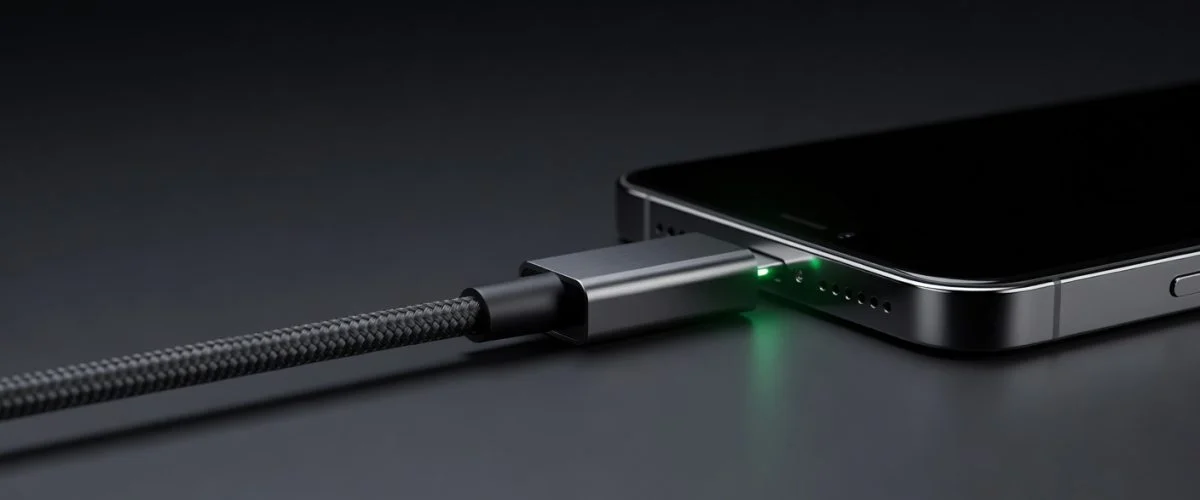
A USB charge limiter is a physical device that sits between your charger and your device — in the USB path. It’s not an app. It’s not a setting buried in your phone’s menus. It’s a physical relay switch that opens and closes based on the battery level it reads from your device.
Here’s the mechanical difference between a hardware battery charge limiter and the software limits built into phones:
| Software Limit (Apple/Samsung) | USB Hardware Limiter (Chargie) | |
|---|---|---|
| Where it operates | Inside the phone’s OS | In the USB cable path |
| Works when phone is off | No | Yes (Appless Mode) |
| Custom percentage | 80% or 85% only | Any value 20-100% |
| Overnight scheduling | Limited / unpredictable | Yes — holds at safe level, tops up before alarm |
| Temperature protection | No | Yes — pauses charging if device overheats |
| Works with any device | No — manufacturer-specific | Yes — any USB-charged device |
| Works with Android Auto / CarPlay | Unreliable | Yes — full data passthrough |
When you plug a Chargie between your charger and your phone, it establishes a Bluetooth connection with the companion app. You set your limit — say, 80%. The USB charge limiter reads your phone’s battery level and keeps the charging relay closed. The moment it hits 80%, the relay opens. No more current flows. Your phone behaves exactly as if you unplugged the cable.
The phone’s operating system has no say in the matter. The hardware decides.
Why a Hardware Battery Charge Limiter Matters
1. It works when your phone is off or crashed
Software charging limits need a running OS. If your phone is powered down, the software isn’t running — and the battery charges straight to 100%. A hardware USB charge limiter stores its limit on the device itself. Chargie’s Appless Mode remembers your settings and enforces them even when the phone is completely dead.
2. One device covers everything
Your iPhone has a charge limit. Your Android tablet doesn’t (and iPads have the same problem). Your laptop doesn’t — and why laptop batteries degrade differently than phone batteries is a story worth reading on its own. Your wireless earbuds’ charging case definitely doesn’t. A USB charge limiter works with anything that charges over USB — phones, tablets, laptops, cameras, drones, power banks, game controllers. Move it between devices and the companion app remembers separate profiles for each.
3. Temperature protection is real
Heat is the silent killer of lithium-ion batteries. According to research published in the Journal of Power Sources, every 10°C increase in operating temperature roughly doubles the rate of capacity fade. Software limits don’t monitor temperature. A hardware battery charge limiter like Chargie can pause charging when your device exceeds a set temperature threshold — preventing the heat damage that degrades your battery whether you’re at 80% or 20%. If summer heat is your concern, see our deep-dive on how summer heat destroys phone batteries and what you can do about it.
4. It’s future-proof
You’ll replace your phone in two or three years. The USB charge limiter stays with you. It doesn’t care what brand, OS version, or charging standard your next device uses — USB power is USB power.
The Three Chargie Models at a Glance
- Chargie A Gold Edition — USB-A, for older chargers and devices. Works with iPhones, Android phones, and tablets that charge via USB-A cables. The most affordable entry point.
- Chargie C Basic — USB-C charge limiting for compatible phones and tablets. Check the model’s power requirements and platform guide before buying.
- Chargie for Laptops — USB-C charge limiting for compatible laptops, supporting up to 100W. Use the desktop app for percentage limits, or configure Hardware Limiter for standalone power-based control.
When Does a USB Charge Limiter Make Sense?
Not everyone needs one. Here’s an honest breakdown:
| Scenario | Worth it? | Why |
|---|---|---|
| You replace your phone every 12 months | Probably not | Battery degradation is cumulative; at 12 months you won’t see the difference yet |
| You keep your phone 2+ years | Yes | At 2–3 years, the gap between 80% and 100% charging is measurable in daily battery life |
| You charge overnight, every night | Yes | Hours at 100% = sustained high-voltage stress; hardware limiter eliminates this entirely |
| You charge multiple devices at the same station | Yes | One device protects everything; cheaper than separate software solutions per device |
| Your phone already has a software 80% limit | Maybe | If you never power down your phone and trust the OS, software may be enough; hardware adds temperature protection and works when the phone is off |
| You charge a MacBook or iPad as a primary device | Yes | Laptops and tablets sit at 100% for hours; the ROI on battery longevity is highest for large, expensive batteries |
USB Charge Limiter vs. Smart Plug: What’s the Difference?
A smart plug (like a TP-Link Kasa or IKEA Tradfri) can cut power on a schedule — for example, turn off the outlet at 6 AM. Some people use these as DIY charge limiters. Here’s why they’re not the same thing:
- A smart plug doesn’t know your battery level. It cuts power at a time, not at a percentage. If your phone charged faster or slower than usual, you might hit 60% or 100% — the plug has no idea.
- It doesn’t handle temperature. No thermistor, no pause-on-heat logic.
- It can’t top up before your alarm. A hardware charge limiter knows when you’re scheduled to wake and can bring you from 80% to a higher target just before — a smart plug can’t.
- It requires a schedule, not a percentage. If your sleep schedule changes, your smart plug is now cutting power at the wrong time.
Smart plugs are a reasonable workaround if you don’t want to spend money on a dedicated device and you keep a very consistent sleep schedule. For anything more precise, a hardware USB charge limiter is the right tool.
Frequently Asked Questions
Does a USB charge limiter slow down charging?
No. A hardware charge limiter passes the full current your charger and device negotiate — it doesn’t throttle charging speed. The only difference is that it opens the relay at your chosen percentage. You can still fast charge to 80%; the limiter just doesn’t let you go past it.
Will it work with my existing charger and cable?
Yes, as long as your charger and device use USB-A or USB-C. The device sits in line and is transparent to the power negotiation — your phone still sees your charger’s wattage and charges at the speed it normally would.
What happens if my phone needs to go past 80% for a long day?
You can override the limit any time in the companion app. Set a one-time profile for “travel day” that allows 100%, then revert. Or use the built-in scheduling to automatically top up before your alarm.
Does it work with wireless charging?
A USB charge limiter sits in the wired charging path, so it doesn’t directly control wireless charging. If you exclusively use wireless charging, the hardware limiter won’t help. Most people use a combination — the limiter handles overnight wired charging, the phone’s OS (if it has one) handles wireless.
The Bottom Line
A USB charge limiter is the only solution that works across every device you own, stays active when your phone is off, and adds temperature protection that software can never provide. If you keep your phone longer than 18 months, charge overnight regularly, or manage more than one USB-charged device — it pays for itself in the battery health you’d otherwise lose.
Related Charge-Limiting Guides
- Chargie vs AlDente: Hardware vs Software Battery Charge Limiter
- When you SHOULD let your phone battery charge to 100%

USB-C charge limiter that stops at your set battery level, so your battery never sits at 100% overnight. Extends battery lifespan by years. Works with any USB-C charger.

Limit your laptop charge to 80% via USB-C. Works with MacBooks, Dell, HP, Lenovo and most USB-C laptops up to 100W.
Protect Your Battery with Chargie
The world's first hardware charge limiter. Set a charge limit on any phone, tablet, or laptop — extend battery life by up to 4x.



