
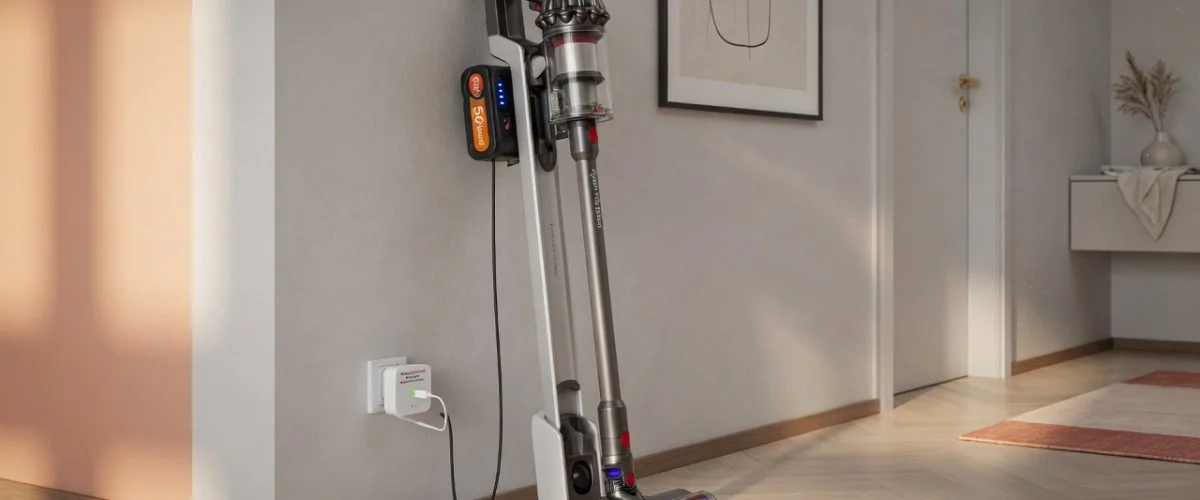

You spent $500–$750 on a Dyson V15, Shark Stratos, or Roborock H60 cordless stick vacuum. The marketing promised “60 minutes of fade-free power.” Eighteen months later, you’re lucky to get 12 minutes before the thing wheezes to a halt mid-living-room. The motor is fine. The filter is clean. The battery is dying — and the way you charge it is the reason.
Every cordless stick vacuum ships with a lithium-ion or lithium-polymer battery pack, and every manufacturer ships it with a wall dock or charging block that holds the battery at 100% indefinitely. That’s the worst possible condition for a Li-ion cell, and it’s baked into the product design. The good news: a $15–25 USB charge limiter can break the cycle, and the science behind why is the same science that applies to your phone, your laptop, and your travel CPAP battery.
How Cordless Stick Vacuum Batteries Work
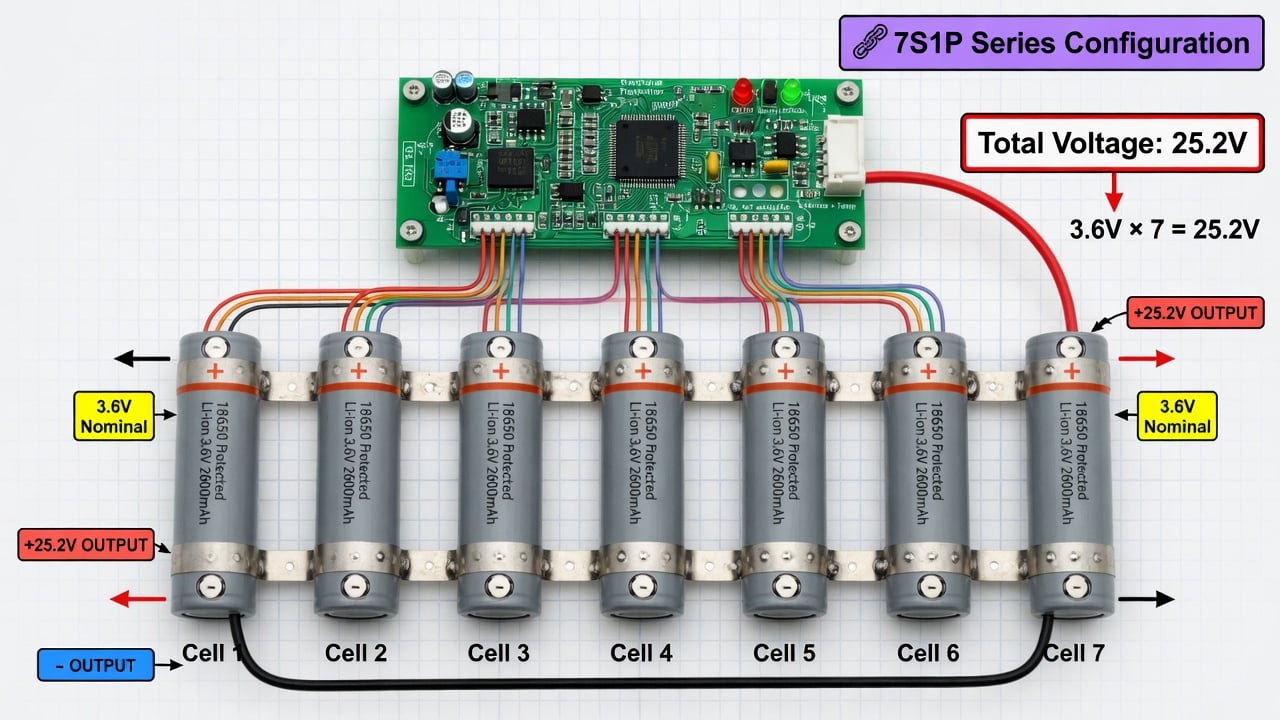
Cordless stick vacuums — the Dyson V-series (V8, V10, V11, V12, V15), Shark IZ-series (Stratos, Rocket Pet Pro), Roborock H-series (H6, H60, H60 Pro), Tineco Pure One, and Samsung Jet — all use removable battery packs built from lithium-ion cells wired in series. A Dyson V15 battery, for example, is a 25.2V, 4000mAh pack rated at approximately 46 watt-hours, built from seven 18650-type cylindrical cells (3.6V each, 7S1P configuration). The Shark XSBT620 removable battery pack for the Rocket Pet Pro series is a similar lithium-ion design, and Roborock’s H60 stick vacuum uses an interchangeable Li-ion pack as well.
Wikipedia’s article on lithium-ion batteries notes that these cells typically have a nominal voltage of 3.6 or 3.7V and use intercalation compounds — graphite at the anode, metal oxides at the cathode — with lithium ions shuttling between the two during charge and discharge. The cells used in stick vacuums are optimized for high discharge rates: a vacuum motor draws significant current (200–600W peak), which demands cells rated for sustained high-drain output, not the low-drain cells found in a phone.
Some older and budget cordless vacuums (pre-2018 Dyson V6/V7, some Shark models) used nickel-metal hydride (NiMH) packs instead of Li-ion. NiMH cells deliver 1.2V per cell, have roughly half the energy density of Li-ion, and are less prone to thermal runaway, but they suffer from higher self-discharge and a “memory effect” if repeatedly partial-discharged. Wikipedia notes that NiMH was largely replaced by Li-ion in portable consumer devices as Li-ion costs dropped through the 2000s and 2010s.
Why Your Stick Vacuum Battery Dies After 18 Months
The root cause is the same one that kills phone and laptop batteries: calendar aging at high state of charge. When a lithium-ion cell sits at 100% charge for days or weeks at a time — exactly what happens when your vacuum sits in its wall dock between uses — the cell’s internal chemistry degrades faster than it would at a moderate charge level. The solid electrolyte interphase (SEI) layer on the anode thickens, cathode materials slowly oxidize, and usable capacity shrinks month by month.
This isn’t a manufacturer defect. It’s a fundamental property of lithium-ion chemistry. The Wikipedia article on Li-ion batteries confirms that these cells “can be a fire or explosion hazard as they contain flammable electrolytes” and that their cycle life and calendar life depend heavily on operating conditions. Research consistently shows that storing Li-ion cells at 100% SoC at room temperature (20–25°C) accelerates capacity loss 2–4× compared to storage at 40–60% SoC.
The problem is structural: vacuum manufacturers design their docks to charge to full and hold there. The dock doesn’t know you won’t vacuum again until Saturday. It keeps the pack topped off Monday through Friday, slowly cooking the cells. After 18 months of this treatment — which is roughly 450–500 days of continuous 100% SoC exposure — the pack has lost 20–40% of its original capacity. Your “60 minutes” is now “35 minutes,” and the degradation curve steepens from there.
The Wall Dock Problem: Always Charging, Never Resting
The wall dock is the single worst thing that ever happens to your vacuum battery. It’s not malicious — Dyson, Shark, and Roborock all include docks because consumers want grab-and-go convenience, and a dead vacuum when you need it is worse than a degraded battery later. But the dock creates a specific degradation pattern that’s worse than even daily phone charging, because the vacuum often sits unused for 3–7 days at a time while the dock keeps the pack at peak voltage.
Compare this to a smartphone, which you charge overnight and use all day — the phone spends maybe 8 hours at 100% and 16 hours cycling down. Your vacuum spends 168 hours at 100% and uses maybe 0.5 hours of that. The ratio is catastrophic: 99.7% of the battery’s life is spent at maximum charge, doing nothing. That’s why vacuum batteries degrade faster than phone batteries despite far fewer charge cycles — a typical vacuum sees maybe 50–100 full charge cycles per year, while a phone sees 300+. The calendar aging, not the cycling, is what kills the pack.
If you’ve read our guide on why software charge limits aren’t enough, you know the principle: the device’s built-in charging controller is designed for convenience, not longevity. A hardware charge limiter intervenes at the physical level, cutting the charging current before the pack reaches full. That’s what a Chargie does — and it works just as well for a vacuum battery as it does for a phone.
Heat: The Second Silent Killer
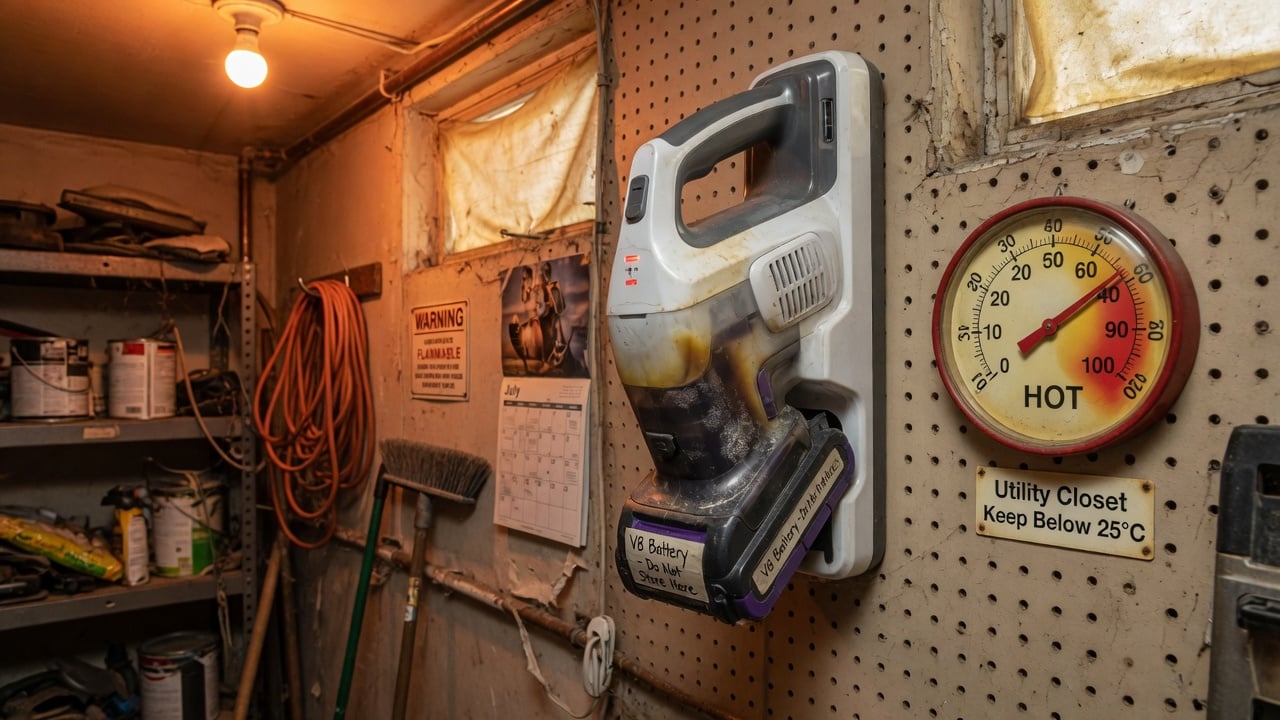
If the dock is the first killer, heat is the second. Cordless stick vacuums live in utility closets, garages, and laundry rooms — spaces that often lack climate control. A charging battery generates heat (energy conversion is never 100% efficient), and a hot storage environment compounds the problem. Wikipedia’s Li-ion article notes that lithium-ion cells “can be manufactured to optimize energy density or power density,” and the high-drain cells used in vacuums trade some thermal headroom for discharge capability.
Our summer heat battery protection guide covers the physics in detail, but the short version: Li-ion degradation rates roughly double for every 10°C above 25°C. A vacuum dock in a garage that hits 35°C in summer is aging the battery 2× faster than the same dock in an air-conditioned hallway. A dock in a closed car port or sun-exposed laundry room at 40°C? That’s 4× faster degradation.
Comparison: Popular Cordless Stick Vacuums and Their Batteries
Here’s how the major cordless stick vacuums compare on battery specs, replacement cost, and what you can do to extend pack life:
| Model | Battery Type | Voltage / Capacity | Original Runtime | Replacement Cost | Removable? |
|---|---|---|---|---|---|
| Dyson V15 Detect | Li-ion (7×18650) | 25.2V / 4000mAh (46Wh) | 60 min | $75–120 | Yes (click-in) |
| Dyson V11 | Li-ion (7×18650) | 25.2V / 3000mAh (37Wh) | 60 min | $75–100 | Yes (click-in) |
| Dyson V8 | Li-ion (6×18650) | 21.6V / 2500mAh (28Wh) | 40 min | $60–85 | Yes (screw-in) |
| Shark Stratos (IZ400UK) | Li-ion (XSBT620) | 25.2V / 3000mAh | 60 min | $40–70 | Yes (push-button) |
| Shark Rocket Pet Pro | Li-ion (XSBT620) | 21.6V / 3000mAh | 40 min | $35–55 | Yes (push-button) |
| Roborock H60 Pro | Li-ion | 25.2V / 2800mAh | 50 min | $50–80 | Yes (removable) |
| Tineco Pure One S15 | Li-ion | 21.6V / 2500mAh | 40 min | $45–70 | Yes (removable) |
The key takeaway: every single model in this table uses a Li-ion pack that degrades faster at 100% SoC. The replacement costs add up — $75–120 for a Dyson pack, every 18–24 months, is a significant hidden cost of ownership. A charge limiter that holds the pack at 60–80% could extend that replacement interval to 3–4 years, saving $150–240 over the vacuum’s lifespan.
How to Actually Extend Your Vacuum Battery Life
Here’s the actionable plan, in order of impact:
1. Stop leaving it on the dock. This is the single highest-impact change. Charge the vacuum to full, use it, then take it off the dock when it’s done. If it’s at 40–60% after a cleaning session, leave it there — don’t top it off. Li-ion cells age slowest at mid-charge. Only put it back on the dock when it’s genuinely low (below 20%) and you need it charged for the next session.
2. Use a charge limiter if you must dock it. If convenience demands the dock, a hardware charge limiter can cap the charge at 80% instead of 100%. Our guide on how to limit charging to 80% explains the mechanism. For vacuums with USB-C charging ports (increasingly common on newer Shark and Tineco models), a USB charge limiter like Chargie works directly. For dock-charged models (most Dysons), you’d need to remove the pack and charge it through a benchtop limiter — less convenient, but the science is the same.
3. Store in a cool, dry place. Move the dock out of the garage, away from windows, and out of the laundry room if possible. An interior hallway or closet at 18–22°C is ideal. Every 10°C reduction in storage temperature roughly halves the calendar aging rate. This is the same principle in our guide to the 80% charging science.
4. Don’t deep-discharge. Running the vacuum until it completely shuts off (0%) is hard on Li-ion cells. If the vacuum warns you it’s low (most Dysons and Sharks have a low-battery LED), stop and charge. Letting a Li-ion pack sit at 0% for days can trigger a protection circuit that permanently disables the pack for safety. Learn more about checking your pack’s health in our battery health checking guide.
5. Keep a spare pack, rotated. If you have two battery packs (common for Dyson owners who bought a spare), rotate them: use one while the other rests at ~50% charge. Don’t keep the spare on a second dock at 100% — that just doubles the problem. Store the spare in a cool place at 40–60% charge.
The Cost Math: Why a Charge Limiter Pays for Itself
A replacement Dyson V15 battery pack costs $75–120. If you’re replacing it every 18 months because of dock-induced calendar aging, that’s $50–80 per year in hidden battery costs — on top of the $650 you paid for the vacuum. A Shark replacement pack at $40–70, replaced every 2 years, adds $20–35 per year.
A USB charge limiter costs $15–25 once. If it extends your battery pack’s life from 18 months to 3 years (a conservative estimate based on the 2–4× degradation reduction from 80% vs 100% SoC storage), it saves you one full battery replacement — $40–120 — in the first cycle alone. Every year after that is pure savings. Our article on what a USB charge limiter is breaks down the device, and this guide proves they work with real data.
What About Battery Swelling?
If your vacuum battery pack looks bloated, won’t click in properly, or the vacuum gets unusually hot during charging, stop using it immediately. Lithium-ion swelling is a precursor to thermal runaway and fire. Our comprehensive battery swelling causes and prevention guide covers the warning signs and what to do. A swollen pack cannot be “fixed” — it must be replaced and recycled properly.
FAQ
Can I leave my Dyson on the charger all the time?
You can, and Dyson’s manual says it’s safe — but “safe” means “won’t catch fire,” not “won’t degrade.” Leaving a Dyson on the dock 24/7 holds the Li-ion pack at 100% charge, which is the fastest way to reduce its capacity over time. Dyson’s battery warranty covers manufacturing defects, not calendar aging from dock storage. Taking it off the dock between uses is the single best thing you can do for the battery.
How long should a cordless stick vacuum battery last?
With proper charging habits (off-dock storage, 40–60% rest charge, cool environment), a Li-ion vacuum battery should last 3–5 years before losing 30% of its original runtime. With 24/7 dock storage, most users see significant degradation in 18–24 months. The difference is entirely in how you store the pack between uses.
Can I use a third-party replacement battery?
Third-party replacement packs for Dyson, Shark, and Roborock are widely available and typically cost 40–60% less than OEM packs. Quality varies — look for packs that list the cell manufacturer (Samsung, LG, Panasonic are reputable) and include a battery management system (BMS) board. A cheap pack with no-name cells and no BMS is a fire risk. The same charge-limiting principles apply to replacement packs: treat them the same way and they’ll last just as long (or longer) as the original.
Why does my vacuum work fine for 5 minutes then die?
This is a classic sign of a degraded Li-ion pack: the cells can deliver enough voltage to start the motor (the vacuum turns on), but under sustained high-current load, the internal resistance causes voltage sag and the BMS shuts down the pack to protect it. The displayed charge level may still show 50–70%, but the pack’s actual capacity and discharge capability are far below spec. It’s time for a replacement.
Does fast charging hurt my vacuum battery?
Most cordless vacuums don’t support fast charging — their docks deliver a standard charge rate (0.3–0.5C). So fast charging isn’t a significant factor for vacuums, unlike phones. The dominant degradation factor is always-on dock storage at 100%, not charging speed. If you do use a fast charger (some newer Tineco and Shark models support USB-C PD), occasional fast charging is fine — the damage comes from doing it every day combined with charging to 100%, as we explain in our charging cable wear guide.
Is it worth buying a spare battery pack?
Yes, if you regularly need more than one full charge’s worth of runtime (large homes, commercial use). But the spare only saves you money if you store it correctly — at 40–60% charge in a cool place, not on a second dock at 100%. Two packs rotated and stored properly will outlast one pack replaced twice. Two packs both kept on docks at 100% will both degrade at the same rate, doubling your long-term cost.
The Bottom Line
Your $500–750 cordless stick vacuum is only as good as its battery, and its battery is being killed by the dock it came with. The fix is simple: take it off the dock between uses, store it cool, and if you can, limit the charge to 80%. A $15–25 charge limiter pays for itself in one saved battery replacement. The science is the same whether you’re protecting a $1,000 phone, a $200 robot vacuum, or a $750 Dyson V15 — lithium-ion cells live longest at moderate charge, and the wall dock is the enemy of moderate charge.
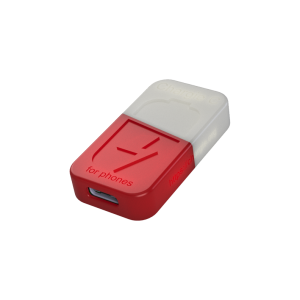
USB-C charge limiter that stops at your set battery level, so your battery never sits at 100% overnight. Extends battery lifespan by years. Works with any USB-C charger.

Limit your laptop charge to 80% via USB-C. Works with MacBooks, Dell, HP, Lenovo and most USB-C laptops up to 100W.
Protect Your Battery with Chargie
The world's first hardware charge limiter. Set a charge limit on any phone, tablet, or laptop — extend battery life by up to 4x.



