
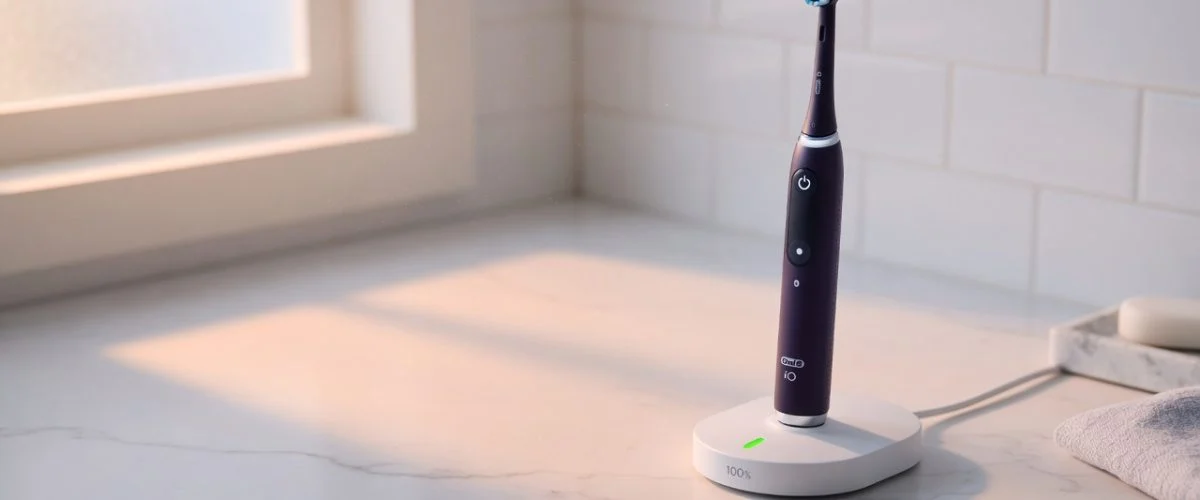

Your Oral-B iO died at month 28. So did your last Sonicare. And the one before that. Walk into any bathroom and the same scene plays out: a premium handle parked on an inductive dock at 100% state-of-charge, 23 hours and 58 minutes of every day, slowly oxidizing its own cathode — until one morning it can’t hold a charge through two brushing sessions. This is not bad luck, and it is not the motor. It is a charging-pattern problem, and it is entirely within your control.
The Toothbrush Battery Treadmill (And Why It Costs You Money Every Two Years)
If you’ve owned a rechargeable electric toothbrush past the warranty window, you’ve probably noticed the pattern. Around the 24-month mark, the brush that used to last two weeks on a charge now needs topping up every few days. By month 30, it’s dead on the counter every morning. By 36 months, you’re at the store staring at a new $50-200 brush because the replacement battery costs nearly as much as a new entry-level model. You’re not imagining it — and you’re not doing anything wrong. The toothbrush was engineered that way.
The Oral-B brand (owned by Procter & Gamble since 2006) and its main rival Philips Sonicare ship tens of millions of replacement brushes a year, and their business model assumes you’ll throw the handle away every two to four years. The brush head — designed to be replaced every three months — is the recurring revenue stream; the handle is the part you’re meant to keep. The battery inside is engineered to fail on a schedule that conveniently overlaps the warranty period.
The good news: that failure isn’t physics. It’s a charging pattern problem. And unlike a sealed battery pack inside a smartphone, the toothbrush dock behavior is entirely within your control.
Why Toothbrush Batteries Die So Fast
Three forces hit an electric toothbrush battery simultaneously, and most owners don’t realize any of them are operating:
1. Calendar aging at full charge. Lithium-ion chemistry degrades as a function of both cycles and time at high state-of-charge. The second number — calendar aging — is the one that destroys toothbrushes, because unlike a laptop or phone (which sits at 30-80% overnight), a toothbrush hits 100% after every 2-minute brushing session and then stays there on the inductive dock for 23 hours and 58 minutes, doing nothing except slowly oxidizing its own cathode. According to Wikipedia’s lithium-ion battery entry, a typical Li-ion cell stored at 100% SoC at room temperature loses roughly 6-8% of its capacity per year just sitting there. At 60% SoC, that figure drops to about 2%. Over three years, that gap is the difference between a toothbrush that still runs for two weeks per charge and one that needs daily top-ups.
2. Battery design priorities. The newer Oral-B iO series uses a small custom-form-factor Li-ion cell (~800 mAh, around 500 cycles to 80%) sealed inside the handle with an inductive coil wrapped around the base. The pack is tiny, the cycle budget is modest, and the design assumes you’ll never be more than a meter from the dock — which means you’ll be on it constantly. Premium Philips DiamondClean models use a similar sealed Li-ion pack, while older Sonicare models and most budget brushes still ship with NiMH cells in AA or sub-AA form factors.
3. Bathroom heat and humidity. The bathroom counter is one of the worst places in a house to store a Li-ion device. Steam from showers sits in the air and warms the handle; direct sunlight through a window can push it past 35°C; and the sealed charging base traps heat during the constant top-up cycle. Calendar aging roughly doubles for every 10°C increase above 25°C. A brush that sits at 30°C at 100% SoC ages twice as fast as one at 20°C at the same charge level.
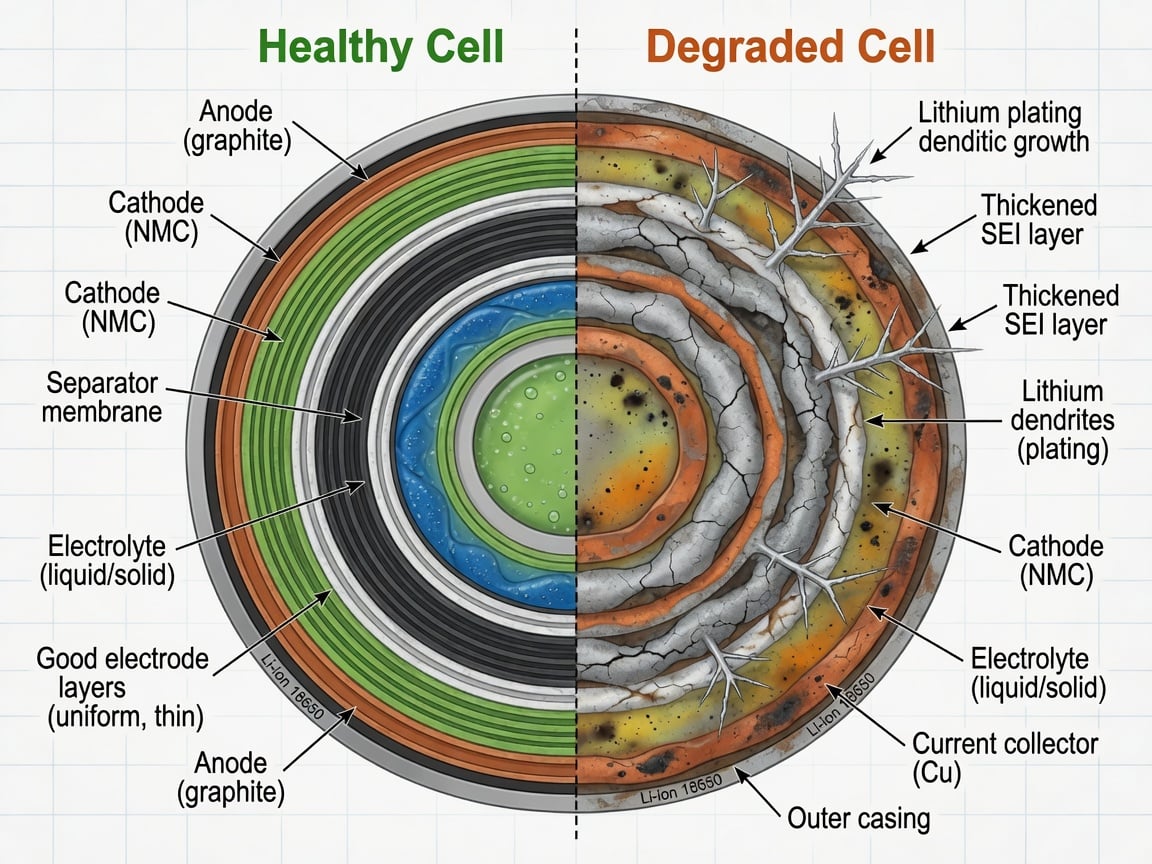
What calendar aging actually looks like inside a sealed Li-ion cell: on the left, a fresh cell with thin, uniform SEI layer and clean electrode plating; on the right, the same cell after months at high state-of-charge — a thickened SEI layer, dendrite growth on the anode, and capacity lost to parasitic reactions.
NiMH vs. Li-ion Models: Which Actually Lasts Longer?
This is the surprise most people don’t expect: a brand-new Oral-B with NiMH cells can actually outlast a premium iO model with Li-ion — for one simple reason. NiMH chemistry doesn’t care about being held at 100% the way Li-ion does. The NiMH “memory effect” was largely solved by the low-self-discharge NiMH innovation Sanyo (now Panasonic) introduced as Eneloop in 2005, and NiMH holds up well to constant trickle charging. The trade-off is higher self-discharge when stored off the charger — standard NiMH loses 15-30% of its charge per month sitting idle, while LSD NiMH only loses about 10-15% per year — and lower total energy density (NiMH holds roughly half the energy per gram of Li-ion).
For a toothbrush specifically, that trade-off favors NiMH: you charge it every day anyway, so self-discharge during storage is irrelevant, and the chemistry’s tolerance for indefinite full-charge parking is exactly what you need. The reason modern premium brushes moved to Li-ion is mostly about smaller handles (Li-ion packs are more energy-dense per cubic cm) and faster charging (Li-ion handles higher charge current without damage). It’s a design decision, not a longevity one.
The “Always-On Dock” Problem — And Why the Dock Is Working Against You
Walk into any bathroom in the morning and you’ll see the same scene: toothbrush handle sitting in its inductive cradle, warm to the touch, fully charged, waiting to be used for two minutes at 7:05 AM. The dock is doing two things at once — maintaining the battery at 100% via trickle charging, which is exactly the wrong state of charge for Li-ion, and gently heating the handle every 22 hours to top up the 1-2% lost to clock drain.
The inductive dock doesn’t know or care about battery chemistry. Its job is to keep the battery at “ready to use” voltage, which means as close to 100% as it can maintain. From a battery longevity standpoint, “ready to use” is the worst possible storage mode for Li-ion. From a user experience standpoint, it’s the best — you never pick up a dead brush.
The compromise is to let the battery settle to a lower SoC between uses. If the brush charges to ~80% and you let it discharge to ~60% before the next top-up, you’re sitting in the chemistry’s sweet spot for calendar aging. You’ll sacrifice maybe one extra day between charges (it’ll last 10-11 days per cycle instead of 14), but you’ll triple the calendar life of the cell.
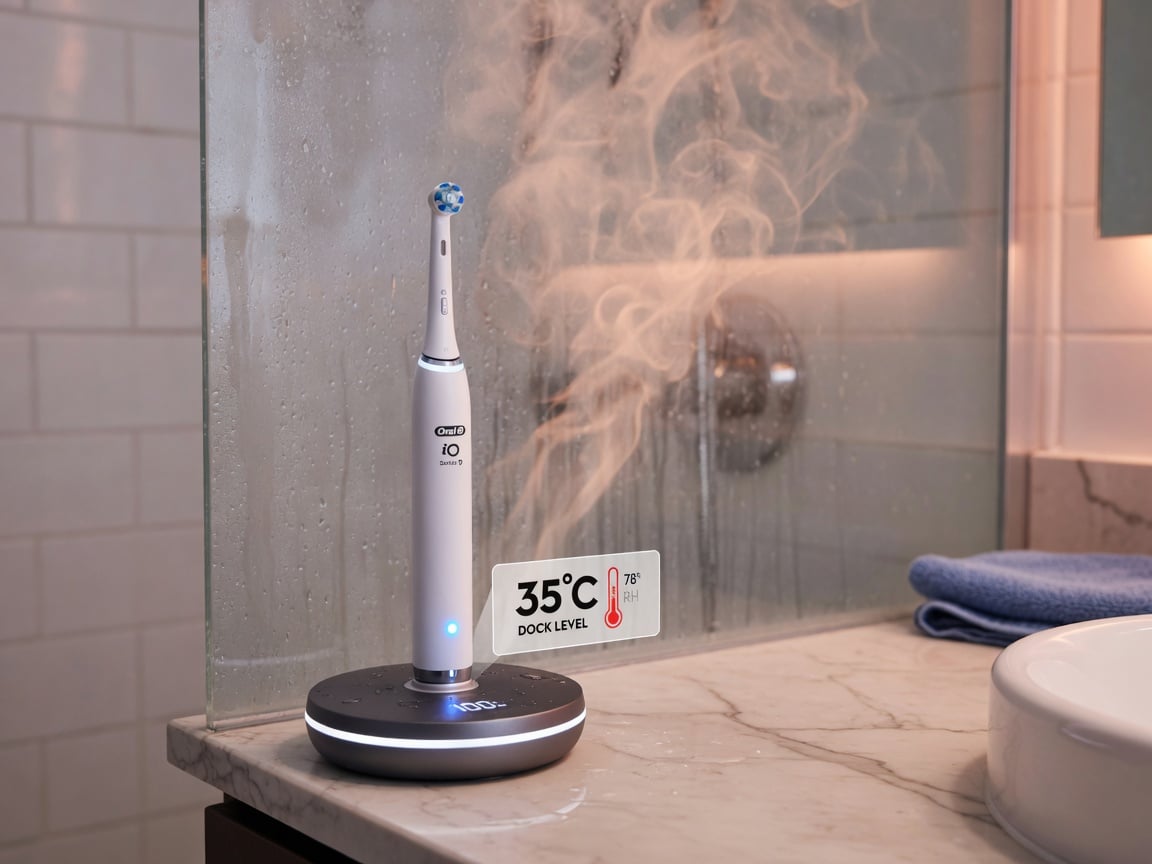
The worst-case storage environment for a Li-ion toothbrush: a sealed inductive dock sitting in steam from a hot shower, every morning, for two to three years. That combination of high state-of-charge, high humidity, and high ambient temperature is exactly the trifecta that accelerates calendar aging.
Comparison: Battery Types in Common Toothbrush Models
| Brand & Model | Battery Type | Capacity | Typical Service Life | Replacement Cost (DIY / OEM) |
|---|---|---|---|---|
| Oral-B iO Series 3-10 | Li-ion (Sanyo UR14500AC, sealed) | ~800 mAh @ 3.7 V | 2-3 years | $15-25 / not user-replaceable |
| Oral-B Genius / Pro Series (pre-iO) | NiMH (sealed) | ~700-1000 mAh @ 1.2 V (multi-cell) | 3-5 years | $15-20 / not user-replaceable |
| Philips Sonicare DiamondClean Prestige | Li-ion (sealed) | Proprietary, ~700 mAh | 2-3 years | $25-30 / not user-replaceable |
| Philips Sonicare 4100 / FlexCare+ / older | NiMH (older models) or Li-ion (newer) | Varies | 3-5 years (NiMH) / 2-3 years (Li-ion) | Varies; some NiMH models user-replaceable |
| Philips One / Sonicare series 300 | NiMH (older) / Li-ion (newer) | Varies | 2-4 years | $15-30 |
| Budget brushes (Colgate 360, Fairywill, Bitvae) | NiMH or Li-ion (sealed, often AA-shaped) | 600-1500 mAh | 1.5-3 years | Often not replaceable |
| “Battery brushes” (disposable AA-powered) | AA or AAA NiMH/alkaline | 2000-3000 mAh (NiMH AA) | Same cell: 3-7 years | User replaceable — reusable handle |
The pattern in that table is consistent: the higher the SoC the dock keeps the battery at, the faster the calendar aging. Li-ion models with always-on docks lose meaningfully more runtime by month 24 than a NiMH brush does at the same age — even though the NiMH is technically older technology.
How to Make Your Electric Toothbrush Battery Last 4+ Years
None of these fixes require opening the handle. They all work by changing how the brush is treated between uses, which is the actual cause of the failure.
- Don’t leave it on the dock all day. The single biggest lever. Take the brush off the cradle after it’s done charging and put it back the night before your next brushing session (or just after). For Li-ion brushes especially, every hour spent at 100% SoC is calendar aging you don’t need.
- Use a timer, not habit, for when it goes back on the dock. A simple $15 hardware charge limiter (like a USB charge limiter) can be wired between the inductive dock’s wall adapter and the outlet to stop power flow once the battery reaches about 80% SoC. You’ll still charge to “ready” the night before, but the brush won’t sit at 100% for the other 16 hours of the day.
- Skip the “top-off” reflex. If the brush says it has enough charge for the morning, don’t put it back on the dock the evening before either. Two top-ups in 24 hours is one more cycle the cell doesn’t need.
- Move the dock away from the shower steam. Heat is a calendar-aging multiplier, and the bathroom counter next to a hot shower is one of the worst places in the house to park a Li-ion device. A vanity shelf away from the steam — or inside a medicine cabinet — keeps the cell cooler between uses.
- Avoid leaving it in direct sun. The same reason as above, but more acute. A west-facing bathroom with afternoon sun can push the handle past 40°C.
- Don’t drain it fully before recharging. Despite what some older advice says, deep-discharge stress is more damaging to Li-ion than partial cycles are. Charging from 30% to 80% is a no-stress cycle; charging from 5% to 100% puts real strain on the cathode. Top up more often, but to less than full.
- Buy a toothbrush with user-replaceable NiMH cells if you can. Brushes that run on two AAA or AA cells (using standard rechargeable NiMH like Eneloop) have handles that last essentially forever — the battery is the consumable, and you can swap in fresh cells for a few dollars. The trade-off is no apps, no Bluetooth pressure sensors, and a chunkier handle.
- If the brush swells or runs hot on the dock, stop using it. Battery swelling on a sealed device is a stop-use signal, and toothbrushes that feel warm after charging may already be in early swell. Most warranties won’t cover it — recycle the handle (not the head) responsibly.
Charging Habits to Adopt Right Now
One practical habit: charge the brush to full (or whenever you have a quiet window), then don’t dock it again until the indicator says 30-40%. For most users brushing twice a day for two minutes, that’s a cycle every 5-7 days instead of every day. Calendar aging is roughly linear in time-at-high-SoC — that single change cuts it by about 90%.
If you want a fully hands-off version of the same idea, the standard fix is to put a hardware charge limiter on the dock’s power supply. Brushes that draw 5V USB-style charging can use a simple inline USB limiter. Models with proprietary inductive bases that don’t expose a charging voltage on a USB cable are harder to mod — but the same effect is ac hievable by adding a smart plug with a timer set to the brush’s full-charge time plus 30 minutes. Set it, forget it, and the brush can sit on the dock indefinitely without cooking itself.
See our detailed guide on why charging to 80% extends lithium battery life for the underlying chemistry, and the comparison of built-in software limits versus a hardware charge limiter if your phone, laptop, or tablet also sits at 100% all night — same physics applies across all of them.
Smart Habits for Toothbrush Battery Longevity (Quick Checklist)
- Take the brush off the dock after it’s fully charged.
- Keep the dock away from heat and humidity.
- Top up to ~80%, not 100% (use a limiter or smart plug).
- Replace the brush head every 3 months (which is the design intent).
- Stop using and recycle the handle if it swells or runs hot on the dock.
- Check overall battery health yearly with the same diagnostic steps in our battery health check guide.
FAQ
How long should an electric toothbrush battery last?
A well-treated Li-ion toothbrush (Oral-B iO, Sonicare DiamondClean) should reach 4-5 years before noticeable runtime loss, and 6+ years before replacement is required. NiMH brushes in good conditions routinely last 5-7 years. The 2-3 year “death” most users experience is calendar aging accelerated by continuous dock charging — the same physics explained in our lithium-ion charging best-practices guide — not battery wear from use.
Is it bad to leave my Oral-B on the charger all the time?
For Li-ion models like the iO series, yes — it’s the single biggest contributor to premature battery death. For older NiMH brushes, leaving it on the charger is fine. The iO uses a 3.7 V Li-ion cell that ages roughly six times faster at 100% SoC than at 60%. If you only make one change to your routine, this should be it.
Can I replace the battery in my Oral-B iO or Philips Sonicare?
The Oral-B iO series uses a sealed Li-ion pack (Sanyo UR14500AC, 49 × 14 mm, 3.7 V, ~800 mAh) that’s not designed for end-user replacement — opening the handle voids the warranty and breaks the waterproof seal. Aftermarket cells exist but require disassembly. Some older Sonicare NiMH models use standard AA cells you can swap with rechargeable NiMH. For most owners, replacing the whole handle is more cost-effective than a cell swap.
Why does my Philips Sonicare battery die so fast?
Two reasons, in order of likelihood. One, the Li-ion (or in older models NiMH) pack has hit the calendar-aging cliff because it’s spent 2+ years at 100% SoC. Two, the brush is now past the designed cycle count. Reducing charge-to-soak time and keeping the dock cool both extend runtime significantly. If you bought the brush in the last 18 months and runtime has dropped by half, it’s almost certainly accelerated calendar aging.
Should I store my electric toothbrush with the battery fully charged or empty?
If you’re putting the brush into long-term storage (a month or more), neither. Aim for 50-60% SoC — that’s the chemistry’s sweet spot for calendar aging, and the same 40-60% range recommended in our guide to optimized battery charging. If you’re storing a NiMH model, both full and empty degrade faster than 50%. For daily use, you don’t need to think about this — just don’t leave it parked at 100% on the dock all day.
Are lithium-ion or NiMH electric toothbrushes better?
Depends on what you mean by “better.” Li-ion handles are smaller, charge faster, and support Bluetooth pressure sensors. NiMH handles are chunkier but last longer under always-docked use — chemistry that’s more tolerant of full-charge storage and slightly less affected by bathroom heat. For a brush that lives on a dock in a steamy bathroom 24/7, NiMH will typically outlive Li-ion. For everything else, Li-ion is fine if you keep it out of the dock.
Sources
- Wikipedia – Electric toothbrush (inductive charging, AA/AAA drop-in battery variants)
- Wikipedia – Oral-B (founded 1950, Procter & Gamble ownership since 2006, available in 150-170 countries)
- Wikipedia – Lithium-ion battery (3.6/3.7 V nominal voltage, intercalation chemistry, calendar aging)
- Wikipedia – Nickel–metal hydride battery (1.2 V cell, ~half Li-ion energy density, less prone to leaking)
- Wikipedia – Rechargeable battery (overview of chemistries including NiMH and Li-ion)
- Panasonic / Sanyo Eneloop FAQ – eneloop self-discharge and voltage characteristics (1.2 V nominal, stable discharge curve, low self-discharge)
- Third-party spec listings – Sanyo UR14500AC Oral-B iO replacement battery (49 × 14 mm form factor, 3.7 V Li-ion, 800 mAh, fits iO3-iO10 models)
- Philips – Sonicare battery life guidance (2-3 weeks per charge with 2-minute sessions twice per day; Li-ion model behavior)
- Cell-industry reference – Battery self-discharge rate comparison (Li-ion 1-5%/month, NiMH 15-30%/month standard, LSD NiMH 1-3%/month)

USB-C charge limiter that stops at your set battery level, so your battery never sits at 100% overnight. Extends battery lifespan by years. Works with any USB-C charger.

Limit your laptop charge to 80% via USB-C. Works with MacBooks, Dell, HP, Lenovo and most USB-C laptops up to 100W.
Protect Your Battery with Chargie
The world's first hardware charge limiter. Set a charge limit on any phone, tablet, or laptop — extend battery life by up to 4x.



