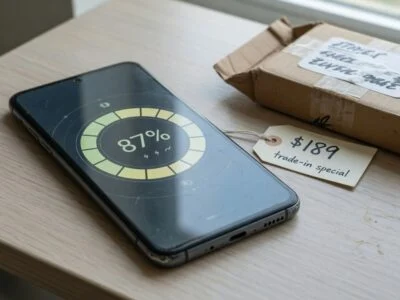

TL;DR: A GPS pet tracker is a tiny phone strapped to your dog or cat: a GNSS receiver, a cellular modem and a small lithium battery that gets charged several times a week. That charging rhythm is what wears the battery out. Charge before the low-battery warning turns into a dead tracker, avoid parking it on the charger in a hot spot, set up the manufacturer’s home power-saving feature, and keep the charge in the middle of the range when your pet is just lounging at home. Do that and the tracker keeps its runtime for longer, which matters most on the one day your pet actually goes missing.
Pet trackers have become a normal accessory for dogs that bolt and cats that roam. Unlike a Bluetooth tag, a true GPS tracker reports its own position over a mobile network, so it works even when your phone is nowhere near. That independence comes at a price: the battery is small, it works hard, and it is charged far more often than the battery in your phone. Here is what drains a pet tracker, what wears its battery out, and how to charge it so it stays dependable for years.
What is inside a GPS pet tracker (and why it is hungry)
According to Wikipedia’s overview of GPS tracking units, a modern tracker combines a GNSS receiver that calculates position from satellite constellations such as GPS, GLONASS or Galileo, a communications module that sends that data out (most consumer trackers use a cellular modem), a microcontroller that runs the show, and onboard memory. Every one of those parts draws power, and two of them, the satellite receiver and the cellular radio, are notoriously power-hungry when conditions are poor.
All of that has to run from a battery small enough to sit on a cat’s collar. Tractive, one of the biggest pet-tracker brands, lists its current models in its battery-life help article: the CAT 6 Mini uses a 450 mAh battery, the DOG 6 a 930 mAh battery and the DOG 6 XL a 2150 mAh battery. For comparison, a typical smartphone battery holds several thousand mAh. A small battery doing radio-heavy work means frequent charging, and frequent charging is where battery health is won or lost.
How long a pet tracker battery should last between charges
Runtime depends heavily on the model and on how much time the tracker spends in a power-saving state. Tractive says battery life ranges from 2 to 30 days across its range, and publishes these estimates for typical use with good cellular coverage:
| Tracker model | Battery capacity | With Power Saving Zone | Without Power Saving Zone |
|---|---|---|---|
| CAT 6 Mini | 450 mAh | Up to 7 days | Up to 4 days |
| DOG 6 | 930 mAh | Up to 14 days | Up to 6 days |
| DOG 6 XL | 2150 mAh | Up to 6 weeks | Up to 20 days |
| CAT Mini | 450 mAh | Up to 5 days | 2 days |
| DOG XL / DOG XL Adventure | 3000 mAh | 8–30 days | 5–15 days |
| GPS DOG 4 / CAT 4 | 810 mAh | Up to 10 days | 2–5 days |
Two things stand out. First, the gap between “with” and “without” a home power-saving zone is large, often double or more. Second, the small cat trackers can need a charge every few days. Over a year, a tracker that is charged twice a week goes through roughly a hundred charge sessions. That is why the habits below matter more for a pet tracker than for gadgets you charge once a month.
What drains a pet tracker faster
Tractive’s guide to boosting battery life lists the main factors, and they are worth understanding because most of them are about radios working harder than they need to:
- Movement. When your pet is still, the tracker reports fewer positions. When it detects movement, it reports more and uses more power. An adventurous dog simply needs more charging than a couch potato.
- LIVE tracking. Real-time mode sends updates every 2–3 seconds. It is the right tool when a pet is missing, but it uses significantly more power than regular tracking.
- Weak cellular signal. In poor coverage the tracker works harder to stay connected, and the battery drains faster.
- Poor GPS view. Indoors, in dense forest or between tall buildings, the receiver spends more energy trying to get a fix. A roof overhead blocks satellite signals.
- Temperature. Tractive notes that extreme temperatures, below -5°C and above 40°C, may affect battery life, and recommends avoiding sudden temperature changes.
- Outdated firmware or damage. A damaged device or old software can shorten battery life.
What actually wears the battery out
Pet trackers use lithium-based batteries, and lithium cells age for the same reasons whether they sit in a phone, a smartwatch or a collar. Battery University (BU-808) explains that manufacturers typically specify consumer Li-ion life at 300 to 500 discharge/charge cycles, and notes that small wearable batteries delivered about 300 cycles as of 2020. A collar tracker is, in battery terms, a wearable.
Three stress factors do most of the damage:
- Deep discharges. BU-808 says the depth of discharge determines cycle count: the smaller the discharge, the longer the battery lasts. Partial discharges are fine, and lithium-ion has no memory effect, so it does not need periodic full drains.
- High charge voltage. Most Li-ion cells charge to 4.20 V per cell, and BU-808 states that every 0.10 V reduction in peak charge voltage is said to double cycle life. Its table puts a cell charged to 4.20 V at 300–500 cycles and one charged to 4.06 V at 600–1,000. The trade-off is less stored energy per charge.
- Heat combined with a full charge. BU-808 considers anything above 30°C (86°F) elevated temperature, and warns that dwelling at high temperature and full charge for an extended time can be more stressful than cycling. Its storage table estimates that a cell kept at 25°C holds about 96% of its capacity after a year at 40% charge, but only about 80% after a year at 100% charge.
We go deeper into the chemistry in why charging to 80% extends battery life. For a pet tracker, the practical upshot is simple: the battery ages fastest when it is drained flat, charged to the brim, and left full in a warm place.
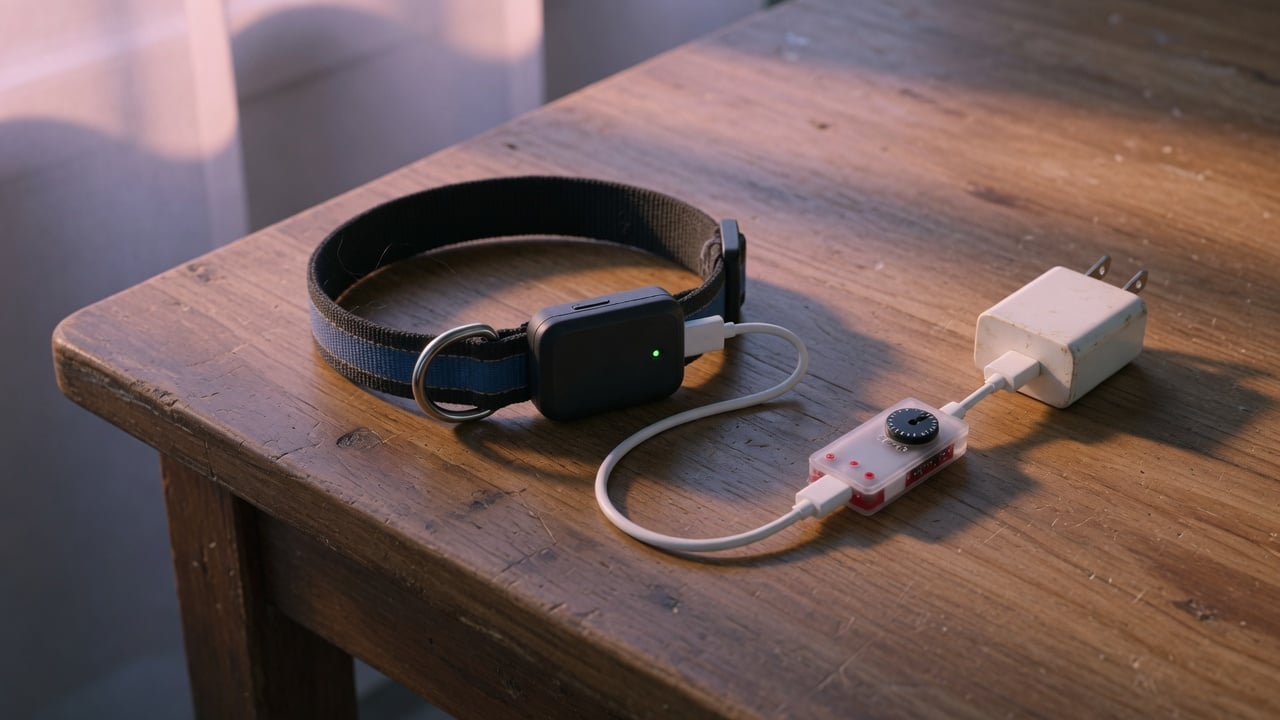
How to charge a GPS pet tracker for a longer battery life
Charge at the low-battery warning, not at zero
Tractive’s own advice is to charge when you get the low-battery notification rather than waiting until the tracker is completely dead. That lines up with the BU-808 data on depth of discharge, and it has an obvious safety benefit: a tracker at 0% cannot find a lost pet.
Use the right power source and cable
Tractive’s charging guide says to use only 5V adapters, because higher-voltage chargers can damage the tracker’s battery, and recommends using only the official charging cable. If charging misbehaves, dirty contacts are a common culprit: Tractive suggests cleaning the gold charging pins with tap water and a cloth or toothbrush and letting them dry fully before charging. If charging becomes unreliable, read our guide to charging cable wear and battery health before you blame the battery.
Don’t leave it full on the charger in a warm spot
Tractive says its trackers stop charging automatically when full, so leaving one plugged in overnight is safe. Safe is not the same as ideal for longevity, though. A tracker that sits at 100% next to a sunny window or a warm router is in exactly the “heat plus full charge” condition BU-808 flags. Charge somewhere cool, and unplug once it is charged if your pet does not need maximum runtime that day. Our explainer on trickle charging covers what happens when a device sits on the charger after it is full.
Interestingly, Tractive already builds some of this logic in. Its help article on charging problems notes that on the DOG 6 the battery may drop to 85% while plugged in, and that this “protects your battery’s lifespan.” In other words, the manufacturer deliberately avoids holding the battery at 100% on the charger. That is the same principle behind limiting a battery’s charge to 80%.
Cap the charge on home days, charge full before adventures
Not every tracker has built-in charge protection, and older models certainly don’t. If your tracker charges from a standard USB port, a USB charge limiter placed between the adapter and the tracker’s cable can stop charging before the battery is full. On ordinary days at home, when your pet sits inside a power-saving zone for most of the day, a partial charge is plenty. Before a hike, a camping trip or a move to a new house, when the risk of a pet getting lost is higher, charge to full and accept the extra wear. Runtime when it matters is worth the extra wear.
Use the tracker’s power-saving features
Fewer charges mean fewer cycles, so anything that stretches runtime also stretches battery lifespan. Tractive highlights three tools:
- Power Saving Zones. When the tracker detects your home Wi-Fi, it pauses GPS tracking; when your pet leaves Wi-Fi range, tracking resumes. Tractive says this has the biggest impact and can double or even triple battery life. If you don’t have Wi-Fi, the company offers a base station instead.
- Low Power Mode. This reduces location updates to roughly every 30 to 60 minutes. Paths look less detailed and virtual-fence alerts may be delayed, but LIVE tracking still works if you need it.
- Automatic battery saving. On Tractive dog trackers, a tracker that is not being worn enters a battery-saving mode automatically.

Temperature, water and outdoor life
A pet tracker lives a harder life than most electronics. It goes into snow, lakes, hot cars and sunny patios. Tractive notes that lithium batteries perform less well in extreme cold, which temporarily reduces runtime, and that performance returns when temperatures normalize. Cold mostly costs you runtime for the day; heat is what causes permanent damage, which is why our summer heat battery guide applies to collars as much as phones.
Water is the other risk. Tractive says that on the DOG 6 a blue light during charging means water has entered the charging port. The fix is to open the protective cover, tap out the water, dab it with a lint-free cloth and let it air-dry for 24 hours before charging again. Never charge a wet tracker, and never try to speed-dry it on a radiator.
Signs your pet tracker battery is wearing out
Some drain is environmental and some is aging. Rule out the environment first: poor cellular coverage, frequent LIVE tracking, weak GPS and a missing power-saving zone are the common reasons Tractive gives for faster-than-expected drain. If none of those changed and runtime keeps shrinking month after month, the battery itself is likely losing capacity.
- Runtime is clearly shorter than when the tracker was new, under the same routine.
- The percentage drops sharply, for example from a comfortable level to the low-battery warning within hours.
- The tracker shuts down in cold weather when it used to cope.
- The housing bulges or the case no longer closes properly.
A swollen case is a safety issue. Stop charging it, take it off your pet, and contact the manufacturer. Our guide to battery swelling causes and prevention explains why. When the tracker reaches the end of its life, recycle it properly; see where to dispose of old batteries.
A simple weekly routine
- Set up the home power-saving feature once, and check that it still works after you change your Wi-Fi router.
- Charge when the low-battery notification arrives, in a cool room, with the official cable and a 5V adapter.
- On normal home days, stop the charge early or use a USB charge limiter; before trips, charge to full.
- Use LIVE tracking only when your pet is actually missing or out of sight.
- Clean the charging contacts monthly and keep the firmware updated.
FAQ
Charging questions
Is it safe to charge a pet tracker overnight?
For Tractive trackers, yes: the company says charging stops automatically when the battery is full. For longevity, it is still better to charge somewhere cool and unplug once it is charged, because a full battery sitting in a warm place ages faster.
Can I use my phone’s fast charger?
Tractive advises using only 5V adapters, as higher-voltage chargers can damage the tracker’s battery. Check your own tracker’s manual before using anything other than a basic USB adapter.
Battery life questions
Is it bad to let the tracker battery die completely?
It isn’t ideal. Battery University’s data shows that shallower discharges give more cycles, and Tractive recommends charging at the low-battery notification. A dead tracker also can’t locate your pet.
Why does my tracker drain faster than advertised?
Common causes are weak cellular coverage, poor GPS view (indoors or under dense trees), frequent LIVE tracking, and not using a home power-saving zone. Manufacturer estimates assume typical use with good coverage.
Lifespan questions
How many charge cycles does a tracker battery last?
There is no single number per model, but Battery University cites 300 to 500 cycles as the typical rating for consumer Li-ion and about 300 cycles for small wearable batteries. Partial charging and avoiding heat can stretch that.
Does a USB charge limiter work with a pet tracker?
If the tracker charges from a standard USB port, a limiter sits between the adapter and the cable and stops the charge at a set level. Use it on routine home days and skip it before trips where you want maximum runtime. You can check your other devices with our guide on how to check battery health.
The bottom line
A GPS pet tracker is only as good as its battery on the day your pet slips the leash. Most runtime problems come from radios working hard in poor coverage, and most long-term wear comes from deep drains, full charges and heat. Use the home power-saving features, charge at the warning, avoid hot charging spots, and keep the battery in the middle of its range on quiet days. Your tracker will need fewer charges, its battery will age more slowly, and it will still be there when you need it.
Sources: Tractive – How long does my tracker’s battery last?; Tractive – How to boost battery life; Tractive – Low Power Mode; Tractive – How to charge your tracker; Tractive – My tracker isn’t charging; Battery University – BU-808; Wikipedia – GPS tracking unit.

USB-C charge limiter that stops at your set battery level, so your battery never sits at 100% overnight. Extends battery lifespan by years. Works with any USB-C charger.

Limit your laptop charge to 80% via USB-C. Works with MacBooks, Dell, HP, Lenovo and most USB-C laptops up to 100W.
Protect Your Battery with Chargie
The world's first hardware charge limiter. Set a charge limit on any phone, tablet, or laptop — extend battery life by up to 4x.