
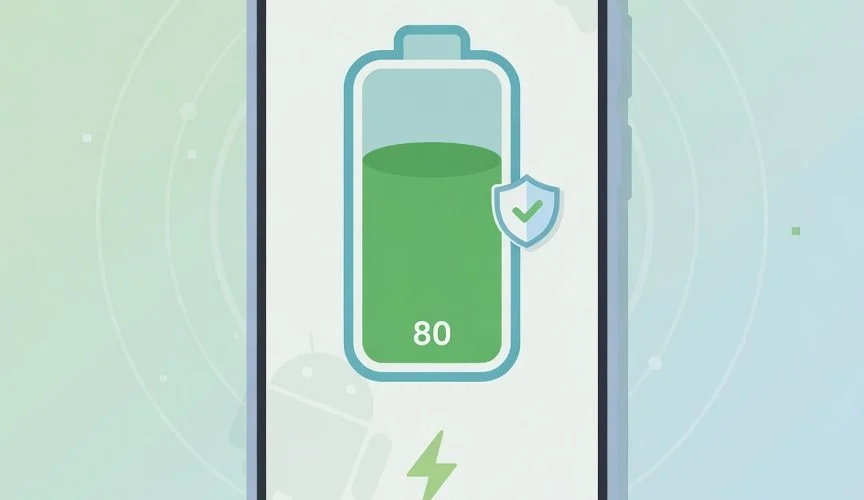

What the Android 15 80% charging limit actually does
Somewhere in the last few Pixel Drops, your phone probably picked up a new option buried in Settings > Battery. It’s called Charging optimization, and if you tap it, you’ll see a choice you didn’t have a year ago: stop charging at 80%. That’s the Android 15 80% charging limit — a real, hard-coded cap that Google added starting with Android 15 QPR1, the update that shipped as the December 2024 Pixel Drop.
It’s not the same thing as the “Adaptive Charging” feature Pixel phones have had since 2020. Adaptive Charging still takes your phone to 100% eventually — it just slows down and delays the last 20% so the full charge lands close to when your alarm goes off. The new “Limit to 80%” option is blunter and, frankly, more useful if you actually care about battery longevity: your phone charges up, hits 80%, and stops. Full stop. A small shield icon shows up next to the battery indicator, and your lock screen, always-on display, and battery widget all switch to a “Done charging” message so you’re not left wondering why the number stalled.
Why would Google bother? Because the chemistry behind it isn’t new — Apple and Samsung got there first. Lithium-ion cells wear out faster the longer they sit at high voltage, and 100% is peak voltage. Battery University’s BU-808 reference lays out the tradeoff plainly: shave the top few percent off your charge target and you can roughly double the number of full charge cycles the battery survives before it noticeably fades. Capping at 80% instead of 100% won’t undo damage that’s already been done, and it doesn’t reduce the number of charge cycles you rack up — it just makes each cycle gentler on the cell.
Which phones actually have it
Here’s the catch, and it’s a big one: this is a Pixel feature, not an Android feature. “Android 15” is the OS version, but the 80% hard cap shipped specifically through Google’s own QPR1 update track on Google’s own hardware. If you’re on a Pixel that’s up to date, you almost certainly have it. If you’re on a Samsung, OnePlus, Motorola, or anything else running Android 15, you don’t — because your manufacturer skins Android with its own battery software on top, and this particular feature lives outside the parts of Android that OEMs inherit unchanged.
Samsung isn’t left out in the cold, though — it just does its own version, under a different name, with its own quirks. Here’s how the two compare:
| Phone | Feature name | Where to find it | What it caps at |
|---|---|---|---|
| Google Pixel (Android 15 QPR1+) | Charging optimization → Limit to 80% | Settings > Battery > Charging optimization | Fixed 80%, no custom value |
| Samsung Galaxy (One UI 6.1+) | Battery protection → Maximum | Settings > Battery and device care > Battery > Battery protection | Fixed 80%, no custom value |
| Samsung Galaxy (One UI 6.0 and older) | Protect battery | Settings > Battery and device care > Battery > More battery settings | Fixed 85%, single toggle, no modes |
| Everyone else (older Pixels, most Android phones) | Nothing native | — | No option at all |
Worth knowing if you’re on a newer Samsung: Battery protection actually gives you three modes, not one. Basic just cycles the battery between 95% and 100% once it’s full — it barely helps. Adaptive keeps you at 80% overnight and ramps to 100% by the time it thinks you’ll wake up, based on your alarm and usage history. Maximum is the one that matters here — it’s the direct equivalent of the Pixel feature, hard-capping at 80% with no exceptions. We go deeper on all three in our Samsung Galaxy battery protection guide if you want the full breakdown.
How to turn on the Android 15 80% charging limit on Pixel
If you’ve got a Pixel on a current build, this takes about ten seconds:
- Open Settings and tap Battery.
- Tap Charging optimization. (If you don’t see this option, the menu typically only appears after you’ve plugged the phone in at least once post-update — try plugging in, then checking again.)
- Choose Limit to 80% instead of Adaptive Charging.
- That’s it. No restart, no confirmation screen. Plug in as normal and watch it stop at 80% with the shield icon showing.
You can switch back to Adaptive Charging or turn optimization off entirely any time from the same menu — it’s not a one-way decision, so there’s no real reason not to try it for a week and see how it feels.
What to do if your phone doesn’t have it (or 80% isn’t the number you want)
This is where most people run into two separate walls. The first: your phone just doesn’t have any version of this feature — you’re on an older Pixel, a mid-range Android phone, a Samsung on an old One UI version, or basically anything that isn’t a flagship from the last couple of years. The second wall is subtler: even if you do have the feature, you’re locked into whatever number the manufacturer picked. Google gives you 80%. Samsung’s Maximum mode gives you 80%. Neither lets you pick 70% for a phone you barely use on weekends, or 90% for a travel day when you need more range. It’s one size, and you don’t get a say.
That gap — no feature at all, or a feature with zero flexibility — is exactly what a hardware charge limiter is built to close. Chargie is a small unit that sits between your charger and your cable, and it physically cuts power at whatever percentage you set, from 20% to 100%, in 5% steps. It doesn’t care what phone you own, what Android version you’re running, or whether your manufacturer ever bothered to add a battery protection menu. It works the same way on a five-year-old Android phone, a brand-new Pixel, an iPhone, or a laptop. Our full guide to limiting battery charge to 80% on any device walks through every platform’s native options side by side with what a hardware limiter adds — worth a look if you own more than one kind of device, since keeping track of five different apps and settings menus gets old fast.
If you want the deeper case for why 80% specifically is the number worth aiming for — not 70%, not 90% — we cover the electrochemistry, the voltage curve, and the actual cycle-life numbers in should you charge your phone to 80%. Short version: yes, and the earlier you build the habit, the less capacity you lose before you notice.
Not sure which Chargie model fits your setup? The 60-second Chargie finder asks what you’re charging and what cable you use, then points you to the right one. Or skip straight to the Chargie shop if you already know what you need.
FAQ
Is charging to 80% instead of 100% actually bad to skip?
No — it’s not dangerous to charge to 100%, it’s just faster wear over time. A battery kept below 80% ages noticeably slower than one that lives at 100% overnight, night after night, according to Battery University’s cycle-life data. It’s a longevity habit, not a safety one. The full walkthrough is in Stop Charging at 80 Percent.
Will I lose usable battery life day-to-day by capping at 80%?
You’ll have 20% less capacity available at any given moment, which matters if you regularly run your phone down to empty. Most people don’t — the tradeoff of slightly less daily range for a battery that holds up years longer is the whole point of the feature.
Does the Android 15 charging limit work if my phone is powered off while charging?
Google hasn’t published details on this specific edge case, and neither the 9to5Google nor Android Police coverage of the feature addresses it directly. If you routinely charge your phone powered off, a hardware limiter is the safer bet since it caps power at the source regardless of what the phone’s software is doing.
Can I set a limit other than 80% on my Android phone?
Not natively — Google’s limit is fixed at 80%, and Samsung’s Maximum mode is the same. If you want 60%, 70%, or 90% instead, or want that flexibility across multiple devices, that’s a hardware charge limiter’s job, not a settings menu’s.
More ways to keep your battery healthy for longer

USB-C charge limiter that stops at your set battery level, so your battery never sits at 100% overnight. Extends battery lifespan by years. Works with any USB-C charger.

Limit your laptop charge to 80% via USB-C. Works with MacBooks, Dell, HP, Lenovo and most USB-C laptops up to 100W.
Protect Your Battery with Chargie
The world's first hardware charge limiter. Set a charge limit on any phone, tablet, or laptop — extend battery life by up to 4x.



