
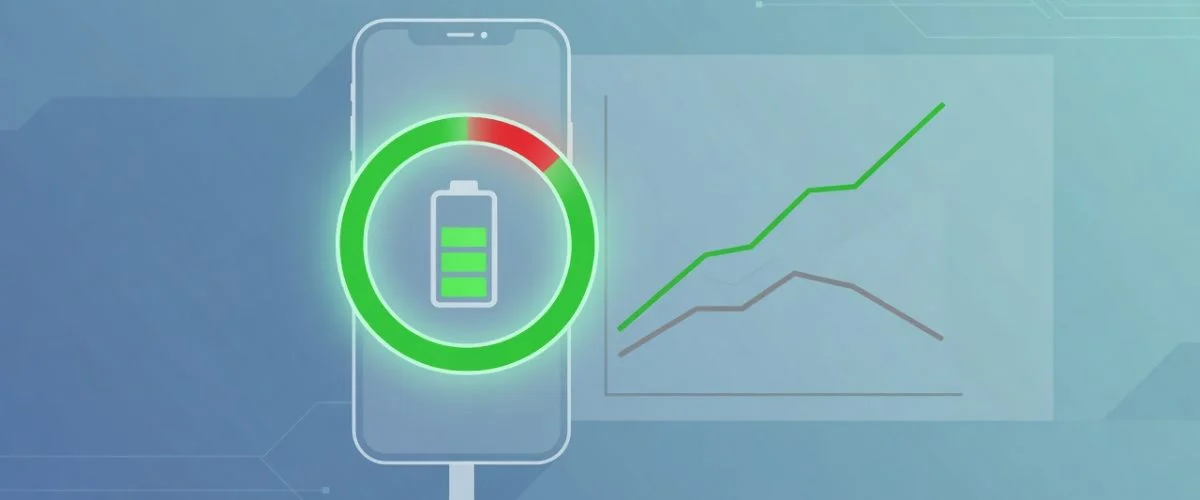

If you’ve ever wondered should I charge my phone to 80% instead of letting it hit 100%, you’re asking the single most important question about battery health. The short answer: yes — capping your charge around 80% is the easiest, highest-impact habit for making your phone, tablet, or laptop battery last years longer. This guide explains exactly why, debunks the overnight-charging myth, and shows you the no-effort way to do it automatically.
By the end you’ll know what the 80% rule actually is, the science behind why it works, whether charging overnight is really bad, and how to stop at 80% on any device without staring at your screen. For the chemistry behind the habit, see stop charging at 80 percent.
What is the 80% rule?
The 80% rule is simple: instead of charging your battery all the way to 100% and leaving it there, you stop the charge at around 80%. Every modern phone, tablet, and laptop uses a lithium-ion battery, and lithium-ion cells age fastest when they’re held at a high state of charge. Keeping the battery in a lower voltage window — roughly 20% to 80% — dramatically slows the chemical wear that permanently reduces capacity over time.
This isn’t fringe advice. Apple, Samsung, and Google have all added “optimized” or “limited” charging features to their devices for exactly this reason, and electric-vehicle makers like Tesla recommend an 80% daily charge limit for the same chemistry. The 80% rule is the consumer-friendly version of how battery engineers already protect the expensive packs they design.
Should I charge my phone to 80%? The science in plain English
Three forces age a lithium-ion battery, and a high state of charge feeds the worst of them:
| Stressor | What it does to your battery | How the 80% rule helps |
|---|---|---|
| High voltage stress | Sitting at 100% keeps the cell at peak voltage, which speeds up the chemical reactions that degrade the electrodes. | Stopping at 80% keeps the cell in a calmer, lower-voltage window. |
| Heat | The single biggest lifespan killer — high temperatures permanently cut cycle life, and a full battery on a charger runs hotter. | Less time at full charge means less heat soak overnight. |
| Trickle topping-off | Once at 100%, the charger keeps nudging the cell back up every time it dips, adding micro-cycles of wear. | Capping at 80% avoids the constant top-off cycle entirely. |
The voltage piece is the heart of it. A lithium-ion cell held near its maximum voltage degrades noticeably faster than one kept around 80%. We break down the electrochemistry — voltage windows, depth of discharge, and cycle life — in our deep dive on why charging to 80% extends battery life (the science explained). The practical takeaway is what matters here: stay off 100%, and your battery ages far more slowly.
How much longer will my battery actually last?
A typical phone battery is rated for roughly 500 full charge cycles before it drops to about 80% of its original capacity. Keeping the cell in the gentler 20–80% band can multiply the number of cycles it survives, because each cycle does less damage. In real-world terms, that’s the difference between noticeably weaker battery life after a year or two and a phone that still holds a strong charge well beyond that. Chargie users routinely report extending usable battery lifespan several times over by simply capping the charge.
Is it bad to charge my phone overnight?
This is the question right behind the 80% rule, and the honest answer is: charging overnight isn’t dangerous, but it’s the worst time for your battery’s long-term health — unless you cap the charge.
Here’s why. Modern phones won’t “overcharge” in the explosive sense — the charging circuit stops pushing current once you hit 100%. But the battery then sits at full charge for hours, at peak voltage, often warm under a pillow or on a nightstand. That long stretch at 100% and elevated temperature is exactly the combination that accelerates aging. You’re not going to damage it in one night, but do it every night for a year and the cumulative wear is very real.
The frustrating part is that overnight is when most charging happens — unattended, while you sleep, which is precisely when you can’t “just unplug at 80%.” That’s the gap a charge limit fills.
How do I stop charging at 80% automatically?
You have three options, in increasing order of reliability:
- Built-in software limits. Some phones (recent iPhones, Samsung, Google Pixel) offer an 80% cap or “optimized charging.” These help — but they vary by brand, don’t exist on many devices or laptops, can be reset by software updates, and “optimized” modes often still charge to 100% based on guessed alarm times.
- Manually unplugging. Technically free, practically impossible to do consistently — especially overnight, which is when it matters most.
- A hardware USB charge limiter. A small device that sits between your charger and your phone and physically stops the charge at the level you choose — on any device, every single night, with no app required.
A hardware charge limiter is the only option that works the same way on every phone, tablet, and laptop you own, regardless of brand or OS update. It turns “I should stop at 80%” from a habit you have to remember into something that just happens automatically while you sleep.
Not sure which Chargie is right for your device?
Answer 4 quick questions — what you’re charging, your charger type, and whether you need data — and we’ll recommend the perfect charge limiter in about 60 seconds.
Does the 80% rule apply to laptops, tablets, and EVs too?
Yes — because they all use the same lithium-ion chemistry. Laptops that live permanently on a desk charger are some of the worst offenders, sitting at 100% all day every day; a charge limiter is especially valuable there. Tablets used as always-on kiosks or smart displays face the same problem. And EV makers explicitly recommend an 80% daily charge limit for routine use. If it’s lithium-ion and it spends a lot of time plugged in, the 80% rule applies.
For device-specific guidance, see our guides on iPad battery health and protecting your battery from summer heat and cold-weather drain.
Frequently asked questions
Should I charge my phone to 80% or 100%?
Charge to 80% for daily use. Keeping a lithium-ion battery off its maximum voltage significantly slows chemical aging, so an 80% cap extends overall battery lifespan. Charge to 100% only when you genuinely need the full capacity for a long day away from a charger.
Is it bad to charge my phone overnight?
It won’t damage your phone in a single night, but charging overnight means the battery sits at 100% and elevated temperature for hours, which accelerates long-term aging. Capping the charge at 80% — ideally with a hardware charge limiter — removes the risk while still letting you charge unattended while you sleep.
Will charging to only 80% leave me without enough battery?
For most people, 80% comfortably covers a full day. On days you know you’ll need more, you can charge to 100% — the goal is to avoid sitting at 100% as your default, not to never use full capacity.
Do iPhones and Android phones already stop at 80%?
Some do, partially. Recent iPhones and several Android phones offer an 80% limit or “optimized charging,” but availability varies by model, the feature can reset after updates, and it doesn’t cover laptops or many tablets. A hardware charge limiter applies the same 80% cap to every device, reliably.
How much longer will my battery last if I follow the 80% rule?
Keeping a battery in the 20–80% range instead of regularly hitting 100% can multiply its usable cycle count, because each cycle causes less wear. Combined with avoiding heat, many users extend usable battery lifespan several times over.
What’s the easiest way to charge to 80% automatically?
A hardware USB charge limiter like Chargie sits between your charger and device and physically stops the charge at your chosen level — on any phone, tablet, or laptop, every night, without an app. Take the 60-second quiz to find the right one for your device.
The bottom line
So, should you charge your phone to 80%? Yes — it’s the single highest-impact thing you can do for battery longevity, and the science is settled: lower voltage means slower aging. The only real challenge is doing it consistently, especially overnight. Capping your charge automatically removes that challenge entirely, so the battery you own today lasts for years instead of months.
Want the 80% benefit without ever thinking about it? Take our 60-second quiz to find the Chargie charge limiter that fits your device, and it’ll cap your charge automatically every night.
More ways to keep your battery healthy for longer

USB-C charge limiter that stops at your set battery level, so your battery never sits at 100% overnight. Extends battery lifespan by years. Works with any USB-C charger.

Limit your laptop charge to 80% via USB-C. Works with MacBooks, Dell, HP, Lenovo and most USB-C laptops up to 100W.
Protect Your Battery with Chargie
The world's first hardware charge limiter. Set a charge limit on any phone, tablet, or laptop — extend battery life by up to 4x.



