
Why iPads Are Physically Harsher on Batteries Than Phones
Lithium-ion chemistry doesn't care if the cell lives in a phone or a tablet — voltage, depth-of-discharge, and temperature stresses destroy both at the same rate. What changes is the duty cycle, and the iPad's is the worst case.
A phone leaves the charger when you pick it up. An iPad — iPad Pro M4, iPad Air M2/M3/M4, or entry-level iPad (10th gen / A16) used as a kitchen or bedside display — sits on a charging stand for 8 to 14 hours a day. The cell stays at 100% (4.2 V per cell) in the high-voltage regime where Battery University BU-808 shows cathode and SEI degradation accelerate fastest.
The iPad Pro 13" (M4) holds a 38.99 Wh cell, down from 40.33 Wh in the M2 12.9-inch Pro (iFixit teardown) — over 2x the iPhone 15 Pro Max's 17 Wh. Bigger cell, same per-gram chemical wear at the top of the charge curve.
The mini-LED backlight on the 12.9" iPad Pro and the tandem OLED on the M4 generate more heat per cycle than a phone screen — how summer heat accelerates the same damage on phones explains why this matters year-round. Combined with fast-charge current, the cell climbs to 35–42°C; above 35°C, calendar aging accelerates — every 10°C roughly doubles parasitic side reactions. The current itself isn't the killer; the heat it generates is.
A 2025 peer-reviewed study from Stanford and SLAC — Cui, X. et al. (2025). "Long-Term Calendar Aging Across Commercial Lithium-Ion Cell Chemistries—Modeling and Early Prediction." *J. Electrochem. Soc.* 172(6), 060521. DOI: 10.1149/1945-7111/adde16 — confirms what battery engineers have known for a decade: state of charge and temperature are the two dominant drivers of calendar aging — wear that happens even when the cell is just sitting there, not cycling.
Chargie verdict: iPad batteries don't have a defect. They have a usage pattern that is uniquely punishing for lithium-ion chemistry, and the only built-in mitigation (iPadOS 18's 80% limit) covers a small slice of the installed base.
What iPadOS 18's Built-In 80% Limit Actually Does (and Doesn't)
In May 2024, Apple introduced a real, hardware-enforced 80% state-of-charge limit on the iPad Pro M4 and iPad Air M2. As of iPadOS 18 (September 2024) and continuing through 2026, the feature is still exclusive to a narrow set of models.
Which iPads support the iPadOS 18 80% limit?
Per Apple's official support article 118418 (current January 2026), only four iPad lines can enforce an 80% cap in software:
"With these iPad models, you can choose to limit charging at 80 percent, which can help prolong your battery's lifespan: iPad Pro (M4) and later; iPad Air (M2) and later; iPad mini (A17 Pro); iPad (A16)." — Apple Support, "About charging and maintaining your iPad battery"
The path is Settings → Battery → Battery Health → 80% Limit on supported models.
| iPad model | 80% charge limit? |
|---|---|
| iPad Pro 11" / 13" (M4, M5) | ✅ Yes |
| iPad Air 11" / 13" (M2, M3, M4) | ✅ Yes |
| iPad mini (A17 Pro) | ✅ Yes |
| iPad (A16) | ✅ Yes |
| iPad Pro 12.9" (3rd–6th gen, M1/M2) | ❌ No |
| iPad Pro 11" (1st–4th gen) | ❌ No |
| iPad Air (3rd–5th gen) | ❌ No |
| iPad (7th–10th gen) | ❌ No |
| iPad mini (5th, 6th) | ❌ No |
That's four supported lines out of roughly 30 iPad models in active use in 2026. Every iPad sold before May 2024, and every iPad sold under the standard iPad, iPad mini, and pre-M2 iPad Air / Pro lines after that, has no 80% option.
What the 80% limit does, exactly
Apple: "Your iPad will charge up to about 80 percent and then stop charging. If the battery charge level gets down to 75 percent, charging will resume until your battery charge level reaches about 80 percent again." A hard ceiling, not a schedule algorithm. It occasionally allows a full charge to recalibrate the fuel gauge (MacRumors, May 2024) — a once-a-month step, not a recurring backslide.
What it does not do
- It does not pause on cell temperature. A hot iPad stays held at 80% in that hot condition; calendar aging continues.
- It does not let you set a custom percentage. 80% is the only option.
- It does not exist on iPad Pro M1/M2, iPad Air M1, or any non-Pro/Air iPad.
"Optimized Battery Charging" is not the same thing
On every iPad without the 80% limit, iPadOS offers "Optimized Battery Charging" — a schedule-learning algorithm that holds 80% overnight and tops up to 100% before you normally wake. It's a schedule guess, not a ceiling; if your routine changes, the iPad still hits 100%. You can't set a custom cap.
Chargie verdict: iPad Pro M4/M5 and iPad Air M2/M3/M4 owners — turn on the 80% limit today. Everyone else: iPadOS software is not going to protect your battery.
The 5 Charging Mistakes iPad Owners Make
Most iPad battery degradation is self-inflicted and reversible.
1. Permanently docked at 100%
The iPad lives on a charging stand, hits 100% by 9 AM, and sits there all day. A cell at 4.2 V per cell accumulates calendar aging at the fastest possible rate. BU-808: dropping the cap from 100% to ~80% can double cycle life. Fix: Cap at 80% via iPadOS 18 (supported models) or a Chargie C Starter Kit, or read up on what a USB charge limiter does and which devices it works with.
2. Using a 5W phone brick because the iPad "feels slow"
A 5W charge on a 38.99 Wh iPad Pro M4 means more cumulative time at high voltage. Fix: Use a 20–30W USB-C PD charger — faster charging paired with a charge limiter means less time at high voltage, not more.
3. Charging under a pillow, blanket, or sofa cushion
Ambient heat is cumulative. A cell at 35°C ages twice as fast as one at 25°C. A charging iPad under a pillow can easily reach 40°C. Fix: Charge on a hard surface, ideally with airflow.
4. Topping up in short, frequent bursts
Going from 80% → 81% → 82% repeatedly is fine at low voltage. Going from 95% → 100% → 95% repeatedly is not. Fix: If you don't have a limiter, at least don't keep topping up once the iPad is above 80%.
5. Ignoring a battery that's already degraded
A degraded cell charges hotter and faster (per cycle), accelerating the remaining capacity loss. Fix: Check Battery Health in Settings → Battery (supported models) or use a third-party diagnostic. If you're below 80% capacity, replacing the battery resets the clock on further degradation.
The Hardware Fix: What a USB-C Charge Limiter Does That Software Can't
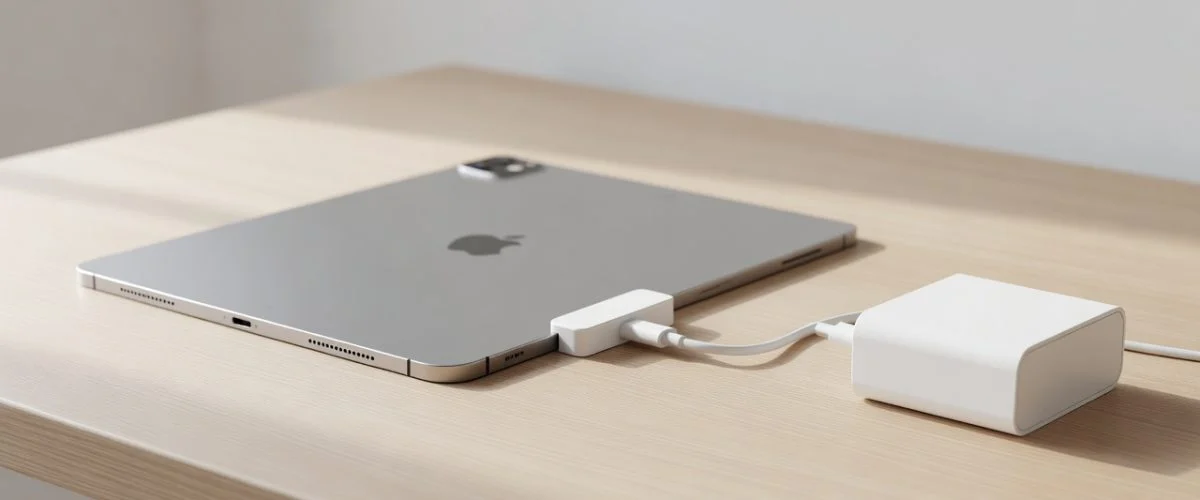
For iPads without a built-in 80% limit — which is most of them — a hardware USB-C charge limiter is the only way to enforce a charge ceiling. Here's how it works and what it does differently from software:
- Operates at the power level. The limiter sits between your charger and the iPad's USB-C port. It monitors current and voltage and physically stops charging once the battery hits your set level. The iPad's OS doesn't have to do anything.
- Works on every USB-C iPad. iPad Pro (all generations), iPad Air M1/M2/M3/M4, iPad mini 6, standard iPad (10th gen). If it charges over USB-C, the limiter works.
- Custom ceiling. Set 80% for daily use, raise to 100% before a trip. Change it from the app at any time.
- Temperature-aware. Chargie slows or stops charging when the cell is hot — exactly the thermal protection that iPadOS's 80% limit doesn't provide.
The result: the iPad stays in the 40–80% band most of the time, rarely sees 4.2V/cell, and calendar aging slows by 30–60% over a two-year period (per Battery University research on high-SoC calendar aging rates).
What to Do Right Now
- Check your iPad model. Settings → General → About → Model Name. If it's iPad Pro M4/M5 or iPad Air M2/M3/M4, go to Settings → Battery → Battery Health and turn on the 80% limit.
- Check battery health. Settings → Battery → Battery Health (on supported models; third-party diagnostic apps for older iPads).
The iPad battery problem isn't a defect — it's a duty cycle problem that's straightforward to fix once you know what's happening.
Frequently Asked Questions
Why does my iPad battery degrade faster than my phone?
An iPad spends 8–14 hours a day on a stand at 100% charge — as a kitchen, bedside, or desk display — while a phone leaves the charger when you pick it up. The cell sits in the high-voltage regime where cathode and SEI degradation accelerate fastest, and the iPad’s larger cell plus mini-LED/tandem-OLED heat add to the wear.
Does iPadOS have a built-in 80% charge limit like iPhone?
Only on some models. iPadOS 18 added an 80% limit on iPad Pro M4/M5 and iPad Air M2/M3/M4. Every other iPad — including the entry-level 10th-gen / A16 — has no software charge limit at all.
Can Chargie protect an iPad that has no built-in charge limit?
Yes. Chargie C Basic sits between your charger and your iPad’s USB-C port. Once the iPad reaches your set limit — 80% is the recommended ceiling — Chargie cuts the power at the adapter level, regardless of which iPad model you have or which iPadOS version it runs. It works on every USB-C iPad.
How do I keep my iPad battery healthy?
Avoid long storage at 100%, stay in the 20–80% range day-to-day, and don’t charge on hot surfaces. An 80% hardware limiter removes the guesswork and enforces the safe band automatically.

USB-C charge limiter that stops at your set battery level, so your battery never sits at 100% overnight. Extends battery lifespan by years. Works with any USB-C charger.
Limit your laptop charge to 80% via USB-C. Works with MacBooks, Dell, HP, Lenovo and most USB-C laptops up to 100W.
Protect Your Battery with Chargie
The world's first hardware charge limiter. Set a charge limit on any phone, tablet, or laptop — extend battery life by up to 4x.