
Short Answer
Morning charging — or topping up throughout the day in the 20–80% range — is gentler on your battery than leaving it plugged in overnight. The reason isn’t the act of charging while you sleep. It’s the hours your phone spends sitting at 100% after the charge finishes.
That said, the gap between the two approaches has narrowed significantly. Modern phones have smarts built in to soften overnight charging. Here’s what those features actually do, where they fall short, and what makes a meaningful difference.
What Actually Happens When You Charge Overnight?
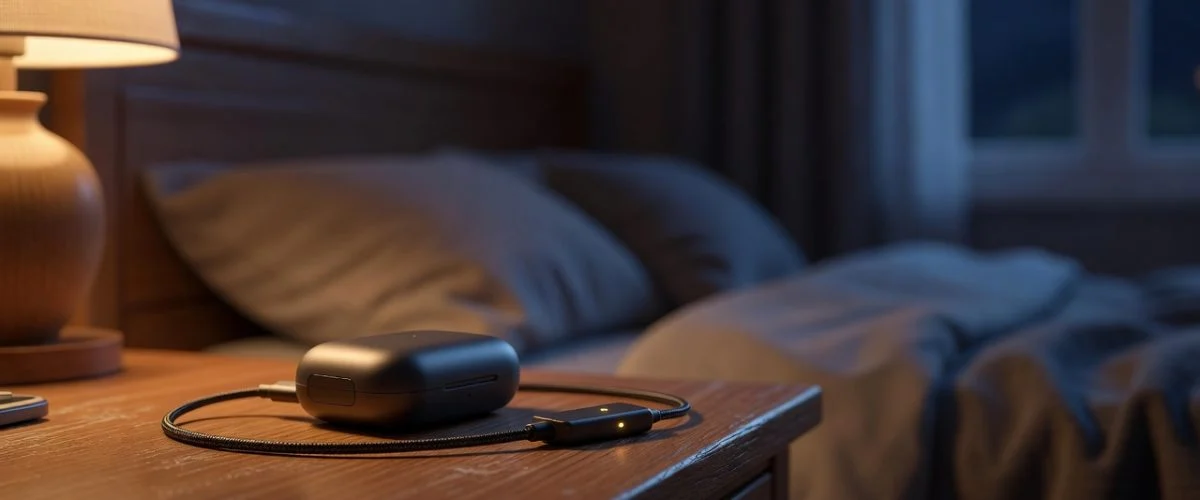
Plug in at 11pm with 40% battery. Your phone reaches 100% somewhere around midnight. For the next seven hours, it sits at full charge — fully topped up, generating a small amount of trickle heat, electrodes under sustained stress at their upper voltage limit.
This is the core problem with overnight charging: not the charging itself, but the time at 100%.
Battery University, which documents lithium-ion electrochemistry in detail, is consistent on this point: keeping a lithium-ion cell at high voltage for extended periods accelerates electrode degradation. The cathode material breaks down faster. Cycle after cycle, night after night, that degradation compounds.
Heat amplifies it. A phone in a case, on a padded surface, or in a warm bedroom charges less efficiently and runs hotter than one on an open, cool surface. Battery University’s guidance is explicit: lithium-ion “must stay cool or slightly warm” during charging and should not be charged above 50°C (122°F). Most phones won’t approach that in a bedroom — but even moderate warmth, sustained for hours, adds up.
What Actually Happens With Morning Charging?
You wake up at 30%, plug in while you make coffee, and unplug at 80–85% before you leave. Total charge time: 20–40 minutes, depending on your charger.
The stress profile here is different. You’re spending most of the charging session in the 30–80% range — the zone where electrochemical stress on the electrodes is lowest. You unplug before the phone sits at 100%. There’s less time for heat to build. And if you’re using a modern fast charger, the heavy current delivery is happening in exactly the range where it’s most efficient: below 80%, where fast-charge circuitry operates before throttling back.
The downside: fast chargers generate more heat per session than standard chargers. A 65W or 120W charger pushing hard through the 30–80% range isn’t free — it produces heat, and heat degrades. But the session is short. The phone recovers. The damage per event is lower than seven hours of trickle heat at full charge.
Does Optimized Battery Charging Actually Fix Overnight Charging?
Partially. Both Apple and Android have built features specifically designed to reduce overnight charging damage:
Apple’s Optimized Battery Charging (iOS 13+) learns your daily routine and holds the charge at 80% until shortly before your typical wake time — then completes the charge to 100%. If you wake at 7am, the phone might only reach 100% at 6:45am. Time at full charge drops from seven hours to fifteen minutes.
Android Adaptive Charging (Pixel, some Samsung and other OEMs) works similarly: charge is throttled and held below 100% until closer to your scheduled alarm.
Both features are genuinely useful. If you charge overnight and haven’t turned these on, you should.
What they don’t solve:
Heat. Holding at 80% for hours is gentler than holding at 100%, but the phone is still plugged in, still warm, still in your case. The heat factor doesn’t disappear.
Unpredictability. Both systems rely on routine. Travel, late nights, schedule changes, and weekends throw off the learned pattern. On off-schedule nights, your phone often just charges to 100% and sits there.
Mornings where you need 100%. If you’ve got a long day and your alarm fires at 6:45am with the phone at 100%, it’ll start degrading from that point until you pick it up at 8am.
Optimized charging narrows the gap between overnight and morning charging. It doesn’t close it.
The Comparison That Actually Matters
| Overnight Charging | Morning Charging | |
|---|---|---|
| Time at 100% | 4–8 hours (without optimization) / ~15 min (with) | Near zero |
| Heat exposure | Sustained low heat for hours | Short burst, then recovery |
| Fast-charge stress | Lower (trickle phase is at 100%) | Higher per minute, but brief |
| Convenience | High — no thought required | Requires a routine |
| Optimization dependency | High (features must be on and working) | Low |
| Recommendation | OK with optimization on; better with charge limiter | Better for battery health |
What Actually Solves This
Both overnight and morning charging are imperfect. Overnight sits at 100% too long; morning charging depends on you remembering and having time. The variable that matters most — time at high charge — isn’t something either approach eliminates on its own.
The most reliable fix is a charge limiter: a device that stops charging at a ceiling you set, regardless of when you plug in or what else you’re doing. Set it to 80%, plug in whenever, and the phone never exceeds that threshold. Optimized Battery Charging is a software approximation of this. A hardware limiter like Chargie makes it hardware-enforced — no algorithm to outsmart, no schedule to learn, no off-nights to catch you out.
The result: whether you charge overnight or in the morning, your battery stays out of the high-voltage stress zone that causes the most degradation.
→ See how Chargie’s charge limiting works (link to Chargie homepage / charge-limiter feature)
Verdict
Morning charging wins on battery health. Shorter time at 100%, less sustained heat, lower stress on electrodes over the long run. But the gap is smaller than it used to be — Optimized Battery Charging and Android Adaptive Charging have made overnight charging meaningfully less damaging if you leave them enabled.
If battery longevity matters to you:
- Turn on Optimized/Adaptive Charging — it’s free and immediate
- Charge in the 20–80% range when you can — morning top-ups fit this naturally
- Use a charge limiter if you want to make the 80% ceiling automatic regardless of your routine
The best charging time isn’t morning or night. It’s whatever time you can stop at 80%.
Frequently Asked Questions
Is it bad to charge your phone overnight?
Not catastrophic, but not ideal. The issue is hours spent at 100% after charging completes. With Optimized Battery Charging enabled, the impact is significantly reduced. A charge limiter eliminates it entirely.
What is the best time to charge your phone?
Any time you can keep the session in the 20–80% range. Morning top-ups before work tend to fit this naturally. Overnight is fine with optimization on and better still with a charge limiter.
Should I charge my phone at night?
If it’s your most convenient option, yes — just make sure Optimized Battery Charging (iPhone) or Adaptive Charging (Android Pixel/Samsung) is enabled. For the most battery-health-conscious approach, switch to morning or daytime top-ups and stay below 80%.
Does leaving your phone plugged in all night ruin the battery?
“Ruin” is too strong for a single night. Over months and years, consistently leaving it at 100% for 6–8 hours nightly produces more degradation than morning charging would. The compounding is slow but real.
How do I stop my phone from charging to 100%?
iOS: enable Optimized Battery Charging under Settings → Battery → Battery Health. Android Pixel: Adaptive Charging is under Settings → Battery. For a hardware ceiling that doesn’t depend on software: Chargie.
Sources: Battery University, BU-808: How to Prolong Lithium-Based Batteries; BU-415: How to Charge and When to Charge; Apple Support, Maximising Battery Life and Lifespan.

USB-C charge limiter that stops at your set battery level, so your battery never sits at 100% overnight. Extends battery lifespan by years. Works with any USB-C charger.

Limit your laptop charge to 80% via USB-C. Works with MacBooks, Dell, HP, Lenovo and most USB-C laptops up to 100W.
Protect Your Battery with Chargie
The world's first hardware charge limiter. Set a charge limit on any phone, tablet, or laptop — extend battery life by up to 4x.



