
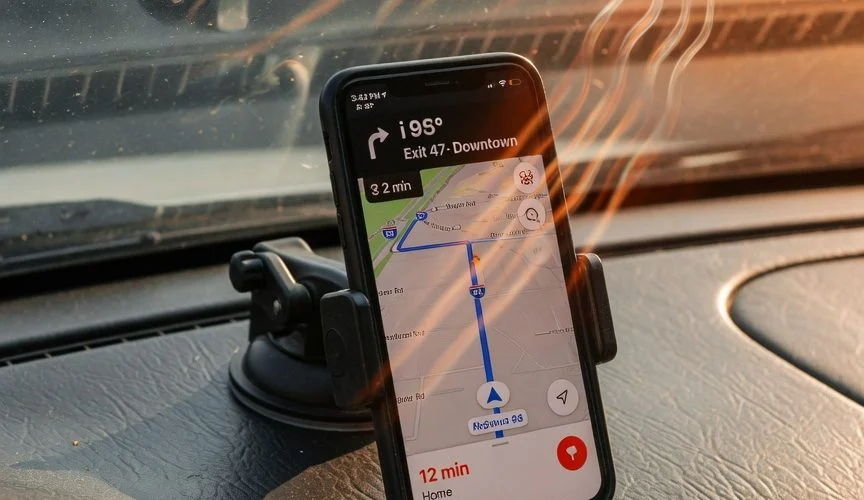

You’re driving to work, GPS running, music streaming, phone mounted on the dashboard. Android Auto or Apple CarPlay is lit up on your infotainment screen. Everything works fine — until you grab your phone and notice it’s hot to the touch and the battery percentage has barely moved, even though it’s been plugged in for 30 minutes.
If this sounds familiar, you’re not imagining things. Using CarPlay or Android Auto while charging your phone is one of the most demanding things you can do to a lithium-ion battery — and most people do it every single day without realizing the long-term damage. In this guide, we’ll break down exactly what happens to your phone battery in the car, why it matters, and what you can do about it.
Why CarPlay and Android Auto Drain Your Battery Faster Than the Charger Can Fill It
Here’s the core problem: when you connect your phone to CarPlay or Android Auto, it’s not just mirroring a screen. Your phone becomes the compute engine for your entire infotainment system. It’s simultaneously:
- Running GPS navigation with real-time traffic updates
- Rendering graphics for the car’s display (often at 60fps)
- Streaming audio via Bluetooth or a wired data connection
- Maintaining a cellular data connection for live maps and music
- Processing voice commands (Siri or Google Assistant)
- Managing a Wi-Fi Direct connection (if using wireless CarPlay/Android Auto)
That’s a full-stack workload. Your phone’s CPU, GPU, modem, and Wi-Fi chip are all running hard at the same time. The power draw can easily exceed 5–8 watts — and if your car’s USB port only outputs 2.5W to 5W (which many do, especially older vehicles), you’re in a power deficit. The battery drains even while plugged in.
Wireless CarPlay and Android Auto make this worse. The Wi-Fi Direct connection that enables wireless projection adds another 1–2W of continuous power consumption on top of everything else. Many users report that wireless projection actually drains the battery during a drive, even with the phone on a charger.
The Real Killer Isn’t Drain — It’s Heat
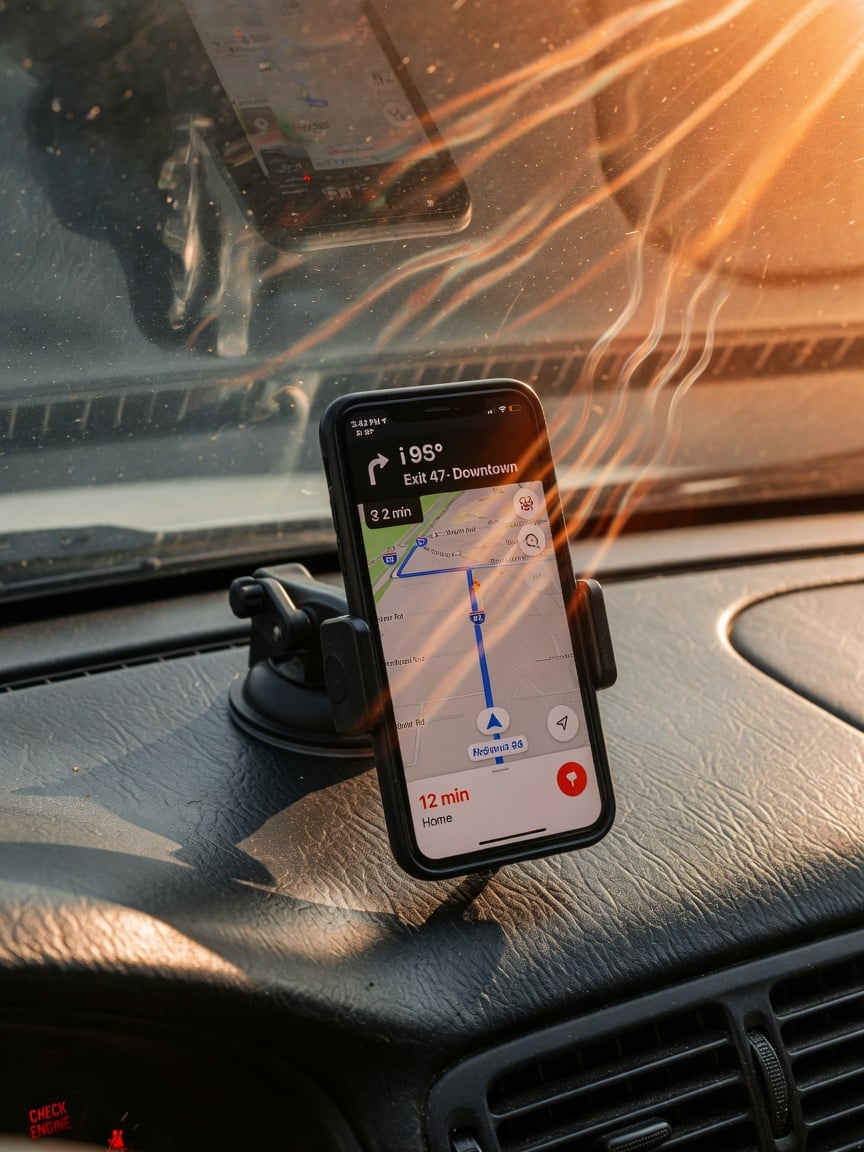
Battery drain while driving is annoying, but it’s temporary. The real long-term damage comes from heat, and your car is a furnace for your phone.
Here’s why: lithium-ion batteries degrade fastest when exposed to temperatures above 35°C (95°F). According to Battery University (BU-808), a battery stored at 40°C (104°F) loses 35% of its capacity in one year — even if it’s not being used. Now consider what happens in a car:
Your phone is running at full tilt (CPU + GPU + modem generating internal heat), while charging (which generates additional heat through charging circuit inefficiency), while sitting in a dashboard mount that’s been baking in sunlight. The ambient temperature inside a parked car in summer can reach 60°C (140°F). Even with the AC on, the dashboard area near the windshield stays significantly warmer than the cabin air.
This creates a compounding effect. The phone’s internal temperature climbs, which forces the battery management system to throttle charging speed or stop it entirely. You’ve probably seen the warning: “Charging On Hold — iPhone is too hot.” That’s your phone protecting itself — but by the time that warning appears, the battery has already been stressed.
What the Data Says About Heat and Battery Degradation
| Temperature | Capacity Loss (1 year, 100% charge) | Capacity Loss (1 year, 40% charge) |
|---|---|---|
| 0°C (32°F) | 6% | 2% |
| 25°C (77°F) | 20% | 4% |
| 40°C (104°F) | 35% | 15% |
| 60°C (140°F) | 40% (in 3 months) | 25% |
Source: Battery University, BU-808 — estimated recoverable capacity when storing Li-ion at various temperatures.
The takeaway is stark: a phone that routinely sits at 40°C while fast-charging will age 5x faster than one kept at room temperature. And if you’ve read our guide on how summer heat destroys your phone battery, you know that heat damage is cumulative — it doesn’t reverse when the phone cools down.
Car USB Ports vs. Dedicated Chargers: Not All Power Is Equal
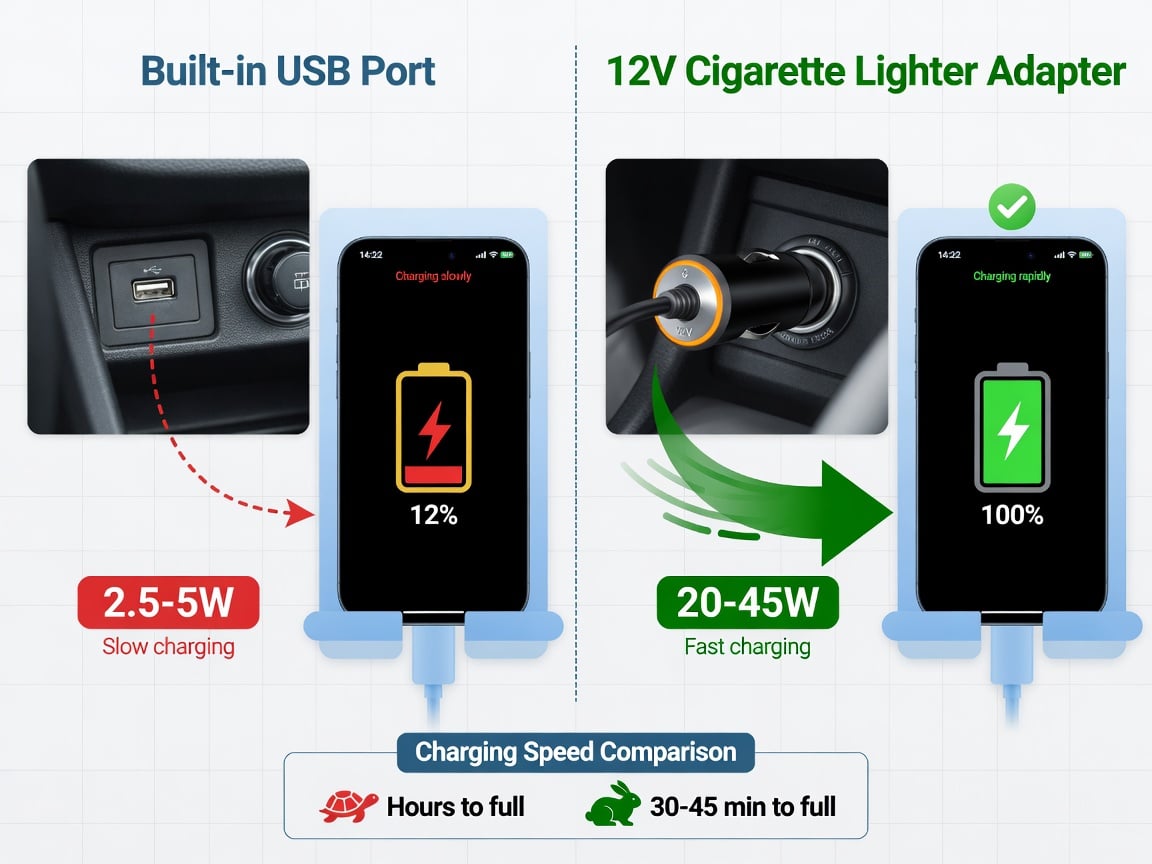
One of the biggest mistakes people make is assuming that any USB port in their car will charge their phone. Most built-in car USB ports — especially in vehicles made before 2022 — output only 0.5A at 5V (2.5W) or 1A at 5V (5W). That’s barely enough to maintain a phone at idle, let alone one running navigation and streaming.
The USB data port used for CarPlay/Android Auto is even more constrained because it splits its power between data communication and charging. The result? Your phone drains faster than it charges. If you want to learn more about how charging works, check out our guide on what a USB charger actually does.
Here’s how the common car charging options compare:
| Charging Source | Typical Output | Can Keep Up With CarPlay/Android Auto? | Heat Generated |
|---|---|---|---|
| Car built-in USB (data port) | 2.5–5W | No — power deficit | Low |
| Car built-in USB (charge-only port) | 5–10W | Barely — may still drain with wireless | Low |
| 12V cigarette lighter adapter (standard) | 10–18W | Yes, but slowly | Medium |
| 12V PD charger (USB-C, 30W+) | 20–45W | Yes — charges while running CarPlay | Medium |
| Wireless charging pad (built-in) | 5–15W | Often no — and adds significant heat | High |
If your car has a wireless charging pad, turn it off when using wireless CarPlay or Android Auto. Wireless charging is inherently less efficient than wired — roughly 30–50% of the energy is lost as heat. In a hot dashboard environment, this compounds the thermal problem dramatically. We explain why in depth in our article on wireless charging and battery health.
5 Habits That Destroy Your Phone Battery in the Car
Most battery damage from car usage comes down to a few preventable habits. Here are the five worst offenders — and how to fix them.
1. Using Wireless CarPlay/Android Auto on a Hot Dashboard
Wireless projection adds 1–2W of Wi-Fi power draw and generates more heat than wired. Combined with a hot dashboard, this is the single worst scenario for your battery. Fix: Use a wired USB connection whenever possible. It’s less convenient, but it cuts power consumption and allows the phone to charge more efficiently.
2. Leaving the Phone in a Case on a Wireless Charger
Phone cases trap heat. On a wireless charging pad in a warm car, a thick case can push internal temperatures past the throttling threshold. Fix: Remove the case when using wireless charging in the car, or switch to a wired connection. For more on this, see our deep dive on phone cases and battery heat.
3. Fast Charging in a Hot Car
Fast charging (18W+) generates significant heat through internal resistance. In a car that’s already warm, this can push the battery past 45°C — the point where Apple and Samsung both throttle or stop charging. Fix: Use a standard 10–15W charger for car trips under 45 minutes. Save fast charging for when the phone is at room temperature. Our analysis of why 320W fast charging is a battery lifespan killer covers the science in detail.
4. Charging to 100% on Every Drive
Every time your phone hits 100% and sits there — especially in a warm car — you’re accelerating capacity loss. The battery is held at maximum voltage under thermal stress. Fix: Stop charging at 80%. If your phone supports it, enable optimized battery charging (iOS) or adaptive charging (Android). Better yet, use a hardware charge limiter like Chargie that stops charging at your set limit (e.g. 80%) regardless of the car’s charging protocol.
5. Charging on Short Trips Unnecessarily
If you’re driving 10 minutes to the store and your phone is at 75%, don’t plug it in. You’re adding a charge cycle and generating heat for almost no benefit. Fix: Only charge in the car when you genuinely need the power — below 50% and you have a drive longer than 20 minutes.
Why Your Phone Gets Hotter Than It Does at Home
You might wonder: “My phone handles gaming and video calls at home without overheating. Why is the car different?” The answer is about thermal environment.
At home, your phone radiates heat into ambient air at ~22°C (72°F). The temperature differential is large enough that passive cooling keeps the phone within safe operating limits. In a car, the ambient temperature near the dashboard can be 35–50°C (95–122°F), even with the AC on. The temperature differential shrinks to almost nothing, so heat accumulates inside the phone faster than it can dissipate. The phone’s thermal management system kicks in — throttling the CPU, dimming the screen, reducing charging speed — but by then, the battery has already been exposed to damaging heat.
This is the same reason we warn about lithium-ion degradation in hot environments — the damage is invisible and cumulative. You won’t notice it on day one. But after a summer of daily CarPlay usage on a hot dashboard, your battery health could drop 5–8% faster than normal.
The Chargie Solution: Hardware Charge Limiting in the Car
Here’s where most advice articles stop at “don’t charge in a hot car.” That’s not realistic — most people need their phone charged for navigation and calls during a drive. The real question is: how do you charge safely?
A Chargie USB-C charge limiter sits between your car’s USB charger and your phone. It monitors the charge level in real time and stops charging at the limit you set. In Hardware Limiter mode — a one-time power-cutoff setting (e.g. 2W) entered in the app — Chargie then works on its own, with no app or phone connection needed, so it never interferes with CarPlay or Android Auto. For percentage-based limits like 80%, the app holds the limit over Bluetooth. Either way, the phone still gets power for CarPlay/Android Auto (which comes through the data connection), but the battery stops accepting charge at your set threshold.
This matters in the car specifically because:
- No more 100%-in-a-hot-car damage. The most damaging scenario — holding a battery at maximum voltage in high ambient heat — is eliminated.
- Less heat generation. Charging to 80% generates less heat than charging to 100% because the trickle-charge phase (where most heat is produced) is skipped entirely.
- Works with any phone. iOS, Android, old or new — the limiter is a hardware device, not a software setting. It doesn’t care what OS you’re running.
- No interference with CarPlay/Android Auto. The data passthrough means projection works normally while charging is managed independently.
If you’ve read our guide on how to limit battery charge to 80% on any device, you know that software-based charge limits are unreliable — they reset after updates, don’t work with all chargers, and can be overridden by fast-charging protocols. A hardware limiter is the only solution that works consistently in a car environment.
Quick Reference: Car Battery Health Checklist
- ✅ Use wired CarPlay/Android Auto instead of wireless when possible
- ✅ Plug into a 12V USB-C PD charger (20W+), not the car’s built-in USB port
- ✅ Remove your phone case during long drives in warm weather
- ✅ Mount the phone in front of an AC vent for active cooling
- ✅ Stop charging at 80% with a hardware charge limiter like Chargie
- ✅ Skip charging on short trips (under 20 min) if your battery is above 50%
- ✅ Avoid wireless charging pads in the car — they add heat and reduce efficiency
- ✅ Never leave your phone mounted on the dashboard when parked in the sun
FAQ: CarPlay, Android Auto, and Battery Health
Does Android Auto drain my phone battery?
Yes. Android Auto requires your phone to run GPS, render graphics, stream audio, and maintain a data connection simultaneously. Even while plugged in, if the car’s USB port outputs less power than the phone consumes, the battery will drain. Wireless Android Auto is worse because the Wi-Fi Direct connection adds 1–2W of extra power draw. Use a dedicated 12V USB-C charger (20W+) and a wired connection for the best results.
Does Apple CarPlay damage my phone battery?
CarPlay itself doesn’t damage the battery, but the conditions it creates — high CPU load, heat from charging, and a hot dashboard environment — accelerate battery degradation. The damage is cumulative and invisible at first. After months of daily CarPlay usage in warm conditions, you may notice your battery health dropping faster than expected.
Why does my phone get so hot in the car?
Your phone generates internal heat from CPU/GPU/modem activity (running CarPlay or Android Auto), charging circuit inefficiency, and in the case of wireless charging, energy lost as heat. The dashboard environment traps this heat because ambient temperatures near the windshield are much higher than in the rest of the cabin. The phone’s cooling system can’t dissipate heat fast enough, so internal temperatures climb.
Should I charge my phone to 100% in the car?
No. Charging to 100% and holding that charge in a warm environment is the most damaging combination for a lithium-ion battery. Stop at 80% using optimized battery charging settings or a hardware charge limiter like Chargie. The 20% you “lose” by not charging to full is negligible for daily driving — and it could add 200+ extra charge cycles to your battery’s lifespan.
Is it better to use wireless or wired CarPlay/Android Auto?
For battery health, wired is better. Wireless projection adds 1–2W of Wi-Fi power consumption and generates more heat. Wired connections are more power-efficient and allow faster charging. If your car only supports wireless, use a 12V USB-C PD charger and keep the phone cool with AC airflow.
Can I prevent my phone from overheating in the car?
You can’t fully prevent it, but you can reduce the risk significantly: mount the phone in front of an AC vent, remove the case, use wired instead of wireless projection, avoid wireless charging pads, and don’t fast-charge unless the cabin is cool. If your phone displays a temperature warning, stop charging immediately and let it cool down.
The Bottom Line
Your car is one of the harshest environments for your phone’s battery. The combination of high compute load, charging heat, and elevated ambient temperatures creates a perfect storm for accelerated degradation. But you don’t have to choose between using CarPlay/Android Auto and protecting your battery.
Switch to wired projection, use a proper 12V charger, keep the phone cool, and — most importantly — stop charging at 80% with a hardware limiter. A Chargie USB-C charge limiter does this automatically, in any car, with any phone. It’s a $30 one-time investment that can add years to your battery’s lifespan — far less than the $80–$110 you’d pay for a battery replacement.
Because the best battery tip for the road is the same one we’ve been saying all along: 80% is enough. Your battery will thank you.

USB-C charge limiter that stops at your set battery level, so your battery never sits at 100% overnight. Extends battery lifespan by years. Works with any USB-C charger.

Limit your laptop charge to 80% via USB-C. Works with MacBooks, Dell, HP, Lenovo and most USB-C laptops up to 100W.
Protect Your Battery with Chargie
The world's first hardware charge limiter. Set a charge limit on any phone, tablet, or laptop — extend battery life by up to 4x.



