
The Charge Limiting Landscape in 2026
Five years ago, your options for limiting battery charge were essentially zero. Today you have hardware devices, dedicated software, home automation scripts, manufacturer features, and DIY Android workflows. Each category solves a different part of the problem — and fails at different parts. This comparison focuses on what matters in practice, not in spec sheets.
Comparison Table
| Chargie (Hardware) | AlDente / Battery Limiter (Software) | Smart Plug + Automation | OEM Built-in (Apple/Samsung) | Tasker / Automate (Scripts) | |
|---|---|---|---|---|---|
| Reliability | ★★★★★ | ★★★☆☆ | ★★★☆☆ | ★★☆☆☆ | ★★☆☆☆ |
| Compatibility | ★★★★★ | ★★☆☆☆ | ★★★★☆ | ★☆☆☆☆ | ★★☆☆☆ |
| Ease of use | ★★★★☆ | ★★★★☆ | ★★☆☆☆ | ★★★★★ | ★☆☆☆☆ |
| Price | ★★★☆☆ | ★★★★★ | ★★★☆☆ | ★★★★★ | ★★★★★ |
| Battery health impact | ★★★★★ | ★★★★☆ | ★★★☆☆ | ★★★☆☆ | ★★★☆☆ |
| Works when device is off | Yes | No | Yes | No | No |
Category 1: Hardware Charge Limiters (Chargie)
What it is: A physical device that sits between your charger and your device on the USB cable. It reads the battery level and physically cuts power when the limit is reached.
Products: Chargie C Basic ($29.99, USB-C, 10W, for phones/tablets), Chargie for Laptops ($57.49, USB-C, 100W PD, for laptops), Chargie A Gold Edition (USB-A, for older devices).
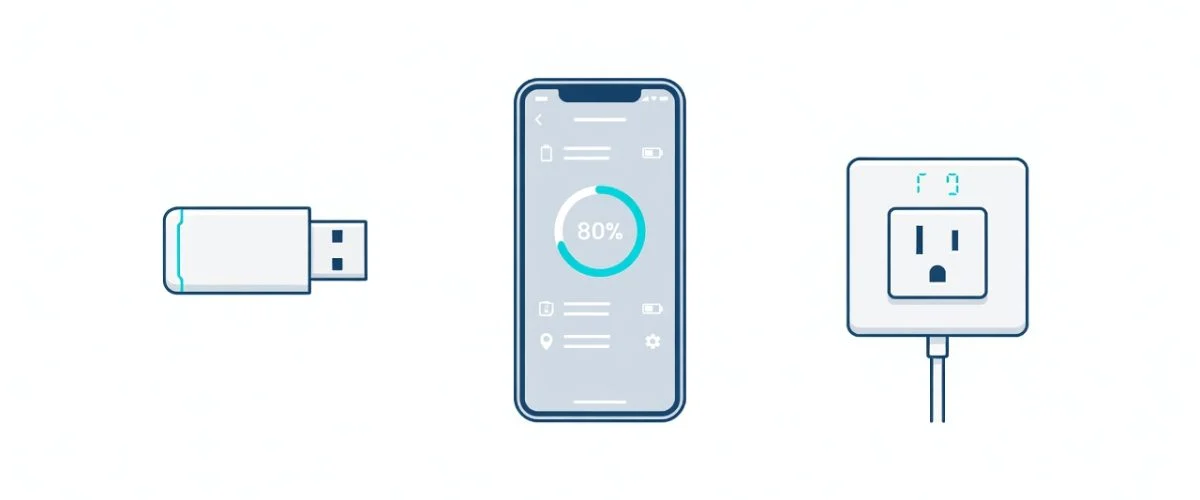
How it works: Plug Chargie between your charger and device. The companion app (iOS/Android/macOS/Windows) reads the battery percentage via Bluetooth and sends a cutoff command when the set limit is reached. In Appless Mode, the Chargie stores the limit internally and enforces it without any connected phone — including when the device is powered off.
Strengths:
- Works with any USB-charged device — phones, tablets, laptops, earbuds, power banks, cameras, game controllers. One Chargie protects everything you own.
- Works when the device is powered off (Appless Mode). Software-based solutions fail here completely.
- Temperature protection — pauses charging if device exceeds a safe temperature threshold.
- Overnight scheduling — holds at a safe level, then tops up to your set percentage before your alarm.
- Moves between devices — the hardware isn’t tied to any one phone or laptop.
- Physical relay means the charge actually stops — not “the OS says it stopped but trickle current continues” like some software solutions.
Weaknesses:
- Costs money ($29.99–$57.49) versus free solutions.
- One more thing in your cable path — though the 10cm cable included in bundles keeps it tidy.
- Requires Bluetooth for app configuration (enforced limits work without it once set).
Best for: Anyone who wants one solution that covers all their devices, particularly multi-device households, people who frequently charge devices while powered off, and anyone who wants temperature protection alongside charge limiting.
Category 2: Software Charge Limiters (AlDente, Battery Limiter)
What it is: Applications that run on your device and tell the operating system to stop charging at a set percentage.
Products: AlDente (macOS, free / Pro $11.99/year), Battery Limiter (Windows, free and open source), various Linux tools (TLP, batctl).
How it works: These tools interface with the system’s power management controller — on Macs, through the SMC (System Management Controller); on Windows, through ACPI or manufacturer-specific drivers. They send a command to stop accepting charge current when the battery reaches the set percentage.
Strengths:
- Free or cheap — AlDente’s free tier covers basic charge limiting, Battery Limiter is open source.
- No additional hardware — install and go.
- AlDente specifically offers advanced features: sailing mode (lets battery discharge slightly then recharges), calibration mode, heat protection.
- Deep OS integration on macOS — can control charging at a level most tools can’t.
Weaknesses:
- Platform-locked. AlDente works on macOS only. Battery Limiter works on Windows only. Neither works on iOS, Android, or Linux (TLP is available for Linux but far less polished).
- Software-dependent. OS updates can break functionality. macOS Sequoia updates have historically required AlDente patches. Windows feature updates have broken Battery Limiter’s ACPI hooks.
- Doesn’t work when the device is off. Charge your powered-down MacBook with AlDente’s limit set to 80% — it charges to 100% because AlDente isn’t running.
- Doesn’t work on phones or tablets. iOS doesn’t allow third-party charge control. Android’s charging APIs are limited and vary by manufacturer.
- One device per installation. Your AlDente license covers your MacBook. Your phone, tablet, and earbuds get no protection.
Best for: MacBook users who want a free/low-cost charge limiting solution and don’t need cross-device protection. Excellent complement to Chargie for Laptops — AlDente handles software-side monitoring, Chargie provides the hardware-level cutoff when the laptop is off.
Category 3: Smart Plugs With Home Automation
What it is: A Wi-Fi or Zigbee smart plug that turns the charger on and off based on automation rules, usually paired with a battery level reading from the device.
Products: TP-Link Kasa, Shelly Plug, Sonoff S31 (hardware) + Home Assistant, IFTTT, Shortcuts (automation platform).
How it works: The automation platform reads your device’s battery level (via Home Assistant’s companion app on Android, or via Shortcuts on iOS). When the battery level exceeds your target, the automation turns the smart plug off, cutting power to the charger. When the battery drops below a threshold, the plug turns back on.
Strengths:
- Smart plugs are cheap — $10–$20 per plug.
- Flexible scheduling — you can create complex rules (“charge to 80% between 2am and 6am, but stop at 70% if tomorrow is a weekend”).
- Works with any charger — just plug the charger into the smart plug, no USB protocol negotiation needed.
- Can be part of a larger home automation setup you might already have.
Weaknesses:
- Battery level readings are unreliable. Home Assistant’s Android companion app polls the battery every 15 minutes by default. iOS Shortcuts have similar polling limitations. If the automation triggers late, your device may have spent 15+ extra minutes at 100%.
- Network dependency. Wi-Fi goes down, the automation stops. Smart plug’s cloud service has an outage, the automation stops. This creates silent failure modes — you think your battery is being protected, but it’s been charging to 100% for a week because the IFTTT applet silently broke.
- All-or-nothing power. The smart plug cuts AC power to the charger — it can’t negotiate charge speeds, provide temperature monitoring, or offer fine-grained control.
- Setup complexity. Requires a working Home Assistant instance or IFTTT account, configured automations, and ongoing maintenance. Not for non-technical users.
- No temperature protection. The smart plug has no way to know if your device is overheating.
Best for: Home Assistant power users who already have smart plugs deployed and want to add battery charge limiting as part of a broader automation system. Not recommended as a primary battery protection strategy — the polling lag and network dependency introduce too many failure modes.
Category 4: OEM Built-in Limits (Apple, Samsung, Google)
What it is: Charge limiting features built into the phone or laptop’s operating system by the manufacturer.
Products: Apple’s 80% Limit (iPhone 15+), Optimized Battery Charging (iPhone, MacBook, iPad), Samsung’s Protect Battery (85%), Google’s Adaptive Charging, Lenovo Vantage (conservation mode), Dell Power Manager, MyASUS Battery Health Charging.
How it works: The OS monitors charging and stops accepting power when the limit is reached — in theory. In practice, implementation varies dramatically between manufacturers, and user reports of inconsistent behavior are widespread.
Strengths:
- Zero cost, zero setup (on devices that support it). Enable the toggle and forget it.
- No additional hardware or software to manage.
- Deep system integration — the OS has direct access to the charging controller.
Weaknesses:
- Fixed percentages. Apple gives you 80%. Samsung gives you 85%. No customization, no scheduling, no temperature awareness.
- Inconsistent behavior. Apple’s Optimized Battery Charging is notorious for not triggering reliably — it depends on “learning your routine,” and if your routine changes, it doesn’t adapt. Reddit and Apple Support forums are full of users whose MacBooks ignore the limit.
- Works on one device only. Your iPhone’s 80% Limit doesn’t protect your iPad, your AirPods, your MacBook, or your power bank.
- Stops working when the device is off. Charge a powered-down iPhone with the 80% limit enabled — it charges to 100%.
- No temperature monitoring. None of the OEM limits consider device temperature in their charging decisions.
- May be removed or changed in updates. Samsung has tweaked Protect Battery’s behavior between One UI versions. Apple’s Optimized Battery Charging has changed how it “learns” across iOS releases.
Best for: The absolute baseline. If your device has a built-in limit, enable it — it’s better than nothing. But don’t rely on it as your only protection, and don’t assume it’s working just because the toggle is on.
Category 5: Android Scripting (Tasker, Automate, MacroDroid)
What it is: Android automation apps that can trigger actions based on battery level, combined with workarounds to control charging.
Products: Tasker ($3.49), Automate (free), MacroDroid (free / Pro $5.99).
How it works: The automation app monitors battery level and triggers an action at the threshold — typically a notification (“unplug your charger”), a smart plug toggle (via IFTTT/Tasker plugin), or a root-level charging control (on rooted devices only).
Strengths:
- Cheap — Tasker is $3.49 one time.
- Highly customizable — you can build exactly the charging logic you want.
- Can integrate with other Android automations you’re already running.
Weaknesses:
- Can’t actually control charging on unrooted devices. Android does not expose a “stop charging” API to third-party apps. Without root access, the best Tasker can do is send a notification or control a smart plug — which means you’re essentially building a more fragile version of the smart plug category.
- Root requirement. On rooted devices, Tasker can control charging via kernel-level commands. But rooting a modern phone trips SafetyNet/Play Integrity, breaking banking apps, Google Pay, and some streaming services.
- Android-only. No equivalent on iOS (Shortcuts cannot control charging at all).
- One device only. Each Android device needs its own Tasker setup.
- Maintenance burden. Automations break across Android version updates. Permissions get reset. Manufacturer-specific charging behaviors change.
Best for: Android enthusiasts who enjoy tinkering and already have Tasker running for other automations. Practical for sending low-battery or full-charge notifications. Not a reliable charging control mechanism on unrooted devices.
The Verdict: Which One Should You Choose?
For maximum reliability: Hardware
Chargie’s physical relay is the only solution where “charge limit set to 80%” means power physically stops flowing at 80% — every time, regardless of OS state, app bugs, network conditions, or whether the device is powered on. For anyone who wants to set it and forget it, hardware is the answer.
For lowest cost: Software + OEM
If you only need to protect one laptop and budget is the primary constraint, AlDente (free tier) on macOS or Battery Limiter on Windows costs nothing and provides solid charge limiting — with the caveat that it doesn’t work when the device is off. Layer on your device’s built-in OEM limit as a backup.
For the home automation enthusiast: Hybrid
A smart plug + Home Assistant setup gives you the most scheduling flexibility. But pair it with a hardware limiter as the enforcement layer — the smart plug handles the schedule, the hardware limiter enforces the actual cutoff with zero polling lag or network dependency.
For complete cross-device protection: Hardware + Software combination
The ideal setup for a multi-device household: Chargie hardware on every charger you use regularly, software limits enabled on laptops as a secondary layer, OEM limits enabled on phones as a tertiary safety net. Redundancy in battery protection is a feature, not a waste — each layer catches what the others miss.
FAQ
Can I use Chargie and AlDente together on a MacBook?
Yes. AlDente handles software-side charge limiting and monitoring while the MacBook is running. Chargie for Laptops handles the hardware cutoff when the MacBook is powered off or asleep, when AlDente (and macOS itself) can’t enforce limits. They complement each other — AlDente gives you sailing mode and detailed battery analytics; Chargie gives you the guarantee that the power actually stops.
Are smart plugs really unreliable for charge limiting?
They’re unreliable in the sense that their failure mode is silent. If your Wi-Fi drops or the IFTTT webhook fails, your device charges to 100% and you won’t know until you check. For overnight charging, this means potentially 5+ hours at maximum voltage. Smart plugs are great for scheduled appliances; they’re not designed for the latency-sensitive, consequence-heavy task of battery charge control.
Why don’t phone manufacturers just build in better charge limits?
Some are starting to — Apple’s 80% Limit and Samsung’s Protect Battery are genuine steps forward. But manufacturers have limited incentive to maximize battery lifespan: a battery that degrades after 2 years means a sooner upgrade. Hardware charge limiters exist precisely because the built-in solutions are conservative by design.
Which Chargie do I need for my setup?
Chargie C Basic ($29.99) for phones, tablets, earbuds, and any USB-C device under 10W. Chargie for Laptops ($57.49) for USB-C laptops and any device needing up to 100W Power Delivery. Chargie A Gold Edition for legacy USB-A devices. The Starter Kit bundles Chargie C Basic with a 100W smart cable and short 10cm cable.

USB-C charge limiter that stops at your set battery level, so your battery never sits at 100% overnight. Extends battery lifespan by years. Works with any USB-C charger.
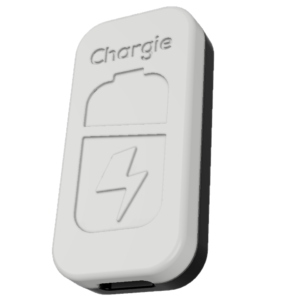
Limit your laptop charge to 80% via USB-C. Works with MacBooks, Dell, HP, Lenovo and most USB-C laptops up to 100W.
Protect Your Battery with Chargie
The world's first hardware charge limiter. Set a charge limit on any phone, tablet, or laptop — extend battery life by up to 4x.