


If you've ever glanced at a battery pack or the specs for a new phone, you've probably seen the term 'mAh' thrown around. So, what does it really mean?
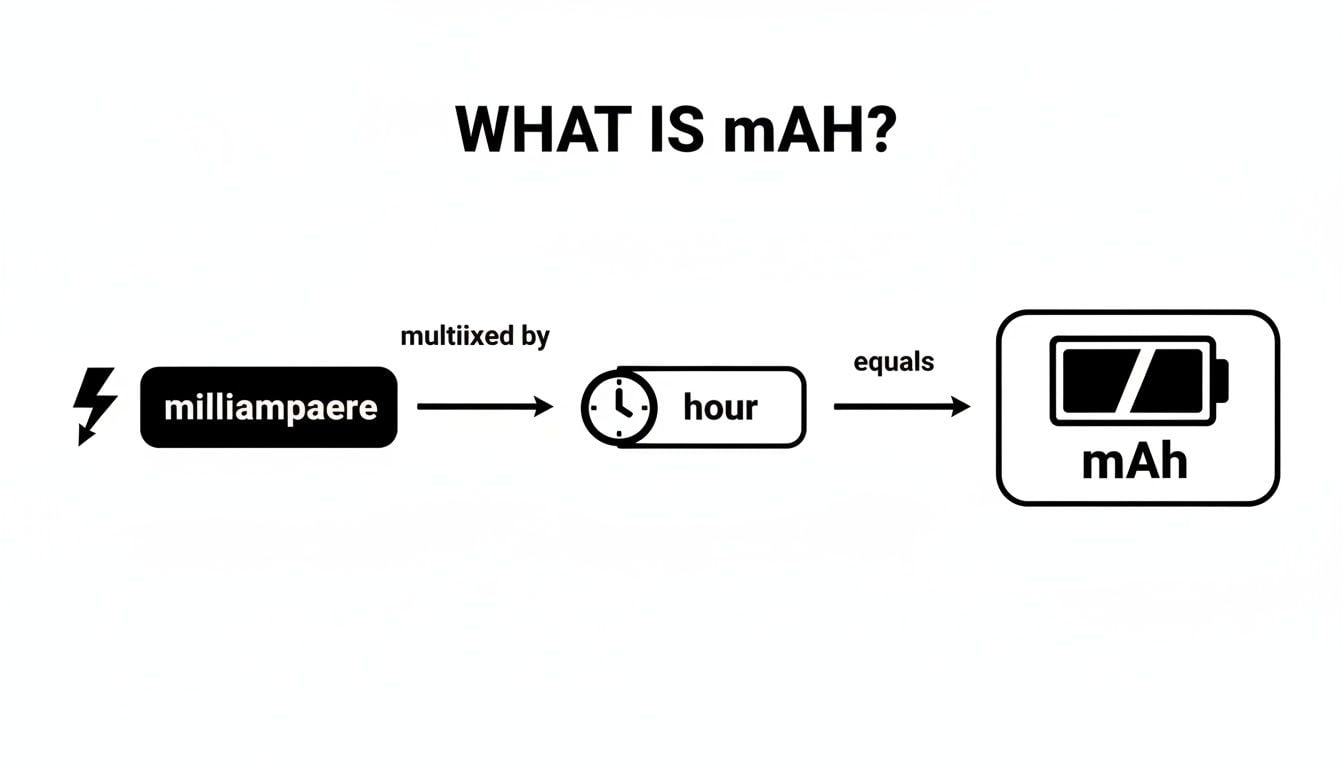
Put simply, mAh stands for milliampere-hour. Think of it as the size of your device's fuel tank. A bigger mAh number means a bigger tank, which translates to more power stored inside.
Demystifying the Numbers on Your Battery
To really get a feel for what mAh means for your gadgets, it helps to break the term down. Imagine your battery is a small water tank, with the water inside representing its stored energy.
Let's look at what each piece of the puzzle means.
| Component | What It Means | Simple Analogy |
|---|---|---|
| Milliampere (mA) | This is the rate of electricity flowing out of the battery. | The speed of the water flowing out of the tank's tap. |
| Hour (h) | This is the amount of time that current can flow. | How long you can keep the tap open. |
When you put them together, a milliampere-hour tells you the total charge a battery can push out over a specific period. For instance, a smartphone battery with a 4,000 mAh capacity can, in theory, deliver 4,000 milliamps of current for one hour straight before it's completely drained. Or it could supply 2,000 mA for two hours.
This number became the go-to metric for battery life during the smartphone boom. As phones became more powerful, everyone wanted to know how long their device would last, and mAh was an easy way to compare.
But while mAh gives you a great idea of your battery's "fuel tank" size, it's not the whole story. Total energy is another crucial factor. You can check out our guide on mAh vs. Wh for a deeper look at total battery energy.
A higher mAh rating means your battery has a larger reservoir of energy. That translates to more time using your device before you have to plug it in, making mAh one of the most important specs to look for.
Why a Higher mAh Does Not Always Mean Longer Battery Life
We’ve all been there. You’re shopping for a new phone or power bank, and the marketing material screams about a massive mAh number. It’s easy to think, "Bigger is better, right?" Marketers love this because it’s a simple number to sell, but falling for that trap is a common mistake.
The assumption that the battery with the most mAh always wins is a myth. While it's a good starting point, mAh only tells you about the battery's charge capacity—how much juice it can hold. It’s only half the story.
Thinking Beyond the Fuel Tank
Imagine mAh is the size of a car's gas tank. A bigger tank sounds great. But what if one car has an engine that uses that fuel more powerfully than another?
That’s where voltage (V) comes in. Think of voltage as the "oomph" or pressure pushing that fuel to the engine. You could have two identical gas tanks (same mAh), but if one pushes the fuel with more force (higher voltage), it can get more work done.
This is why the true measure of a battery's total energy is Watt-hours (Wh). This metric combines both the size of the tank (mAh) and the force of the fuel (V), giving you a much clearer picture when comparing batteries.
Calculating True Energy with Watt-Hours
Here's the kicker: a 4,000 mAh battery running at 3.7V stores less total energy than a 4,000 mAh battery at 4.2V. That seemingly small voltage difference provides more real-world energy! This explains why some phones with what looks like a smaller battery can outlast others.
The use of mAh as a standard was a simple way to measure capacity for early consumer gadgets. If you're curious, you can dig into the history and science behind battery capacity units.
Want to calculate the true energy yourself? The formula is pretty simple.
Watt-hours (Wh) = (mAh × Voltage) / 1000
Let’s put it into practice with a real-world example. Imagine you’re choosing between two power banks:
- Power Bank A: 20,000 mAh at 3.7V = 74 Wh
- Power Bank B: 18,000 mAh at 5V = 90 Wh
Look at that! Even though Power Bank A boasts a higher mAh rating, Power Bank B actually holds significantly more total energy. This is especially critical for devices like laptops or power tools that run at higher voltages. Understanding this helps you see past the marketing hype and choose the battery that really has more power.
How to Estimate Your Device's Real-World Runtime
Knowing a battery's mAh rating is a great start, but let's be honest—that number is pretty abstract. What you really want to know is how many hours and minutes you can actually use your device before it dies.
Thankfully, there's a simple formula to get a ballpark estimate. Just divide the battery's capacity by how much power your device is drawing.
Estimated Runtime (in hours) = Battery Capacity (mAh) / Device Consumption (mA)
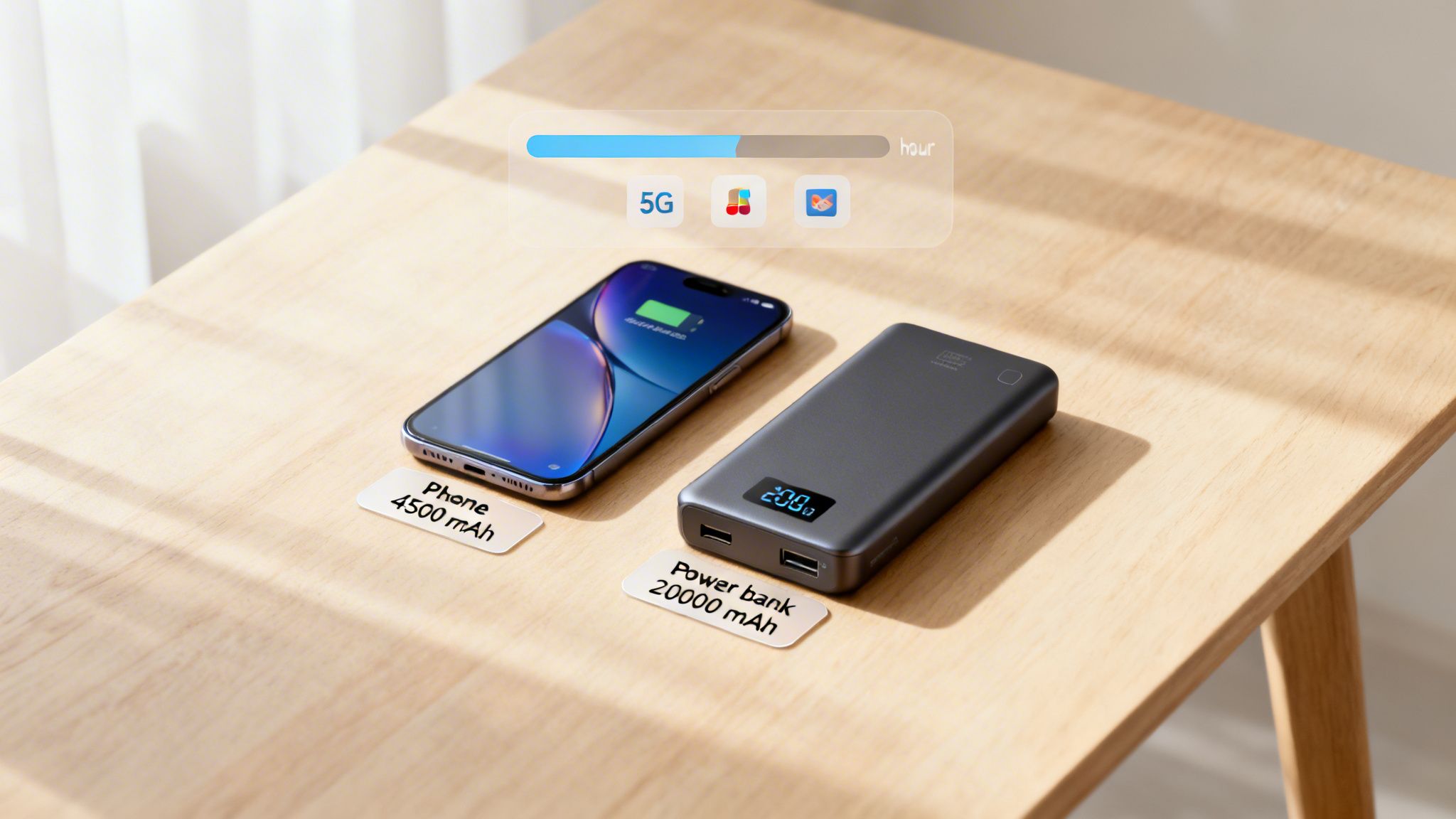
So, if you have a phone with a 4,500 mAh battery and it's sipping about 225 mA while you're scrolling through websites, you're looking at a theoretical 20 hours of use (4,500 mAh / 225 mA). A beefy 20,000 mAh power bank feeding a device that pulls 500 mA should last around 40 hours.
This math gives you a solid baseline. But real life is always messier.
Unmasking the Hidden Battery Vampires
The thing is, your device’s power draw isn't a single, fixed number. It jumps all over the place depending on what you’re doing. Think of some features and apps as "battery vampires"—they suck down your stored mAh way faster than you'd expect.
Here are some of the usual suspects:
- Screen Brightness: That beautiful, bright screen is almost always the biggest power hog.
- 5G and Poor Signal: When you're in an area with a weak signal, your phone's modem works overtime just to stay connected.
- Background App Activity: Apps that are constantly refreshing, syncing data, or tracking your location are silent assassins of your battery life.
- High-Performance Tasks: Firing up a game, streaming video, or using GPS for navigation puts a massive load on the processor.
The Bigger Picture in Power and Mobility
Figuring out how mAh translates to actual runtime is more important than ever. We're all leaning heavily on portable power these days. Most power banks now fall in the 10,000-20,000 mAh range, a market that has grown enormously with the rise of remote work.
For professionals like delivery drivers or IT admins managing fleets of devices, mAh is a critical number for daily planning. For example, a phone with a 5,000 mAh battery can usually keep a navigation app running for about 10 hours. To really get the full picture, you need to understand how mAh and voltage work together to define total energy, which you can read all about in our guide on converting Amp-hours to Watt-hours.
By keeping these factors in mind, you can start to manage your device usage much more effectively. The goal is to be mindful of not just the size of your battery's "fuel tank," but also how quickly you’re draining it.
Understanding Battery Capacity vs Battery Health
When you unbox that shiny new phone, one of the headline specs is its battery, usually a big number like 5,000 mAh. That number represents its capacity—a promise of how much juice the battery can hold when it's brand new.
But fast forward a year, and you’ll start to notice something's off. A full charge just doesn't seem to last as long as it used to. This is where the idea of battery health comes into the picture, and it's a completely different metric.
Think of it this way: capacity is the size of your car's fuel tank when it’s fresh off the factory line. Battery health, on the other hand, is a measure of how much that tank shrinks over time. After a year of use, that 5,000 mAh "tank" might only be able to actually hold 4,000 mAh, even when your phone's battery icon proudly displays 100%.
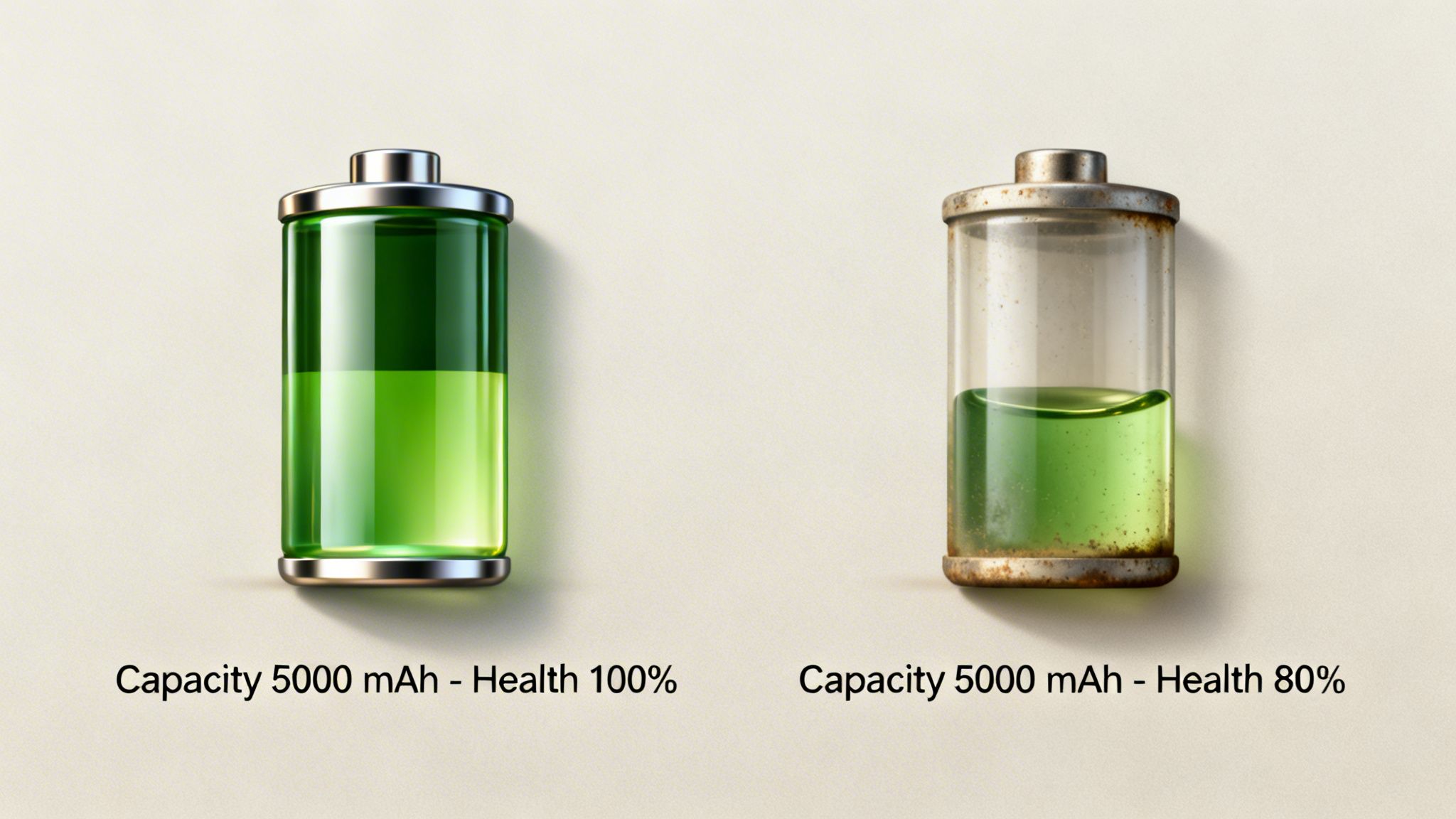
This is a crucial distinction to grasp. You can't change the original mAh capacity of your battery—that's built into the hardware. What you can do is influence how quickly its health declines, which is what really determines how much usable capacity you have left.
How Capacity Becomes a Shadow of Itself
So what’s eating away at your battery’s health? The main culprit is a natural process called chemical aging. This happens to all batteries, but it gets a serious speed boost from stressors like heat and high states of charge.
Repeatedly charging your device to 100% and leaving it plugged in, particularly overnight, is one of the fastest ways to wear down your battery. This high-voltage stress causes irreversible damage to its internal chemistry.
It adds up faster than you’d think. A lithium-ion battery can permanently lose up to 20% of its original capacity after just 500 full charge cycles. That means your phone’s runtime gets noticeably shorter, trapping you in a cycle of charging more often, which only speeds up its demise. If you want to see where your device stands, we have a guide on how to check your device's battery health.
The Real Cost of Fading Health
This isn't just a minor annoyance; it has a staggering financial and environmental cost. Many people replace their phones simply because the battery is worn out.
Modern phone batteries might boast 4,500 mAh or more, but all that capacity fades surprisingly fast with poor charging habits. It's a fascinating history, and you can learn more about the evolution of mAh and what it means for consumers at NaturesGenerator.com.
This is exactly where a smart charging tool like Chargie becomes your battery's best friend. Instead of letting your phone sit at a stressful 100% charge all night, Chargie automatically stops the charge at a much healthier level, like 80%. By doing this, it shields your battery from premature aging, ensuring your device's "fuel tank" stays as large as possible for years to come.
Alright, you've got the basics of mAh down. But how does knowing all this actually help you when you're staring at a wall of new phones, trying to pick the right one? It’s what helps you sidestep the classic traps: either shelling out extra cash for a battery you’ll never fully use, or worse, getting stuck with a device that dies before your day is over.
The real trick is to honestly assess your own habits and match the battery size to how you actually use your gadgets. Are you glued to your screen for video calls and marathon gaming sessions? Or are you more of a light user, just checking emails and scrolling through your feed now and then? Your answer points you to the mAh range that makes sense for you.
Matching Your Needs to the Numbers
Think of it like picking the right size fuel tank for a car. Someone who just drives around town doesn't need the massive tank built for a long-haul trucker. In the same way, if your phone time is pretty minimal, you might be happier with a sleeker, lighter device that has a smaller battery instead of a bulky brick with a giant mAh rating.
To give you a clearer picture of what to expect from modern devices, here's a quick reference guide.
Typical mAh Capacity by Device Type
This table gives you a solid baseline for the average battery capacity you'll find in different gadgets today. Keep in mind, these are just estimates—your mileage will definitely vary based on how you use your device.
| Device Type | Typical mAh Range | Estimated Use Time |
|---|---|---|
| Smartphones | 4,000 – 5,500 mAh | 12-24 hours of mixed use |
| Tablets | 7,000 – 11,000 mAh | 8-12 hours of screen-on time |
| Wireless Headphones | 40 – 80 mAh (earbuds) | 5-8 hours per charge |
| Power Banks | 10,000 – 20,000 mAh | 2-4 full phone charges |
A phone with a 5,000 mAh battery, for example, is generally considered top-tier and should have no problem lasting a full, busy day, even for the heaviest users. Anything in that range is a pretty safe bet.
Finding the Sweet Spot Between Capacity and Longevity
While a big starting number is fantastic, don't forget that this capacity will fade over time. The upside of a bigger battery is that it gives you a much larger buffer. Even after it loses 20% of its original health, it still has more juice left in the tank than a smaller, degraded battery would.
This is exactly where a smart tool like Chargie comes into play. By protecting your battery from the very first charge, it helps you hold onto that high initial mAh rating for much, much longer. It ensures the powerful battery you paid a premium for keeps delivering that day-one performance for years, not just a few months.
When you pair a smart buying decision with smart charging habits, you truly get the best of both worlds: a device that's built to last and the tools to make it happen.
Protecting Your mAh Capacity for the Long Term
A big mAh number on a brand-new phone looks great on the box, but what good is it if that capacity vanishes in a year? Think of your battery's mAh rating like a fuel tank. It's awesome to start with a big one, but the real trick is keeping it from shrinking over time.
That's where battery health comes in, and your daily charging habits are the single biggest factor affecting it.
Why Smart Charging Is Key
Here's the problem most of us face: we plug our phones in overnight. For hours straight, the battery is pushed to 100% and held there at a high voltage. This constant stress is precisely what degrades the battery's internal chemistry, causing its real-world capacity to become a shadow of what it was on day one.
This is exactly why we built Chargie. It’s a simple little device that sits between your charger and your phone, putting you back in control. With the app, you can tell it to automatically stop charging at a much healthier level, like 80%.
By simply avoiding that high-stress, fully-charged state overnight, Chargie acts like a guardian for your battery. It ensures your "fuel tank" doesn't prematurely shrink, letting you enjoy your phone's original mAh potential for years, not just a few months.
The Long-Term Impact of Smarter Habits
The difference this makes is staggering. Instead of passively watching your battery health tick down month after month, you're actively preserving it. We even added a Top Up Scheduler feature that lets you keep the battery at a safe, low level all night, then finishes the charge just before your alarm goes off. You get the power you need for the day without the all-night damage.
This approach can make a huge difference in your battery's lifespan. A battery that's constantly hammered to 100% might start to feel tired after a year. But with optimized charging, you can get many more healthy cycles out of it.
If you want to dive deeper into the technicals, you can discover more insights about battery capacity at NaturesGenerator.com. But the takeaway is simple: protecting your mAh isn't about the number on the spec sheet. It's about smart charging.
Your Top mAh Questions, Answered
Let's tackle some of the common questions that pop up when we talk about mAh. You've got the basics down, but how does it all play out in the real world with the devices you use every day?
Is A 5000 mAh Battery Good?
For a smartphone, a 5,000 mAh battery isn't just good—it's fantastic. That's enough juice to power most people, even heavy users, through an entire day without reaching for a charger. For light or moderate use, you might even find yourself coasting through a second day.
Of course, the raw number is only half the story. A phone's software optimization, screen brightness, and your own app usage habits are huge factors. A well-tuned phone can make that 5,000 mAh feel even bigger, stretching its runtime far beyond expectations.
How Many Charges Can I Get From A 10000 mAh Power Bank?
It's tempting to do some simple math: divide the power bank's capacity by your phone's. So, for a phone with a 4,000 mAh battery, a 10,000 mAh power bank should give you 2.5 charges, right? (10,000 / 4,000).
Not quite.
Real-World Performance: In reality, you're looking at closer to 1.5 or maybe 2 full charges. Why the difference? Physics. Energy transfer is never perfect. Some power is always lost as heat during the charging process, and this "conversion loss" means you never get 100% of the advertised capacity into your device.
Does Fast Charging Reduce My Battery's mAh?
This is a big one, and the answer is a bit nuanced. Fast charging doesn't change the battery's rated capacity. A 5,000 mAh battery is always a 5,000 mAh battery on paper.
What it does affect is your battery's long-term health. The extra heat and stress from high-wattage charging slowly wear down the internal chemistry. This means that while its official rating never changes, its actual ability to hold a full charge will shrink much faster than it would with slower, cooler charging. It's the silent killer of battery longevity.
By protecting your battery from the stress of constant 100% and high-heat charging, you can preserve its original mAh capacity for years. This is exactly what Chargie was built for. It automatically manages your charging to healthier levels, keeping your battery strong and making your device last so much longer. Find out more about how you can give your phone's battery a new lease on life at https://chargie.org.

USB-C charge limiter that stops at your set battery level, so your battery never sits at 100% overnight. Extends battery lifespan by years. Works with any USB-C charger.
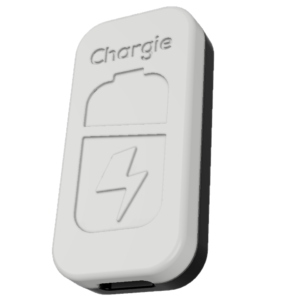
Limit your laptop charge to 80% via USB-C. Works with MacBooks, Dell, HP, Lenovo and most USB-C laptops up to 100W.
Protect Your Battery with Chargie
The world's first hardware charge limiter. Set a charge limit on any phone, tablet, or laptop — extend battery life by up to 4x.