
Action Camera Battery Health: Why Your GoPro Kills Its Own Battery
TL;DR
Action-camera batteries (GoPro HERO, DJI Action, and most chest- and boat-mount cameras) are small ~1,700–2,000 mAh lithium-ion cells crushed by two things most owners never learn to protect: heat in full sun, and cold-weather drain that hides real capacity loss. Charge and store them at 80% with a small USB charge limiter, in a cool place, and each ~1,700 mAh cell can survive roughly 300–400 shallow cycles instead of 100–150 — about the difference between two seasons and five.
When you’re filming a wave, a cliff jump, or a sunrise over a lake, you rarely worry about the little lithium pack inside your action camera. You flip it on and hope. But action cameras are the perfect storm for early battery death, and understanding why matters more than the camera itself.
Most action cameras run on a single small lithium-ion or lithium-polymer cell carrying about 1,700–2,000 milliamp-hours. That small a cell has almost no buffer against the two enemies that matter most: heat and deep, repeated discharge held at 100%. A GoPro HERO11/HERO12 ships with a 1,720 mAh lithium-ion battery, and the newer “Enduro” cold-weather version bumps that to 1,900 mAh — but the physics of the small cell mean the same two killers apply regardless of which camera you own.
Why Action-Camera Batteries Die So Fast
The Battery Itself: Small, Hot, and High-Stress
An action camera needs a battery small and light enough to fit a chest- or helmet-mounted unit, so its capacity is only around 1,700–2,000 mAh. The trade-off is that a smaller lithium cell has far less thermal mass than one in a laptop or phone. When you shoot 4K at high frame rates, drive the touchscreen, or power a bright microphone, the cell discharges hard while charging at the same time in many setups, and the internal resistance of that small cell turns activity into heat.
Wikipedia’s Lithium-ion battery article puts it plainly: “Charging temperature limits for Li-ion are stricter than the operating limits,” and “charging at temperatures above 45 °C will degrade battery performance.” An action camera mounted on a helmet in the sun, or sitting on a hot dashboard, is already running warm inside — and charging a lithium cell above 45 °C is when the fastest capacity loss happens. Operating range for those cells is roughly 0–45 °C; any sustained charge cycle above 45 °C accelerates the aging that shortens life.
So the problem is not just that the cell is small — it is that small, hot, and plugged-in at once is the worst combination for lithium longevity.
The Heat-in-the-Sun Problem
Action cameras spend a huge fraction of their life outdoors. On a bright summer day, a black camera body on a dashboard, seat brackets, or a bright helmet can climb well past 45 °C inside — enough to start degrading the lithium cell, especially if it is simultaneously charging from a USB port. The Wikipedia figure is explicit: heat doesn’t just make the battery drain faster while shooting — it permanently reduces how long the cell holds a charge.
That is a problem in two directions. Hot storage — leaving the fully-charged camera in a hot car, boot, or helmet box for days — accelerates calendar aging, often worse than the shoot itself. Hot charging — charging a hot, fully-charged cell, or charging right after a hot shoot — is the most aggressive single thing you can do to a lithium cell, because it combines high state of charge with the worst-possible temperature. Both are things you cannot fully control on the beach, but the storage and charging pattern is exactly what a hardware USB charge limiter fixes.
The Cold-Weather Effect That Hides Real Battery Loss
Cold Doesn’t Damage — It Just Hides Capacity
If you’ve gone skiing, snowboarding, or fishing on frozen water, you know the pattern: the battery looks full, you start shooting, and within ten minutes it drops to a dangerous level — sometimes the camera won’t turn on at all. This is why manufacturers sell a separate “Enduro” battery built for cold.
The reason is simple physics, not a defect. A lithium-ion cell’s chemistry slows in cold: internal resistance rises, the available voltage under load drops, and the camera’s power meter reads “nearly empty” even though charge is still inside. The Wikipedia Lithium-ion article confirms this is a real, reversible effect — Li-ion offers good charging performance in cooler temperatures, 5–45 °C, while charging needs slowing below 0 °C. The capacity was never really gone; the cold was just hiding it. Warm the camera up inside your jacket, and the indicator recovers.
Why does this matter for battery health? Because the natural instinct when a cold battery shows low is to charge it immediately, plug it in, and keep it at 100% — often cycled cold-to-warm-to-cold, exactly the abuse that accelerates aging. The “Enduro” batteries fight the cold-drain but do not change the fundamental rule: storage and charging pattern matters as much as weather.
The Storage Pattern That Kills Action-Camera Batteries
Held at 100% — In a Warm Place
Every lithium battery has what chemists call calendar aging: capacity that leaks away simply from sitting, especially when full and warm. Wikipedia’s Rechargeable battery article states the practical rule — “the optimal level of charge during storage is typically around 30% to 70%.” Hold a lithium cell at 100% in a warm car or helmet box, and calendar aging runs at its fastest rate.
For an action camera this is almost the default mode. You charge to 100% before a trip, then it sits in a drawer, a case, or a car trunk — often warm — until the next adventure, sometimes for weeks. During that time a hot, full lithium cell is quietly losing capacity. This is the same reason a phone or laptop degrades if kept plugged at 100% in a hot room, except action cameras make it worse because the small cell runs hotter under load and because people store them in genuinely hot places.
How a USB Charge Limiter Extends Life (The Science)
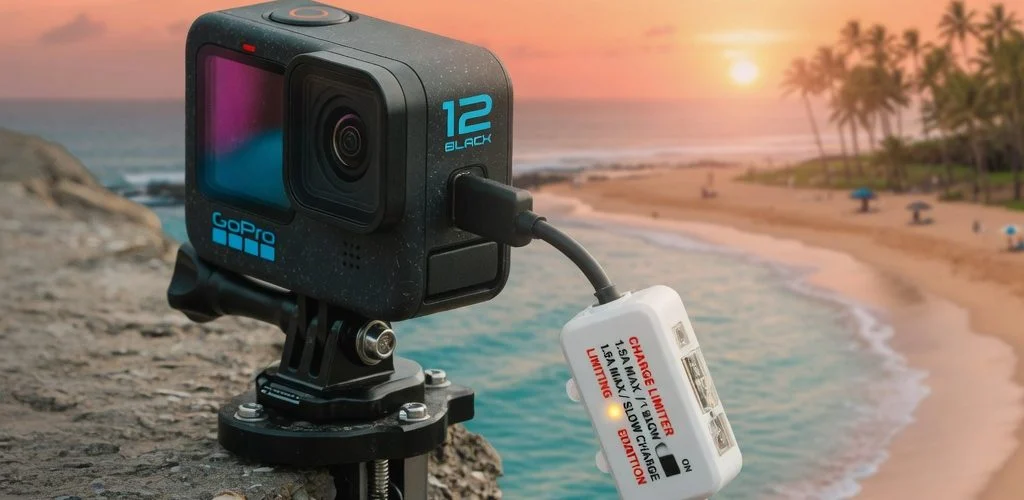
Every other lithium device — phones, laptops, power tools, e-bikes — benefits from not being held at 100% and not being charged while hot. A hardware USB charge limiter does this by physically capping the charge, sitting inline between the USB wall adapter and the charge port, so it is not controlled by the camera’s software. Chargie’s device simply stops the charge at the set percentage. Why this matters for action cameras in particular:
Why a hardware limiter over the camera’s own software? See built-in battery limits vs a hardware charge limiter, and what a USB charge limiter actually does at the hardware level.
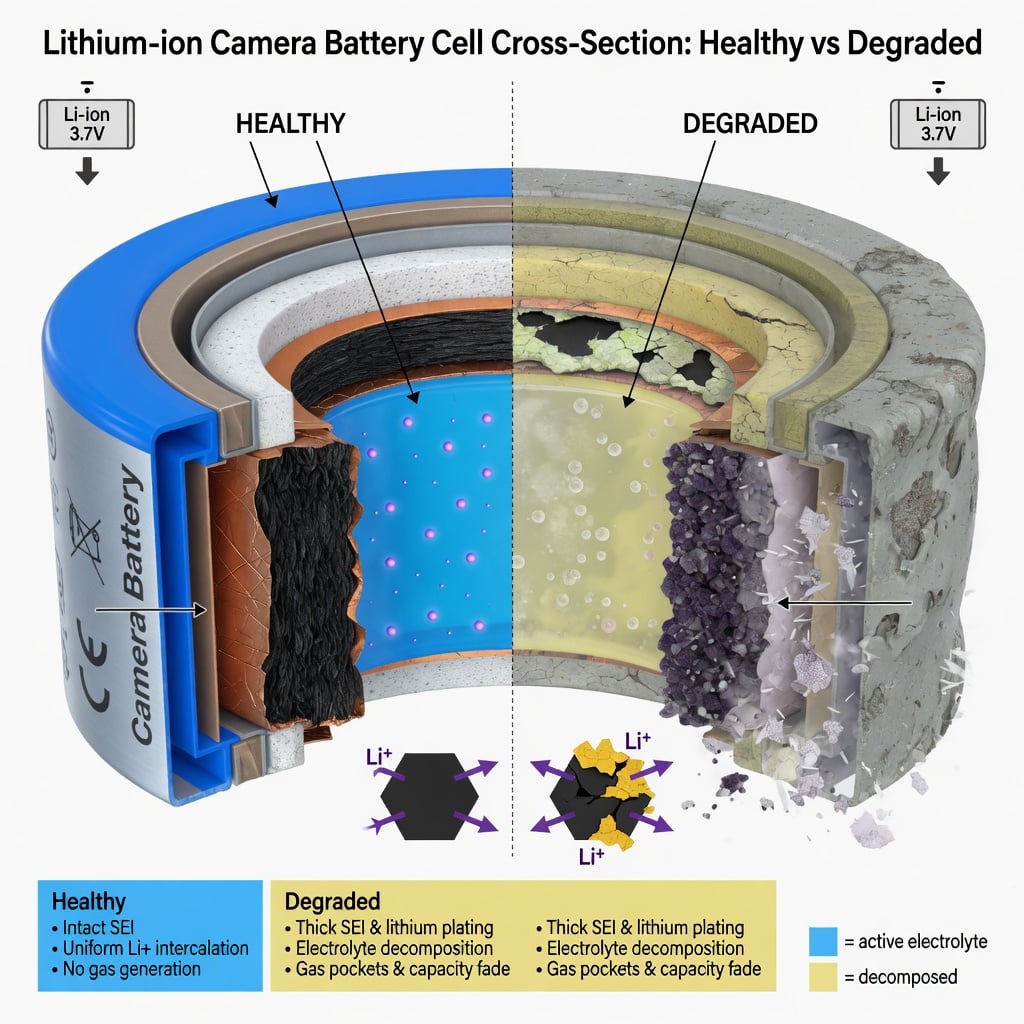
- Storage life: Wikipedia says 30–70% is the safe storage band, and most chargers push to 100%. A charger set to ~80% keeps the cell in a comfortable band instead of the top 20% — the worst band for calendar aging.
- Heat resilience: charging to 100% always ends at the highest, most stressful voltage. Charging to 80% means the cell never reaches that top-stress window, so less heat is produced at the end of every charge.
- Cycle count: A cell charged shallowly and stored mid-charge tolerates more cycles before capacity drops below 80% of original. For a small, hot action-camera cell, that difference is the gap between two seasons and five.
The charge limiter doesn’t make the battery better — it stops the pattern that makes lithium degrade fastest, so you get the full intended life out of a battery you already paid for. For an action-camera owner, a few dollars to roughly double the number of seasons the ~1,700 mAh cell actually lasts.
See also our guide on why charging to 80% extends battery life, which explains the same science applied to phones and laptops, and how to limit battery charge to 80% in practice.
Practical Ways to Protect Your Action-Camera Battery
The Routine That Doubles Your Battery’s Life
These are the concrete steps, in order of impact:
- Charge to 80%, not 100%: Use a hardware USB charge limiter set to ~80% when charging, or if you must charge to 100% for a big trip, pull it off within a few hours and never leave it full in a warm place.
- Never charge a hot battery: After a shoot, or a day in the sun, let the camera cool to touch before charging. Charging a 45 °C+ lithium cell is the fastest single way to age it.
- Store mid-charge, cool, dry: When not shooting for weeks, hold the battery around 40–60% in a cool, dry drawer — not the car, the boot, or a hot garage. This is the single biggest lever for calendar aging.
- Keep it warm when you shoot in the cold: In snow or on the water, keep a spare battery warm inside your jacket until you swap it in. A warm, full battery outlasts a cold one every time.
- Don’t let it sleep empty: Recharge a stored battery before it fully drains. Leaving a battery fully discharged is itself damaging — bring it back to a mid-charge level.
See also our summer heat battery protection guide: the same cool, mid-charge, never-hot-charging rules apply here. If your battery ever shows swelling, stop using it — see battery swelling causes and prevention for how to handle a damaged cell safely.
The result is a battery that holds its rating longer, drains more predictably in the cold, and outlasts its twin by a wide margin. Want to know exactly how you stack up? Our how to check battery health piece explains how to test an action-camera cell and read its real condition.
Comparison Table: Action-Camera Battery Facts at a Glance
Here is the practical reference. Numbers come from the cameras’ own specifications and Wikipedia’s battery-science sources; the protected column shows how a small charging change (80% instead of 100%, cool storage) extends the same cell.
| Camera / Battery | Capacity | Chemistry | Cold note | Storage charge (Wikipedia) | With ~80% limiter + cool storage |
|---|---|---|---|---|---|
| GoPro HERO 11 / 12 (ABATB-001) | 1,720 mAh | Lithium-ion | Standard; drains faster in cold | 30–70% | Roughly double seasons, fewer cold-charge cycles |
| GoPro Enduro (HERO 13) | 1,900 mAh | Lithium-ion (cold-optimized) | Specifically built for cold drain | 30–70% | Longer cold runtime, still benefits from 80% storage |
| DJI Action (e.g. Osmo Action) | ~1,400–1,650 mAh | Lithium-ion / LiPo | Cold drain is the usual complaint | 30–70% | Much longer shelf life, steadier cold performance |
| Generic chest / boat mount cameras | ~1,000–1,500 mAh | Lithium-ion (LiPo) | Small cells drain hardest in cold | 30–70% | Dramatic improvement from cool, mid-charge storage |
Note the pattern: the bigger cell and cold-optimized “Enduro” variant is not immune to the same aging rules — it tolerates cold better, but the 30–70% storage band and the “never charge hot” rule apply to every one. That is the part a hardware USB charge limiter directly improves, on any camera.
FAQ
Does heat really shorten action-camera battery life?
Yes. Wikipedia’s Lithium-ion article is explicit: “charging at temperatures above 45 °C will degrade battery performance.” An action camera in the sun, on a hot dashboard, or charging right after a hot shoot runs in the worst-possible window for lithium aging, and the loss is permanent, not a “rest it and recover” moment.
Is the cold-drain real, or is the battery broken?
It’s a real, reversible drain — not a defect. Cold raises the cell’s internal resistance and drops the voltage under load, so the power meter reads low even though charge is still inside. Warm the camera up and the indicator recovers. The “Enduro” batteries are built to fight this, but once you’re warm again the aging rule is unchanged.
Can a USB charge limiter really double battery life?
Roughly, if your current habit is charging to 100% and storing at 100% in a warm place — the default for most action-camera owners. Charging to ~80% keeps the cell out of the most stressful voltage band, and cool mid-charge storage cuts calendar aging. Together those two levers typically take you from one season to three, giving the discipline to follow both. A limiter cannot resurrect a cell already chemically dead or damaged.
Should I store my battery at 100% for a big trip?
Charge to 100% the morning of the trip, then shoot. Do not leave it at 100% in a warm car or drawer for days beforehand — that is the exact condition for fastest calendar aging. If you must pre-charge, take it off the charger within a few hours and let it settle to a mid-charge level before storing it cool.
What is the single best thing I can do for my battery?
Stop holding it at 100% in a warm place. Store it cool and around 40–60%, charge to ~80% (or pull it off a few hours after reaching 100%), and never charge a hot battery. Those three habits, done together, outperform any single battery upgrade and cost a few dollars in a hardware USB charge limiter.
Sources
- Wikipedia — Lithium-ion battery: 3.6/3.7 V nominal, charging 5–45 °C, “charging at temperatures above 45 °C will degrade battery performance,” self-discharge 1.5–2% per month.
- Wikipedia — Rechargeable battery: “the optimal level of charge during storage is typically around 30% to 70%”; lithium “best energy density and a very slow loss of charge when not in use”; LiPo “light in weight… can be made in any shape.”
- GoPro official shop: Rechargeable Camera Battery ABATB-001 (HERO11/HERO12) is 1,720 mAh lithium-ion; GoPro Enduro Rechargeable Battery (HERO13 Black) is 1,900 mAh lithium-ion, built for cold-weather performance.
Bottom Line
Your action-camera battery is a small, hot lithium cell. It doesn’t fail because it is “old” — it fails because of heat, 100% charge, and warm storage, and that pattern is the part you can fix. A few dollars in a USB charge limiter, plus a few habits, is how you get the real life out of the battery you paid for.

USB-C charge limiter that stops at your set battery level. Prevents overnight overcharging to extend battery lifespan by years. Works with any USB-C charger. (≈ $7 USD / €6 EUR)

Limit your laptop charge to 80% via USB-C. Works with MacBooks, Dell, HP, Lenovo and most USB-C laptops up to 100W. (≈ $11 USD / €10 EUR)
Protect Your Battery with Chargie
The world's first hardware charge limiter. Set a charge limit on any phone, tablet, or laptop — extend battery life by up to 4x.