
A battery cycle count is the number of times a battery has been charged and discharged the equivalent of 100% of its capacity — not how many times you’ve plugged it in. Partial charges add up: use 60% today and 40% tomorrow, and your device logs that as one full cycle, same as a single 0-to-100% charge.
How to Check Cycle Count on iPhone
Quick answer: on an iPhone 15 or newer, open Settings > Battery > Battery Health and scroll down. Your cycle count is right there, next to your maximum capacity and the month your battery was made. Older iPhones don’t show the number, but you can still see how worn your battery is.
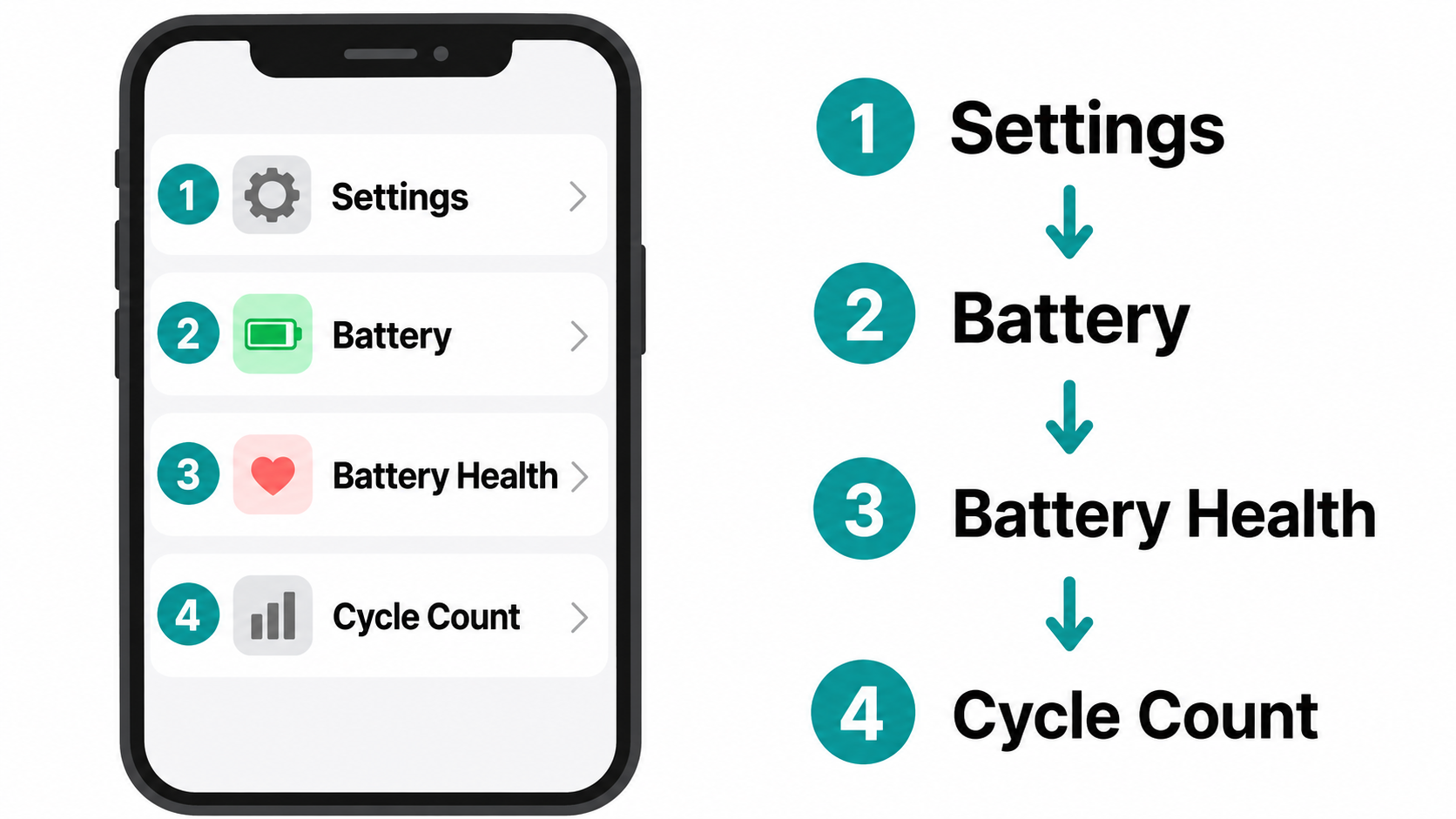
iPhone 15 and newer (iOS 17.4 or later)
Apple shows the number on iPhone 15 and later once the phone is on iOS 17.4 or later. The same screen also lists maximum capacity, when the battery was made, when it was first used, and whether a replacement is recommended. Source: Apple Support.
Every charge cycle degrades your battery. Chargie limits charging to your chosen level (e.g. 80%), so each cycle does less damage.
See how Chargie works →- Open Settings.
- Tap Battery.
- Tap Battery Health.
- Scroll down and read Cycle Count.
iPhone 14 and older
There is no built-in cycle-count number on these models. Open Settings > Battery > Battery Health & Charging and read Maximum Capacity instead. That percentage is how worn the battery is, not a cycle count. For the exact count, look in Settings > Privacy & Security > Analytics & Improvements > Analytics Data for a recent log-aggregated file, or connect the phone to a Mac.
How to Check Cycle Count on Android
There’s no single built-in method across brands — Samsung, Google, and OnePlus all handle battery reporting differently, and most don’t expose a raw cycle number at all. The most reliable option is a free app like AccuBattery. It can’t see your phone’s charging history before you install it, but from that point on it estimates cycle count and tracks capacity loss over time.
How Many Cycles Is Normal — And When to Worry
Apple’s official spec: iPhones through the 14 lineup are rated to hold 80% of original capacity through 500 complete cycles. iPhone 15 and newer are rated for 1,000 cycles before hitting that same 80% mark — double the old number, confirmed after independent testing showed the batteries held up better than originally spec’d.
Charge habits move that number more than the spec sheet does. A battery held at a habitual 100% charge (~4.20V) tends to hit its 80%-capacity threshold around 300 cycles. Cap daily charging near 80% (~4.0V) instead, and the same battery chemistry can push past 1,000+ cycles before the same drop-off — the lower peak voltage means far less stress on the cell, a pattern Battery University’s BU-808 documents in detail. For the full voltage-vs-longevity picture, see our battery science page.
Quick gut-check for your own iPhone:
- Under 200 cycles: Basically new — capacity should sit near 100%.
- 200–500 cycles: Normal wear for a phone that’s one to two years old; capacity is usually still above 80%.
- 500+ cycles (900+ for iPhone 15/16) with capacity under 80%: Apple considers the battery “consumed.” A replacement brings back all-day life.
What a Battery Cycle Count Actually Means
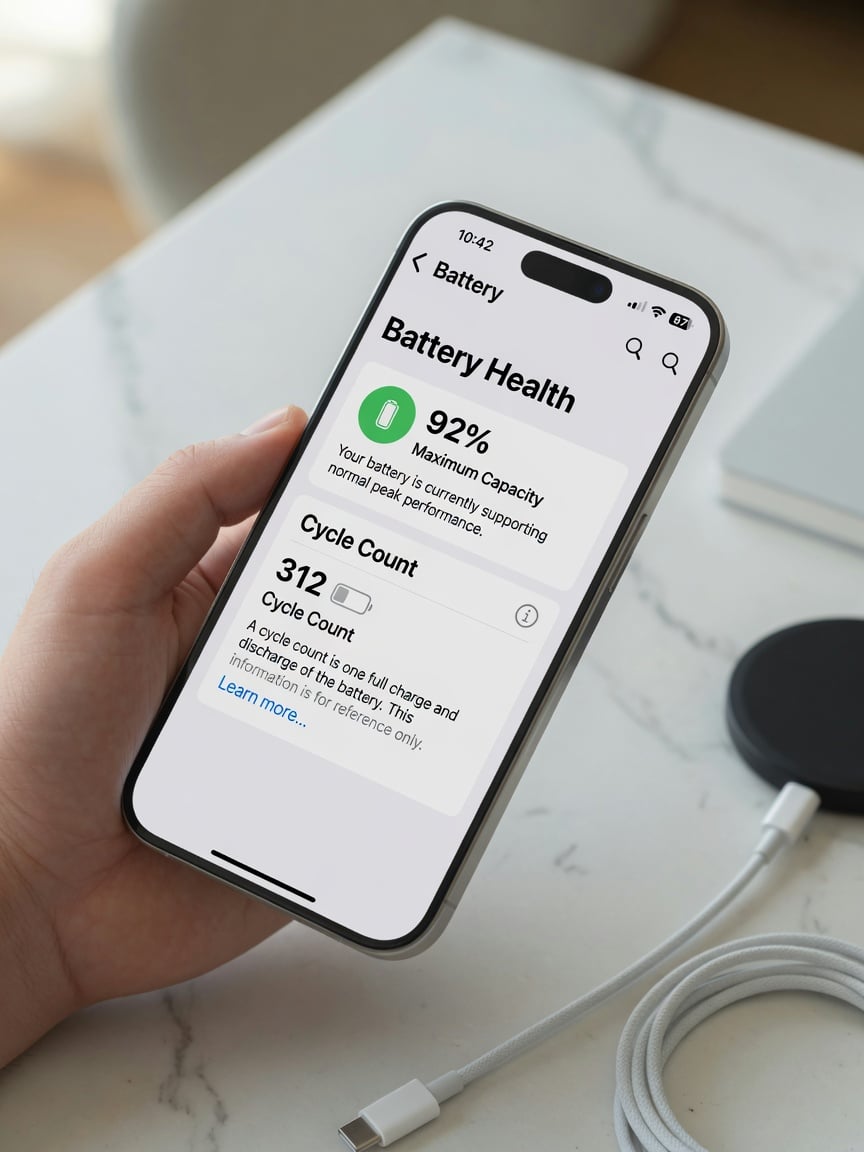
Think of it as an odometer for your battery. One cycle is logged every time your device uses up 100% of its power — but not necessarily in one sitting. Your phone or laptop keeps a running tally of every partial charge and drain, and once those add up to 100%, that’s one full cycle in the books.
So no, you don’t need to run your battery from 100% down to 0% to rack up a cycle. Use 60% of your battery today and another 40% tomorrow, and your device counts that as one complete cycle — same as if you’d drained it in a single day.
How Partial Charges Add Up
| Usage Scenario | Percentage Used | Cycles Logged |
|---|---|---|
| Day 1: Use 75% Day 2: Use 25% |
100% (75% + 25%) | 1.0 Cycle |
| Day 1: Use 40% Day 2: Use 40% Day 3: Use 20% |
100% (40% + 40% + 20%) | 1.0 Cycle |
| One Day: Use 100% | 100% | 1.0 Cycle |
There’s a persistent myth that topping up your phone throughout the day somehow inflates your cycle count faster than one big charge would. It doesn’t. The system only cares about total energy used, not how many times you reached for the charger.
A higher cycle count simply means an older, more-used battery — one step closer to the point where it can no longer hold as much charge as it used to. Understanding this number is the first step toward better battery health.
Why Your Cycle Count Actually Matters
If you want the real story on how much life your device has left, cycle count beats the “Battery Health” percentage most people obsess over. Think of it like tire tread: a new tire grips perfectly, but every mile wears a little rubber away. A battery works the same way — every full cycle wears its ability to hold a charge down just slightly. You won’t notice cycle 12. You will notice cycle 450.
Knowing your number is useful for three things:
- Predicting the decline. It’s a solid forecast for when your battery will start struggling to get you through the day.
- Selling or buying used. A low cycle count is one of the strongest signals a used phone or laptop still has real life left in it — smarter than trusting a seller’s word on “battery health.”
- Deciding: replace the battery or replace the device. A high cycle count paired with capacity under 80% usually means a $70–100 battery swap buys you another year or two, cheaper than a new phone.
Checking Cycle Count on a Laptop
MacBook
- Click the Apple menu in the top-left corner.
- Hold Option (⌥) — “About This Mac” changes to “System Information…” Click it.
- In the sidebar, under “Hardware,” select Power.
- Cycle Count is listed under “Health Information,” right next to your battery’s overall condition.
Windows Laptop
- Open the Start Menu, type cmd.
- Right-click Command Prompt, choose “Run as administrator.”
- Type
powercfg /batteryreportand press Enter. - Windows saves an HTML report (it’ll tell you where — usually your user folder). Open it in a browser and look for the cycle count line under Battery capacity history.
How to Slow Down Your Cycle Count
You can’t stop the counter, but you can slow it down with a few habits that cut real strain off your battery.
Stay Out of the Extremes
The sweet spot for long-term battery health is between 20% and 80%. Staying in that range is the single easiest way to reduce the wear that racks up cycles faster than it needs to.
Constantly draining to 0% or parking at 100% for hours both add unnecessary stress. This is where a hardware battery charge limiter earns its keep — Chargie cuts the charger off automatically once your phone hits your set limit (say, 80%), so you get the 20–80% habit without having to think about it, even overnight. It won’t stop cycles from happening — nothing can — but it keeps the battery out of the high-stress zone that ages it fastest.
Ready to make the 20–80% habit automatic? The Chargie C Basic (USB-C) and Chargie A Gold (USB-A) are the two hardware limiters that hold your battery at the limit you set — overnight included.
Manage Heat
- Take the case off while charging — some cases trap heat.
- Skip fast charging when you’re not in a rush — it generates more heat than a standard charger.
- Keep devices out of direct sun — a dashboard or a windowsill will cook a battery faster than daily use ever will.
Use Built-In Smart Charging
Turn on “Optimized Battery Charging” (iPhone) or “Adaptive Charging” (Android) in your settings. These features learn your routine, charge to ~80% quickly, then hold off on the final 20% until right before you wake up — cutting down the time your battery spends sitting at a stressful 100%.
Frequently Asked Questions
Does charging overnight rack up extra cycles?
No. Once your device hits 100%, it stops pulling power — leaving it plugged in doesn’t add cycles, because a cycle only counts when the battery is actually being used. The real downside of overnight charging is the heat from sitting at 100% for hours, which is a separate wear factor.
Is a low cycle count the only thing that matters?
No — age matters too. A one-year-old battery with 150 cycles will almost always outperform a five-year-old battery with the same 150 cycles, because the chemistry inside degrades slowly over time regardless of use. Heat exposure and physical damage can also hurt performance independent of cycle count.
Do small top-ups really add up to a full cycle?
Yes. Your device tracks total energy used, not charging sessions. Using 25% four separate times before plugging in adds up to one full cycle, exactly the same as one long drain from 100% to 0%.
When should I actually replace the battery?
There’s no single magic number, but Apple’s own rule of thumb is a good one: once a battery passes its rated cycle count (500 for older iPhones, 1,000 for iPhone 15+) and its maximum capacity drops below 80%, it’s “consumed.” In practice, replace it once you’re hunting for a charger by mid-afternoon.
Does a high cycle count mean my phone is about to die?
No — it means the battery has reached the end of its rated life, not that anything is broken. You’ll notice faster drain and shorter runtime, but the phone keeps working; you’re just due for a battery swap if you want that all-day feeling back.
Is 300 cycles a lot?
No — it’s normal, expected wear. Apple rates most iPhones for up to 500 cycles (1,000 for iPhone 15 and newer) before capacity drops to 80%, so 300 cycles usually means a phone over a year old with capacity still comfortably above 80%.
Does fast charging add cycles?
No. Cycle count only tracks total energy used, not charging speed — fast charging delivers the same energy faster, it doesn’t create extra cycles. Its real cost is heat, a separate factor that ages batteries independently of cycle count.
Does charging to 80% reduce cycle count?
It doesn’t reduce the number of cycles logged for the energy you use — it stretches how many cycles your battery can handle before wearing out. Charging to 80% instead of 100% lowers peak voltage and can roughly triple the cycle count needed to drop to 80% capacity (see “How Many Cycles Is Normal” above).
Protecting your battery doesn’t have to be a chore you manage manually every night. Chargie is a small hardware device that sits between your charger and your phone, cutting power once you hit the limit you set — keeping your battery in that healthy 20–80% zone without you having to remember to unplug it. Find out how you can get up to 4x more life from your batteries with Chargie, a hardware charging limiter. If you are new to the idea, our guide should I charge my phone to 80%? explains why the cap matters.

USB-C charge limiter that stops at your set battery level, so your battery never sits at 100% overnight. Extends battery lifespan by years. Works with any USB-C charger.
Protect Your Battery with Chargie
The world's first hardware charge limiter. Set a charge limit on any phone, tablet, or laptop — extend battery life by up to 4x.