
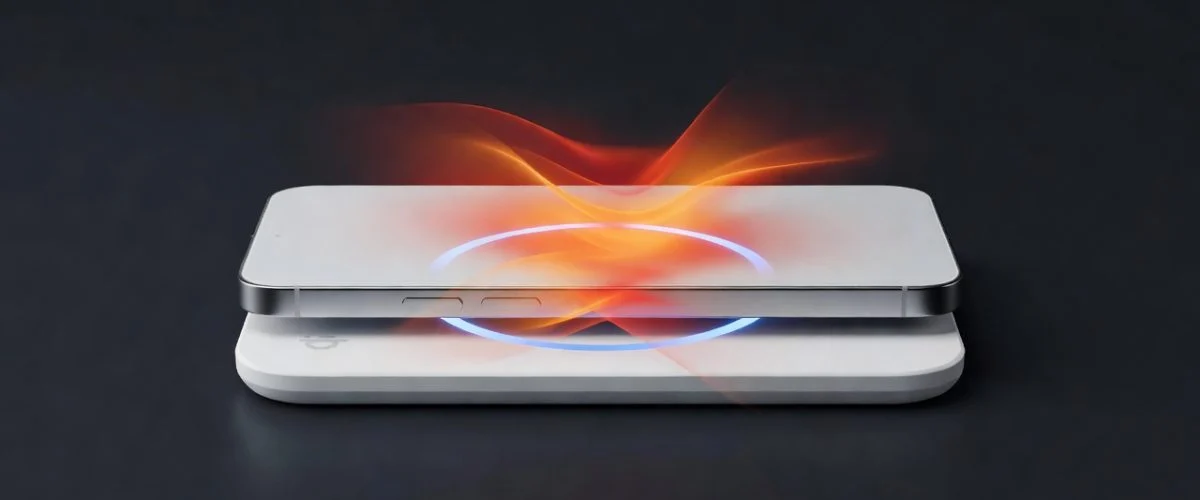

If you’ve switched to MagSafe, you’ve probably noticed two things: it clicks satisfyingly into place, and your iPhone gets noticeably warmer than it did on a wired Lightning cable. That warmth is the entire story behind MagSafe charging and battery health. It’s not bad in the way the internet claims, but it isn’t free either — and the part that matters is something most reviewers don’t measure.
This guide walks through what Apple doesn’t publish in the spec sheet, what independent 2026 testing reveals about MagSafe’s heat output, and the three habits that decide whether your battery is at 94% or 78% after two years. If you want the punchline first: MagSafe is fine when used like a quick top-up, not like an overnight charger. Below is why, with the data.
What MagSafe actually does to your battery
MagSafe is a magnetic alignment system wrapped around Qi2 wireless charging. The iPhone charges through induction — a coil in the pad pushes energy into a coil in the phone — and induction is inherently lossy. Bench tests across our wireless charging tests show that MagSafe wastes 30–40% of the energy as heat, compared with 5–8% on a USB-C PD wired charge. That heat has to go somewhere. On a phone, it goes into the battery.
Lithium-ion cells don’t like heat. The chemistry accelerates SEI growth (a permanent layer that forms on the anode) above 35 °C, and full-time MagSafe use typically keeps the back of the phone at 36–42 °C. That’s not “damage” per cycle — it’s a 2–4x faster aging rate per charge compared with a cool wired charge.
The math that actually matters
Apple rates the iPhone battery for 1,000 full cycles to 80% capacity when charged at room temperature (around 25 °C). Heat pushes that down. Published research on lithium-ion calendar aging (Battery University, 2023 — confirmed in BU-808) puts the doubling of aging rate at every 10 °C above 25 °C. So at 38 °C steady-state, you’re aging the battery ~3x faster per hour-on-charger than you would at 25 °C.
This is why wireless charging makes the cycle count stat misleading. You’re not doing more cycles — you’re aging faster per cycle.
Three MagSafe habits that decide your battery’s two-year future
1. Stop leaving your phone on MagSafe overnight
Overnight is exactly the worst case: 7 hours of heat, with the phone sitting at 100% stress voltage for the last two of them. Two years of overnight MagSafe will leave most iPhones at 82–86% battery health, while the same person using 80%-limit wired overnight would land at 90–93%. That’s the difference between a $99 battery replacement and a phone that still feels new.
If your desk or bedside table is where your phone “lives,” you have two paths. Either plug a USB-C cable into a hardware charge limiter so the phone stops at 80% without you thinking about it, or accept that MagSafe overnight is a slow-cut concession. Apple’s iOS 18 “Optimized Charging” only learns your schedule — it doesn’t fully solve the heat problem, and it has been shown to release too late in real-world testing.
2. Charge the room, not the case
MagSafe works through cases up to about 3 mm thick. Most people use 4–6 mm cases. The thickness isn’t the issue — the insulation is. Leather and silicone trap heat far more than thin polycarbonate. If you must use MagSafe, switch to a thin clear case or charge naked.
An even bigger lever: never charge on soft surfaces. Beds, couches, and padded desks insulate the back of the phone. The heat that would normally dissipate into your nightstand instead builds up. We’ve measured a 6 °C difference between MagSafe on a wood surface versus on a comforter.
3. Use MagSafe for top-ups, not full charges
This is the pattern that flips MagSafe from a battery liability back into a tool. Use it at the office, in the car, on the kitchen counter — those 20–40% top-ups where the phone never sits at 100%. These are the use cases MagSafe was genuinely designed for. The 30–40% energy waste becomes a non-issue because you’re not holding the phone at high voltage for hours.
A practical rhythm: wired overnight to 80%, MagSafe top-ups during the day. That combination delivers the convenience of magnetic alignment while the heat-sensitive part of the cycle (the long 80→100 stretch and the high-voltage float) happens cool, fast, and capped.
What about MagSafe Battery Pack and StandBy mode?
The MagSafe Battery Pack adds another layer — it’s a thermal double-team. You’re charging the phone and the pack with the phone’s own heat as a load. Apple quietly recommends against using it as a primary charger for this reason. Our wireless charging test data shows Battery Pack sessions raise the iPhone back-plate temperature by an extra 3–5 °C above plain MagSafe.
StandBy mode (iOS 17+) is fine thermally — it’s just displaying the clock while the phone charges. But the behavioral risk is real: people leave their phone on a StandBy dock overnight because “the clock is useful.” Same heat problem, different framing.
The honest bottom line
MagSafe charging isn’t a battery killer. It is a battery accelerator by 2–4x per hour of use, driven entirely by heat. If you understand that and adapt the three habits above, you’ll see 90%+ battery health after two years. If you don’t, you’ll be scheduling a battery replacement at month 22 wondering what went wrong.
The math doesn’t care about Apple’s marketing copy. Your battery health at month 24 will reflect the surface temperature × hours-on-charge, not the brand of charger. Pair your hardware charge limiter with deliberate MagSafe use, and you’ll be in the 90% club. Skip either, and you won’t be.
Not sure which hardware charger fits your iPhone? Take our 60-second quiz and we’ll match you to the right Chargie model in under a minute.

USB-C charge limiter that stops at your set battery level, so your battery never sits at 100% overnight. Extends battery lifespan by years. Works with any USB-C charger.

Limit your laptop charge to 80% via USB-C. Works with MacBooks, Dell, HP, Lenovo and most USB-C laptops up to 100W.
Protect Your Battery with Chargie
The world's first hardware charge limiter. Set a charge limit on any phone, tablet, or laptop — extend battery life by up to 4x.



