
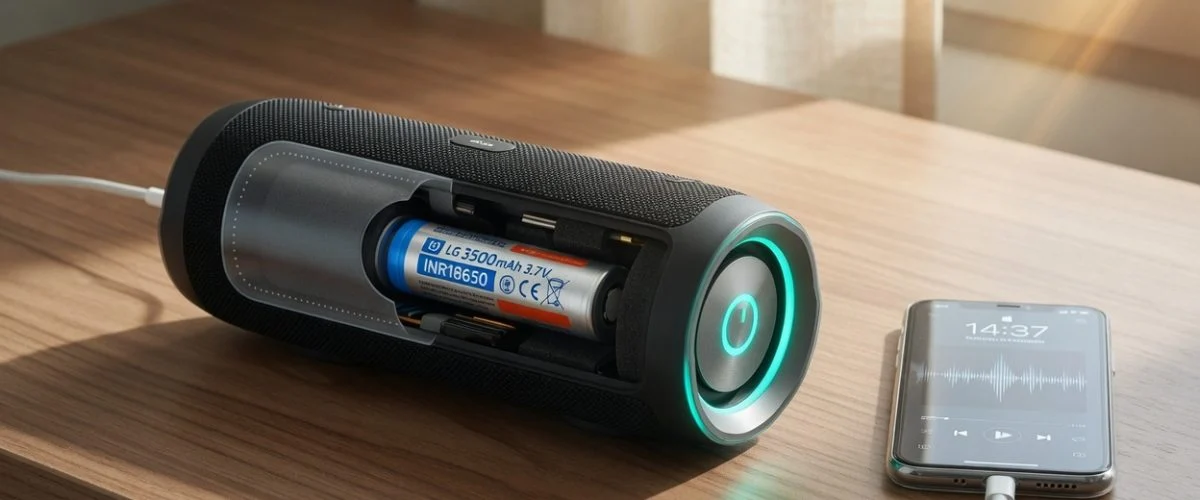

Why your Bluetooth speaker’s battery fades over time
A wireless speaker is, at heart, a battery with a driver bolted on. Wireless speakers “receive audio signals using radio frequency (RF) waves rather than over audio cables,” and most consumer models “depend on Bluetooth to transmit audio data to the receiving speaker” (Wikipedia: Wireless speaker). To be portable, that radio, amplifier, and driver all draw from an internal rechargeable pack — almost always lithium-ion or lithium-polymer, the exact chemistry in your phone, laptop, and earbuds.
That chemistry has a hard limit. Manufacturers “specify the life of Li-ion in most consumer products as being between 300 and 500 discharge/charge cycles” (Battery University, BU-808). If you use your speaker at a barbecue, a beach day, or a workout most days, you can chew through a full cycle every couple of days — which puts a heavily used speaker into “why does it only last two hours now?” territory inside a year or two.
But cycle count is only half the story. The bigger, quieter killer is how the speaker rests between plays — usually parked on a charger, held at 100%, sometimes in a warm room. That combination is exactly what accelerates lithium-ion aging, and it’s the part almost nobody thinks about. If you want the deeper background on how the chemistry itself wears down, our guide on battery swelling causes and prevention covers the failure modes in detail.
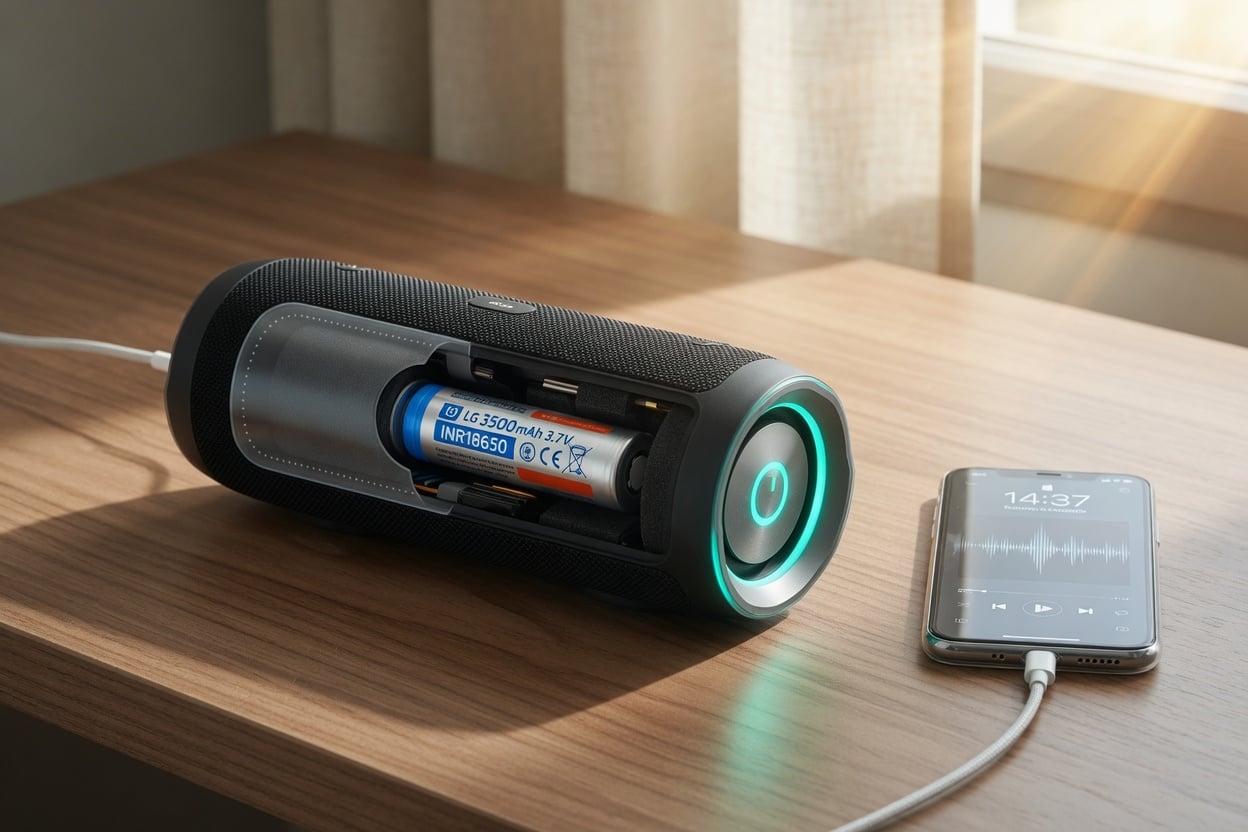
Lithium-ion vs lithium-polymer: what’s inside your speaker
Speaker spec sheets throw around “li-ion” and “LiPo” almost interchangeably, but there’s a real difference. A lithium-polymer battery — “more correctly, lithium-ion polymer battery (abbreviated as LiPo, LIP, Li-poly, lithium-poly)” — is “a rechargeable battery derived from lithium-ion and lithium-metal battery technology” (Wikipedia: Lithium polymer battery). The core difference is the electrolyte: instead of a liquid lithium salt held in an organic solvent, “the battery uses a solid (or semi-solid) polymer electrolyte” (Wikipedia).
In practice, that lets LiPo cells be thin, flat, and shaped to fit slim speaker enclosures, which is why so many compact and waterproof models use them. Rugged cylindrical speakers, on the other hand, often use the same 18650-style cylindrical li-ion cells found in laptops and e-bikes. Either way the aging rules are identical: both hate being held full and hot. If you’re comparing capacity claims between models, our explainer on what mAh means and why it matters is worth a read before you buy.
One practical consequence of the LiPo design matters for owners: because the polymer pouch is soft rather than a rigid metal can, a tired or abused LiPo cell can visibly swell as it degrades and off-gasses. If your speaker’s enclosure starts bulging, its buttons stop sitting flush, or a seam splits, that’s a swollen pack — not a manufacturing quirk — and it should be taken out of service. Cylindrical li-ion cells hide this better inside their metal casing, but they age by the same mechanism underneath.
The three things aging your speaker’s battery
1. Sitting at 100% on the charger
Lithium-ion batteries dislike two things at once: a high state of charge and warmth. A cell held at full charge sits under more internal stress than one kept partially charged. Battery University’s guidance is blunt: “a partial discharge is better than a full discharge,” and you should “store Li-ion at partial charge in a cool” place (Battery University, BU-415).
A Bluetooth speaker on a shelf ignores all of this. It charges to 100%, then sits there — maybe until tonight, maybe until your next trip in three weeks. Every hour parked full is an hour of accelerated calendar aging, whether or not you ever press play.
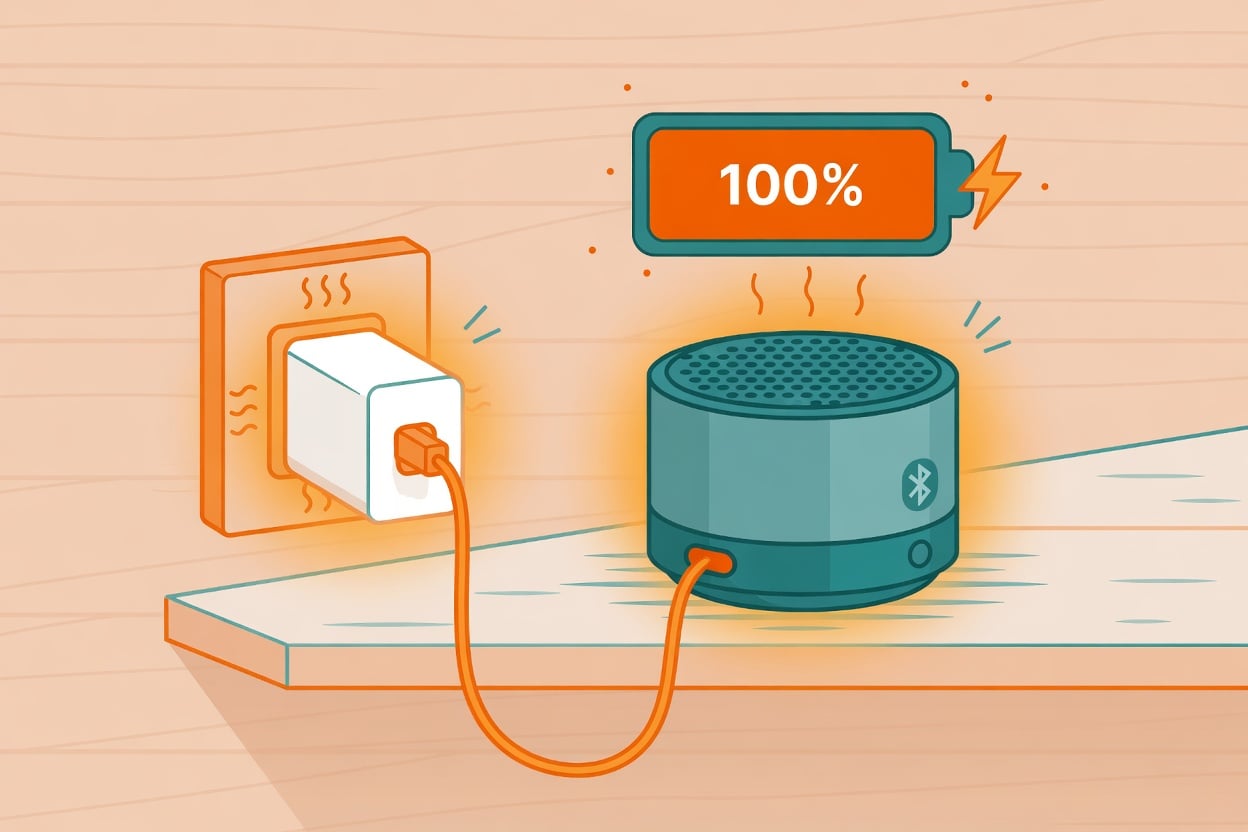
2. Heat — from the sun, the amp, and the room
Heat is the accelerant. Portable speakers live outdoors — poolside, on a car dashboard, on a sunny picnic table — and often play loud, which warms the internal amplifier and the cell next to it. Charge a hot speaker and you stack two stressors together. Elevated temperature combined with a high charge level is the single worst-case scenario for lithium-ion longevity, and it’s precisely the condition that shortens a cell’s usable life. A speaker baking on a windowsill while topping up to 100% is getting the worst of both worlds.
3. Draining to empty every time
Running the tank dry hurts too. Because “each cycle wears the battery down by a small amount and a partial discharge is better than a full discharge” (BU-415), habitually playing a speaker from full down to a dead shutoff ages it faster than shorter, shallower top-ups would. Charging a little and often is gentler than a hard 100%-to-0% swing on every use.
There’s a nastier failure mode hiding at the bottom of the range, too. If you drain a speaker completely and then leave it in a drawer for months, self-discharge can pull the cell down into a deep-discharge state it may never fully recover from — the battery either refuses to wake up or comes back with a fraction of its capacity. That’s why the storage advice below always says “around half full,” never “run it flat and put it away.”
What actually happens inside the cell
If you want the science: lithium-ion works by shuttling ions between the positive and negative electrodes, and in principle that could continue almost indefinitely. In reality, cycling, elevated temperature, and simple calendar aging degrade the cell over time. Two irreversible things build up. Some lithium becomes permanently trapped and can no longer carry charge, and a microscopic film on the electrode gradually thickens with every cycle, adding internal resistance. The practical result is the same story every speaker owner eventually notices: the same “full” charge holds less energy, so playtime quietly shrinks year over year (Battery University, BU-808b).
How to make your Bluetooth speaker’s battery last longer
You can’t reprogram a speaker’s charging chip, but almost every longevity lever is about how and where you charge. Here’s what actually moves the needle, ranked by impact.
| Habit | Why it ages the battery | Better approach |
|---|---|---|
| Leaving it on the charger 24/7 | Held at 100% = maximum calendar aging | Unplug once full; aim to keep it roughly 20–80% |
| Charging in the sun or a hot car | Heat + high charge is the worst-case combo | Charge somewhere cool and shaded |
| Always draining to 0% before charging | Deep discharges wear the cell faster | Top up a little and often instead |
| Storing it full for months | Long storage at 100% accelerates loss | Store around 40–60% in a cool spot |
| Storing it fully empty | Cells can slip into deep discharge and fail | Recharge to ~50% before long storage |
The single highest-impact change is refusing to leave the speaker at 100% for hours or days on end. That’s easy advice to give and hard to follow — nobody wants to babysit a charger. Which is exactly the problem a hardware charge limiter solves.
Why a hardware charge limiter beats “just unplug it”
Some newer phones and laptops now ship with built-in charge caps, but the vast majority of Bluetooth speakers have no such setting — they charge straight to 100% and hold there. Even where software limits exist, they’re not always enough; we broke down why in built-in battery limits vs a hardware charge limiter. For a speaker with zero charge management of its own, an external hardware limiter is the only practical way to stop the top-off.
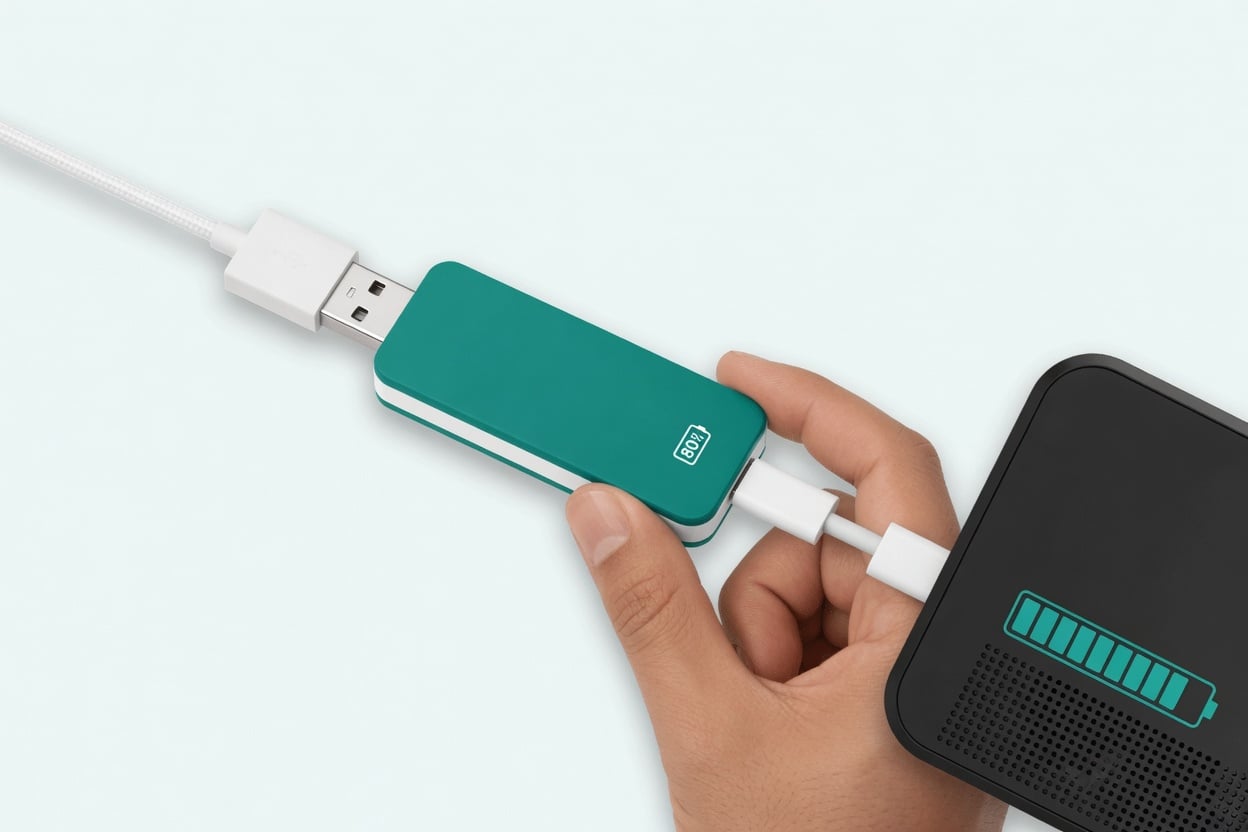
Chargie sits between your USB charger and the speaker and simply stops delivering power once the device reaches a level you choose, then tops it back up as needed. It’s the same principle that keeps a phone or tablet off the 100% ceiling overnight — and it works on any USB-charged gadget, which is the whole point of using Chargie to future-proof any device’s battery, not just smartphones. Speakers, earbuds cases, power banks, and robot gadgets all benefit from the same trick. If you’re curious how this compares to protecting other always-docked devices, our robot vacuum battery health guide walks through the identical logic for a device that lives on its dock.
Frequently asked questions
Is it bad to leave my Bluetooth speaker plugged in all the time?
Yes, over time. Holding a lithium-ion cell at 100% is the main driver of calendar aging, and Battery University recommends storing li-ion “at partial charge in a cool” place rather than full (BU-415). Unplug once it’s charged, or use a hardware charge limiter to stop the top-off automatically.
What charge level should I keep my speaker at?
For everyday use, keeping it roughly between 20% and 80% is gentler than living at either extreme. For long storage, aim for around 40–60% in a cool place and check on it every few months so it doesn’t slip into deep discharge.
How many charge cycles does a Bluetooth speaker battery last?
Most consumer lithium-ion is rated for 300–500 discharge/charge cycles before noticeable capacity loss (BU-808). Heat and constant full charging use up that budget faster; cool, partial charging stretches it further.
Does charging my speaker in the sun really matter?
It does. Heat combined with a high charge level is the worst-case condition for lithium-ion. Charging a hot speaker at the pool or on a car dashboard stacks both stressors — move it into the shade to charge whenever you can.
My speaker’s battery is swollen — what now?
Stop using and stop charging it immediately, and don’t puncture it. Swelling is a sign the cell has degraded and is off-gassing. See our guide on battery swelling causes and prevention for how to handle and dispose of it safely.
Can a charge limiter work on a speaker with no battery settings?
Yes — that’s its advantage. A hardware limiter like Chargie controls the charge externally on the USB line, so it works even on speakers that offer no charge cap of their own. It’s the same approach that protects any USB-charged device regardless of its built-in software.
The bottom line
Your Bluetooth speaker’s battery ages by the same rules as your phone’s: it fades fastest when held full and warm, and when it’s drained to empty over and over. You can’t rewrite its charging firmware, but you can keep it cool, avoid marathon storage at 100%, top up little and often, and put a hardware charge limiter on the USB line so it never sits pinned at full. Do that, and the speaker you love this summer will still hold a real charge for many summers to come.

USB-C charge limiter that stops at your set battery level, so your battery never sits at 100% overnight. Extends battery lifespan by years. Works with any USB-C charger.

Limit your laptop charge to 80% via USB-C. Works with MacBooks, Dell, HP, Lenovo and most USB-C laptops up to 100W.
Protect Your Battery with Chargie
The world's first hardware charge limiter. Set a charge limit on any phone, tablet, or laptop — extend battery life by up to 4x.



