
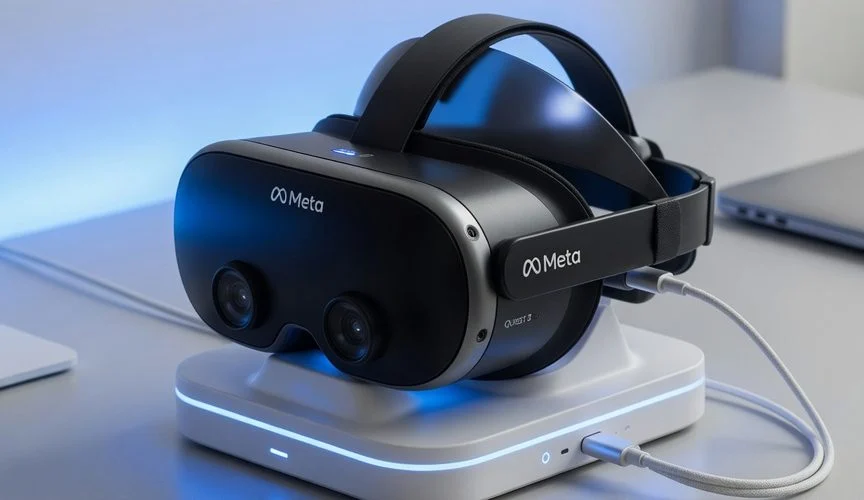

Why VR headset batteries age faster than you’d think
VR is booming — IDC’s Worldwide Quarterly Augmented and Virtual Reality Headset Tracker shows the mixed-reality segment anchored by the Meta Quest line growing from roughly 3.2 million units in 2026 to a forecast 10.4 million by 2030. That’s millions more headset batteries about to go through the exact same aging curve smartphone batteries already went through — except almost nobody is talking about it yet.
A VR headset is, from a battery-stress standpoint, one of the toughest environments a lithium-ion cell can sit in. Three things compound at once:
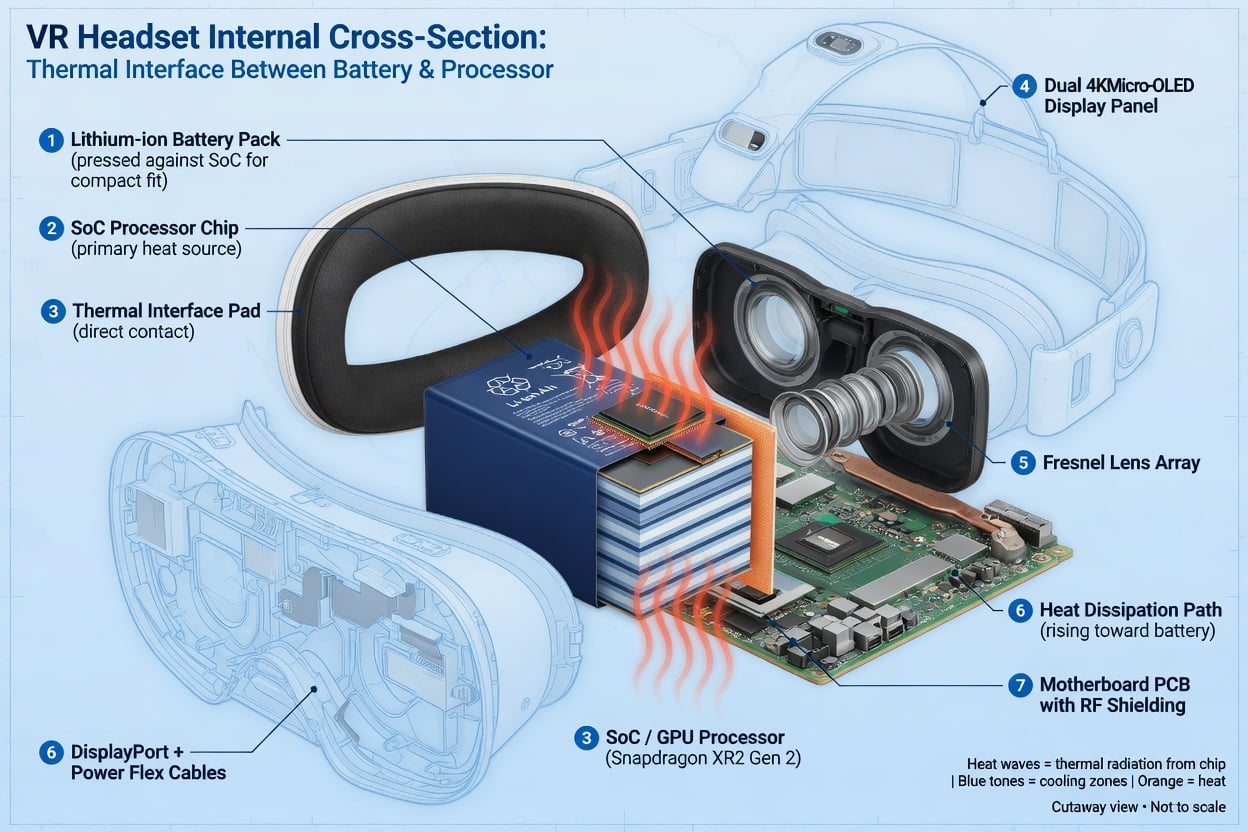
- Heat. The Snapdragon XR2 Gen 2 chipset in the Quest 3, combined with dual high-resolution LCD panels running at up to 120Hz just millimeters from the battery, generates real heat directly against the cell during use — and Battery University’s aging data is unambiguous that elevated temperature is one of the two biggest drivers of permanent lithium-ion capacity loss.
- Daily full cycles. Most people play until the headset warns of low battery, then plug it in overnight or leave it on a charging dock between sessions — a full discharge/full-charge pattern every single day.
- Long dwell time at 100%. Unlike a phone you unplug in the morning, a headset often sits fully charged on its dock between sessions — exactly the “elevated temperature + full charge for extended time” combination Battery University singles out as more stressful than cycling itself.
None of this is unique to Meta. It’s the same physics that makes gaming handhelds like the Steam Deck and ROG Ally age fast, and the same reason smartwatch batteries wear out sooner than phone batteries — small cell, constant cycling, heat, and long dwell time at full charge.
What’s actually inside a Quest 3 (and why replacing it is hard)
The Meta Quest 3 ships with a 3.87V lithium-ion cell rated at 4,879 mAh, according to its published technical specifications. That’s a meaningfully larger cell than a phone, but it also has to power a full standalone Android-based computer, two LCD panels, Wi-Fi 6E radios, and inside-out tracking cameras for 2+ hours per charge — so the pack works hard every session.
When Meta’s CTO Andrew Bosworth was asked directly what Quest 3 battery life would look like, his answer, reported by UploadVR, was blunt: “About the same as Quest 2, plus or minus.” In other words, three years of chip and display upgrades didn’t buy meaningfully more runtime — Meta spent the efficiency gains on performance instead of battery life. That’s a common pattern in consumer electronics, but it means the battery runs at its limit every charge, accelerating wear.
Here’s what most owners miss until it’s too late: iFixit’s official Quest 3 teardown gave the headset a repairability score of just 4 out of 10, specifically flagging the battery as “the most immediate failure” point. Their verdict: “Lithium-based batteries are disposable, as are all rechargeable batteries, and they can wear out in as little as 2 years. Being able to economically replace them is key to a device’s useful lifespan. Replacing the battery in the Quest 3 is as difficult as it was in the Quest 2.” There’s no official battery-replacement program from Meta and no easy DIY swap — the pack is glued and buried under the display assembly.
That changes the calculation entirely. A degraded phone battery is a $70–$100 authorized replacement. A degraded battery in a $499–$649 headset with no repair path means one thing: buying a new headset.
Every VR/MR headset shares the same battery problem
This isn’t a Meta-only issue — every standalone or tethered-battery headset on the market runs on the same lithium-ion chemistry with the same aging rules. Even Apple’s design, which physically separates the battery from the heat-generating compute unit, doesn’t escape the underlying physics.
| Headset | Battery type & capacity | Typical runtime | User-replaceable? |
|---|---|---|---|
| Meta Quest 2 | Li-ion, internal (discontinued 2024) | ~2–3 hours mixed use | No — glued assembly |
| Meta Quest 3 | Li-ion 3.87V, 4,879 mAh, internal | ~2.2 hours mixed use | No — iFixit score 4/10 |
| Meta Quest 3S | Li-ion, internal, similar capacity class | ~2.2 hours mixed use | No |
| Apple Vision Pro | External Li-ion pack, 353g, cabled | ~2.5 hours general use | Battery pack is swappable as a unit, cell inside is not user-serviceable |
Apple’s approach — an external battery pack on a cable instead of an internal cell — actually sidesteps the worst heat exposure (the pack isn’t pressed against a hot chipset), but the pack still charges via USB-C, still ages under the same depth-of-discharge and dwell-time-at-100% rules, and still can’t be economically rebuilt when it fades. The lesson holds across every headset design on the market: the enclosure changes, the battery chemistry and its aging rules don’t.
The charge-voltage math: what 100% is actually costing you
Battery University’s cycle-life testing on lithium-ion cells is the clearest data set available on why “always charge to full” quietly kills capacity. Their published numbers show that every 0.10V reduction in peak charge voltage roughly doubles usable cycle life — a cell charged to the standard 4.20V/cell delivers about 300–500 cycles, while the same cell capped at 4.10V/cell can deliver 600–1,000 cycles. The tradeoff is you get a bit less runtime per session — but for a device you charge daily and can’t economically repair, that tradeoff is exactly backwards from what most people choose by default.
Charging to 100% every night and leaving the headset on the dock is the single most avoidable driver of the “wear out in as little as 2 years” outcome iFixit warned about. Charging to around 80% and unplugging costs nothing during a session — it just buys back months, sometimes years, before you’re shopping for a replacement.
How to actually protect your VR headset’s battery
- Stop leaving it on the dock at 100%. If you use a Quest charging dock or stand, unplug once it hits a reasonable charge instead of leaving it topped off between every session.
- Charge before you play, not right after. Charging right after a hot session compounds heat + high voltage at the same time — the worst combination for lithium-ion. Let it cool first.
- Avoid charging while playing seated PC VR sessions if your headset supports pass-through charging — this keeps the cell hot and near-full simultaneously for hours.
- Cap the charge at 80% with hardware, not memory. Manually watching a percentage and unplugging in time is unrealistic for a daily-use device. A hardware charge limiter that sits between the USB-C charger and the headset — like Chargie — automatically cuts power once the target level is hit, the same way it protects phones and laptops, with zero app required and zero risk of forgetting.
- Store it partially charged, not full or empty, if you’re not using it for a week or more — Battery University’s storage-temperature data shows a battery held at 100% charge loses recoverable capacity far faster in storage than one held around 40–60%.
This is precisely the same protection strategy that works for the always-charging devices Chargie already covers — see how the 80% rule protects gaming handhelds and how battery calibration does (and doesn’t) help a heavily-cycled cell. VR headsets charge over standard USB-C Power Delivery, exactly like modern laptops and handhelds — which means the same Chargie hardware that protects a laptop or Steam Deck plugs in and works on a headset’s charging cable without any headset-specific setup.
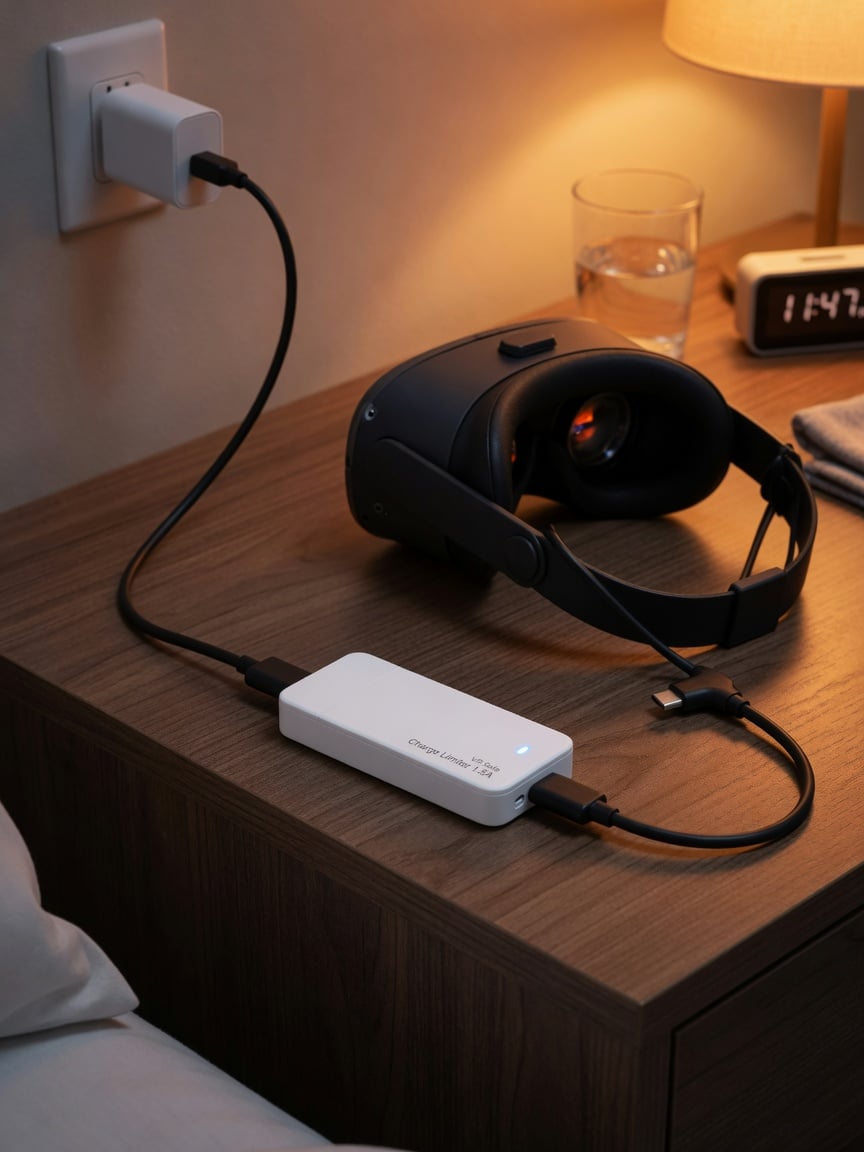
Not sure which Chargie fits your setup? Take the 60-second quiz to match the right hardware limiter to your charger type.
Why this matters more every year
IDC’s tracking shows the installed base of mixed-reality headsets growing at a 34.4% unit CAGR through 2030, alongside an even faster-growing wave of optical see-through smart glasses. That means the population of lithium-ion cells sitting in daily-charged, hard-to-repair headsets is about to multiply several times over — and with it, the volume of “my two-year-old headset barely holds a charge anymore” complaints that already define the smartphone and laptop battery conversation. The e-waste math behind premature battery failure already shows how many devices are retired early because of avoidable charge-cycle damage rather than any other component wearing out — VR headsets, with their glued-in, non-serviceable packs, are arguably the worst offender of any consumer device category to date.
FAQ
Can I replace the battery in my Meta Quest 3 myself?
Not easily. iFixit’s teardown gave the Quest 3 a repairability score of 4/10 specifically because of how difficult the battery is to access and replace — it’s built into the display assembly with no official Meta replacement program. Prevention through better charging habits is far more practical than a repair.
Is it bad to leave my VR headset on the charging dock all the time?
Yes, for battery longevity. Leaving any lithium-ion device parked at 100% charge for extended periods — especially while still warm from use — is one of the two biggest stress factors identified in lithium-ion aging research (the other being heat). Unplug once it reaches a reasonable charge rather than leaving it topped off between every session.
Does the Meta Quest 3 have better battery life than the Quest 2?
No — according to Meta CTO Andrew Bosworth, Quest 3 battery life is “about the same as Quest 2, plus or minus,” despite the newer chipset and higher-resolution display. The extra processing headroom went to performance, not runtime.
Does the Apple Vision Pro have the same battery aging problem?
Yes, though the design is different. The Vision Pro uses an external 353g battery pack on a cable rather than an internal cell, which reduces heat exposure from the chipset, but the pack still uses lithium-ion chemistry, charges via USB-C, and ages under the same depth-of-discharge and full-charge-dwell-time rules as any other headset battery.
What’s a safe charge level to stop at for a VR headset?
Around 80% is the widely cited sweet spot in lithium-ion cycle-life research — Battery University’s data shows meaningfully more usable cycles at reduced peak charge voltages, with only a modest tradeoff in per-session runtime. A hardware charge limiter automates this without requiring you to watch a percentage.
Will a USB-C charge limiter work with my VR headset?
Yes — Meta Quest 2, Quest 3, Quest 3S, and Apple Vision Pro all charge over standard USB-C, the same connector used by laptops and modern phones. A hardware limiter like Chargie sits inline between the charger and the headset’s cable and works without any headset-specific software or setup.

USB-C charge limiter that stops at your set battery level, so your battery never sits at 100% overnight. Extends battery lifespan by years. Works with any USB-C charger.

Limit your laptop charge to 80% via USB-C. Works with MacBooks, Dell, HP, Lenovo and most USB-C laptops up to 100W.
Protect Your Battery with Chargie
The world's first hardware charge limiter. Set a charge limit on any phone, tablet, or laptop — extend battery life by up to 4x.



