
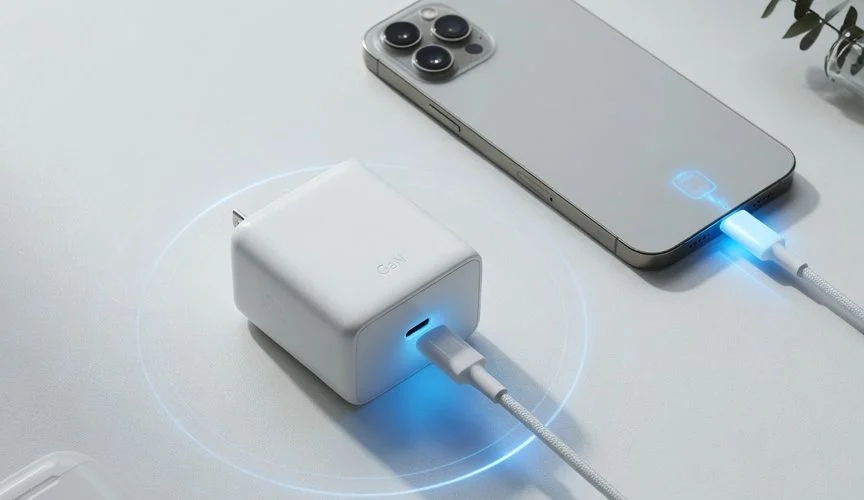

You bought a GaN charger because it’s smaller, charges faster, and doesn’t get as hot as the old silicon brick. Good instincts. But “smaller and cooler” is the marketing copy — the part that actually matters for your battery’s lifespan is what happens to the power between the wall and your phone’s lithium-ion cell. And that part is not the same across every GaN charger on Amazon.
Here’s what GaN technology genuinely changes about power delivery, why it matters for long-term battery health, and where cheap GaN chargers cut the corners that silently age your batteries.
What GaN Actually Does Differently
Gallium nitride (GaN) is a wide-bandgap semiconductor. In plain terms: it can switch at much higher frequencies than traditional silicon (Si) MOSFETs, and it handles higher voltages with less energy lost as heat. That’s the physics reason GaN chargers are smaller — the switching components waste less power, so they need less cooling, so the whole power supply shrinks.
But the benefit for your battery isn’t the size. It’s two things that flow directly from the physics:
1. Tighter voltage regulation. A charger’s job is to take wall AC power (110V or 220V, alternating) and convert it to a clean DC voltage your device can use (typically 5V, 9V, 15V, or 20V depending on the PD negotiation). The quality of that conversion matters. A well-designed GaN charger, switching at significantly higher frequencies than silicon equivalents, produces cleaner output voltage with less ripple — the small AC component that rides on top of the DC. Less ripple means less electrical noise hitting your device’s charging circuit and battery management IC.
2. Lower operating temperature. GaN’s efficiency isn’t just about saving electricity — it’s about where the waste heat goes. A silicon charger wastes more of its input power as heat inside the brick; a GaN charger, thanks to higher switching efficiency, wastes significantly less. The exact figures vary by design, but the direction is consistent. Since the charger sits on your desk, often touching or near your device, that heat radiates toward your phone. Lithium-ion cells feel stress above 30°C (86°F) — Battery University classifies this as elevated temperature — and a warm charger sitting under a phone in a case is exactly that scenario.
Why Heat and Ripple Age Your Battery
Two mechanisms do the damage, and both are worse with a cheap charger:
Thermal degradation. Lithium-ion cells lose capacity faster when stored or charged at elevated temperatures. Battery University’s data shows the effect clearly: cells stored at 40°C and 100% charge retain only 65% capacity after one year, versus 80% for cells at 25°C and 100% charge. That’s a 15-point drop from a 15°C increase. A phone charging next to a hot silicon brick is warmer than one next to a cool GaN charger. Over a year of nightly charging, that temperature difference compounds into measurably lower battery capacity — the BU-808 table makes the magnitude clear.
Voltage ripple stress. Your battery wants clean DC. A charger with high ripple feeds it micro-pulses of over- and under-voltage, thousands of times per second. The battery management IC filters most of this, but not perfectly — some ripple reaches the cell. High ripple increases internal resistance over time and accelerates SEI-layer growth on the anode, the same degradation mechanism that kills batteries left at 100% charge.
If you’ve read our deep dive on why charging to 80% extends battery life, you already know that SEI thickening is the dominant calendar-aging mechanism. A noisy charger accelerates it for the same physical reason high voltage does — it stresses the anode-electrolyte boundary.
Where Cheap GaN Chargers Cut Corners
“GaN” on the box doesn’t guarantee a well-engineered charger. The GaN transistor is one component; the rest of the circuit — the transformer, the capacitors, the PD controller IC, the feedback loop — determines whether you actually get the clean power the GaN element is capable of.
Here’s what to watch for:
No-name GaN chargers with vague wattage claims. A $12 “100W GaN charger” from a brand you’ve never heard of is almost certainly using a GaN transistor with under-spec’d supporting components. The GaN part switches fast, but the output capacitors are too cheap to smooth the ripple at rated load. Under load, the ripple can be significantly higher than what a quality charger produces. Your phone’s battery management IC handles it, but it works harder and runs warmer.
Multi-port chargers that don’t split power intelligently. A 100W GaN charger with four ports sounds great until you plug in four devices and each gets 25W with poor regulation. Quality multi-port chargers (Anker, UGREEN, Satechi) dynamically allocate power per port based on what each device negotiates. Cheap ones split it statically and lose regulation quality under load.
Missing or counterfeit safety certifications. UL, ETL, or CE certification means the charger passed thermal and electrical safety testing. Counterfeit certification marks are common on marketplace listings. A charger that hasn’t been safety-tested may not have over-temperature shutdown, over-voltage protection, or adequate insulation — and those failures don’t just age your battery, they’re fire risks.
What a Battery-Healthy Charging Setup Looks Like
A good GaN charger is part of the solution, but not the whole solution. Here’s the full picture:
Charger: A quality GaN charger from a reputable brand (Anker, UGREEN, Satechi, Belkin, Apple). Look for UL or ETL certification and a clear PD 3.0 or PD 3.1 rating. Size it to your device — a 30W charger for a phone, 65W+ for a laptop, 100W+ for multi-device setups.
Cable: A undamaged USB-C cable rated for the power you’re pushing. A frayed or cheap cable adds resistance and heat — see our breakdown of how a damaged cable hurts your battery. The cable is not the place to save money.
Charge limiting: Even with a perfect charger and cable, charging to 100% every night is the single biggest battery-aging habit you have. A GaN charger delivers cleaner power, but it still fills your battery to 4.2V per cell and holds it there. A hardware charge limiter like Chargie cuts power at 80% — the threshold where degradation rates drop sharply — regardless of which charger and cable you use.
Think of it this way: a clean charger reduces how fast your battery degrades per charge cycle. A charge limiter reduces how much each cycle degrades it. You want both.
The Verdict
A quality GaN charger is genuinely better for your battery than an old silicon brick — less heat, cleaner power, tighter regulation. But “GaN” alone doesn’t guarantee quality. Buy from brands with real safety certifications, size the charger to your actual power needs, and pair it with a cable that’s intact and properly rated.
Then stop the charge at 80%. That’s the single highest-impact thing you can do for battery lifespan, and no charger — however clean — does it for you.

USB-C charge limiter that stops at your set battery level, so your battery never sits at 100% overnight. Extends battery lifespan by years. Works with any USB-C charger.

Limit your laptop charge to 80% via USB-C. Works with MacBooks, Dell, HP, Lenovo and most USB-C laptops up to 100W.
Protect Your Battery with Chargie
The world's first hardware charge limiter. Set a charge limit on any phone, tablet, or laptop — extend battery life by up to 4x.



